
• Hey Guest. Check out your NeoGAF Wrapped 2025 results here!

I deleted everything

Status
Not open for further replies.
It's a software project that had a few large binary files. I mean, it was too late to think about making submodules or whatever because I had already wiped it.

Submodules? Not sure how that helps or what problem that solves? It sounds like you have some vague ideas on how to use the tool and sort of jump to not necessarily a solution that makes sense. Sort of the old adage of: You know just enough to be dangerous.

In my experience, you tend to not want to manage binary files in source control, since there's not really any sort of "delta" between changes, ie. you are usually replacing a file with another file. Anything compiled, you probably don't want to be checking in.
 
Speaking of GIT. Is there anything usable and reliant for versioning all types of documents ? (Not just code)

I had a few projects where my team mates were incapable of using the shared folder correctly. The number of regressions we had was something else.
 
on the topic of source control systems, git can be a bit of a pain. however, a lot of the pain comes from being a distributed version control system. past the initial check-in , it's much easier to recover a source repo without losing history as each copy is canonical. merging responsibilities being a distributed responsibility is probably the biggest pain for most people. in open source projects, it can be rectified by feature branches and pull request which puts the responsibility of verification and merging to the project creator. in a company setting, it's a case of assigning workload such that it is incredibly unlikely that two people would be working on the same files.
 
Speaking of GIT. Is there anything usable and reliant for versioning all types of documents ? (Not just code)

I had a few projects where my team mates were incapable of using the shared folder correctly. The number of regressions we had was something else.

The problem is that non-text file documents probably have lots of different encoding and other information inside them that it makes it very hard to generate a delta between the file changing that makes sense to a human. You'd have to essentially have a tool for diffing each type of format that is aware of how that format works.

on the topic of source control systems, git can be a bit of a pain. however, a lot of the pain comes from being a distributed version control system. past the initial check-in , it's much easier to recover a source repo without losing history as each copy is canonical. merging responsibilities being a distributed responsibility is probably the biggest pain for most people. in open source projects, it can be rectified by feature branches and pull request which puts the responsibility of verification and merging to the project creator. in a company setting, it's a case of assigning workload such that it is incredibly unlikely that two people would be working on the same files.

My theory on people's issues with git is that most problems are actually issues of collaboration and people to quite knowing how they are going to rectify changes with each other. The challenge exists outside of the tool.
 
giphy.gif

This still cracks me up.

I guess while we're sharing embarrassing deletion stories. One thing my mom likes to casually remind me of from time to time. When I was around 10-12 I was really fascinated by computers with things like DOS and BASIC. Our first computer had some kind of Pre-Windows GUI where you select the game or application you wanted from a simple text menu. Well I had gotten a book on DOS and was learning commands. I had this weird and very dumb idea that there were two copies of everything and I could delete some of the directories to save up space.

And yeah... you can imagine what happened after that.
 
Speaking of GIT. Is there anything usable and reliant for versioning all types of documents ? (Not just code)

I had a few projects where my team mates were incapable of using the shared folder correctly. The number of regressions we had was something else.

files that are not stored as plain text are a problem for source control systems as most(all?) source control systems work best when just storing the original file plus the changes at each level. office files, images, etc require storing a complete copy each time. basically, it's a case of no not really. well, you can but expect the repo to bloat in size.
 
force push (another good way to delete everything).

Nope. Use features branches instead of developing on máster/dev branches.

Seriously, most of people's issues with git is that they don't work with it properly and then blame git when they screw up.
 
I don't get the git hate. Never had any issues with it, and I don't consider it hard --and I've bisected, rebased, squashed, merged with different strategies, cherry-picked and pushed --force a fair bit. It has safeguards literally damn everywhere.

I get the point that people would rather not read 10000000 man pages and command outputs and prefer guis to that to get the job done asap, but I don't think it's really bad. Just read everything the command spits at you and read many guides and you're golden.

Tldr; #usegit, no gui, and you'll grok it.

I like using gui for basic stuff. It's way easier to see the diffs and commits and being able to switch branch without having to remember and type the entire name is a godsend. I only really use CLI for interactive rebase and force pushes. And of course when you majorly mess up and need to use reflog.
 
Speaking of GIT. Is there anything usable and reliant for versioning all types of documents ? (Not just code)

I had a few projects where my team mates were incapable of using the shared folder correctly. The number of regressions we had was something else.

If you run a Microsoft environment, team foundation server with SharePoint is an option. Expensive, hassle to build and maintain, not compatible with all dev tools. But works quite well in a Microsoft only environment.
 
I like using gui for basic stuff. It's way easier to see the diffs and commits and being able to switch branch without having to remember and type the entire name is a godsend. I only really use CLI for interactive rebase and force pushes. And of course when you majorly mess up and need to use reflog.

Do yourself a favor and set up bash autocomplete for those branch names.
 
I still find it absurd that this type of version control isn't just built into every file system at this point. Even distributed doesn't seem like an impossible goal. The fact that you have to think about this at all just seems like a fail.
 
i did something like this too a couple years ago. I had a 60 gig .pst file that i thought was backed up but wasn't. i was running out of space on the office computer and getting it offloaded somewhere wasn't an option at the time. I deleted it and tried to restore but it was too late. It was my email archive from the last five years so I had to try to sift through numerous flash drives and intranet files I'd uploaded over the years to get back to where I was.
 
Nope. Use features branches instead of developing on máster/dev branches.

Seriously, most of people's issues with git is that they don't work with it properly and then blame git when they screw up.
Recent versions of git will display a nasty message if you try to push changes into a checked-out branch in a non-bare repository, which makes it harder to wipe out a working directory accidentally.
 
Are we relitigating whether or not git is a good thing? Lol. Do we not remember subversion?

Our Lord and Savior Linus has not misled us. Have faith.

Chichikov is the devil trying to lure us from the path of salvation. Mercurial and Darcs are false idols, to whom prayer will never yield bread or wine.

There is but one god, and his name is Linus. And you will KNOW he is the Lord because if you do not take heed in committing features every two hours, he will rain down a fiery vengeance on your repository.

Amen. ^D
 
This happened to my teammate once in a class project for OO. I was there when the files started being deleted to quickly ctrl-c the fuck out of the process and save some. Fortunately we had backups and were able to reconstruct it.

If you're working with UNIX and you're setup to do auto backups, you should be able to retrieve an earlier version from a few hours before.
 
Reflog wouldn't save you at this point? I'm not a git master, but I think that was something you use to get changes you blew away. Not sure if it's a default though.
 
This is why I'm super careful when using git and other VCSs, especially at work. Git is powerful but complex tool and I think it is too powerful for its own good. I think that there are too many commands and many of them are not clear enough. Another problem is that people are a bit careless with it. For me it is always scary to watch my classmates use git, they just seem to lack caution.
 
Posting this without reading replies, as it may save your butt

type 'git reflog'

Find the hash for the last commit before you reset, then checkout that hash directly

git internally saves the last 50 'states' - even if you hard reset and think you lost it.
 
git reset is a pretty weird command, especially if you are new to git and don't quite understand how HEAD relates to commits / your tree. It's kind of overloaded in that it is commonly used for a few different things.

The most standard use, is being the opposite of git add. Let's say you did git add foo.txt, then foo.txt is now staged for the next commit. If you want to unstage foo.txt, you can do git reset foo.txt, and now foo.txt is no longer staged for the next commit. Note that nothing has changed on the filesystem, the content of foo.txt has not changed in either the add or the reset.

Then you can also do git reset SHA, which will reset your HEAD to BE that SHA. This is similar to doing git checkout SHA, except that you aren't making any filesystem changes. So if you do git reset SHA_FROM_THREE_COMMITS_AGO, then you will have all the changes committed from that state, and the contents of the 3 commits unstaged. Again, note that no filesystem changes have taken place.

It's when you do git reset SHA --hard that you get filesystem changes. Essentially saying git reset SHA --hard is saying you want your HEAD to be that SHA as though it was freshly checked out. Therefore, you now have filesystem changes, and so you will have potentially lost all the contents of the commits in between (although probably recoverable locally using git reflog).

So if you are worried about changing your files on disk, DO NOT USE --hard.
 
Last year there was a news story of a man who rm -rf deleted his entire company's files. Also his client's files. Essentially he deleted his entire company.

EDIT: Or it was fake.
we chatted anout this and tried it in red hat training class, the os will stop you and you must do something like

--no-preserve-root (on phone cant verify but its close to this)

his story was a decent one with a plausible 'how' but fell down on that, gave us all a chuckle anyway though. nice to imagine the 'how fucked am anyway' scenRios if that was real
 
I haven't done something like this yet, but I always have nightmares about fucking up like this. Gotta keep your wits about.
 
Submodules? Not sure how that helps or what problem that solves? It sounds like you have some vague ideas on how to use the tool and sort of jump to not necessarily a solution that makes sense. Sort of the old adage of: You know just enough to be dangerous.

In my experience, you tend to not want to manage binary files in source control, since there's not really any sort of "delta" between changes, ie. you are usually replacing a file with another file. Anything compiled, you probably don't want to be checking in.
Well, the other developers need some way to get the changes in the binary files. We have to modify them frequently. At a previous job, we split them into submodules to get them to fit on Bitbucket. Didn't have the option of another version control system.

Nope. Use features branches instead of developing on máster/dev branches.

Seriously, most of people's issues with git is that they don't work with it properly and then blame git when they screw up.
You don't understand. If I rebase the feature branch onto dev, I have to force push over my existing commits on the feature branch. Then, merge.
 
Posting this without reading replies, as it may save your butt

type 'git reflog'

Find the hash for the last commit before you reset, then checkout that hash directly

git internally saves the last 50 'states' - even if you hard reset and think you lost it.
There are no commits. There is no repository. The guy just had the project on his computer and I did git reset --hard.
 
Just so you guys know, when you delete something beyond the recycle bin, it's not gone right away. It's still on your hard drive, it's just hidden away from the file browser with a flag that the data can be written over. As long as you didn't go download a huge 50gb game or something, you can find freeware on the internet to unflag it and restore it.

Just a tip if you delete a paper or something for college simple like that.

This should be preached more often.
 
I remember ten years ago I deleted the entire contents of the main class of my webapp at my final internship, after working on that beast for six months. Contained several thousand lines of code. On Sunday. File was totally empty, so I lost my mind.

Had to call my co-worker, Who was at his fathers birthday Party to remotely login to the server and retrieve a back-up before the live version would overwrite it at the scheduled bi-hourly back-up.

Luckily he managed in time and I barely avoided a nervous breakdown.
 
I have a question about git/project work flow and since this thread is mainly git related I figured I drop it here.

What's a good resource to look towards for learning good team based project development techniques?

My current job finally has a team big enough to warrant something more reliable than just moving project files around via email/dropbox etc.

We'll have multiple people working on the same scripts and I can see it getting really messy really fast if we don't have some sort of rules/guidance to follow. I'm vaguely familiar with git as I've used it on a few projects, but my team hasn't used it at all. What's a good resource for teaching a team git relatively quickly?

tl:dr is questions in bold. Sorry if this hijacks the thread. Thank you for any/all responses, they're greatly appreciated.
 
You don't understand. If I rebase the feature branch onto dev, I have to force push over my existing commits on the feature branch. Then, merge.

Wait.
Why would you rebase a feature branch onto dev?

You merge a feature branch into dev. You can force push into your feature branch but rebasing a feature into dev?? Then that's the same as just doing changes directly on the dev branch.

I'm not sure you are following a proper git workflow.
 
Oh man. I used to teach CS and students did this kinda stuff all the time. I never understood it because to me git always seemed like such a safe system, like it's really hard to permanently delete things. I feel like git goes out of its way to hide its more destructive operations behind really arcane commands and flags... Like to me the --hard flag sounds intimidating and suggests "don't do this unless you're really really serious". But somehow students stumble upon it anyway. It kills me when I'm on stack overflow and I see people recommending git reset --hard. Please don't. You almost never need to do something like that.

I think a lot of the blame is on git itself though. I like the system itself a lot, except I think all the commands and flags and general terminology is named really badly. I wish we could go back in time and just rename everything in git.

Edit: after reading more if this thread, what is even going on. People are force pushing on the regular?? You really shouldn't have to do that if you're following normal git workflow. It's named force push for a reason.
 
Wait.
Why would you rebase a feature branch onto dev?

You merge a feature branch into dev. You can force push into your feature branch but rebasing a feature into dev?? Then that's the same as just doing changes directly on the dev branch.

I'm not sure you are following a proper git workflow.
I want all of the changes on dev merged into my branch, but i want my commits to appear after the commits I'm pulling. So I rebase my branch onto dev, then force push, then merge my branch into dev.
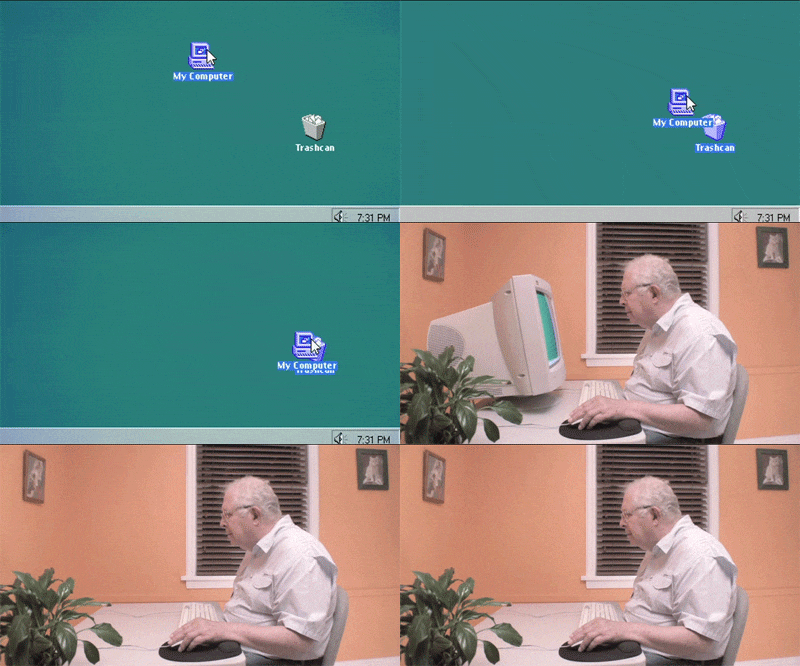
 
Yeah, for a personal project, I once accidently reset the VM back to its original state. So while I still had all the code files, it took days to get everything setup correctly so it would work again.
 
Rebasing a feature onto dev is exactly how you maintain a sane, comprehensible commit history for other people to know what the hell is going on. Makai is doing what pretty much any other large project does.
 
That's not how git works.

You setup a remote server and everybody works on their own local repository.
People are only allowed to push to the remote server. Nobody but the one guy who owns the project should be allowed to modify the remote server directly. And once you push garbage to the remote server, you don't delete it, You re-push a revert on top.
 
Speaking of GIT. Is there anything usable and reliant for versioning all types of documents ? (Not just code)

I had a few projects where my team mates were incapable of using the shared folder correctly. The number of regressions we had was something else.

In principle, there's nothing stopping you from adding binary files to Git or any other version control system. However, most people don't since they tend to bloat the repository since they don't lend themselves to diffs as well as text files.

I have heard of git lfs, a plugin that supposedly makes git handle binary files better, but I've never used it myself, so I can't vouch for it's quality. From my understanding, the main downside is that your git server has to have explicit support for it.
 
The problem with GUIs like Sourcetree is that you don't really know what they're actually doing under the hood, or what commands are being run, so if anything goes wrong you're kind of screwed. It's kind of like writing HTML vs. using a WYSIWYG app to design a website.

They're good for non-devs who have to touch code (PMs, designers, etc) but I wouldn't really recommend it to a full-time software engineer.
Except that SourceTree is pretty great and it shows you *exactly* what command it's running.

Honestly, unless you are on *nix or have to run a weird-ass command, there is no reason to use terminal over it.
 
That's not how git works.

You setup a remote server and everybody works on their own local repository.
People are only allowed to push to the remote server. Nobody but the one guy who owns the project should be allowed to modify the remote server directly. And once you push garbage to the remote server, you don't delete it, You re-push a revert on top.
git branch -D condescension
 
No, they all use Office still. Or specialist accounting programs. Maybe coupled with some cloud storage like Dropbox.

That's what I do. Lawyer. I use Word/Office, with my whole "work" folder backed up to Dropbox and encrypted. I just use Google Docs for things like blog posts.
 
git branch -D condescension

Every time I work on something, no matter how minor, I create a new branch.
The development model for the one project was to publish that branch so other can code inspect it. Blasphemy! git branch -a is now a deluge of mindless crap.

For my own project, we do code inspection on the side, with diffs. The main git has only a few branches and they each correspond to a product release.

In either case, I don't bother with git -D. I just wipe out the entire partition when I'm done. Or when we upgrade our servers. I think I have a backup harddrive from 2005 in a box somewhere...
 
Respect the --hard. I seriously double and triple check myself because I've been burned.

Every time I work on something, no matter how minor, I create a new branch.

We have that rule on my team. If you submit a merge request from master it will be automatically rejected. And no merging in your own changes unless it's an emergency and no one else is around.
 
Posting this without reading replies, as it may save your butt

type 'git reflog'

Find the hash for the last commit before you reset, then checkout that hash directly

git internally saves the last 50 'states' - even if you hard reset and think you lost it.

did not know this, thanks!
 
I want all of the changes on dev merged into my branch, but i want my commits to appear after the commits I'm pulling. So I rebase my branch onto dev, then force push, then merge my branch into dev.

That's more or less what I do, but I don't force anything. Because I rebase, it's always a clean push.
 
Status
Not open for further replies.
Top Bottom
