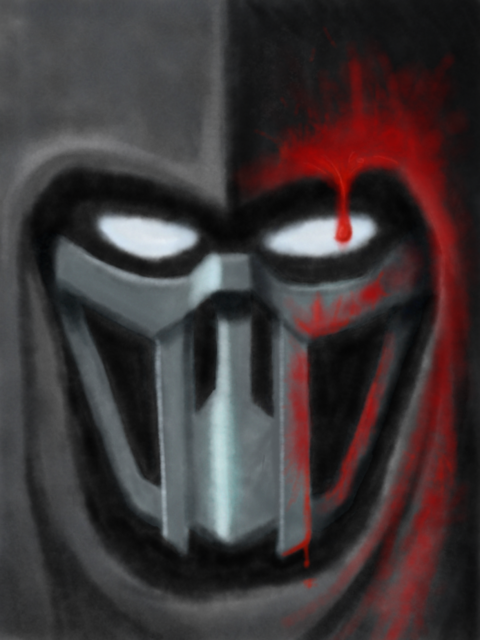
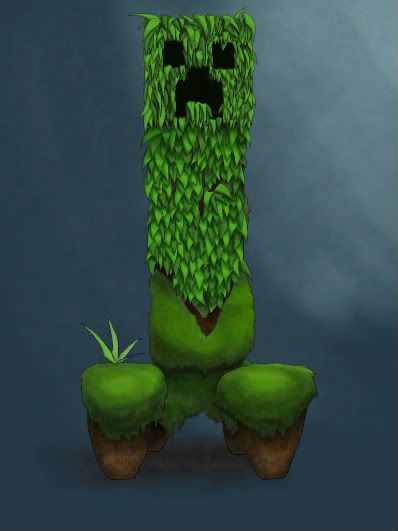
If you're looking to create paintings, draw comics, quickly jot down a sketch, edit photos or invent the latest hilarious GAF meme, chances are that the tool you need is

Here's a few of my favourite apps to start, and if anyone else feels like adding their favourite apps into the thread it'd be greatly appreciated. All of these apps are available on both iPad and iPhone, but I found using the iPhone for image creation was almost useless.
Sketchbook Pro

Based on Autodesk's PC painting program, Sketchbook Pro is the high standard of iOS art creation programs. It's a complex beast to master, but I found it worth the effort. Among its features are a plethora of brushes to select from, very friendly layer transform tools, quick access to opacity and brush size changes and the ability to export directly to Flickr, Facebook or as a proper .PSD with layers intact. I've made a few comics with it, and really love creating soft backgrounds with its soft brushes set to low opacity.
Edit 8 May 2011: This app has recently received an update with some UI improvements, the ability to edit larger resolution images on the ipad 2, some more user preference customizations and, awesomely, the ability to connect to your Dropbox account for saving / loading. Yeah, I would be pretty happy with if I could only have one art app on my iPad.
http://usa.autodesk.com/adsk/servlet/pc/item?siteID=123112&id=13872203&preview=1
http://itunes.apple.com/us/app/sketchbook-pro/id364253478?mt=8
Brushes


Brushes has gained fame for being very easy to use, (and used for New Yorker covers)with a very uncomplicated user interface that allows you to get drawing something decent within minutes. However, this simplicity comes at a cost to depth, and after a week or two I found myself wanting more options to play with. Ironically, it's the simple set of brushes in this app that made me prefer Autodesk's offering over time. Brushes features a very cool 'playback' feature that lets you watch your drawings being made from scratch in a time lapse video style. You can also export these playbacks using a free Mac app. Unfortunately there's no PC program - I really wish you could export the playbacks from the app itself. I did a comic or two with Brushes, but probably won't again now I know my way around Sketchbook Pro.
http://www.brushesapp.com/
http://itunes.apple.com/us/artist/steve-sprang/id288230267
Art Studio (iPad only)
Thanks to Sh0k for introducing this to me. Art Studio is a very versatile production app that features what is, to me at least, the best user interface among the ones I've tried. One of the things I like most about it is that you have the ability to change between no UI, minimal UI and a slightly more obtrusive UI that allows me to switch gears a lot easier than in other apps. (note: I think[/] Sketchbook Pro's new UI changes allow for this too, I have yet to really use it.) To be honest since I've been introduced to this it's become my default art production app - the multiple layers, robust handling of multiple image formats including PSD and the fact I actually LIKE having a bit of screen real estate devoted to the UI has made it a good Photoshop substitute in my eyes.
http://itunes.apple.com/us/app/artstudio-for-ipad-draw-paint/id364017607?mt=8#
Photoshop Express


Unlike the desktop version of Photoshop, Express doesn't allow you to draw directly onto your imported image. This is strictly for post effects, fancy borders, etc. Simple tools like crop, rotate, and saturation / tint / contrast adjustments allow for quick edits with fine control. Post effects available are Sketch, Soft Focus and Sharpen which work as basic versions of the desktop version. And if you're a ten year old girl
you can add fancy borders and rainbows to your image. While it doesn't replace the need for a 'real' Photoshop, it's a very quick, clean and user friendly way to do quick edits on the move. And it's free, so yay.
http://mobile.photoshop.com/
http://itunes.apple.com/WebObjects/MZStore.woa/wa/viewSoftware?id=331975235&mt=8
Adobe Ideas
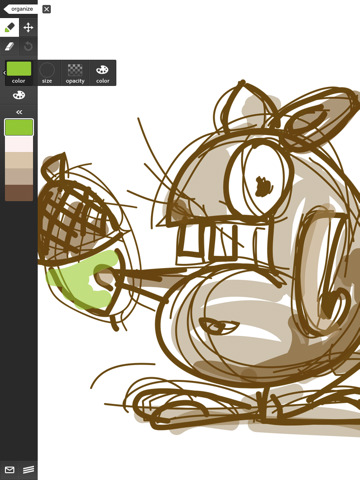
This isn't really an art production application - more of a 'quick napkin sketch' kit. Simple tools for pen, erase, rotate and move are pretty much all you have to work with before you email the image out. If that sounds like a complaint - it's not. It's just not meant for that kind of hardcore image creation, at least to me. Some people have managed to make some pretty impressive things with it, but the UI takes up way too much space for me to use it beyond the basics of getting something out really quickly. And to its credit, Ideas is the fastest way of drawing I've seen on the system. The app is free, and they've just added layers support as a paid upgrade, and promise more in the future, so watch this space.
http://blogs.adobe.com/adobeideas/
http://itunes.apple.com/us/app/adobe-ideas/id364617858?mt=8
Styluses (Stylii?)
This isn't an app, but I would be remiss to not talk about what is basically a necessity to create digital art for the iPad. The main player in this market is the Ten One Design Pogo Stylus.
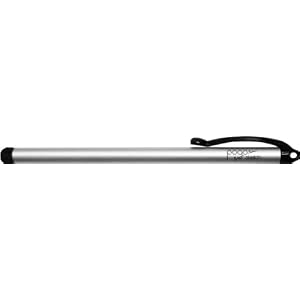
I bought one a few weeks back and like it. Just for reference, I do most of my drawing with a Wacom pen, so the biggest differences between using them and a Pogo is that there's no pressure sensitivity on the iPad, so opacity / line thickness has to be controlled by menus, and I'm so used to just turning the pen around to go into erase mode, which obviously the iPad doesn't support either. I also noticed that it takes a bit to get used to how hard you have to press the stylus onto the screen. There are apparently a ton of other types of stylus on the market, offering a smoother feel and smaller point of contact with the screen, and I plan to try them out over the next few months.
So, what say you, GAF? I really want to use my iPad more to draw on. I love my Wacom to bits, but hate having to be tied to a desktop to use it or balance it and my hot netbook with a tiny screen on my lap. So if you know of a good art production app, please do share!
(Apologies to Fusebox, whose iPad/iPhone Music Production app thread I shamelessly stole formatting and intro text from)
Here's a few of my favourite apps to start, and if anyone else feels like adding their favourite apps into the thread it'd be greatly appreciated. All of these apps are available on both iPad and iPhone, but I found using the iPhone for image creation was almost useless.
Sketchbook Pro
Based on Autodesk's PC painting program, Sketchbook Pro is the high standard of iOS art creation programs. It's a complex beast to master, but I found it worth the effort. Among its features are a plethora of brushes to select from, very friendly layer transform tools, quick access to opacity and brush size changes and the ability to export directly to Flickr, Facebook or as a proper .PSD with layers intact. I've made a few comics with it, and really love creating soft backgrounds with its soft brushes set to low opacity.
Edit 8 May 2011: This app has recently received an update with some UI improvements, the ability to edit larger resolution images on the ipad 2, some more user preference customizations and, awesomely, the ability to connect to your Dropbox account for saving / loading. Yeah, I would be pretty happy with if I could only have one art app on my iPad.
http://usa.autodesk.com/adsk/servlet/pc/item?siteID=123112&id=13872203&preview=1
http://itunes.apple.com/us/app/sketchbook-pro/id364253478?mt=8
Brushes
Brushes has gained fame for being very easy to use, (and used for New Yorker covers)with a very uncomplicated user interface that allows you to get drawing something decent within minutes. However, this simplicity comes at a cost to depth, and after a week or two I found myself wanting more options to play with. Ironically, it's the simple set of brushes in this app that made me prefer Autodesk's offering over time. Brushes features a very cool 'playback' feature that lets you watch your drawings being made from scratch in a time lapse video style. You can also export these playbacks using a free Mac app. Unfortunately there's no PC program - I really wish you could export the playbacks from the app itself. I did a comic or two with Brushes, but probably won't again now I know my way around Sketchbook Pro.
http://www.brushesapp.com/
http://itunes.apple.com/us/artist/steve-sprang/id288230267
Art Studio (iPad only)
Thanks to Sh0k for introducing this to me. Art Studio is a very versatile production app that features what is, to me at least, the best user interface among the ones I've tried. One of the things I like most about it is that you have the ability to change between no UI, minimal UI and a slightly more obtrusive UI that allows me to switch gears a lot easier than in other apps. (note: I think[/] Sketchbook Pro's new UI changes allow for this too, I have yet to really use it.) To be honest since I've been introduced to this it's become my default art production app - the multiple layers, robust handling of multiple image formats including PSD and the fact I actually LIKE having a bit of screen real estate devoted to the UI has made it a good Photoshop substitute in my eyes.
http://itunes.apple.com/us/app/artstudio-for-ipad-draw-paint/id364017607?mt=8#
Photoshop Express
Unlike the desktop version of Photoshop, Express doesn't allow you to draw directly onto your imported image. This is strictly for post effects, fancy borders, etc. Simple tools like crop, rotate, and saturation / tint / contrast adjustments allow for quick edits with fine control. Post effects available are Sketch, Soft Focus and Sharpen which work as basic versions of the desktop version. And if you're a ten year old girl
or overgrown manchild
http://mobile.photoshop.com/
http://itunes.apple.com/WebObjects/MZStore.woa/wa/viewSoftware?id=331975235&mt=8
Adobe Ideas
This isn't really an art production application - more of a 'quick napkin sketch' kit. Simple tools for pen, erase, rotate and move are pretty much all you have to work with before you email the image out. If that sounds like a complaint - it's not. It's just not meant for that kind of hardcore image creation, at least to me. Some people have managed to make some pretty impressive things with it, but the UI takes up way too much space for me to use it beyond the basics of getting something out really quickly. And to its credit, Ideas is the fastest way of drawing I've seen on the system. The app is free, and they've just added layers support as a paid upgrade, and promise more in the future, so watch this space.
http://blogs.adobe.com/adobeideas/
http://itunes.apple.com/us/app/adobe-ideas/id364617858?mt=8
Styluses (Stylii?)
This isn't an app, but I would be remiss to not talk about what is basically a necessity to create digital art for the iPad. The main player in this market is the Ten One Design Pogo Stylus.
I bought one a few weeks back and like it. Just for reference, I do most of my drawing with a Wacom pen, so the biggest differences between using them and a Pogo is that there's no pressure sensitivity on the iPad, so opacity / line thickness has to be controlled by menus, and I'm so used to just turning the pen around to go into erase mode, which obviously the iPad doesn't support either. I also noticed that it takes a bit to get used to how hard you have to press the stylus onto the screen. There are apparently a ton of other types of stylus on the market, offering a smoother feel and smaller point of contact with the screen, and I plan to try them out over the next few months.
So, what say you, GAF? I really want to use my iPad more to draw on. I love my Wacom to bits, but hate having to be tied to a desktop to use it or balance it and my hot netbook with a tiny screen on my lap. So if you know of a good art production app, please do share!
(Apologies to Fusebox, whose iPad/iPhone Music Production app thread I shamelessly stole formatting and intro text from)