• Hey Guest. Check out your NeoGAF Wrapped 2025 results here!

Does PS4 screenshot sharing downsample the game's graphics?

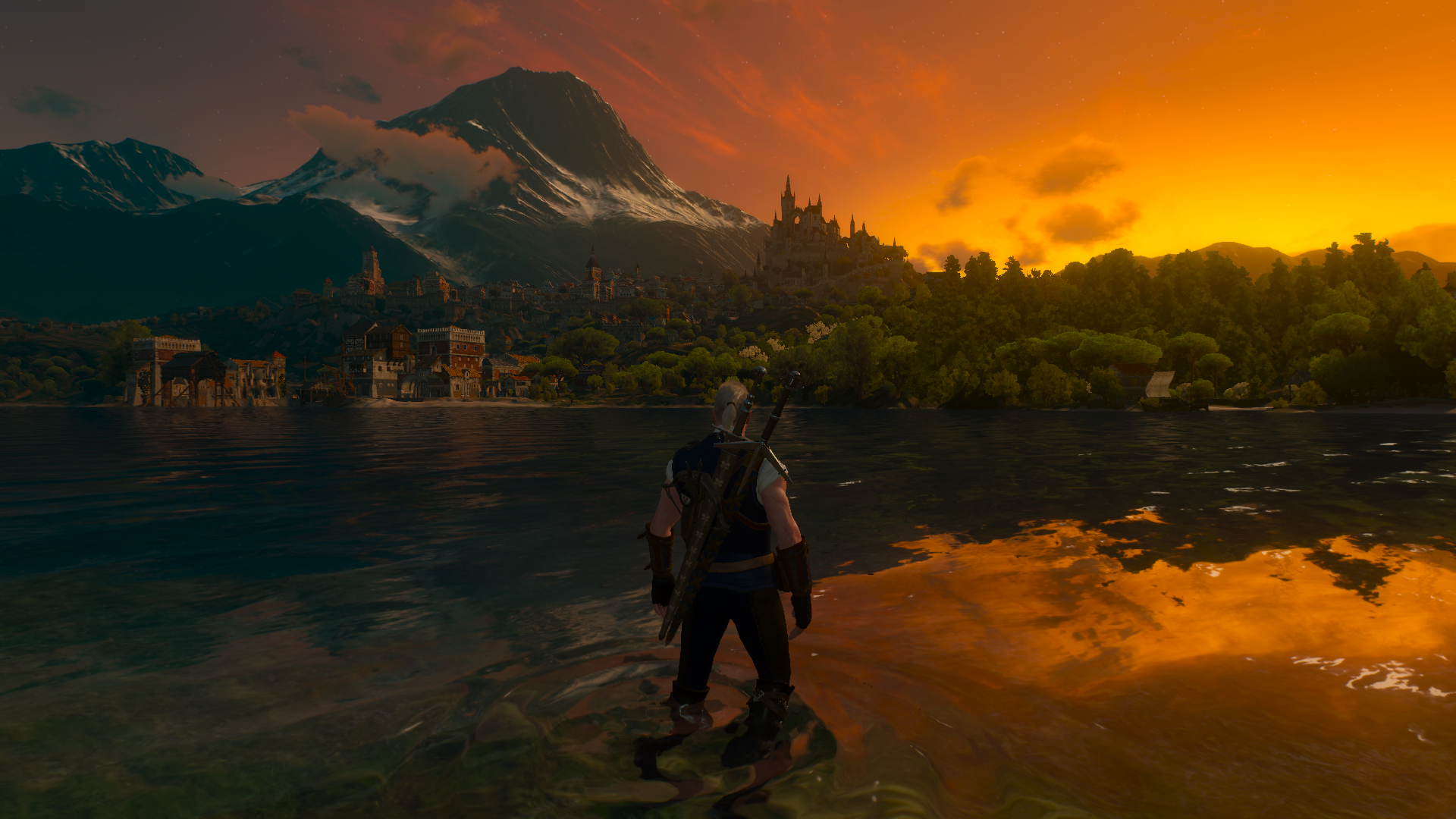
I was playing Witcher 3: BaW expansion the other night and took a screenshot via the share button. Couldn't help but notice that the image looked worse than the game in real-time

Ct5MUOJVUAAWSX1.jpg


I swear the game looked much better than this screenshot when I was up there. Am I overthinking this? Is my mind playing tricks on me?
 
That's not what downsampling means, LOL. Most people would be confused. In any case, I'm willing to bet you still have the screenshot setting at JPEG? Switch to PNG for significantly higher quality shots.

Looking at your pic, I can already see a ton of compression artifacts. Pretty sure it's not set to PNG.
 
That image is compressed as hell by the looks of it, and isn't even 1920x1080, so of course it's not going to look as good.

Where did you upload it to?
 
Isn't downsample when you render an image at a higher resolution and display it at smaller one, thus getting increased image quality?
 
That image is compressed as hell by the looks of it, and isn't even 1920x1080, so of course it's not going to look as good.

Where did you upload it to?
Twatter.

How do I change settings? I have been sharing bad quality pictures for so long :(

Edit: Sorry about using the word downsample!! I never looked up its meaning.
 
Twatter.

How do I change settings? I have been sharing bad quality pictures for so long :(

You'll have to export the screenshots to USB and then upload them to somewhere like flickr.

It's the compression from Twitter that ruins pics the most, but you should still change from jpeg to PNG via the share options.
 
Twitter will kill them whether they're png or jpg

Switch your screenshot setting to PNG in the share settings on PS4 and then copy it off via USB or by sending it to yourself as a PlayStation message, then saving that message from your phone via the messages app.
 
Twatter.

How do I change settings? I have been sharing bad quality pictures for so long :(

Edit: Sorry about using the word downsample!! I never looked up its meaning.

Go to the Share menu.
Enter the Share Settings menu
Enter the Screenshot Settings menu
Change the image format
 
Your image is resized and compressed to hell and back.This is how direct feed screenshots from PS4 Witcher look like:

27984897716_c2122c444a_o.png


26421715235_a312243bb3_o.png


26447069505_0e936e2986_o.png
 
Twitter will kill them whether they're png or jpg

Switch your screenshot setting to PNG in the share settings on PS4 and then copy it off via USB or by sending it to yourself as a PlayStation message, then saving that message from your phone via the messages app.
Ugh, all that USB stuff. Aint nobody got time for that.
 
Does the PS4 work well with a wifi flash drive? I was thinking of getting one when the Pro comes out and just leaving it in permanently for lossless screenshots (since the Pro has a USB slot on the back).
 
I wish capturing screens on PS4 was as snappy as it is on Vita. I hate waiting for it to actually snap the shot usually a second or two after the moment I intended to capture already passes, or waiting for that capture symbol to disappear when I'm trying to take multiple shots... like if I'm trying to catch anything specific in motion a certain way.
 
Ugh, all that USB stuff. Aint nobody got time for that.

If you want to share good, representative screenshots you better make time for that. Plenty of people in the Console Screenshots thread seem to got time for it too. (It really isn't that time-consuming or complicated to drop them to a USB stick)
 
I wish capturing screens on PS4 was as snappy as it is on Vita. I hate waiting for it to actually snap the shot usually a second or two after the moment I intended to capture already passes, or waiting for that capture symbol to disappear when I'm trying to take multiple shots... like if I'm trying to catch anything specific in motion a certain way.

It snaps the shot the moment you press the button, regardless of how long it takes for the icon to pop up or sound to play.

And you can turn off screenshot notifications in the settings menu.
 
I wish capturing screens on PS4 was as snappy as it is on Vita. I hate waiting for it to actually snap the shot usually a second or two after the moment I intended to capture already passes, or waiting for that capture symbol to disappear when I'm trying to take multiple shots... like if I'm trying to catch anything specific in motion a certain way.

The notification is delayed. the actual screen shot is taken when you press the button. That's why when you take two screen shots in a row, you will capture the notification icon from the first screen shot in your second.
 
Actually, and I say this after extensive testing, the screenshot is not taken at the exact moment the SHARE button is pressed. There is still a delay of about 0.3 ~ 0.5 seconds between your button press and the screenshot being taken, which can be somewhat frustrating in fast-paced games. (This is regardless of JPEG or PNG)

Meanwhile, it is instant on the Vita, which is kind of mind-boggling.
 
Top Bottom