


Jawmuncher
Member
I recently got a hold of the Dino Crisis 1 and 2 PC Demos.
Was surprised to find a lot of forgotten icons, features, and random things.
Figured I should share my finding with the rest of GAF.
Running Dino Crisis 1 on Modern PC
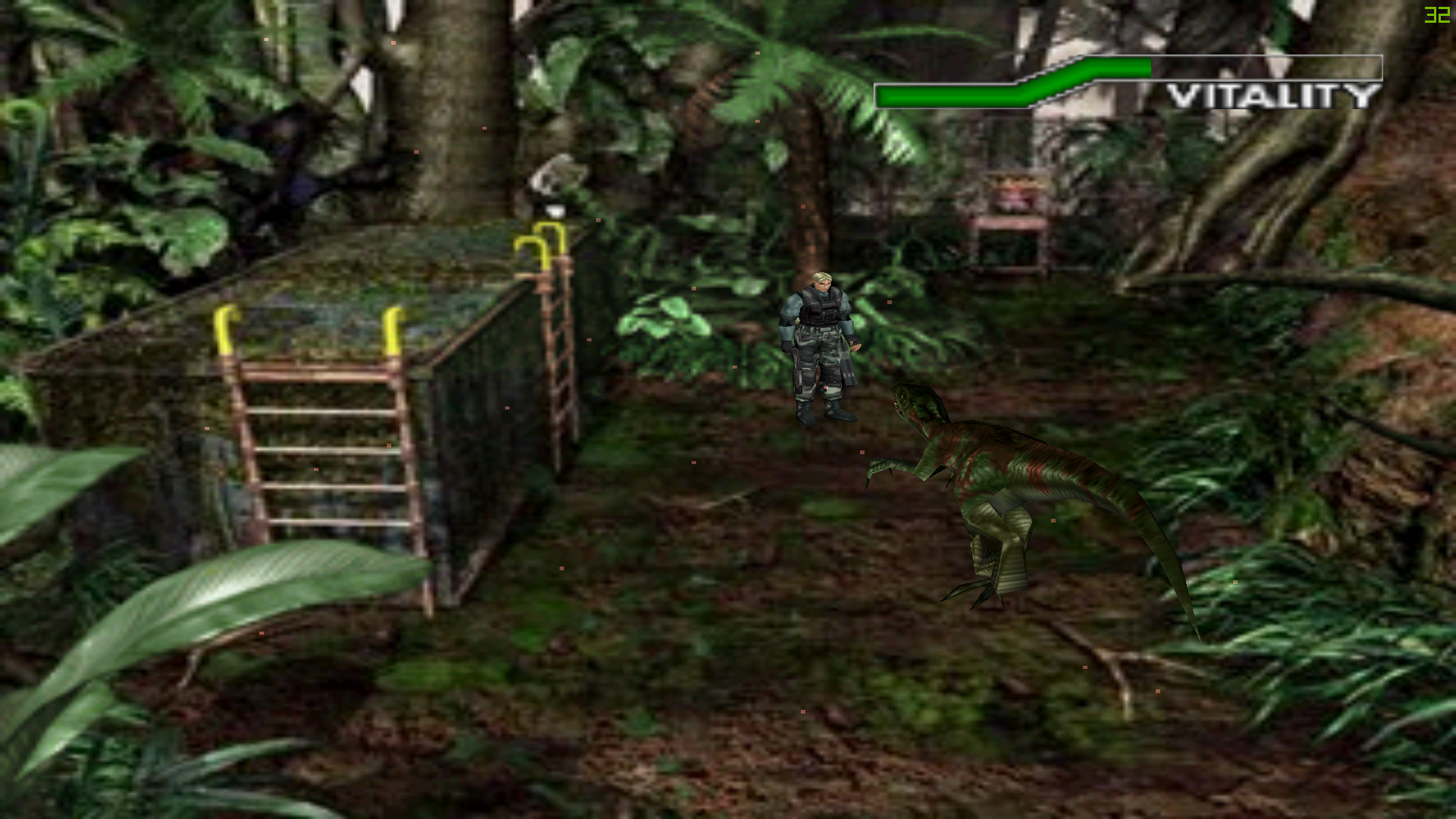
For Dino Crisis right off the bat the game launches just fine. However I was only able to select 640 x 480 for the resolution. Which is fine for windowed play but is a bit of a problem on newer desktops since it stretches the image to fit in fullscreen. But the fact that the game fits the screen rather than keeping it boxed like older games is quite interesting. Sure if I messed around with it more I could get different resolutions. The game runs at a locked 31 FPS which I guess is related to the animations. I believe it speeds up much like REmake if upped to 60FPS. The FMVs require Intel Video 5.11. Which the launcher provides, but i'm unwilling to test on this newer computer. Thus no FMV video will play but the sound for them will go through just fine. Still with all the flaws of this old port. The fact that it can easily be ran on newer hard ware is very surprising and if you absolutely must play it on PC the windowed mode looks very well. There is also gamepad support. As for the demo itself it lets you play the game for 10 minutes or the first mission of Operation Wipeout. It also lets you choose any costume right from the start. Surprisingly the PC version has "Opertain Wipeout Internet" which would track your score. However the feature is disable in the demo so I couldn't check to see if it was still up. Lastly all of the games BGM, Voice, and Sound Effects are in .dat format, which when changed to .ogg can be listened to with a program such as VLC.
Launcher and Game Icons along with lower quality for smaller views


Launcher Screen & Coming Very Soon Screen upon demo completion
Running Dino Crisis 2 on Modern PC
Once again the game launches with no issues at all. The only issue I encountered was that the Main Menu was black, but items could still be selected. If you manged to click the load screen it would show fine, and backing out the main menu would then appear. Starting the game the FMV's would not show but this time around it just skipped rather than playing the sound for them. The game once again runs at 31fps as the lock. Surprisingly the game fits into widescreen just fine and even supports resolutions up to 1920 x 1080. However this stretches the pre-rendered backgrounds. This demo allows playing the full game for up to 45 minutes. After that a Active Mark screen appears asking you to buy the game. However the screen does not work since it can't detect my current internet connection since I supposed it's too advanced for when this port was released. I tried uninstalling and reinstalling to gain access again to the demo but was unsuccessful. Once again all of the sound effects, BGM, and voices are in .dat and can be changed to .ogg and played.
Game Icon

Demo Expiration Screen and 1920x1080 screenshot
Now onto the reason I made this thread. The Dino Crisis 2 Windows 95/98 Desktop Theme!
This theme is included with the demo and retail game. It can be accessed by going to the installation folder and extracting the theme from a zip file. The stuff in here is absolutely brilliant and is worth a look just to remember a different time in PC gaming.
Cursors From Left to Right - Busy, Working in Background, Handwriting Select, Link Select, Normal Cursor


Icons from Left to Right - My Computer, Network Neighborhood, Recycle Bin Empty, Recycle Bin Full, My Documents


These images are used in Windows Explore and from left to right are called "Dino Crisis 2 WVLEFT" & "Dino Crisis 2 WVLOGO
The Theme In Action with the Included Wallpapers
Last but not least the sounds included with the theme.
https://soundcloud.com/jawmuncher/sets/dino-crisis-2-pc-theme-sounds
A lot of very odd choices here that when I successfully installed this theme on my older desktop made my browsing experience all the more enjoyable. My favorites being Empty Recycle Bin, Critical Stop.
In Closing
That's everything I found and all of the information regarding the ports I can give at this time.
All in all it was a fun experience and I hope you enjoyed some of the findings here. Maybe one day capcom can bother with updating these ports for a steam rerelease. lastly thanks to these people who made the theme, which gave me far more enjoyment than it had any right to.
----------------------------
Late addition DC1 Theme
Here is all the content from the Dino Crisis 1 Theme.
Cursors from Left to Right - Busy, Help Select, Unavailable, Handwriting,


Icons from Left to Right - My Computer, Network Neighborhoods, Recycle Bin Empty, Recycle Bin (FULL), My Documents


These images are used in Windows Explore and from left to right are called "Dino Crisis WVLEFT" another Dino Crisis WVLEFT & "Dino Crisis WVLOGO"


The Theme In Action with the Included Wallpapers
Sounds from the Theme
https://soundcloud.com/jawmuncher/sets/dino-crisis-1-pc-theme-sounds
Not as funny as DC2 but Start Windows and Exit Windows are basically cutscenes and Empty Recycle Bin wins as the best one there.
Was surprised to find a lot of forgotten icons, features, and random things.
Figured I should share my finding with the rest of GAF.
Running Dino Crisis 1 on Modern PC
For Dino Crisis right off the bat the game launches just fine. However I was only able to select 640 x 480 for the resolution. Which is fine for windowed play but is a bit of a problem on newer desktops since it stretches the image to fit in fullscreen. But the fact that the game fits the screen rather than keeping it boxed like older games is quite interesting. Sure if I messed around with it more I could get different resolutions. The game runs at a locked 31 FPS which I guess is related to the animations. I believe it speeds up much like REmake if upped to 60FPS. The FMVs require Intel Video 5.11. Which the launcher provides, but i'm unwilling to test on this newer computer. Thus no FMV video will play but the sound for them will go through just fine. Still with all the flaws of this old port. The fact that it can easily be ran on newer hard ware is very surprising and if you absolutely must play it on PC the windowed mode looks very well. There is also gamepad support. As for the demo itself it lets you play the game for 10 minutes or the first mission of Operation Wipeout. It also lets you choose any costume right from the start. Surprisingly the PC version has "Opertain Wipeout Internet" which would track your score. However the feature is disable in the demo so I couldn't check to see if it was still up. Lastly all of the games BGM, Voice, and Sound Effects are in .dat format, which when changed to .ogg can be listened to with a program such as VLC.
Launcher and Game Icons along with lower quality for smaller views
Launcher Screen & Coming Very Soon Screen upon demo completion


Running Dino Crisis 2 on Modern PC
Once again the game launches with no issues at all. The only issue I encountered was that the Main Menu was black, but items could still be selected. If you manged to click the load screen it would show fine, and backing out the main menu would then appear. Starting the game the FMV's would not show but this time around it just skipped rather than playing the sound for them. The game once again runs at 31fps as the lock. Surprisingly the game fits into widescreen just fine and even supports resolutions up to 1920 x 1080. However this stretches the pre-rendered backgrounds. This demo allows playing the full game for up to 45 minutes. After that a Active Mark screen appears asking you to buy the game. However the screen does not work since it can't detect my current internet connection since I supposed it's too advanced for when this port was released. I tried uninstalling and reinstalling to gain access again to the demo but was unsuccessful. Once again all of the sound effects, BGM, and voices are in .dat and can be changed to .ogg and played.
Game Icon
Demo Expiration Screen and 1920x1080 screenshot

Now onto the reason I made this thread. The Dino Crisis 2 Windows 95/98 Desktop Theme!
This theme is included with the demo and retail game. It can be accessed by going to the installation folder and extracting the theme from a zip file. The stuff in here is absolutely brilliant and is worth a look just to remember a different time in PC gaming.
Cursors From Left to Right - Busy, Working in Background, Handwriting Select, Link Select, Normal Cursor
Icons from Left to Right - My Computer, Network Neighborhood, Recycle Bin Empty, Recycle Bin Full, My Documents
These images are used in Windows Explore and from left to right are called "Dino Crisis 2 WVLEFT" & "Dino Crisis 2 WVLOGO


The Theme In Action with the Included Wallpapers


Last but not least the sounds included with the theme.
https://soundcloud.com/jawmuncher/sets/dino-crisis-2-pc-theme-sounds
A lot of very odd choices here that when I successfully installed this theme on my older desktop made my browsing experience all the more enjoyable. My favorites being Empty Recycle Bin, Critical Stop.
In Closing
That's everything I found and all of the information regarding the ports I can give at this time.
All in all it was a fun experience and I hope you enjoyed some of the findings here. Maybe one day capcom can bother with updating these ports for a steam rerelease. lastly thanks to these people who made the theme, which gave me far more enjoyment than it had any right to.
Capcom Entertainment, Inc. would like to thank the following
people for the creation of this theme.
Gene Sprague
Ryan Kellogg
If it weren't for you, this product never would have happened.
A special thanks to
Robert Johnson
Bonnie Scott
Jamie Gibson
For all of the assistance and the opportunity.
©Ryan Kellogg, Capcom Entertainment, Inc. 2002
----------------------------
Late addition DC1 Theme
Here is all the content from the Dino Crisis 1 Theme.
Cursors from Left to Right - Busy, Help Select, Unavailable, Handwriting,
Icons from Left to Right - My Computer, Network Neighborhoods, Recycle Bin Empty, Recycle Bin (FULL), My Documents
These images are used in Windows Explore and from left to right are called "Dino Crisis WVLEFT" another Dino Crisis WVLEFT & "Dino Crisis WVLOGO"
The Theme In Action with the Included Wallpapers


Sounds from the Theme
https://soundcloud.com/jawmuncher/sets/dino-crisis-1-pc-theme-sounds
Not as funny as DC2 but Start Windows and Exit Windows are basically cutscenes and Empty Recycle Bin wins as the best one there.


