• Hey Guest. Check out your NeoGAF Wrapped 2025 results here!

After 20 years, Nvidia retires the NVIDIA Control Panel

Ignorants in this thread still think the new nVidia app is Geforce Experience.

It is not. GF Experience has been killed. nVidia App is fast and responsive, feature packed, and does not require account to use. It is literally perfect, basically.

Control Panel is slow as fuck and non-responsive and looks like something from WinXP. Which I do have some nostalgia goggles for, sure, but objectively it fucking sucks compared to nVidia app.
 
I just checked but can not find 007 First Light in the app and when i add it manually it says not supported. wtf?
Also i still have access to the control panel even if i am on the latest drivers.
 
Last edited:
I'm trying the new app now for the first time and the automatic recommended settings basically turns frame gen on in any game that supports it. I have a 5090 and the Nvidia app turned frame gen on in Starfield lmao
I guess it's nice for people with mid range cards or without knowledge of which settings are the heaviest, but I'm guessing most enthusiasts will turn that feature immediately off. Otherwise it seems to have all the features of the old control panel.
 
I have been using just the Nvidia app for some time now. The cleaner look makes it easier for me to find some things also i dont know how to override DLAA in games that dont support it using the CP. But i still use the CP if need to calibrate the monitor colors.
 
I used to be a hater when it was new and bad, but I've been using it lately and I lov...it's fine.

Just installed driver 610.47.
Control panel is still there. Taking up valuable start menu space. :(

You're not supposed to use the Windows menu. Use Windows Command Palette (comes with Windows PowerToys), it will make you feel like a mainframe ultra-pro.
 
Last edited:
Why? What's up with companies favoring dumbed down shit store apps over dedicated windows programs. Half the time I download some store app it's shit and limited as the store apps can't interface with hardware as much. Sure security folks like that but I'm old school. I can't stand "apps"

I hope that is what they mean a Windows store app and not on your damn phone.
 
They could spend 000000000.1% of their earnings on redesigning the app. It would be nothing to them. Come on rich bastards.
 
Last edited:
Ignorants in this thread still think the new nVidia app is Geforce Experience.

It is not. GF Experience has been killed. nVidia App is fast and responsive, feature packed, and does not require account to use. It is literally perfect, basically.

Control Panel is slow as fuck and non-responsive and looks like something from WinXP. Which I do have some nostalgia goggles for, sure, but objectively it fucking sucks compared to nVidia app.
Except you can't install a clean driver version, without all the telemetry bullshit, if you use the Nvidia app, because it's built into it and will no longer function correctly.

Sure, it looks better and has *most* of the functionality of the CP, but it's not better.
 
...add legacy nvcp to the long ass ritual of unfucking a windows 11 install. Always wanting to add more stuff to the list, sweeeet.
 
People who dislike the Nvidia App should check out Nvidia Profile Inspector if they haven't. It gives far greater control over your games than both the NVCP and App and even allows you to use legacy features like RGSSAA in older games.

I won't miss the NVCP myself. I've always hated it..
 

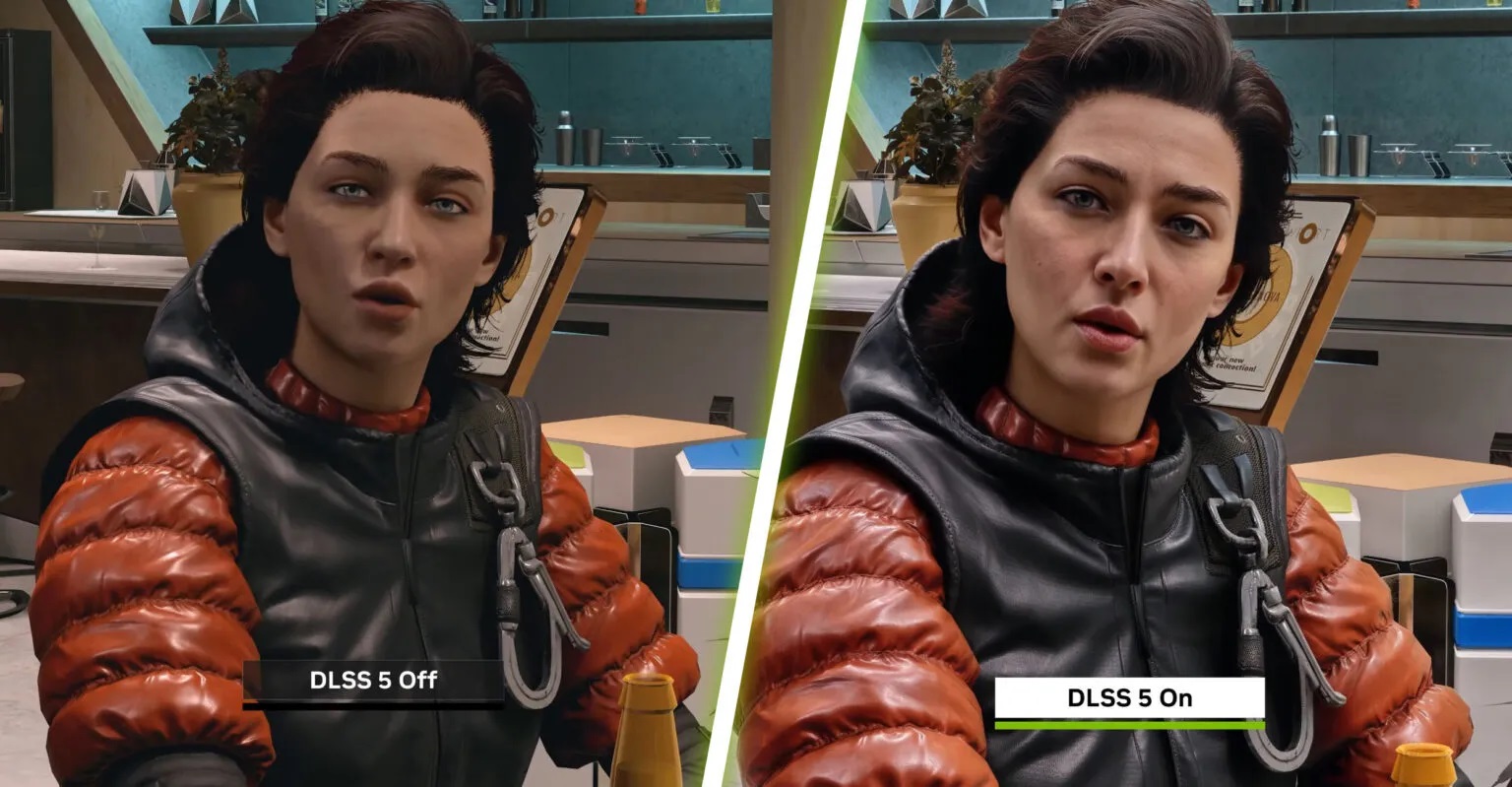
NVIDIA DLSS 5 Settings Appear in the Latest Drivers

NVIDIA has just released a new driver for its graphics cards, and from the looks of it, it adds initial support for DLSS 5. So, let's take a closer look at it.


As Guru3D's Warkratos discovered, the new GeForce Game Ready 610.47 adds three DLSS 5 settings. These are DLSS-NR, DLSS-NR Streamline, and DLSS-NR Presets.

To find these strings, you'll have to use the Nvidia Inspector Tool. And, in case you're wondering, no. You cannot force DLSS 5 in any game right now. Even if you enable the preset via the tool, you won't get any DLSS 5 effects in any game.

DLSS-5-settings-in-the-latest-drivers.jpg

 
Last edited:
Dude this mean your computer is slow ass fuck and non responsive. I use the control panel every day and its anything but.
Nope. Try to change some settings like something I do every time I do clean install - enable DSR factors - it takes several seconds for the change to take effect, and that is purely control panel issue

control panel also starts slower than nvidia app (roughly 7 seconds vs 4 seconds)
 
Except you can't install a clean driver version, without all the telemetry bullshit, if you use the Nvidia app, because it's built into it and will no longer function correctly.
Telemetry is not "built into the app" and it functions fine without it if you for some mysterious reason decides to remove it from the installation package. The app has its own set of "telemetry" which you can disable in its settings.

Sure, it looks better and has *most* of the functionality of the CP, but it's not better.
It has way more functionality than the CP, not "most". The only thing which wasn't transferred is the video file black level controls which was a hack and shouldn't have been there from the start (must be controlled by the playback s/w, not the driver).
 
Last edited:
Top Bottom