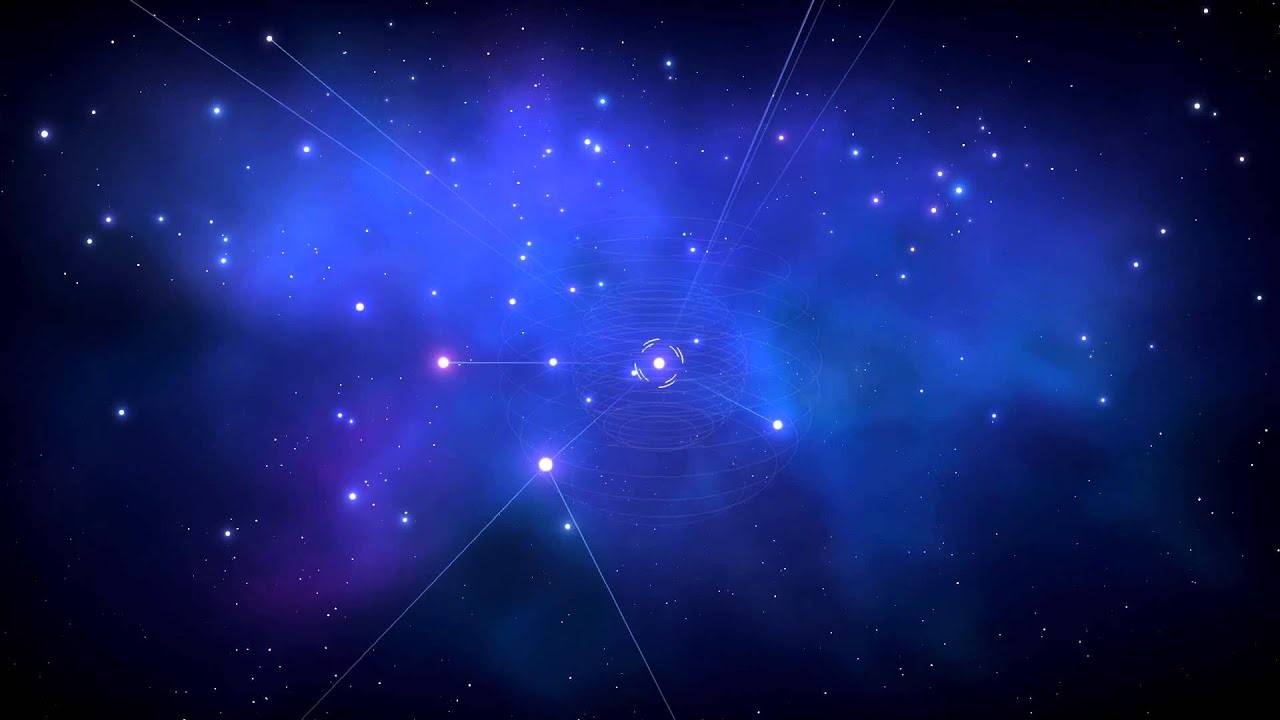
If you look closely frame by frame, the first circle turns into kind of a rotating crosshair/broken circle, kinda like a loading indicator, but it looks kinda like the selection lines that appear around the selected star.
There have been mentions that the galaxy map has three levels of zoom (completely zoomed out where you see the entire galaxy, middle zoom where you see the stars (what we've been seeing in all previews) and a star system zoom where you can see the individual planets you've explored in that system). So I'm thinking the first circle either shows up/changes shape depending on the zoom mode, maybe it's a loading indicator, or it shows it's in "selection mode", and another pretty simple explanation might be that the the entire oblong shape is a collapsed UI element, and all that second dot represents is a "visual pin" that indicates you can expand it. Maybe that shows the galactic minimap, or even more detailed information depending on what's selected and what's the current zoom mode.
EDIT:
BTW, regarding your software question, on PC I generally use Lightshot for taking screenshots (Shift+PrtScrn automatically takes a fullscreen screenshot and saves a file, and PrtScrn activates an overlay where you choose a screen region, some additional options, so you can copy or save the selected region etc. Once I save or copy to clipboard (just Ctrl+C) the image I want, I usually go to imgur and either drag & drop the image file or just Ctrl+V to paste the copied image from the clipboard.