• Hey Guest. Check out your NeoGAF Wrapped 2025 results here!

PSP 1.50 Discussion (new rules, reread)

Status
Not open for further replies.
ourumov said:
Tried it and it certainly is a bit faster...Although not the level you would expect...Give it a try.
There are two different PBP files in the archive. Which is the best one to use?

Also, has anyone figure out how to exit from a game running in the latest version of Mame emulator?

JoshuaJSlone said:
About the abuse of 8.3 to trick it into hiding the corrupt files. I'm in the middle of trying it out right now, but I believe there's a bit of a mistake in the given explanation. It says that the base name of a directory should be at most 6 characters, but I think it should be only 5. For instance, when I have "Nester 1" that makes it "Nester~1" in 8.3, so there's no reason it would get mixed up with "Nester1~1%". Making the change now to see if it works properly this time...

One also must be careful in what order they do their copying in of folders, or renaming. A few times I ended up with the main directory being a ~2 instead of ~1, so it wasn't matching up properly with ~1% either.

After taking care of these issues, the technique seems to work alright.
I was gonna ask about this myself. I had some problems with the technique. Sometimes not even 5 character names would work, but it would work when I'd shorten them down to 4 or 3. I suspect that ~2 may be the culprit, but I'm running NTFS and I don't know how to see what the 8.3 version of filenames look like after renaming.
 
"dir /x" from cmd.exe should show the 8.3 filenames. Can't you avoid ~2 names if you make sure that all your emulator basenames differ in the first five characters?
 
"dir /x" from cmd.exe should show the 8.3 filenames. Can't you avoid ~2 names if you make sure that all your emulator basenames differ in the first five characters?
Thank you. You learn something new every day about those DOS commands switches :)

You should be avoiding ~2 if you atke care the base differs but I've had problems with some 5 character names even though I'm pretty sure those 5 characters were not repeated.
 
SeiPspTool is a no-nonsense tool for splitting up an EBOOT.PBP (preserving the original icon and description) and putting it on the memory stick using the "31 chars workaround". It's pretty neat and works right away, no installation necessary.
 
JoshuaJSlone said:
I'm still using the Spanish version of the multi-card exploit program, since I could find a working download link for it first. Since all I need to do after that process is rename directories and copy files, it's been not enough hassle to try anything else.

you can actually get that app to run in english by playing around with the system configuration file. it is inside the program folder. open it with notepad and there should be "lang" followed by a number. if the number is '0' change it to '1' and if it's '1' change it to '0'... sorry, i just can't remember which it was for that particular app.
 
={<SMOKE>}= said:
you can actually get that app to run in english by playing around with the system configuration file. it is inside the program folder. open it with notepad and there should be "lang" followed by a number. if the number is '0' change it to '1' and if it's '1' change it to '0'... sorry, i just can't remember which it was for that particular app.

or you can just simply change the language in the program by clicking on "idioma" in the bar and switching it to english
 
slidewinder said:
"dir /x" from cmd.exe should show the 8.3 filenames. Can't you avoid ~2 names if you make sure that all your emulator basenames differ in the first five characters?

My problem came from first renaming the % folder to something like "Neste1~1%". While the PSP ignores the %, when I'd view it from a DOS window it listed the 8.3 version of that directory as "Neste1~1", since "Neste1~1%" is actually 9 characters. Then when I renamed the other directory to "Neste (many spaces) 1", it was considered "Neste1~2".
 
Slayven said:
Snes9x v0.02y14 is a big improvement. Man they are on the ball


"Y" doesnt use the 0.03 source code though. if he did have access to it it would be even better :D

not long to go before perfect snes/genesis emulation....:D


but WHERES MY SMS FULLSCREEN+SOUND GODDAMIT >=(
 
The Snes9x v0.02y14 emu really isn't any better than the Snes9x v.0.03a+a I currently have, imo but then again I just started looking into PSP emulators just a couple of days ago so I really don't have a good frame of reference on the progress they've been making. From my experience it seems that a lot of the games that feature a lot of Mode 7 effects are damn near impossible to play (although On The Ball is still fun).

Hopefully we'll get a SNES emu that runs these games at full speed in the near future.
 
Just out of curiosity, how do the SNES DQ games (originals and remakes) run? Which emu does them the most justice?
 
Either the Snes9x v0.02y14 and Snes9x v.0.03a+a emus are just fine for SNES RPGs like Final Fantasy and DQ. You get some slow down here and there and the music can sound a bit wonky at times but the games are quite playable in both emulators.

I'd imagine that in a couple of months we'll get an emu that plays these game perfectly.........god only knows if we'll have matching firmware version PSPs at that time.
 
OK, first post since returning from Japan. Didn't have much time to check up on the PSP emu scene. What has changed over the past week and a half or so? Anything? Faster MD emulation by any chance? I'll try to look over this thread, but it's a bit much...
 
only thing worth noting for emulators (imo) is cd-rom support in PCE. even plays Dracula X!

oh, and there's a new exploit eliminating memory stick swapping, dont know if you were around for that. it's pretty easy to do (all you gotta do is move the contents from MS1 to the other memory stick with the same directory name of the homebrew program and add a "%" in the name)


so like this:
/nesterj (real prog)
/nesterj% (ms1 content)
 
Oh and anybody reading this thread thinking about getting a PSP for this stuff, my friend bought a PSP yesterday and it was a 1.52 out of the box (West Coast US)

The new versions are out there. Better act fast.
 
Sp3eD said:
Oh and anybody reading this thread thinking about getting a PSP for this stuff, my friend bought a PSP yesterday and it was a 1.52 out of the box (West Coast US)

The new versions are out there. Better act fast.

you sure someone didn't just switch the psps and returned it? did the PSP ask for a date/time and PSP name on bootup?
 
Wario64 said:
you sure someone didn't just switch the psps and returned it? did the PSP ask for a date/time and PSP name on bootup?

Both of us work at the store we got the PSP from. He bought it, took it to the break room to play his new Hot Shots game then came back and let me see it to ask me how to do something on it. I looked into his firmware and saw a 1.52 staring right at me.

It has his name and everything in the settings, and I checked the wi-fi stuff to make sure he didn't create some hot spot from inside the store and upgrade, but there was nothing. He said he didn't upgrade anything (which he was back playing for less then half an hour anyway).

Lastly, I unloaded the PSP's the day before (as our store was out) so I know they are 100% new because I check the seals on all of them before I put them in he back.

Either it was a major screw up by Sony (sending a refurb system or something as new) or the 1.52's are out there right now.

Be careful people.
 
turok4n64 said:
im still looking for an updated .zip file with all the psp emulators on it.....pls for the love of god, someone help

with new versions of many emus coming out on a daily basis the only way to get the latest stuff is to download them as they come out. The compilations out there tend to be outdated after a couple days cause of this.
 
someone should host a constantly daily updated zip so whenever theres a new emu rlsed it will be here to download :D
 
rod said:
someone should host a constantly daily updated zip so whenever theres a new emu rlsed it will be here to download :D

that's what our buddies over at hacker are for ;)

I think it's actually easier to download the couple daily emus that get updates than to redownload the whole package of emus everytime.
 
its called pspersonalise or something

its on psphacker


is there a site or program that converts normal size jpg/bmps into psp size wallpapers?

apart from photoshop :P
 
turok4n64 said:
im still confused on where to find this program to change the background on your psp
Well, the program that allows you to change the PSP background images is called "PSPersonalize." A link to it may not be allowed here, but with that name and some searching, you should be able to find it.
 
This is my new June background.

OmegaSystem.bmp
 
Just a really simple background done messing around in Photoshop. Since this was my first try at a custom PSP background, I was really just going for readability, this thing will cause corrupt data icons to display incorrectly though.

simple_red.bmp


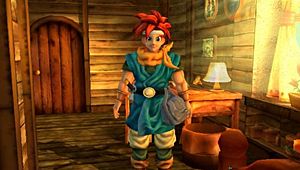
Here's another taken from a cropped Chrono Trigger Ressurection screen.

CTR.bmp


Yet another courtesy of the Video game Art Archive

loz_1.bmp
 
Starfire said:
Just a really simple background done messing around in Photoshop. Since this was my first try at a custom PSP background, I was really just going for readability, this thing will cause corrupt data icons to display incorrectly though.

simple_red.bmp


can you do a rundown on what the properties of a psp bmp have to be, resolution,filesize ect
 
rod said:
can you do a rundown on what the properties of a psp bmp have to be, resolution,filesize ect


Yeah,

no more than 150kb (basicallly at 72dpi 300x170 is the largest you can go)

it's really not too much trouble to get the images in the right format, I've just got a cuustom document size in Photoshop, so every time I want to create a custom bg, I just make a new document based on those settings, drop any old image in, then resize it and crop it.

Wow, nice backgrounds NinSoX
 
SNES 0.02y15 released. Again two PBP files in the archive and I have no idea which one is the best to use. Can someone with the knowledge of Japanese figure it out?
 
Marconelly said:
SNES 0.02y15 released. Again two PBP files in the archive and I have no idea which one is the best to use. Can someone with the knowledge of Japanese figure it out?

Got a link to it? I don't see it listed anywhere...
 
how does the PSP format pics for backgrounds? If you were to make say for example a 4x3 image would it stretch out the sides to fit the screen? Or would it just center it?
 
Are you talking about that zip file within the zip file with the other eboot? All the readme says is that it was compiled with toolchain, the file size has been decreased, and it uses the same source code as the original version, which means saves will continue to work.

Nothing special...
 
Are you talking about that zip file within the zip file with the other eboot? All the readme says is that it was compiled with toolchain, the file size has been decreased, and it uses the same source code as the original version, which means saves will continue to work.
So it's a different compiler. I'll give it a try then. Who knows, maybe it's faster.
 
Status
Not open for further replies.
Top Bottom