

-
Hey Guest. Check out your NeoGAF Wrapped 2025 results here!
You are using an out of date browser. It may not display this or other websites correctly.
You should upgrade or use an alternative browser.
You should upgrade or use an alternative browser.
Quake 1-2 look SO much better in software mode...
- Thread starter nkarafo
- Start date
Again, I believe quake uses bilinear texture filtering (at best!) and that's attrocious by today's standards; anything below trilinear is painful to look at. But you can force it to do much higher quality filtering and force anisotropic filtering on top of that to end up with a much sharper image, just use driver settings to force it.

The environment textures don't lose any detail, but the gun does.
The lighting is much improved in the OpenGL shot, however.

nkarafo
Member
I still prefer the sharper, brighter SW look. Also, notice how the shotgun loses all of its detail in openGL. It almost looks like its flat shaded polygons.Again, I believe quake uses bilinear texture filtering (at best!) and that's attrocious by today's standards; anything below trilinear is painful to look at. But you can force it to do much higher quality filtering and force anisotropic filtering on top of that to end up with a much sharper image, just use driver settings to force it.
hooijdonk17
Member
I still prefer the sharper, brighter SW look. Also, notice how the shotgun moder loses all of its detail in openGL. It almost looks like its flat shaded polygons.
But in SW mode you lose transparent water and a lot of particle effects; it's a trade off. Personally, I find SW mode very nostalgic. I played and finished Q1 in SW, I was an active QW player in Software for years until I had the money to buy a Voodoo 2. But objectively, the HW renderer looks light years ahead in therms of overall image quality.
But in SW mode you lose transparent water and a lot of particle effects; it's a trade off. Personally, I find SW mode very nostalgic. I played and finished Q1 in SW, I was an active QW player in Software for years until I had the money to buy a Voodoo 2. But objectively, the HW renderer looks light years ahead in therms of overall image quality.
Couldn't you just downsample from 8k resolution? Q1 SW mode was perfectly playable in 640x480 on a Pentium 166MHz, and I remember playing Q2 SW on Celeron 333 MHz without much problems. Current CPUs should have no problem with reaching 120fps in 8k res.
hooijdonk17
Member
Couldn't you just downsample from 8k resolution? SW mode was perfectly playable in 640x480 on a Pentium 166MHz, current CPUs should have no problem with reaching 120fps in 8k res.
The UI would be impossible to read but otherwise, that's possible, but you would still have inferior lighting and effects. Also, increasing SW render resolution did not greatly enhance IQ IIRC because the amount of detail in the textures and models is abysmal to start with; so you'd end up having an 8k blocky image that gets downsampled, which is the same thing as using a high quality texture filtering method and some SSAA.. Just use HW, good SSAA and 16x Anisotropic filtering.
thunder_snail
Member
But back then, software rendering was REALLY slow. You needed hw acceleration to get reasonable performance.
On the same topic, I thought Half-Life looked better in Software Rendering compared to OpenGL or DirectX... Tried to find some comparison but there doesn't seem to be any :/
I remember underwater looked better in software rendering.
But I still ran in OpenGL because it was so much smoother.
I remember underwater looked better in software rendering.
But I still ran in OpenGL because it was so much smoother.

Danny Dudekisser
I paid good money for this Dynex!
Well, there's a certain quality to the more pixel art-ish look of sw mode, but I can't say I'd want to just lose the visual effects that come with OpenGL.
Jazzkokehead
Member
I happen to like the colored lighting, and think it plays a big part in making Quake 2 feel like... well, Quake 2 (I get all kinds of nostalgic feelings from that late-90s overuse of colored lighting).
Surely there must have be some source ports which introduce more/better texture filtering options above and beyond what vanilla Quake 2 offers?
Surely there must have be some source ports which introduce more/better texture filtering options above and beyond what vanilla Quake 2 offers?
thewhitehawk
Member
thewhitehawk said:I remember running Quake 2 in OpenGL with nicer-looking textures than those, but I have no idea what modification I made to achieve that.
Again, I believe quake uses bilinear texture filtering (at best!) and that's attrocious by today's standards; anything below trilinear is painful to look at. But you can force it to do much higher quality filtering and force anisotropic filtering on top of that to end up with a much sharper image, just use driver settings to force it.
Tada!

abracadaver
Member
No way.
I was blown away by how much better Q2 looked in Glide (3dfx mode) compared to software. I didnt know about the coloured lights and expected just a smoother look like in Q1. I finished both games in software mode before getting a voodoo card and software mode is awful in comparison.
Also there were some official tools released for q1 that added coloured lights to the levels as well. I think it was called idvis or something like that. Made Quake 1 look much better as well.
I was blown away by how much better Q2 looked in Glide (3dfx mode) compared to software. I didnt know about the coloured lights and expected just a smoother look like in Q1. I finished both games in software mode before getting a voodoo card and software mode is awful in comparison.
Also there were some official tools released for q1 that added coloured lights to the levels as well. I think it was called idvis or something like that. Made Quake 1 look much better as well.
zombipuppy
Member
Oh man... seeing the software rendering is bringing me back to the days before I had a dedicated graphics card of any kind... There's something about that gritty blockiness of pre-Glide and pre-OpenGL that makes it feel more "Quake".
....It's time to replay those games.
....It's time to replay those games.
No way.
I was blown away by how much better Q2 looked in Glide (3dfx mode) compared to software. I didnt know about the coloured lights and expected just a smoother look like in Q1. I finished both games in software mode before getting a voodoo card and software mode is awful in comparison.
Also there were some official tools released for q1 that added coloured lights to the levels as well. I think it was called idvis or something like that. Made Quake 1 look much better as well.
For me it was either 320x240 software or 800x600 3dfx/opengl (forgot which video card I had back then). The hardware accelerated version looked vastly superior to software. With modern technology I can see the charm in a high resolution software mode.

KojiKnight
Member
Couldn't you just downsample from 8k resolution? Q1 SW mode was perfectly playable in 640x480 on a Pentium 166MHz, and I remember playing Q2 SW on Celeron 333 MHz without much problems. Current CPUs should have no problem with reaching 120fps in 8k res.
640x480 = 307,200 pixels.
7680x4320 = 33,177,600 pixels So about 110x as much
I'm not so certain that these games, running without mods will work at that resolution as well as you think in software mode.
Keep in mind that Q2 is going to be single threaded and wouldn't be able to take advantage of many of the advantages of current CPU tech (Or even some of the advancements of CPU tech of the time, wasn't MMX and 3D Now! removed from modern CPUs?)
I don't have Q1 or 2 available to me, so I couldn't test myself.
thunder_snail
Member
Shouldn't there be a way to disable bilinear filtering while accelerated? That'd be the best of both worlds.
I always played it in Software Mode back in the day
So did I.
Because I didn't have a 3D card. 
I still prefer the sharper, brighter SW look. Also, notice how the shotgun loses all of its detail in openGL. It almost looks like its flat shaded polygons.
The thing is, the look of the gun in OpenGL is what the textures in the software renderer are trying to achieve, but because of the limitations with color it can only show the gradient in segments/blocks of color instead of smooth shading. There isn't really more detail in the software shot, there's actually less gradation of color.
Shouldn't there be a way to disable bilinear filtering while accelerated? That'd be the best of both worlds.
Yeah, you can. It was already mentioned.
In Q3 the command r_texturemode gl_nearest I think. It ends up looking something like this:
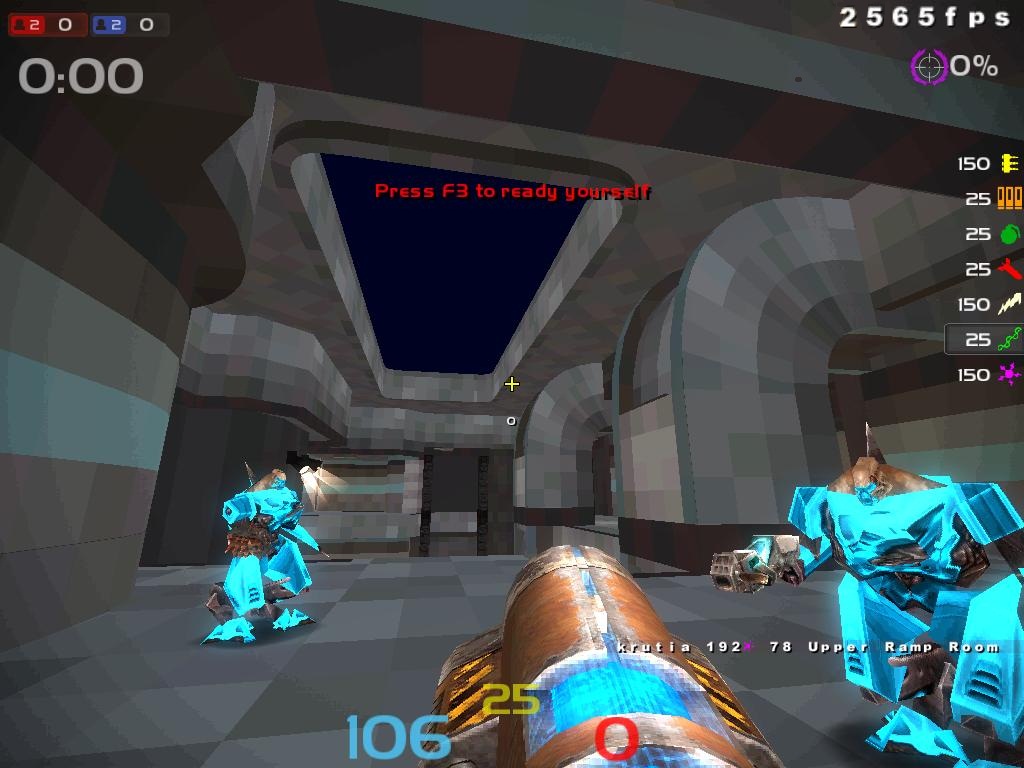
Dem frames-per-second.
nkarafo
Member
I disagree... you can clearly see that there is a stripe of metal on each of the 2 barrels on the SW mode that they are completely gone in OpenGL. Instead, you see a splash of slightly different coloring. Not to mention that on GL mode the weapon looks like a smooth plastic toy while in SW it looks a bit closer to metallic.The thing is, the look of the gun in OpenGL is what the textures in the software renderer are trying to achieve, but because of the limitations with color it can only show the gradient in segments/blocks of color instead of smooth shading. There isn't really more detail in the software shot, there's actually less gradation of color.
FriedConsole
Banned
I always played it in Software Mode back in the day
Yeah hardware acceleration often sucked then especially if you had a "3D card" with a Virge chip which were put into a lot of computers at the time which were more like decelerators.
I disagree... you can clearly see that there is a stripe of metal on each of the 2 barrels on the SW mode that they are completely gone in OpenGL. Instead, you see a splash of slightly different coloring.
That's not a stripe of metal though, that's simply the bright part of the gradient change from bright to dark on the barrel!
It's like this (software left, OpenGL right)

nkarafo
Member
There are 2 stripes of metal near the bottom of the barrels. Im not talking about the color degradation.That's not a stripe of metal though, that's simply the bright part of the gradient change from bright to dark on the barrel!
It's like this (software left, OpenGL right)
vagabondarts
Member
I love that kind of pixelly 3D with no texture filtering. Also why I love PSX graphics except for the horrid warping.
See also, Chasm: The Rift and any and all Build Engine games. Even Unreal was nice, acceleration or not.
Then with the early 2000s everything went kinda downhill, everything now was focusing on realism while the graphics weren't convincing enough yet for that.
I feel the same way. Quake 1 is a stellar example of this in software mode. I love it
From what I can recall they were doing the lighting in hardware for OpenGL, and Quake I and II were the first games to really be doing vertex lighting.
Q2 OpenGL rendering
This added the option for colored lighting, and after looking at that article, I'm pretty sure colored lightning was only added in Q2.
I may be wrong in what I said, but check out that article for the goods.
edit: But when a new design feature gets added for level design like lighting, it generally takes a while for designers to get good at it (No offense, everything has a learning curve.)
Q2 OpenGL rendering
This added the option for colored lighting, and after looking at that article, I'm pretty sure colored lightning was only added in Q2.
I may be wrong in what I said, but check out that article for the goods.
edit: But when a new design feature gets added for level design like lighting, it generally takes a while for designers to get good at it (No offense, everything has a learning curve.)

I see what you're talking about now, couldn't see that in the darker shot. My larger point still stands though. A lot of the "added detail" is simply a byproduct of the lack of gradation between colors. So you will get one square of a single color in software mode that looks like it could be a spec of dirt or a bolt or something, but in hardware that one square of color now blends smoothly to the other colors because of the gradation allowed with more colors.
To me, OpenGL looks undoubtedly better.
To me, OpenGL looks undoubtedly better.
nkarafo
Member
What you say is true but, IMO, filtering doesn't make low-res textures better. The pixelation actually helps low-res textures look more detailed than they really are. Or it makes them look more defined. It adds to the overall image. When you filter a low-res texture you simply make it a blurry mess. Its kinda like some N64 games. But when a texture is higher resolution then it makes more sense to filter it.I see what you're talking about now, couldn't see that in the darker shot. My larger point still stands though. A lot of the "added detail" is simply a byproduct of the lack of gradation between colors. So you will get one square of a single color in software mode that looks like it could be a spec of dirt or a bolt or something, but in hardware that one square of color now blends smoothly to the other colors because of the gradation allowed with more colors.
To me, OpenGL looks undoubtedly better.
the software render look can be simulated in the OpenGL render with modern Quake clients and some video settings tweaks. i prefer it as well to a degree, since the default OpenGL settings blurs the textures too much.
i recommend FitzQuake (MarkV - a modern Quake client): http://quake-1.com/docs/utils/fitzquake_mark_v.zip paired with Quake Injector Alpha: https://www.quaddicted.com/tools/quake_injector (downloader of custom maps, with reviews and screenshots)
you should absolutely try these custom user made maps by SimonOC:
http://www.simonoc.com/pages/design/sp/its.htm
http://www.simonoc.com/pages/2014.htm
they are absolutely amazing both stylistically and on a technical level (pushes the map model of the Quake1 engine to its limit)
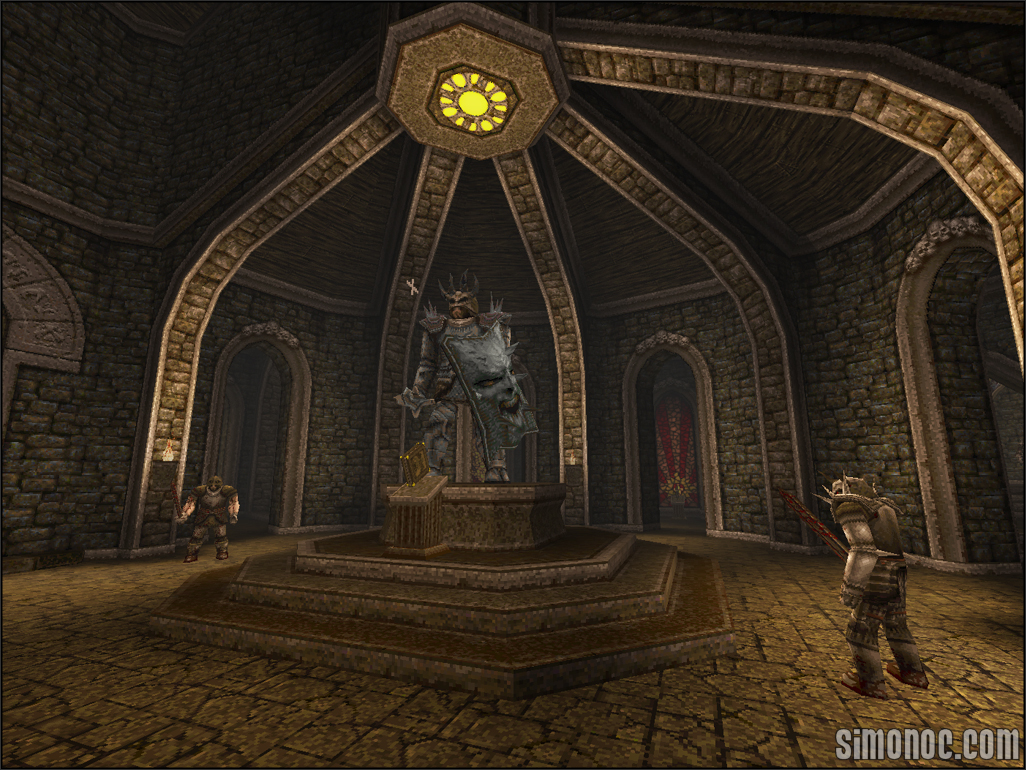
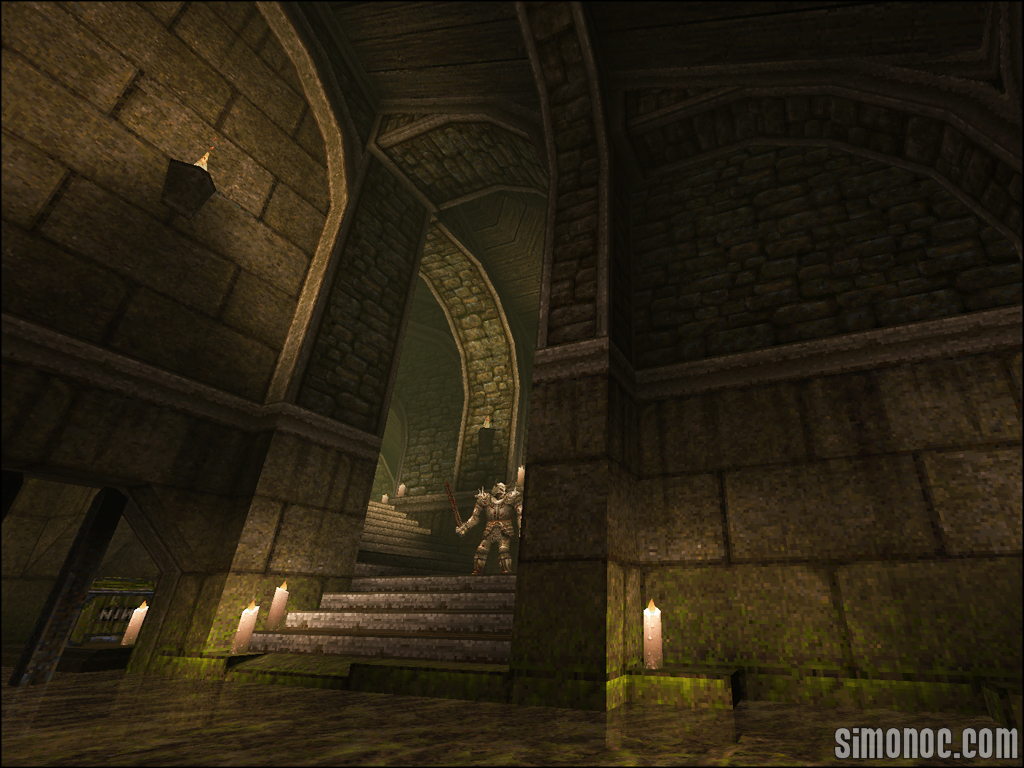
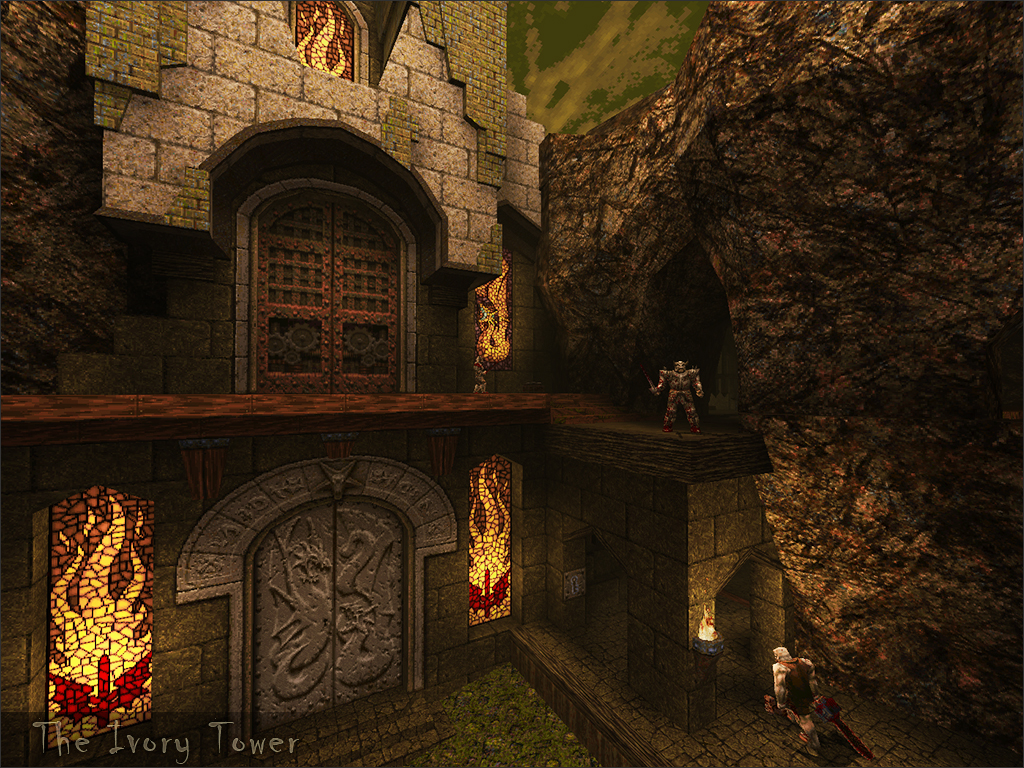
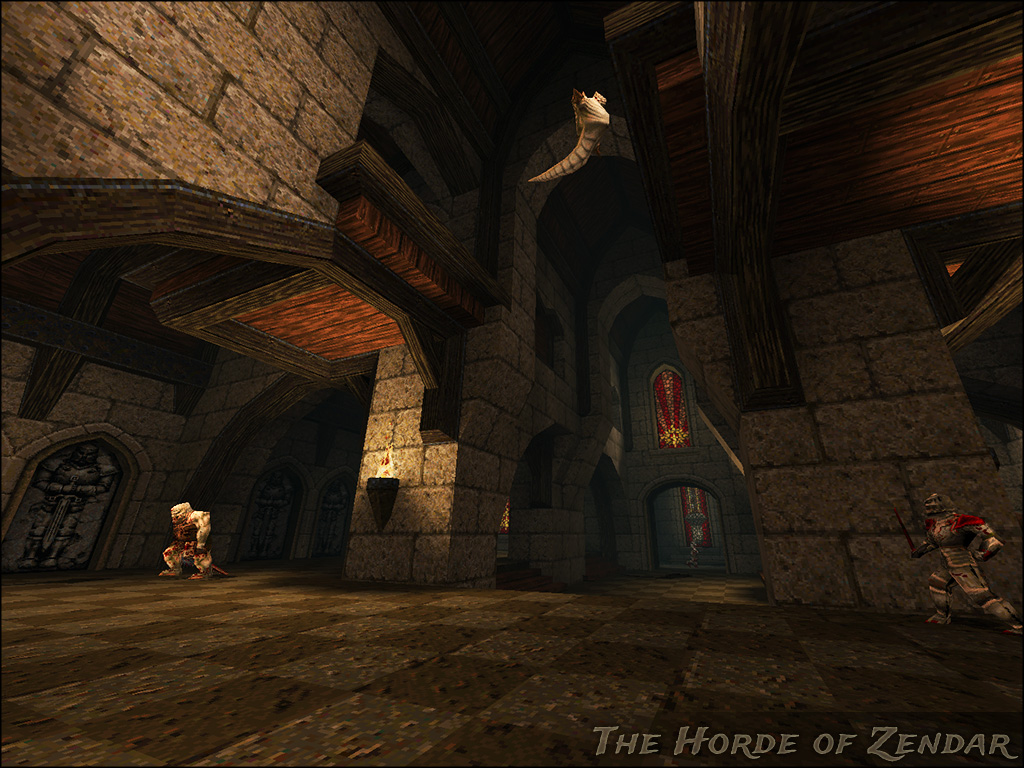
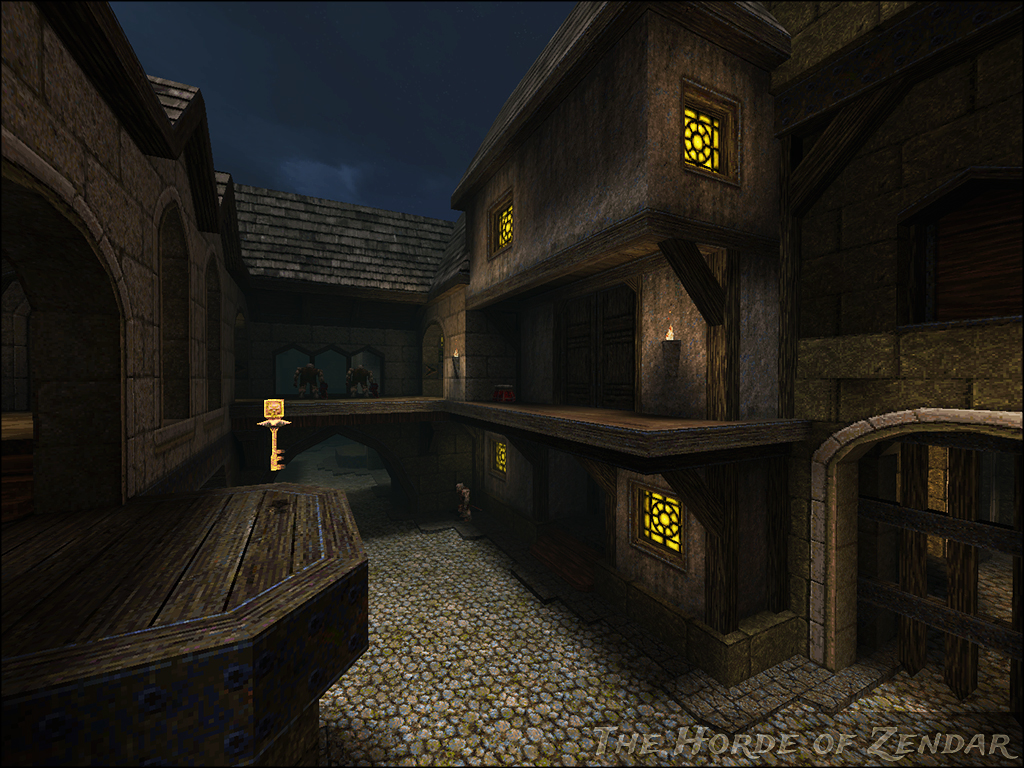
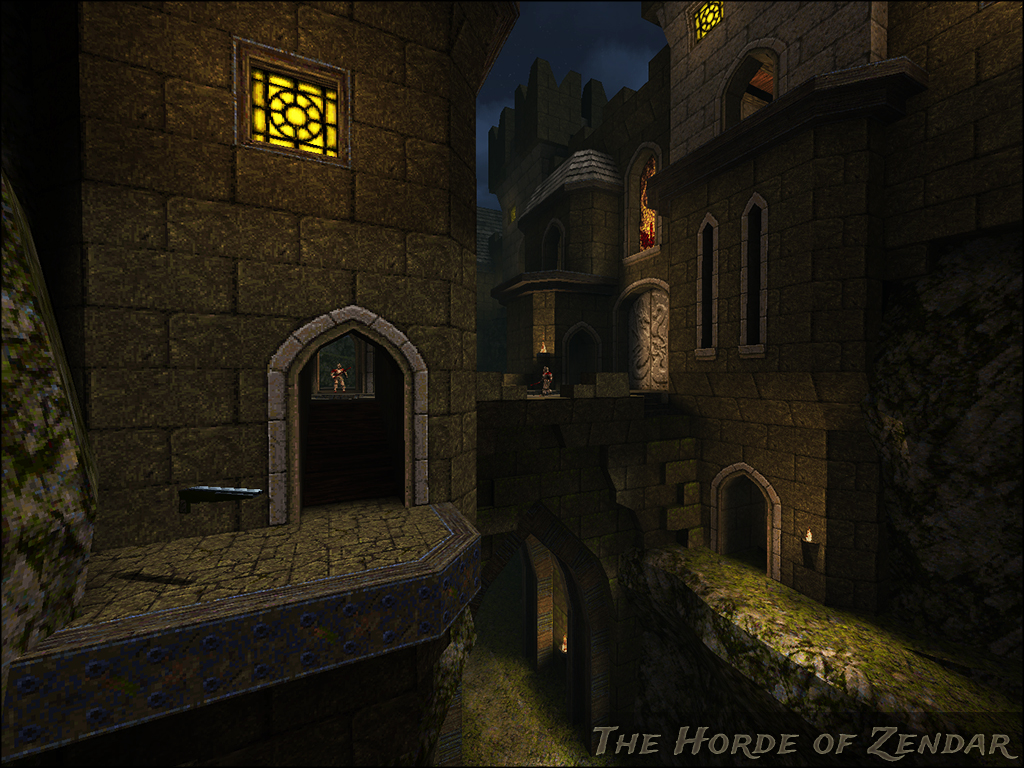
i recommend FitzQuake (MarkV - a modern Quake client): http://quake-1.com/docs/utils/fitzquake_mark_v.zip paired with Quake Injector Alpha: https://www.quaddicted.com/tools/quake_injector (downloader of custom maps, with reviews and screenshots)
you should absolutely try these custom user made maps by SimonOC:
http://www.simonoc.com/pages/design/sp/its.htm
http://www.simonoc.com/pages/2014.htm
they are absolutely amazing both stylistically and on a technical level (pushes the map model of the Quake1 engine to its limit)

dgrdsv
Member
You can easily turn off bilinear filtering in GLQuake/Q2's console or turn on any kind of anisotropic filtering: https://www.quaddicted.com/engines/texture_filteringAgain, I believe quake uses bilinear texture filtering (at best!) and that's attrocious by today's standards; anything below trilinear is painful to look at. But you can force it to do much higher quality filtering and force anisotropic filtering on top of that to end up with a much sharper image, just use driver settings to force it.
You can even control them separately for magnified and minified textures.
nkarafo
Member
Any similar thing for Q2?the software render look can be simulated in the OpenGL render with modern Quake clients and some video settings tweaks. i prefer it as well to a degree, since the default OpenGL settings blurs the textures too much.
Quake 1 always looked way better in software mode, 400x300 is the resolution it looks best at to me (preferably delivered natively to a CRT). Quake 2 looked bad no matter what mode or resolution.
Unreal Tournament I like in both 400x300 software and 1024x768 Direct3D. But Direct3D looks worse as you get lower in resolution, and software mode looks worse as you go up in resolution.
Unreal Tournament I like in both 400x300 software and 1024x768 Direct3D. But Direct3D looks worse as you get lower in resolution, and software mode looks worse as you go up in resolution.
i'm not well versed with Quake2.Any similar thing for Q2?
i never liked the constant base theme of the game.
Try these settings.
gl_smoothmodels 0
gl_texturemode GL_NEAREST
r_dynamic 0
gl_ext_texture_filter_anisotropic 1
gl_ext_max_anisotropy 16
gl_ext_multisample 1
gl_ext_samples 8
gl_modulate 2
gl_texture_lighting_mode 1
gl_saturation 2
gl_contrast 1
intensity 2
gl_coloredlightmaps 0.8
vid_gamma 0.9
There are more settings to play with, but I'd have to get on my old PC and look at my config file.
gl_smoothmodels 0
gl_texturemode GL_NEAREST
r_dynamic 0
gl_ext_texture_filter_anisotropic 1
gl_ext_max_anisotropy 16
gl_ext_multisample 1
gl_ext_samples 8
gl_modulate 2
gl_texture_lighting_mode 1
gl_saturation 2
gl_contrast 1
intensity 2
gl_coloredlightmaps 0.8
vid_gamma 0.9
There are more settings to play with, but I'd have to get on my old PC and look at my config file.
metsallica
Member
How dare you besmirch my Canopus Pure3D? IT HAD 6MB OF VIDEO RAM, EVERYTHING ELSE HAD 4 OR 2!


Danny Dudekisser
I paid good money for this Dynex!
How dare you besmirch my Canopus Pure3D? IT HAD 6MB OF VIDEO RAM, EVERYTHING ELSE HAD 4 OR 2!
I remember wanting that, but CompUSA didn't have it in stock. So I tried to get a Monster3D, and my fucking piece of shit Compaq Presario CDS972 wouldn't support it. Fuck that piece of shit.
Anyway, a few years later, I had 2 Monster 3D IIs.
Vane_MagicCity
Banned
Wait, so SW mode = Software mode?
I guess software was too long to type out.
I guess software was too long to type out.
Describing two paragraphs as a 'wall of text' ought to be a capital offence.i came in here expecting to see screenshots, not read a wall of texr
But back then, software rendering was REALLY slow. You needed hw acceleration to get reasonable performance.
No kidding. I had a near top-of-the-line PC at the time (Pentium 133 with 16MB RAM) and the fastest 2D/software video card (STB Lightspeed 128) and my friend with a Voodoo 1 card had faster "timedemos" running at 512x384* than I did at 320x240.
* computers were not yet quite fast enough to run smooth 640x480 in deathmatch or CTF, so we set it down one notch.
I remember that running Q2 though my overpriced Orchid Voodoo1 hurt the framerate, so I switched back to software mode during multiplayer.Dude, going from Software mode in Quake and Quake 2 to OpenGL was one of the biggest graphical leaps I ever saw. Just having the simple addition of having a water warp effect in Q1 and colored lighting in Q2 made worlds of difference.
metsallica
Member
I miss those days so very much... That 60 MHz Pentium!I remember wanting that, but CompUSA didn't have it in stock. So I tried to get a Monster3D, and my fucking piece of shit Compaq Presario CDS972 wouldn't support it. Fuck that piece of shit.
Anyway, a few years later, I had 2 Monster 3D IIs.