• Hey Guest. Check out your NeoGAF Wrapped 2025 results here!

TAA - Best AA method ever?

I'm joining the SGSSAA group. TAA is wonderful, but cause way too much bluriness for my liking, and gives me nausea.

While we're here, discussing AA method, what do you think is better, Downsampling or SGSSAA/OGSSAA ? Which result would be the best between an UHD to FHD downsampling versus 4x/8xSGSSAA, and at what cost?
 
The best AA out there is Crytek's temporal AA or Epic's temporal SSAA. Both look magnificent, blur is within acceptable levels and the performance hit is very moderate.

Although, Fallout 4's implementation does stabilise the image.
I can take blur (not TXAA's level of blur though) as long as the image remains stable.
 
TAA with extra sharpening is great. You need the sharpening to remove the Vaseline.

FO4:
NoAA
TAA
TAA+Sharp

BF:
NoAA
TAA
TAA+Sharp

VIA: http://www.tweakguides.com/Fallout4_1.html

I'm going to do this in every TAA game from now on - and I heavily suggest all PC players do the same. TAA + Sharp = maybe the best low performance penalty AA.
1.90 Lumasharpen sounds crazy high. I don't have FO4 so I can't speak for how blurry the TAA looks, but I messed around with TXAA with Lumasharpen in Black Flag a while back. 0.60 or 0.65 was the sweetspot for me, much higher and the game looked oversharpened. Maybe TAA is blurrier than TXAA by default, but I booted up Black Flag last night with TXAA, applied a 1.90 sharpening pass, and yeah, it looked terrible.

I do like temporal AA techniques though, I was pleasantly surprised with how free of aliasing FO4 looked when I watched the Digital Foundry videos. Devs that implement TAA just need to add a sharpening slider to their graphics options, the less things we need to tweak outside the game the better, IMO. SGSSAA is still the holy grail of AA for me, but not practical at all for most modern games. DSR + SMAA/FXAA is also very nice.
 
I'm joining the SGSSAA group. TAA is wonderful, but cause way too much bluriness for my liking, and gives me nausea.

While we're here, discussing AA method, what do you think is better, Downsampling or SGSSAA/OGSSAA ? Which result would be the best between an UHD to FHD downsampling versus 4x/8xSGSSAA, and at what cost?

In my opinion 4xSGSSAA is great for image quality while needing less power than DSR/Downsampling from 1620p/4K (not sure which one it was). PC Games Hardware did benchmarks once with comparison shots and 4xSGSSAA seemed like the best compromise. But sadly not every game supports it. So downsampling is the easiest option. I always choose between these options when I have enough power.
 
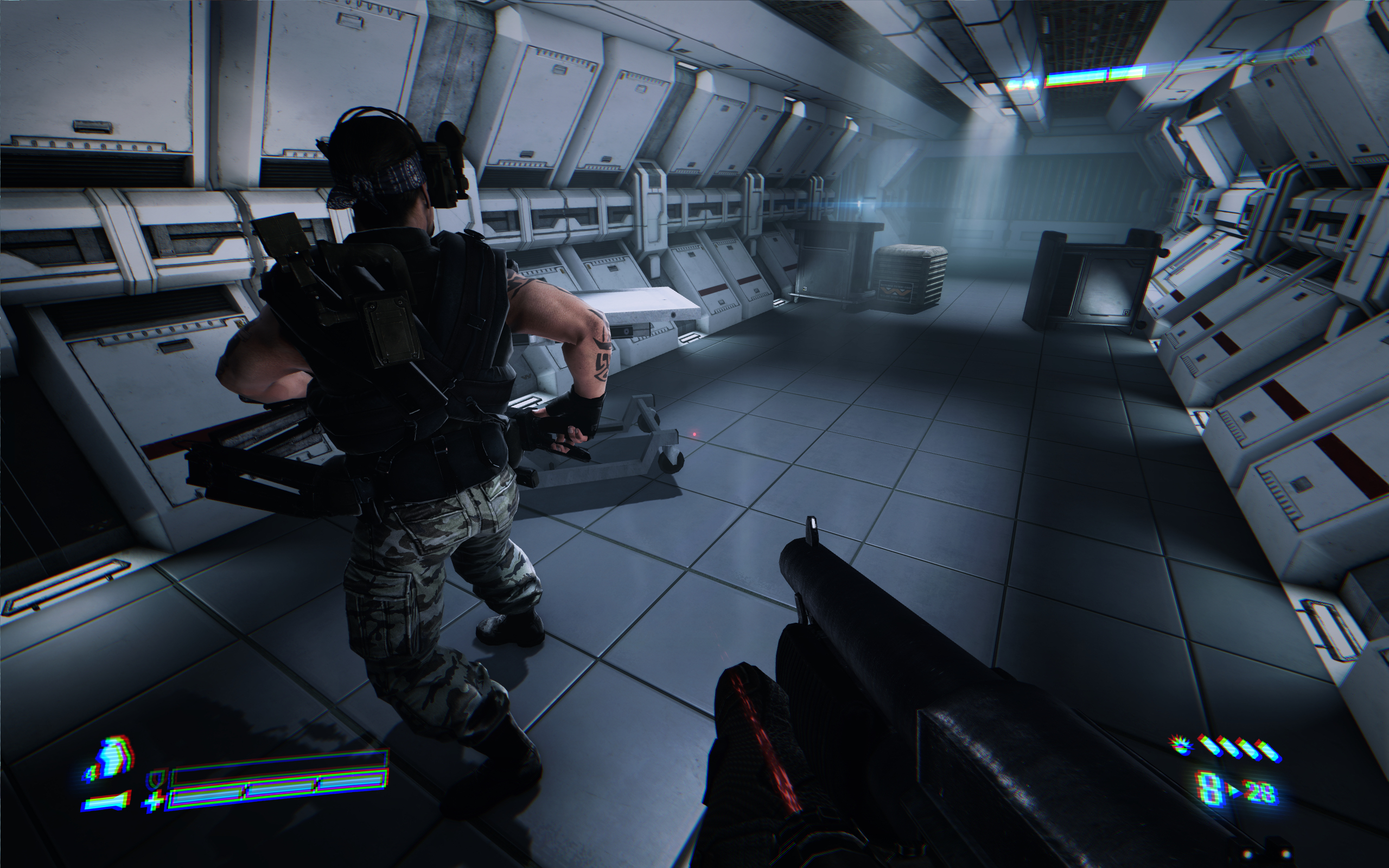
I don't think there's any AA solution that works to remove it. I've ran Alien: Isolation on a 27" 4K screen and it still has very noticeable aliasing to it. Dev's just have to avoid using assets and shaders that cause such problems to manifest. The aliasing in AI was some of the worst I've seen in any game.

I agree. I remember someone posting a really high res pic of the game on the PC screenshot thread (somewhere around 7k x 4k) and there was still aliasing lol.

Super sample for life. It's always nice coming back to a game a couple years later and brute forcing the IQ on new hardware.

Yes. I used to play Tomb Raider 2013 with my shitty laptop in 1366x768 at around 40 fps.

I just recently played through the campaign in UHD + injected SMAA with great results (compressed image because the original was too large to upload):

tr2013elseo.jpg
 
Yes, this.
It's too blurry without sharpen

This I don't get, if the texture detail being blurred out is an issue to you then surely you would avoid adding sharpen on top of that as that would further tamper the texture details ?

I mean you don't actually regain the lost detail with sharpen now or do you? It's akin to those detail textures that developers would use on low res texture, which was just a grainy layer on top of low res texture, to make it look like it's higher resolution.
 
The amount of sharpening some people put their graphics through makes me shudder. I can see the reasoning for some degree of post-sharpening, but it's very often overdone.
 
In my opinion 4xSGSSAA is great for image quality while needing less power than DSR/Downsampling from 1620p/4K (not sure which one it was). PC Games Hardware did benchmarks once with comparison shots and 4xSGSSAA seemed like the best compromise. But sadly not every game supports it. So downsampling is the easiest option. I always choose between these options when I have enough power.
Yeah downsampling is the easiest solution, but it almost always mess up with my desktop composition having multiple monitors, and when it's not, problems from HUD will manifests. Games with a lot of menus interaction are usually not friendly with downsampling, the mouse having a low DPI, navigating between them is quite difficult.

I'm searching the PCGH article, but I currently can't find much.

Thanks anyway.
 
Fallout 4 was a blurfest when TAA was automitcally enabled. The game looked like utter trash, after I disabled it and just downsampled the game looked like a entire different game graphically. The game is actually impressive graphcally now.
 
High quality TAA is the best thing that happened this gen. Combined with slight downsampling it eliminates all the jaggies and makes the image completely CGI like.
Love it to death.
 
The amount of sharpening some people put their graphics through makes me shudder. I can see the reasoning for some degree of post-sharpening, but it's very often overdone.

Same, I can't handle more than the slightest amount and even then I'm liable to turn it off. Even the default level in GeDoSaTo felt weird to me.

I generally prefer a pretty soft image quality, so most forms of TAA dovetail with that pretty nicely.
 
How many AA methods are there these days? Outside of MSAA and SSAA methods, there seem to be loads that popped up in the last 5 or so years.
 
High quality TAA is the best thing that happened this gen. Combined with slight downsampling it eliminates all the jaggies and makes the image completely CGI like.
Love it to death.
I would love if this plus 60fps with a 1080p final image was the goal for next gen.
 
SGSAA is blurry? U wot? If anything, SGSAA is the holy grail of AA and on top of that actually sharpens the whole image in a way that doesn't look artificial but adds actual detail from the higher resolution render.

Then why do you adjust negative LOD bias when using it?

Also: MSAA
8xmsaa6ew6.png


MSAA+SGSSAAx8

8xmsaa8xsgssr7p7.png


I used remember sticking to SMAA in Dishonered after I noticed how blurry SGSSAA was.
 
How many AA methods are there these days?
Depends on how you count.

For example, MLAA, SMAA's spatial component, and FXAA could all be considered members of a large "spatial pattern-matching" category.

If you wanted to go in the opposite direction, you could count all the different hardware MSAA implementations as different forms of MSAA, separating them by sample count and sample pattern
 
Since it gets good results with low performance it of course will be the best solution for Console games where performance is at a premium.

On PCs though where you can brute force your way to anything you want so im sure there are much better algorithms out there that are much more bandwidth hungry
 
How many AA methods are there these days? Outside of MSAA and SSAA methods, there seem to be loads that popped up in the last 5 or so years.

The biggest change has been a shift toward post-processing based AA techniques like FXAA and SMAA since they play nicer with deferred rendering, which also grew greatly in popularity toward the end of last gen.

Temporal AA is newer still and is just now starting to show up in more console games.
 
This I don't get, if the texture detail being blurred out is an issue to you then surely you would avoid adding sharpen on top of that as that would further tamper the texture details ?

I mean you don't actually regain the lost detail with sharpen now or do you? It's akin to those detail textures that developers would use on low res texture, which was just a grainy layer on top of low res texture, to make it look like it's higher resolution.
http://www.tweakguides.com/Fallout4_1.html

Which one of the first 3 pictures looks better to you?
 
If it blurs pixels that don't need blurring, then I'm not a fan. I much prefer crisp textures to softened jaggies.
 
If it blurs pixels that don't need blurring, then I'm not a fan. I much prefer crisp textures to softened jaggies.

The blur is a side effect, the main thing it does is remove flickering/crawling artifacts by making comparisons between motion in successive frames.

You can kind of have both if you use sharpening on top of it.
 
Which method is the best fully depend on what game you're playing, how much compute power you have and your personal preference between "blurry but less aliasing" and "detailed but with some aliasing".

If we're talking about inexpensive methods based on frame buffer analysis - both spatial and temporal - then the difference between FXAA, SMAA, TAA is rather small especially if you remember that SMAA can combine both spatial and temporal AA in T2x mode. TAA is nice mostly because it reduces temporal AA which most of us perceive as shimmering.

Same can be done in regular h/w MSAA as well - hence TXAA and MFAA which should be better than simple TAA quality wise but will run with MSAA performance.

For me personally there are only two methods of AA: MSAA and SSAA. The rest is just a compromise between quality and performance.

I used remember sticking to SMAA in Dishonered after I noticed how blurry SGSSAA was.

This is a bug. I don't remember if you can fix this in HL2 but there are ways of getting rid of this blur in some games. SGSSAA by itself isn't blurry.

Here, this is SGSSAA 4x in action:

acm_2015_11_09_03_11_ssspf.jpg
 
My favorite has always been MSAA

I can't stand the gross post processing effects of the newer AA's.

Hell, to be honest I like the look of aliasing. It makes it look like a real ass crisp videogame.
 
I don't understand the dislike for a bit of blur. While I also love a good downsampled image, but that's generally not reasonable. I'd take some good TAA over any other post-process variant of MSAA. I enjoy a slightly soft image. Helps create a more filmic looking image that is devoid of shimmering.

Indeed Timothy Lottes when he was at nvidia doing FXAA showed some AA concepts that and compared them to blu-ray masters and ect to show how a small amount of blur seems natural and is vastly perferable to aliasing not only that I think he did an article on how sharpening can introduce aliasing among other artifacts.
 
I've never found any post-process AA solution to be satisfactory on it's own. Sure it makes jaggies less noticeable, but there's the blur, and the fact that stuff like trees and fences still look bad.
Sony Santa Monica custom MLAA running on the PS3 Cell was the bomb.
 
TAA on ultra wide 3440 resolution looks beyond excellent.

The high resolution might help to reduce the vaseline effect because FXAA looks like dog shit and causes crazy amount of texture smearing whenever you look at things at an angle.
 
I'll take a bit of blur over aliasing in foliage that happens in other AA solutions any day (on consoles).
 
This I don't get, if the texture detail being blurred out is an issue to you then surely you would avoid adding sharpen on top of that as that would further tamper the texture details ?

I mean you don't actually regain the lost detail with sharpen now or do you? It's akin to those detail textures that developers would use on low res texture, which was just a grainy layer on top of low res texture, to make it look like it's higher resolution.
It doesn't add any detail. It just makes high frequency detail in the image stand out more. If you use post processing AA then that information is obviously diminished. So the sharpened image isn't as artifacted as it would be without the post AA pass (see the XB1 Killer Instinct controversy).

Generally speaking, I don't like to use post AA without sharpening (or vice versa). I'll downsample instead.
 
Most likely TAA. The only other built in options in the current build of Frostbite are FXAA variants and it seems nicer than that to me.
Hmm, that looks pretty damn solid. I rather have a crisper image with a bit of aliasing than a Vaseline blurred look.

Arkham Knight's AA solution really bothered me actually. Just felt really over aggressive to the point of loss in detail.
 
Two examples, left is TAA on it's own and right is TAA with Reshade's sharpening. I guess it all depends if you like a soft image or not but I think you lose quite a bit of detail with TAA on it's own. You can tone down the sharpening a bit if you want. This is on full.

Not that Fallout 4 has exceptional textures anyway but that's a whole other issue.


Bit of a side note but is there a tutorial or something on how to get DOF working properly? I've never quite managed to figure it out.
 
Two examples, left is TAA on it's own and right is TAA with Reshade's sharpening. I guess it all depends if you like a soft image or not but I think you lose quite a bit of detail with TAA on it's own. You can tone down the sharpening a bit if you want. This is on full.

Not that Fallout 4 has exceptional textures anyway but that's a whole other issue.

I think they complement each other very well. That max Sharpness in your pics may be pushing it for many people's tolerance though! But with the amount of blur TAA creates it's almost a no brainer to at least use some resharpening unless you are very pro-soft / anti-sharp, which some people may be. You can toggle it on and off with a button, so it's very easy to compare and make a judgement.


TAA on its own just doesn't show some details of textures well.
 
Indeed Timothy Lottes when he was at nvidia doing FXAA showed some AA concepts that and compared them to blu-ray masters and ect to show how a small amount of blur seems natural and is vastly perferable to aliasing not only that I think he did an article on how sharpening can introduce aliasing among other artifacts.
I'm quite sure it was during TXAA, which has gaussian resolve.

Slightly blurry resolve can be stable under motion, unlike old 'good' box resolve. (Even with 'perfect' AA)

box
VEgEaZQ.gif


Gaussian
CrNxTwh.gif

The amount of sharpening some people put their graphics through makes me shudder. I can see the reasoning for some degree of post-sharpening, but it's very often overdone.
Indeed, overdone sharpening can look quite bad.
It adds unnecessary edge ringing and can make scene look like it's on a plane or rough canvas, basically compressing depth of the image into a layer.
 
Indeed Timothy Lottes when he was at nvidia doing FXAA showed some AA concepts that and compared them to blu-ray masters and ect to show how a small amount of blur seems natural and is vastly perferable to aliasing not only that I think he did an article on how sharpening can introduce aliasing among other artifacts.

My main issue with such comparisons is that I don't think that game graphics should look like Blu-Ray or DVD at all. Games are trying to simulate reality, not the results of a rather low resolution video compression.
 
I think they complement each other very well. That max Sharpness in your pics may be pushing it for many people's tolerance though! But with the amount of blur TAA creates it's almost a no brainer to at least use some resharpening unless you are very pro-soft / anti-sharp, which some people may be. You can toggle it on and off with a button, so it's very easy to compare and make a judgement.


TAA on its own just doesn't show some details of textures well.
I'm curious. How big is the FPS hit with ReShade and sharpening enabled?
 
Fallout 4 was a blurfest when TAA was automitcally enabled. The game looked like utter trash, after I disabled it and just downsampled the game looked like a entire different game graphically. The game is actually impressive graphcally now.

Jesus.
 
Top Bottom