

-
Hey Guest. Check out your NeoGAF Wrapped 2025 results here!
You are using an out of date browser. It may not display this or other websites correctly.
You should upgrade or use an alternative browser.
You should upgrade or use an alternative browser.
XBSX2 PS2 Emulator is awesome on the Xbox Series S | MVG
- Thread starter 8BiTw0LF
- Start date


adamsapple
Or is it just one of Phil's balls in my throat?
So how do I get my PS2 disc to play on this?
You'll want to turn them into ISOs, I don't think you can read discs on the console disc drive.

01011001
Banned
So how do I get my PS2 disc to play on this?
make an ISO on a PC and then either send it over through FTP or put it onto a USB drive
I hope that one day people will figure out a way to read discs in these emulators, but not sure if that's possible.
as far as I know any app and game in general on the Xbox aren't allowed to get access to the Disc Drive, although there are exceptions for that which are the Microsoft own apps like the media player app and the blu ray player app.
so technically it is possible but I bet there's some sort of lockout in place for third party apps and games.
Last edited:
adamsapple
Or is it just one of Phil's balls in my throat?
never tried a widescreen patch but I did use a patch to unlock the framerate in Urban Chaos and that worked fine for me (although the Xbox doesn't have enough cpu grunt to push it to 60fps reliably lol)
PCSX2 emulation works reasonably decent on my 1060 laptop but Urban Chaos is one game that i can barely get a playable frame rate even at native resolution, the game seems really heavy for some reason.
Gonna be one of the first games I try on the emulator on SX.
01011001
Banned
PCSX2 emulation works reasonably decent on my 1060 laptop but Urban Chaos is one game that i can barely get a playable frame rate even at native resolution, the game seems really heavy for some reason.
Gonna be one of the first games I try on the emulator on SX.
it's really heavy and was barely playable in the Retroarch build of PCSX2 (20fps max with stutters)
but XBSX plays it above og framerates basically. with the 60fps patch you get between 40fps and 60fps. it drastically reduces the input lag of the game as well making it feel less heavy with the patch.
my PC should run it at a full 60fps, I haven't tried on my current one tbh lol.
Last edited:
adamsapple
Or is it just one of Phil's balls in my throat?
Alright. I've been testing a bunch of PS2 games and am very impressed at how good this emulator is. My aging laptop can't touch anything higher than 2X (3X if I'm nice) internal resolutions so I think I'm gonna switch to Xbox as my main PCSX2 emulation machine now.
Wide screen hacks and cheats also work just like they would on PC, you need to set directories and copy the appropriate patches as you would.
Not all games work at full speeds all the time in 4K (6x resolution scale). MGS2's cut-scenes and God of War dropped some frames, but dropping to 4x or 5x resolution scaling removes any drops.
Please excuse the audio sync issue in the videos below, it only happens in these videos, the actual emulation is 100% accurate.
Persona 3 FES
6x resolution w/ Wide Screen fix
-
Metal Gear Solid 2: Substance
4x resolution w/ Wide screen fix
-
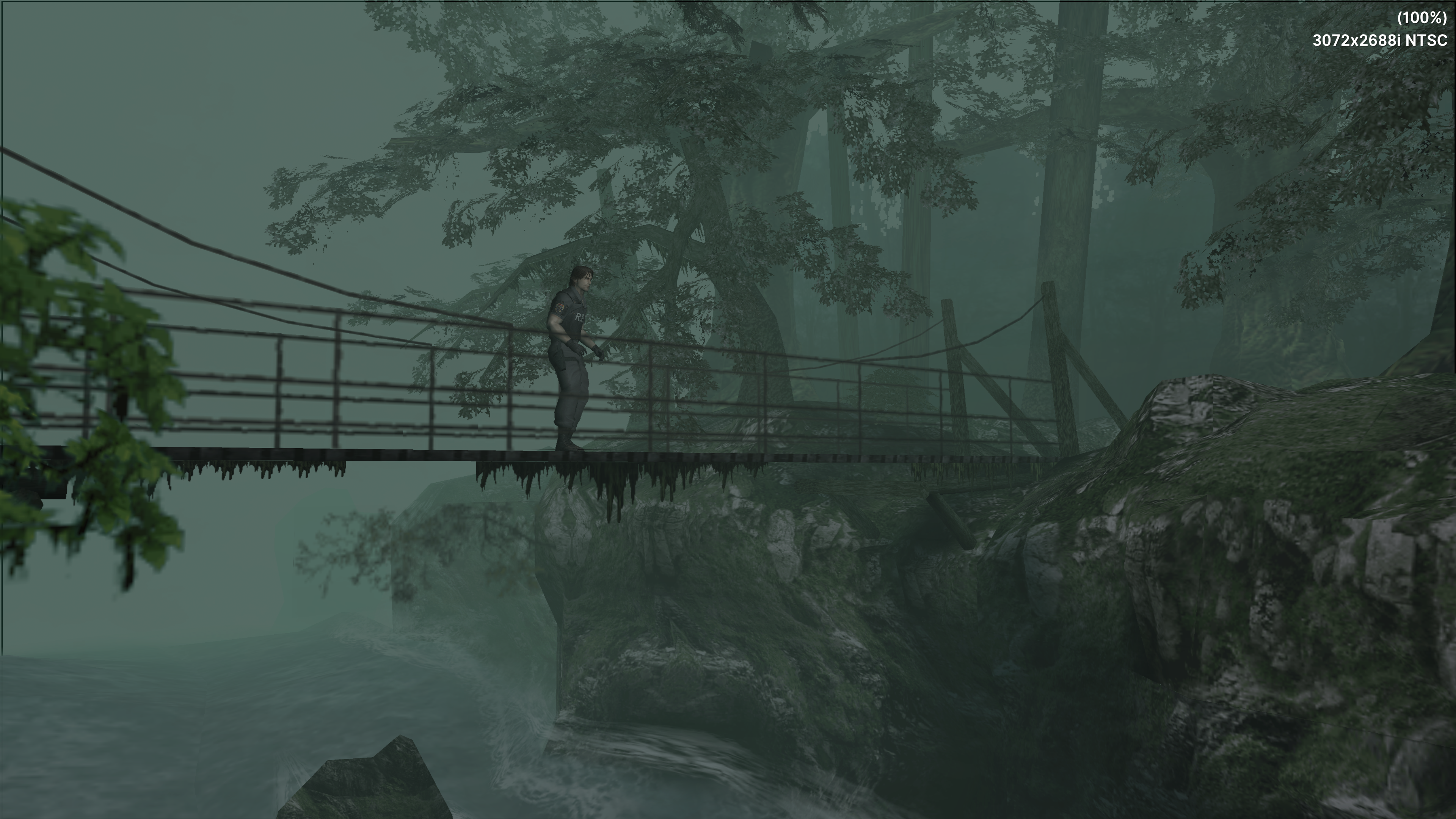
Resident Evil: Dead Aim
6x resolution (wide screen patch didn't work)
-
Bully
5x resolution w/ Wide screen fix
-
God of War
5x resolution w/ Wide screen fix
-
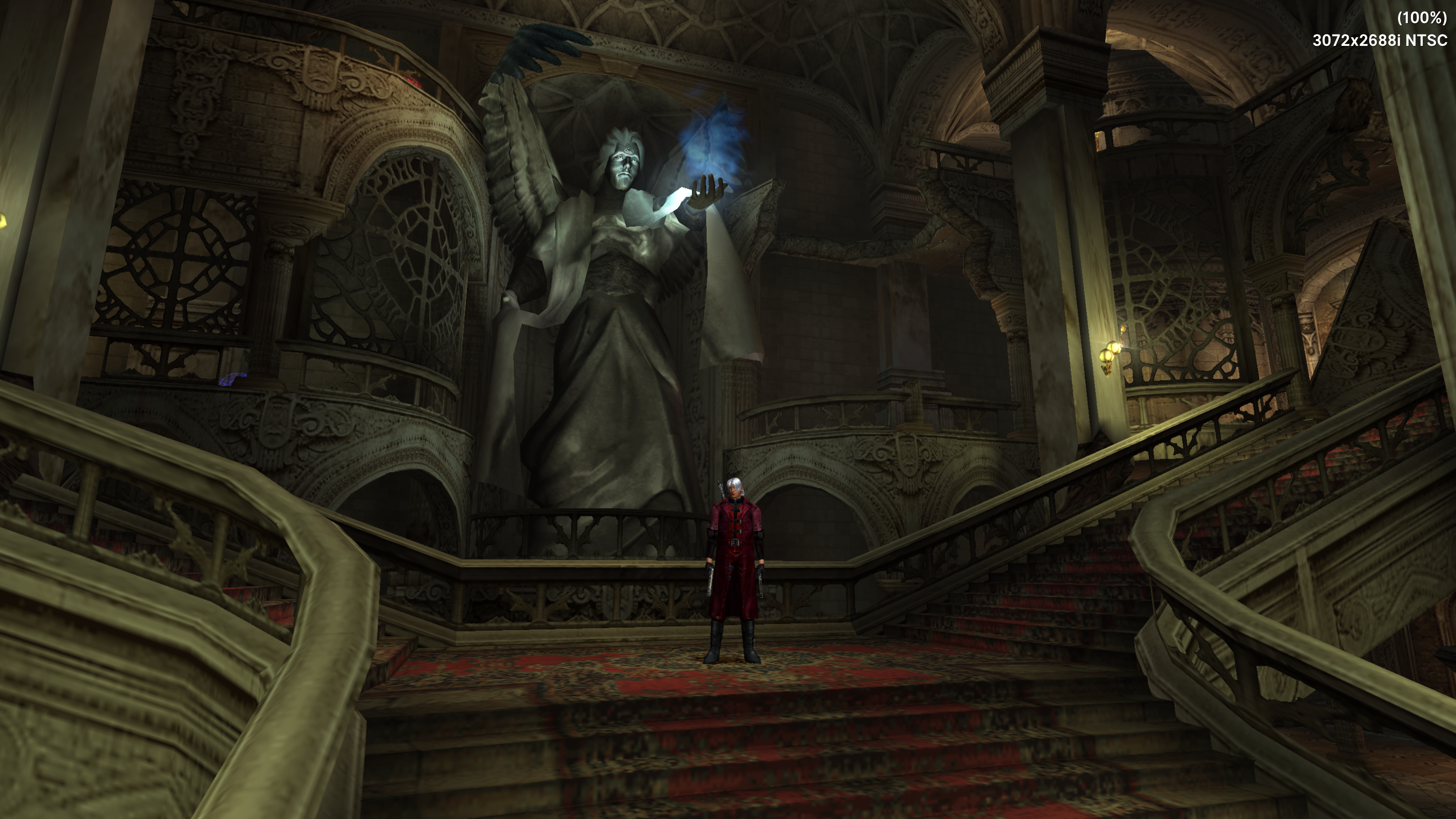
Devil May Cry
6x resolution w/ Wide screen fix
-
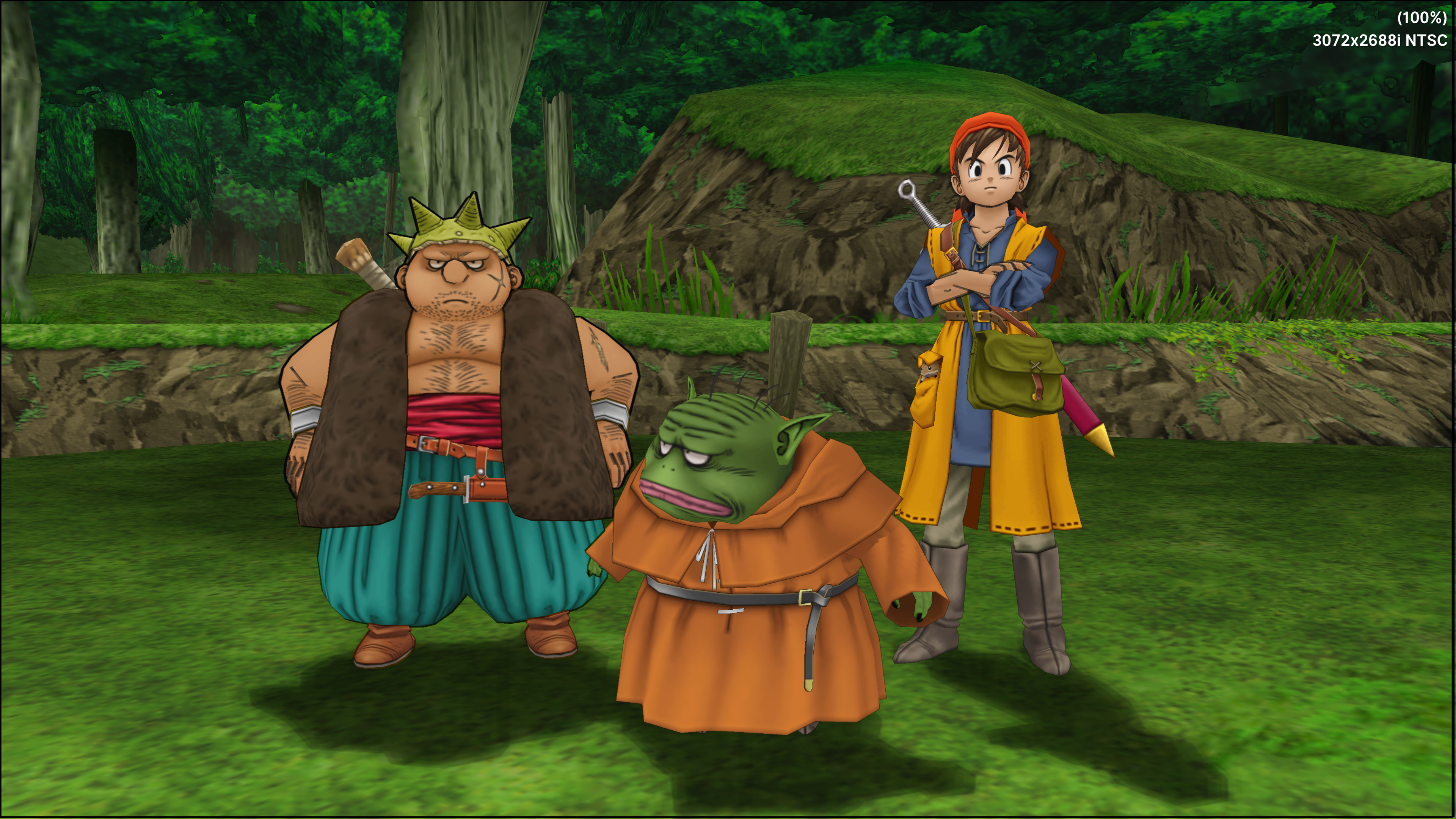
Dragon Quest 8
6x resolution w/ Wide screen fix
-
Resident Evil Outbreak File 2
6x resolution w/ Wide screen fix. Liberal usage of Turbo hotkey to show how to make the 20 second load times become 4~ second.

 01011001
Wide screen hacks and cheats also work just like they would on PC, you need to set directories and copy the appropriate patches as you would.
Not all games work at full speeds all the time in 4K (6x resolution scale). MGS2's cut-scenes and God of War dropped some frames, but dropping to 4x or 5x resolution scaling removes any drops.
Please excuse the audio sync issue in the videos below, it only happens in these videos, the actual emulation is 100% accurate.
Persona 3 FES
6x resolution w/ Wide Screen fix
-
Metal Gear Solid 2: Substance
4x resolution w/ Wide screen fix
-
Resident Evil: Dead Aim
6x resolution (wide screen patch didn't work)
-
Bully
5x resolution w/ Wide screen fix
-
God of War
5x resolution w/ Wide screen fix
-
Devil May Cry
6x resolution w/ Wide screen fix
-
Dragon Quest 8
6x resolution w/ Wide screen fix
-
Resident Evil Outbreak File 2
6x resolution w/ Wide screen fix. Liberal usage of Turbo hotkey to show how to make the 20 second load times become 4~ second.
01011001
Last edited:
01011001
Banned
Alright. I've been testing a bunch of PS2 games and am very impressed at how good this emulator is. My aging laptop can't touch anything higher than 2X (3X if I'm nice) internal resolutions so I think I'm gonna switch to Xbox as my main PCSX2 emulation machine now.
Wide screen hacks and cheats also work just like they would on PC, you need to set directories and copy the appropriate patches as you would.
Not all games work at full speeds all the time in 4K (6x resolution scale). MGS2's cut-scenes and God of War dropped some frames, but dropping to 4x or 5x resolution scaling removes any drops.
Please excuse the audio sync issue in the videos below, it only happens in these videos, the actual emulation is 100% accurate.
Persona 3 FES
6x resolution w/ Wide Screen fix
-
Metal Gear Solid 2: Substance
4x resolution w/ Wide screen fix
-
Resident Evil: Dead Aim
6x resolution (wide screen patch didn't work)
-
Bully
5x resolution w/ Wide screen fix
-
God of War
5x resolution w/ Wide screen fix
-
Devil May Cry
6x resolution w/ Wide screen fix
-
Dragon Quest 8
6x resolution w/ Wide screen fix
-
Resident Evil Outbreak File 2
6x resolution w/ Wide screen fix. Liberal usage of Turbo hotkey to show how to make the 20 second load times become 4~ second.
yeah, this Emulator is the real deal, people were already impressed by the Retroarch core last year when emulation on the Series consoles first took off. and this knocks it out of the park
adamsapple
Or is it just one of Phil's balls in my throat?
yeah, this Emulator is the real deal, people were already impressed by the Retroarch core last year when emulation on the Series consoles first took off. and this knocks it out of the park
The ease of setup and execution is also great. You don't even need FTP anymore (which was always something I never liked doing). Changing game directories to a USB drive and having games there means you're not impacting your internal storage at all.
I greatly appreciate the work this team has put in here. The Dolphin core on retroarch is also nice, but this is a very big cut above in terms of compatibility, ease of use and scalability.
01011001
Banned
The ease of setup and execution is also great. You don't even need FTP anymore (which was always something I never liked doing). Changing game directories to a USB drive and having games there means you're not impacting your internal storage at all.
I greatly appreciate the work this team has put in here. The Dolphin core on retroarch is also nice, but this is a very big cut above in terms of compatibility, ease of use and scalability.
there's apparently plans for a standalone Dolphin version for Xbox, let's see how that will turn out
adamsapple
Or is it just one of Phil's balls in my throat?
there's apparently plans for a standalone Dolphin version for Xbox, let's see how that will turn out
I would be all over that shit.
Apparently the uber shaders also now work in the dolphin core on retroarch, but they make the startup time notably long (as you'd expect).

SF Kosmo
Banned
I'd imagine near identical to Series X since something like PS2 emulation is going to be way more CPU bound with not much load on the GPU.How is the performance on series s? I consider getting one only as a emulation machine.
Last edited:
adamsapple
Or is it just one of Phil's balls in my throat?
I'd imagine near identical to Series X since something like PS3 emulation is going to be way more CPU bound with not much load on the GPU.
Since they have a near identical cpu, the performance is great but the only thing you need to change is drop the resolution scale more than series X.
Eg drop to 3x scaling where it's 5x on SX.
Last edited:

I Master l
Banned
Alright. I've been testing a bunch of PS2 games and am very impressed at how good this emulator is. My aging laptop can't touch anything higher than 2X (3X if I'm nice) internal resolutions so I think I'm gonna switch to Xbox as my main PCSX2 emulation machine now.
6x resolution w/ Wide Screen fix
How did you manage to apply wide screen fix ? From my understanding patch files only work on PC

analog_future
Banned
Alright. I've been testing a bunch of PS2 games and am very impressed at how good this emulator is. My aging laptop can't touch anything higher than 2X (3X if I'm nice) internal resolutions so I think I'm gonna switch to Xbox as my main PCSX2 emulation machine now.
Wide screen hacks and cheats also work just like they would on PC, you need to set directories and copy the appropriate patches as you would.
Not all games work at full speeds all the time in 4K (6x resolution scale). MGS2's cut-scenes and God of War dropped some frames, but dropping to 4x or 5x resolution scaling removes any drops.
Please excuse the audio sync issue in the videos below, it only happens in these videos, the actual emulation is 100% accurate.
Persona 3 FES
6x resolution w/ Wide Screen fix
-
Metal Gear Solid 2: Substance
4x resolution w/ Wide screen fix
-
Resident Evil: Dead Aim
6x resolution (wide screen patch didn't work)
-
Bully
5x resolution w/ Wide screen fix
-
God of War
5x resolution w/ Wide screen fix
-
Devil May Cry
6x resolution w/ Wide screen fix
-
Dragon Quest 8
6x resolution w/ Wide screen fix
-
Resident Evil Outbreak File 2
6x resolution w/ Wide screen fix. Liberal usage of Turbo hotkey to show how to make the 20 second load times become 4~ second.
Just amazing. Series X might be the best console I've ever owned.

Killer8
Member
Alright. I've been testing a bunch of PS2 games and am very impressed at how good this emulator is. My aging laptop can't touch anything higher than 2X (3X if I'm nice) internal resolutions so I think I'm gonna switch to Xbox as my main PCSX2 emulation machine now.
Wide screen hacks and cheats also work just like they would on PC, you need to set directories and copy the appropriate patches as you would.
Not all games work at full speeds all the time in 4K (6x resolution scale). MGS2's cut-scenes and God of War dropped some frames, but dropping to 4x or 5x resolution scaling removes any drops.
Please excuse the audio sync issue in the videos below, it only happens in these videos, the actual emulation is 100% accurate.
Persona 3 FES
6x resolution w/ Wide Screen fix
-
Metal Gear Solid 2: Substance
4x resolution w/ Wide screen fix
-
Resident Evil: Dead Aim
6x resolution (wide screen patch didn't work)
-
Bully
5x resolution w/ Wide screen fix
-
God of War
5x resolution w/ Wide screen fix
-
Devil May Cry
6x resolution w/ Wide screen fix
-
Dragon Quest 8
6x resolution w/ Wide screen fix
-
Resident Evil Outbreak File 2
6x resolution w/ Wide screen fix. Liberal usage of Turbo hotkey to show how to make the 20 second load times become 4~ second.
I would say a few of these are now the definitive way to play. God of War HD on PS3 was limited to just 720p so this is a big boost. Same with DMC HD (they finally fixed the blurry HUD issue). Bully looks to be running in higher res than the PS Store version, and I guess you could potentially fix the ridiculous analog sensitivity via the emulator settings. Dragon Quest 8 on PS2 was also leagues ahead of the 3DS version, visually speaking (the extra 3DS features were nothing to write home about).

adamsapple
Or is it just one of Phil's balls in my throat?
How did you manage to apply wide screen fix ? From my understanding patch files only work on PC
In theory its exactly the same as you would on a PC. You can do it via FTP but I would 100% recommend just making formatting a USB to NTFS and using that. It saves a ton of time and makes it a snap to add more patches and stuff when you need it.
To set up a USB follow
01011001
's excellent guide here:Once you have a USB, make appropriate folders and set up your directories redirecting to them in the emulator settings on your Xbox:

Make sure you have both the Wide Screen patch option toggled in the settings and aspect ratio set to 16 : 9


And then just stick the wide screen .pnach file in the appropriate folder on your USB

When you start the game the next time, you'll see a "10 wide screen patches loaded" notification on the top left if it worked correctly.
I would say a few of these are now the definitive way to play. God of War HD on PS3 was limited to just 720p so this is a big boost. Same with DMC HD (they finally fixed the blurry HUD issue). Bully looks to be running in higher res than the PS Store version, and I guess you could potentially fix the ridiculous analog sensitivity via the emulator settings. Dragon Quest 8 on PS2 was also leagues ahead of the 3DS version, visually speaking (the extra 3DS features were nothing to write home about).
Yeah, some enterprising folks also make custom texture modes so the UI and HUDs are high resolution as well, to go with the resolution increase.
Just some very good stuff all round. Hoping Cemu gets a DX12 fork in the near future so that also becomes a viable emulation option via Retroarch.
Last edited:
adamsapple
Or is it just one of Phil's balls in my throat?
Do they play off the disc on the X?
No, you need to convert them into ISO locally. I believe the emulator also reads compressed iso files to save space, but I haven't tested it myself.
No, you need to convert them into ISO locally. I believe the emulator also reads compressed iso files to save space, but I haven't tested it myself.
Can you test the Def Jam games if you've got the time?
01011001
Banned
No, you need to convert them into ISO locally. I believe the emulator also reads compressed iso files to save space, but I haven't tested it myself.
the file I use in my tutorial video is a CHD file, so yeah, compressed games are compatible.
depending on game that can save multiple gigabytes, but others only shrink by a few percent

BryceNobody
Member
Alright. I've been testing a bunch of PS2 games and am very impressed at how good this emulator is. My aging laptop can't touch anything higher than 2X (3X if I'm nice) internal resolutions so I think I'm gonna switch to Xbox as my main PCSX2 emulation machine now.
Wide screen hacks and cheats also work just like they would on PC, you need to set directories and copy the appropriate patches as you would.
Not all games work at full speeds all the time in 4K (6x resolution scale). MGS2's cut-scenes and God of War dropped some frames, but dropping to 4x or 5x resolution scaling removes any drops.
Please excuse the audio sync issue in the videos below, it only happens in these videos, the actual emulation is 100% accurate.
Persona 3 FES
6x resolution w/ Wide Screen fix
-
Metal Gear Solid 2: Substance
4x resolution w/ Wide screen fix
-
Resident Evil: Dead Aim
6x resolution (wide screen patch didn't work)
-
Bully
5x resolution w/ Wide screen fix
-
God of War
5x resolution w/ Wide screen fix
-
Devil May Cry
6x resolution w/ Wide screen fix
-
Dragon Quest 8
6x resolution w/ Wide screen fix
-
Resident Evil Outbreak File 2
6x resolution w/ Wide screen fix. Liberal usage of Turbo hotkey to show how to make the 20 second load times become 4~ second.
MGS2 drops were happening for me regardless of settings changed. I was running 4:3, software render with Native PS2 graphics and still getting pretty noticeable chug during cutscenes.
It's a great emulator, and most of the other games I've thrown at it run fine. Hopefully we'll see more improvements and reach borderline incomparable difference from real hardware.
Last edited:
01011001
Banned
MGS2 drops were happening for me regardless of settings changed. I was running 4:3, software render with Native PS2 graphics and still getting pretty noticeable chug during cutscenes.
It's a great emulator, and most of the other games I've thrown at it run fine. Hopefully we'll see more improvements and reach borderline incomparable difference from real hardware.
software runs the game fully on the CPU, the GPU is literally doing nothing at that point, the CPU both runs the game logic and renders the graphics,
so that's a really heavy task and many games will not work well that way, especially something like MGS2 that uses every trick in the book to push the PS2.
so only ever use software render if the hardware mode has severe graphical issues.
the fact that it runs in a playable state at all in software suprises me tho.
Last edited:

Rossco EZ
Member
def jam works if that's what your wonderingCan you test the Def Jam games if you've got the time?
I Master l
Banned
In theory its exactly the same as you would on a PC. You can do it via FTP but I would 100% recommend just making formatting a USB to NTFS and using that. It saves a ton of time and makes it a snap to add more patches and stuff when you need it.
To set up a USB follow
Once you have a USB, make appropriate folders and set up your directories redirecting to them in the emulator settings on your Xbox:
Thanks man, i am aware of the steps and i am using an external drive just for the bios and game files but it
seems i have to give the patch folder some kind of access via windows to do the trick

adamsapple
Or is it just one of Phil's balls in my throat?
Can you test the Def Jam games if you've got the time?
Sure I'll check it out later tonight and post clips. Those games have been pretty heavy on the PC version of PCSX2 (for my laptop at least) so it'll be good to see how much better they emulate here.
edit:
Also, if any game experiences glitches or issues, it's always good to check the incredible PCSX2 wiki for fixes.
All the settings you can change in the PC version are also present in the console version (like skip drawing etc) so these fixes also apply to XBSX2
For example, Bully's simulated depth of field blur is very poor on default settings, but there is a fix for it in the wiki that can be applied to this emulator like PC:
Bully - PCSX2 Wiki
Last edited:
adamsapple
Or is it just one of Phil's balls in my throat?
Last edited:

01011001
Banned
Can someone try the first Stuntman game? I bought a mid end PC a few years ago and only wanted to emulate 2 PS2 games on it: Stuntman and Frequency. Frequency (rhythm game) ran but was out of sync making it frustrating to play. Stuntman lagged like crazy.
Stuntman should run fine, it does run fine on PC via PCSX2, and if PCSX2 runs it then XBSX2 will run it as well basically... it is the exact same Emulator after all, just named differently because it's an outside guy porting it and maintaining it with updates.
Last edited:
adamsapple
Or is it just one of Phil's balls in my throat?
I've begun digitizing my library for XBSX2 and some enterprising person compiled this massive file containing a cover picture for every single PS2 game for every region that you can use in the covers directory, once set up.


Stuntman doesn't run fine though. Still has the AI bugs.Stuntman should run fine, it does run fine on PC via PCSX2, and if PCSX2 runs it then XBSX2 will run it as well basically... it is the exact same Emulator after all, just named differently because it's an outside guy porting it and maintaining it with updates.
Further reading
Stuntman - FPU rounding errors for AI pathing · Issue #2990 · PCSX2/pcsx2
PCSX2 version: PCSX2 1.5.0-dev3032 Notes: In Stuntman, AI paths are slightly erroneous due to FPU rounding issues; the game is unable to be finished due rounding issues. This can be witnessed in an...
 github.com
yes, it's caused by float inaccuracies, usually modifying the rounding modes for the EE changes the behaviour, kind of as expected.
The solution going forward would probably to be some sort of soft float implementation, the only reason it hasn't been done yet is because it's non-trivial and would likely be very slow on a lot of systems. I believe Sony uses it in their emulator, but they basically have per game hacks to only enable it in specific situations to try and keep the load down, and this is further stuff PCSX2 can't currently do for things like this, so that would also have to be programmed, unless we just had "Softfloat YOLO!" (slow) mode for it.. lol
We would also have to know how the EE rounds for several instructions, even for softfloat, which is currently unknown. AFAIK add/sub is fairly accurate, but mul/div/etc are still unknown.
Last edited:
adamsapple
Or is it just one of Phil's balls in my throat?
adamsapple
Or is it just one of Phil's balls in my throat?
the file I use in my tutorial video is a CHD file, so yeah, compressed games are compatible.
depending on game that can save multiple gigabytes, but others only shrink by a few percent
What program do you use to convert ISO to CHD ?
And does using it incur any kind of extra load times, as it probably needs to decompress on the fly, I imagine ?
01011001
Banned
What program do you use to convert ISO to CHD ?
And does using it incur any kind of extra load times, as it probably needs to decompress on the fly, I imagine ?
it's called CHDman. and so far I haven't noticed any load time differences tbh.
I uploaded all you need here:
Datei runterladen bei Filehorst - filehorst.de
Bei Filehorst.de kostenlos Dateien hosten!
all you gotta do is put both files (chdman.exe and Cue or ISO to CHD.bat) into a folder with the ISO you wanna compress like so:

and then drag the .iso file onto the "Cue or ISO to CHD.bat" file.
a command line will open and show you the progress.
Last edited:
adamsapple
Or is it just one of Phil's balls in my throat?
it's called CHDman. and so far I haven't noticed any load time differences tbh.
I uploaded all you need here:
Datei runterladen bei Filehorst - filehorst.de
Bei Filehorst.de kostenlos Dateien hosten!filehorst.de
all you gotta do is put both files (chdman.exe and Cue or ISO to CHD.bat) into a folder with the ISO you wanna compress like so:
and then drag the .iso file onto the "Cue or ISO to CHD.bat" file.
a command line will open and show you the progress.
Gracias, the 1TB USB I'm using is starting to near its capacity and if there's no discernible difference in load times, I don't see any harm in converting it to CHD.
01011001
Banned
Gracias, the 1TB USB I'm using is starting to near its capacity and if there's no discernible difference in load times, I don't see any harm in converting it to CHD.
it's highly dependent on the game but some shrink a lot and some only a bit.
just a few numbers from my converted titles:
God Hand: 1.198GB from 1.530GB
Maximo 1: 0.457GB from 0.703GB
Maximo 2: 0.930GB from 1.212GB
Raw Danger: 0.878GB from 1.582GB
this adds up real fast if you have a lot of games of course, these 4 games combined already save more than a gigabyte
Last edited:

Dr.Morris79
Gold Member
So i take it the emulators are down? I've tried a couple of links via the console, all dead screens
Is going trough the discord via console the only way for retail?
If I buy into Dev mode do you still need to piss around with the ftp stuff?
Is going trough the discord via console the only way for retail?
If I buy into Dev mode do you still need to piss around with the ftp stuff?
analog_future
Banned
So i take it the emulators are down? I've tried a couple of links via the console, all dead screens
Is going trough the discord via console the only way for retail?
If I buy into Dev mode do you still need to piss around with the ftp stuff?
They get renewed once a week or so and are taken down again within a day. So join the Discord and set a notification for when they go back up, then grab them when you're notified.
adamsapple
Or is it just one of Phil's balls in my throat?
So i take it the emulators are down? I've tried a couple of links via the console, all dead screens
Is going trough the discord via console the only way for retail?
If I buy into Dev mode do you still need to piss around with the ftp stuff?
Yeah, unfortunately the emulators get taken down every couple of days but they're always back up.
Once you get a chance, download them and run them once so they're on your Xbox and stay there permanently.
And yeah, if you use Dev mode, you will still need to do the FTP/USB stuff to be able to transfer over the content. It's up to your discretion but retail mode works 100% the same, with the only caveat being that the emulators get taken down every now and then.
Dr.Morris79
Gold Member
They get renewed once a week or so and are taken down again within a day. So join the Discord and set a notification for when they go back up, then grab them when you're notified.
Oh man what a bummer, just had a 2tb drive come through an all! Well i've stuck my discord on to notify me so I guess it's the waiting game.Yeah, unfortunately the emulators get taken down every couple of days but they're always back up.
Once you get a chance, download them and run them once so they're on your Xbox and stay there permanently.
And yeah, if you use Dev mode, you will still need to do the FTP/USB stuff to be able to transfer over the content. It's up to your discretion but retail mode works 100% the same, with the only caveat being that the emulators get taken down every now and then.
Just seen that someone keeps reporting them, what an arsehole.
analog_future
Banned
They usually update it on the weekend. I think last week it was Saturday morning. So hopefully you won't have to wait long!Oh man what a bummer, just had a 2tb drive come through an all! Well i've stuck my discord on to notify me so I guess it's the waiting game.
Just seen that someone keeps reporting them, what an arsehole.
Dr.Morris79
Gold Member
Going to be glued to it trust meThey usually update it on the weekend. I think last week it was Saturday morning. So hopefully you won't have to wait long!

Just hate the waiting part, I was going to get stuck into this tonight as the mother inlaw was round

Guess i'll have to talk about dogs, her husband and her and my wifes ailments. Excitment awaits.
adamsapple
Or is it just one of Phil's balls in my throat?
Going to be glued to it trust me
Just hate the waiting part, I was going to get stuck into this tonight as the mother inlaw was round
Guess i'll have to talk about dogs, her husband and her and my wifes ailments. Excitment awaits.
I guess you can spend this time by setting up directories, converting ISOs to CHD to save space, setting up wide screen and/or cheat patches as you need them

Dr.Morris79
Gold Member
I've done it alreadyI guess you can spend this time by setting up directories, converting ISOs to CHD to save space, setting up wide screen and/or cheat patches as you need them
I was too eager only to be thwarted by the blank screen on the Xbox
adamsapple
Or is it just one of Phil's balls in my throat?
I've done it already
I was too eager only to be thwarted by the blank screen on the Xbox
Once the emulators are up, I would highly recommend you also download and run the main Retroarch once as well. It takes only 1GB of space and it's better to have it even if you primarily only want to use XBSX2. You can always do Gamecube or any of the other dozens of system emulation in Retroarch at a later time. But it's good to have it on your system so you don't have to worry about links anymore.
Also, this link has an archive of every single cover file, you can unzip this folder into your designated Covers folder and every game you ever put on XBSX2 will have a cover image.
PS2 Covers - YT ReviveMe.7z
 drive.google.com
Last edited:
Dr.Morris79
Gold Member
Nice one adams, I plan to plonk it on my X and S if it gets uploaded in the morning, i'll get it up and running and try your covers linkOnce the emulators are up, I would highly recommend you also download and run the main Retroarch once as well. It takes only 1GB of space and it's better to have it even if you primarily only want to use XBSX2. You can always do Gamecube or any of the other dozens of system emulation in Retroarch at a later time. But it's good to have it on your system so you don't have to worry about links anymore.
Also, this link has an archive of every single cover file, you can unzip this folder into your designated Covers folder and every game you ever put on XBSX2 will have a cover image.
[/URL]
Out of interest, after the install of XBSX2, retroarch etc can you just run the emulators in complete offline mode? I doubt i'll ever use the S again for standard gaming.
adamsapple
Or is it just one of Phil's balls in my throat?
Nice one adams, I plan to plonk it on my X and S if it gets uploaded in the morning, i'll get it up and running and try your covers link
Out of interest, after the install of XBSX2, retroarch etc can you just run the emulators in complete offline mode? I doubt i'll ever use the S again for standard gaming.
Yep, that's why I said at least run them once so they can get the necessary 'one time validation' done.
After that they should work 100% in offline mode without any issue.
01011001
Banned
Nice one adams, I plan to plonk it on my X and S if it gets uploaded in the morning, i'll get it up and running and try your covers link
just a heads-up some people report that XBSX2 currently has a crash to dashboard bug if you run games at 1440p... not sure if that's an issue across the board with the current version but if you crash at 1440p you know why
Dr.Morris79
Gold Member
Cheers bud, handy to know. Really hoping I can get it this morningjust a heads-up some people report that XBSX2 currently has a crash to dashboard bug if you run games at 1440p... not sure if that's an issue across the board with the current version but if you crash at 1440p you know why


MarkMe2525
Banned
I saw the hype... I tried myself... and I am blown away. I have always pined over getting a gaming pc for this very thing, and now it's all handled by my game console that's already hooked up to my TV.
Now, would any have suggestions on how to get this output from series X to scale properly for a 4x3 crt. I have a hdmi to composite adapter and currently deal with a warped image due to the 16x9 output of the series x. Is there a way to stretch the ps2 output to a 16x9 aspect ratio so, when it is hooked up to my crt and squished, it looks correct?
Now, would any have suggestions on how to get this output from series X to scale properly for a 4x3 crt. I have a hdmi to composite adapter and currently deal with a warped image due to the 16x9 output of the series x. Is there a way to stretch the ps2 output to a 16x9 aspect ratio so, when it is hooked up to my crt and squished, it looks correct?
Last edited: