

• Hey Guest. Check out your NeoGAF Wrapped 2025 results here!

TV Color Temp: What do Dev's say is the preferred Color Temp?

If your display isn't calibrated to D65, Rec 709 and 2.2 gamma then it is in fact "wrong."

Anything else wouldn't be calibrated to accepted standards for HD content, sure. For UHD content I'd argue you should calibrate for Rec 2020 or at least DCI-P3 instead and rely on colorspace transformations to accurately represent Rec 709 content since their relationships are well defined.

I don't get why people keep coming in here and pretending there isn't an objectively correct answer to this question. In your examples it is the environment that is the issue and not the display.

... and I don't get people asserting that others are living their lives wrong. There are plenty of people who aren't planning to rearrange their home to guarantee a neutral viewing environment with D65 lighting. Whether that's due to personal preference or a different set of economic priorities is pretty much irrelevant. Is there anything actually incorrect about my representation of color theory and human color perception, or are you just parroting the same pedantic line you've heard from others? It makes sense to follow standards obsessively in content production. In content consumption there's no real reason to make the same assertion.

Lady, I suggest you just take the time to calibrate your screens so you can have accurate colour rather than justifying your preference for bad colours.

I suggest you stop bring a presumptive jerk. My screens are carefully calibrated to standards because I care about both the theory and the practice of content capture, editing, and reproduction. On the other hand, I also value personal freedoms and while I'd suggest others give D65 white balance a try to see if they find it less fatiguing due to being more in keeping with an daylight environment, I'm not going to insist that my way is the only way.
 
Anything else wouldn't be calibrated to accepted standards for HD content, sure. For UHD content I'd argue you should calibrate for Rec 2020 or at least DCI-P3 instead and rely on colorspace transformations to accurately represent Rec 709 content since their relationships are well defined.

Calibrating for DCI-P3 is what's encouraged.

I suggest you stop bring a presumptive jerk. My screens are carefully calibrated to standards because I care about both the theory and the practice of content capture, editing, and reproduction. On the other hand, I also value personal freedoms and while I'd suggest others give D65 white balance a try to see if they find it less fatiguing due to being more in keeping with a daylight environment, I'm not going to insist that my way is the only way.
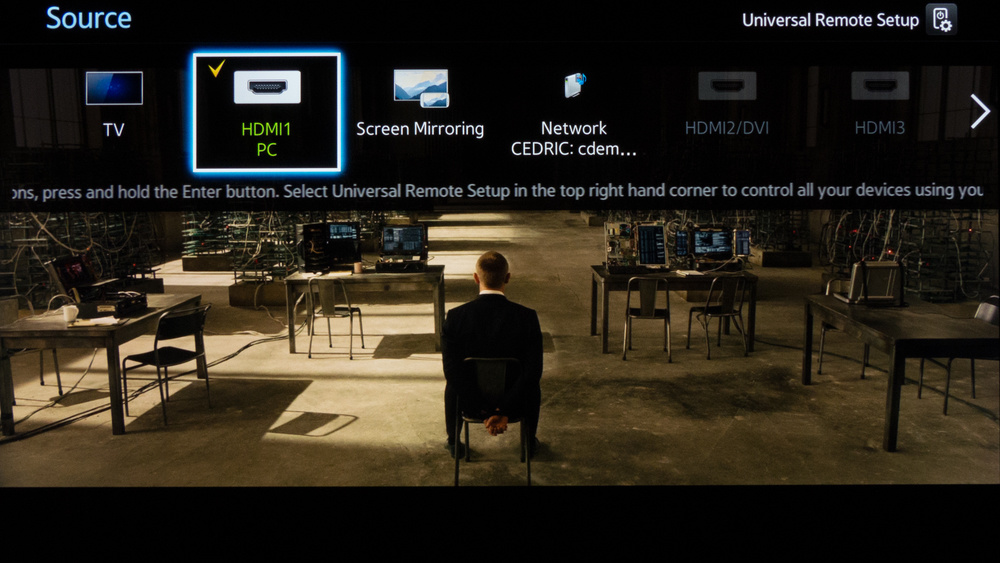
Isn't it a bit hypocritical to be someone who "carefully calibrates" their hardware to state its unimportance? I understand from your post that you're a content creator (for lack of a more specific term) of sorts, but why would you want that content to display poorly on other people's screens.

Anyway, I believe my post, as and I understood at the time of posting, was really in response to the idea that artists/devs needn't calibrate their stuff. We both agree that they very well should. And it's also because you stated how it 6500k etc. wasn't "correct". It is "correct". I have said before in this thread, do as you please, but don't disregard that there is in fact, a proper colour temperature with a very real reason for why it exists.

If you find my earlier posts too, I say that if someone's preference is cool, I would very much hope they consider not having that preference as it's unhealthy ~~ on a gaming forum I suspect there are some posters in here who cheer on "cool" colour temperatures while playing late at night. That's not just incorrect, it's bad.
 
samsung 32 inch 1080p tv

model code is un32J5500

http://uk.rtings.com/tv/reviews/samsung/j5500

Sorry for the wait, I needed some McDonalds.

You should use PC mode and calibrate from Warm 2 with http://uk.rtings.com/tv/reviews/samsung/j5500/settings ~ you can get relatively accurate colour on this set

M9q7gUc.png


PC Mode only has +1.9ms lag over game mode.
 
Isn't it a bit hypocritical to be someone who "carefully calibrates" their hardware to state its unimportance?

I watch most of my content in rooms that have a lot of natural light in sunny climates so I have a natural incentive to match the color temperature of my ambient environment. Whether or not someone else watches content without calibrating their display doesn't rise to the level of "important" in my books. I love learning and understanding the world around me, so exploring color theory and display technology fits neatly into my typical interaction with the world. Not everyone has the same passions and priorities, and that's fine by me – so long as they don't insist I watch anything on their television.

I understand from your post that you're a content creator (for lack of a more specific term) of sorts, but why would you want that content to display poorly on other people's screens.

I'm mostly a hobbyist when it comes to video and a photographer for my own pleasure. By profession I'm a technologist with a broad range of experience and interests.
 
http://uk.rtings.com/tv/reviews/samsung/j5500

Sorry for the wait, I needed some McDonalds.

You should use PC mode and calibrate from Warm 2 with http://uk.rtings.com/tv/reviews/samsung/j5500/settings ~ you can get relatively accurate colour on this set

M9q7gUc.png


PC Mode only has +1.9ms lag over game mode.

seems its impossible to match that site's setting in pc mode, pc mode locks out the advanced pictue settings , while game mode locks out the 10 point balance option
 
seems its impossible to match that site's setting in pc mode, pc mode locks out the advanced pictue settings , while game mode locks out the 10 point balance option

Hmm...

Well what I'm assuming, is that PC Mode is turning off all the stuff in the Advance Settings anyway.

If you can still change the 2 Point/10 Point stuff then you're good.
 
hu8550-config-1-medium.jpg


A little like this?

Other Samsung TVs apparently let you edit the name of the input and still access these settings. Seems like a serious oversight if yours can't

changing the name does nothing,

i calibrated it to the best that i can under game mode, so everything but 10 bit balance was updated
 
changing the name does nothing,

i calibrated it to the best that i can under game mode, so everything but 10 bit balance was updated

You won't perceive it, it should only stop the input lag from being as high as 80, so if you think the lag is similar to say, Game Mode with that new label, then it's working.

:D

find a game where you can check input lag, or maybe the menu of PS4 is good enough
 
You won't perceive it, it should only stop the input lag from being as high as 80, so if you think the lag is similar to say, Game Mode with that new label, then it's working.

:D

well a thing is that while under game mode, it also changes the sound mode to a game setting which i much prefer over the other sound options, and i also have 7 hdmi devices plugged into my tv, through 2 3-1 hdmi switches, which are connected to hdmi 2 and 3 input

my roku stick is connected to hdmi 1

so if i dont have them labeled properly i'll lose track of them
 
It makes sense to follow standards obsessively in content production. In content consumption there's no real reason to make the same assertion.
I'd have to disagree. Why throw away all the meticulous effort done in delivering that intended image or video to your display? What's a poorly lit scene if we're not looking at the same image? There's preference, and then, there's accuracy. The least I can do as a consumer is see their intentions clearly.
 
well a thing is that while under game mode, it also changes the sound mode to a game setting which i much prefer over the other sound options, and i also have 7 hdmi devices plugged into my tv, through 2 3-1 hdmi switches, which are connected to hdmi 2 and 3 input

my roku stick is connected to hdmi 1

so if i dont have them labeled properly i'll lose track of them

Ah, I hear you.

edit: https://www.youtube.com/watch?v=8-OiJGCwd7c

in this video, this guy talks about the pc mode stuff if you wanted to know more about it

he talks about this issue, he has settings for game mode

edit 2: if you name the label PC and use game mode, you get with of global dimming and you lower the input lag even further to like 23ms, but otherwise this video has what you need

keep hdmi black level to auto
 
I'm working on a color appearance model utilizing chromatic adaption and stuff
to predict colors (their perceptual attributes etc.) with respect to different
lighting/environment conditions and partial degrees of chromatic adaptation.

I want to utilize such a model for a specific mobile color app. To get some
proper input data am asking myself how the newer iPhones compute the ambient
color temperature to adjust the color of the flash (and display being used as
a flash)? I think the iPhones up to version 6s do simply image analysis (gray
world and similar algorithms), but the 9.7" iPad Pro is said to have a color
sensor working in conjunction with the TrueTone display to shift the color
temperature on the fly. Is this color sensor documented and can it be read?
And, does the iPhone 7 has a similar sensor or does it still use software?
 
Would you ideally have separate calibrations for different viewing settings? E.g. Daytime with sunlight through a window, vs nighttime with curtains closed and artificial light? I can imagine brightness/contrast need to be adjusted for ambient light differences, and I do this - but I don't do anything with colour temp.
 
Would you ideally have separate calibrations for different viewing settings? E.g. Daytime with sunlight through a window, vs nighttime with curtains closed and artificial light? I can imagine brightness/contrast need to be adjusted for ambient light differences, and I do this - but I don't do anything with colour temp.

One easy way is to simply buy Daylight bulbs, or to not have your displays too bright so you can use them in low light without it being unhealthy.
 
Would you ideally have separate calibrations for different viewing settings? E.g. Daytime with sunlight through a window, vs nighttime with curtains closed and artificial light? I can imagine brightness/contrast need to be adjusted for ambient light differences, and I do this - but I don't do anything with colour temp.
Everything needs to be adapted anew whenever the environment, light etc.
changes. We will get there in the future if the new HDR monitors come up to
speed, for, these monitors will utilize meta data included within the video
stream to do the tonemapping with respect to the properties of the given TV.
Such TVs will include a couple of sensors to measure the current viewing
conditions like the immediate background of the TV and its ambient/surround,
specifically doing proper color measurements to make an estimation of the
ambient color temperature. These data will then be used to color correct the
image with respect to the environment. The advantage of the HDR TVs is that
you can look at them in bright lit environments. Hence, the old assumption of
sitting in a dim/gray viewing environment watching TV won't hold any longer.
But with brighter environments color appearance changes a lot for humans,
i.e. objects look more colorful and contrasty unter bright light etc. Hence,
the TV needs to keep track of a couple of things in order to render the right
colors for your adapted eyes, similar like the new 9.7" iPad Pro does to some
degree in adjusting the color temperature to simulate a passive (reflective)
device embedded into the environment your eyes have adapted to.
 
How much does Spydr calibration software go for these days?
Doesn't seem as affordable as what SpectraCal offers honestly.

Jeff Stephen mentioned a great bundle:

For $99 this is a great deal. The Fire TV stick alone makes it much simpler to calibrate since it'll be automated and in-sync with CalMAN so you don't have to go through chapters or titles through AVS HD709.
http://calman.spectracal.com/home-express.html
It's a no-brainer for that much. You get a colorimeter, a pattern generator, and a 1-year software license for CalMAN software. The only real negative is there's no option for a 10-pt grayscale, but there are free alternatives like HCFR if you want that. 2-pt grayscale is already pretty damn good, and sometimes, you'll even get comparable results.

Would you ideally have separate calibrations for different viewing settings? E.g. Daytime with sunlight through a window, vs nighttime with curtains closed and artificial light? I can imagine brightness/contrast need to be adjusted for ambient light differences, and I do this - but I don't do anything with colour temp.
If you have an LED HDTV, the backlight could be adjusted for a minimal effect on black and white levels if the display is already calibrated for daytime viewing. However, the best thing in my experience is to calibrate for what specific cd/m2 (luminance levels) you desire like 80 cd/m2 for example on an HDTV, but that may be unrealistic if ambient light in the environment isn't very controllable. My eyes is sensitive to light, so even 40 cd/m2 is a bit too bright on my monitor honestly.
 
The thing is that in actual content you rarely see pure white. A color is invariably overlaid over the gray scale and in practice you will rarely actually see D65 on your screen. The whole point of D65 is to have accurate secondaries. This is most evident with people's skin tones where the wrong color temperature can make people look odd (assuming you have an accurate color decoder).
Any white point that would result in a smaller gamut than is possible with a given set of RGB primaries is technically inaccurate, as pleasing at it may seem. Such is the case with D65 or anything even bluer; it's the visual equivalent of the home theater house curve. The spectral distribution is weighted toward lower wavelengths like a cranked bass knob.
rspwavelength.jpg

5454k has equal RGB levels, balanced x,y coordinates, and the widest gamut:
NaJQfgT.png

But look what happens to RGB balance at 6500K:
uT2SDNC.png
 
Can anyone help me find proper settings for my tv? It's a bit older, having a hard time finding a config on rtings or something. It's a Sony Bravia kdl46vl160
 
Any white point that would result in a smaller gamut than is possible with a given set of RGB primaries is technically inaccurate, as pleasing at it may seem. Such is the case with D65 or anything even bluer; it's the visual equivalent of the home theater house curve. The spectral distribution is weighted toward lower wavelengths like a cranked bass knob.
rspwavelength.jpg

5454k has equal RGB levels, balanced x,y coordinates, and the widest gamut:
NaJQfgT.png

But look what happens to RGB balance at 6500K:
uT2SDNC.png


I just want to show that it holds the other way around, too, i.e. for the
CIEXYZ to RGB tranformation using sRGB primaries and D65 as reference;

Bl81Fiw.png


All fine. Illuminat D65 (CCT ~6503K) maps fine to RGB (255, 255, 255).

Let's see what the white point E does when mapped with sRGB primaries with
respect to the white point D65 under chromatic adaptation;

("But look what happens to RGB balance at 6500K 5454K:")
1lu2GqA.png


That is to say; simple chromatic adaption is pretty much incomplete without
any information about the viewing environment etc. Hence, adjusting the white
point away from reference will render some of the colors a bit off. But that's
not to say color temperature adjustments shouldn't be used. It's just that
simple chromatic adaptation shouldn't be used for serious color work.
 
Is there a way to make sure my monitor calibration is actually correct? Sometimes I'll make two calibrations with the same conditions and they'll have clear differences in temperature and contrast. I'm using a Spyder5Pro and the Spyder software.
 
Is it impossible to calibrate without a light sensor? The light conditions in my living room are as varied as there are minutes in a day. I'd rather know the TV be properly calibrated and disregard the variances brought on by ambient lighting.
 
I just want to show that it holds the other way around, too, i.e. for the
CIEXYZ to RGB tranformation using sRGB primaries and D65 as reference;

Bl81Fiw.png


All fine. Illuminat D65 (CCT ~6503K) maps fine to RGB (255, 255, 255).

Let's see what the white point E does when mapped with sRGB primaries with
respect to the white point D65 under chromatic adaptation;

("But look what happens to RGB balance at 6500K 5454K:")
1lu2GqA.png


That is to say; simple chromatic adaption is pretty much incomplete without
any information about the viewing environment etc. Hence, adjusting the white
point away from reference will render some of the colors a bit off. But that's
not to say color temperature adjustments shouldn't be used. It's just that
simple chromatic adaptation shouldn't be used for serious color work.
The D65 standard was conceived during the early days of color CRTs when manufacturing tolerances were not as tight; excess blue is the best calibration error to make as consumers will far more readily return a TV with excess red or green. That's it. D65 is NOT the sole standard and is measurably and visibly bluish to many people. DCI Theater uses 6300K peaking in the green, for instance, while the home version of DCI uses 6500K. Which color space was the movie graded in? Photographers and astronomers perform 'serious' color work and many of them use 5800K.

The 5454K example you gave is not equal energy white. My example had CIEXYZ and x,y coordinates as well as RGB balanced. That is equal energy white. Yours is CCT 5454K and thus not representative of an ideal achromatic radiator as you've got to look at CIE coordinates as well.

To be fair, achromatic light sources tend to be exceedingly rare in nature, thus we seek daylight white points in the name of consumer preference, comfort, color pop and compatibility with natural ambient light as you alluded to. Illuminant E may appear to possess a magenta cast on current displays as the green sRGB primary tends to be weak and undersaturated. A good compromise is 5800K but despite being more neutral than D65 and offering a wider gamut, it still doesn't represent uniform spectral distribution, just the spectrum of sunlight before it hits the atmosphere. (The sun is not yellow in space and actually peaks in the green, also emitting more blue than red) Perhaps Rec.2020, a superset of previous color spaces will help in this regard as the green primary will finally have proper saturation. We may then calibrate to equal energy white natively while allowing the content itself to dictate color space, dynamic range, and greyscale.
 
Side question: What's the best (PS4) game to calibrate that HDMI input specifically for the console? I.e. games that offer test screens for both the brightness and color stuff.

Best means which are the ones that can actually be trusted. I had a couple of games that seem to suggest very messed up settings compared to other ones (with the same TV setings).
 
9300K white point, also known as D9300 is the correct color temperature for arcades, 8-16bit games, and games developed in Japan in general even today since D9300 is the japanese tv standard both for j-ntsc and japanese hdtv. It's also obvious if you try e.g. CPS1/2 or System16 games changing color temperature to anything other than 9300K makes them looking completely wrong if you played them in the arcades back then (arcade monitors were precalibrated to D9300).

Nice thing is that on my new 55b6 LG Oled, game mode has an almost spot on color temperature of 9300K. Capcom Arcade Cabinet is stunning on the set.

PS: it is "cold" or "cold1" on most tvs.
 
9300K white point, also known as D9300 is the correct color temperature for arcades, 8-16bit games, and games developed in Japan in general even today since D9300 is the japanese tv standard both for j-ntsc and japanese hdtv. It's also obvious if you try e.g. CPS1/2 or System16 games changing color temperature to anything other than 9300K makes them looking completely wrong if you played them in the arcades back then (arcade monitors were precalibrated to D9300).

Nice thing is that on my new 55b6 LG Oled, game mode has an almost spot on color temperature of 9300K. Capcom Arcade Cabinet is stunning on the set.

PS: it is "cold" or "cold1" on most tvs.
Thank you for this.

I play on cold. I view all my content in cold. Stuff like Nintendo games just seem so damn vibrant and beautiful in cool mode.
 
Side question: What's the best (PS4) game to calibrate that HDMI input specifically for the console? I.e. games that offer test screens for both the brightness and color stuff.

Best means which are the ones that can actually be trusted. I had a couple of games that seem to suggest very messed up settings compared to other ones (with the same TV setings).

None, to be honest. Most games should be doing their best to make you calibrate close to 2.2 Gamma but you can just use proper calibration sites etc. for that

Some games are a little off but that's fine, just adjust to the content with in-game settings, never your TV
 
Ah, I hear you.

edit: https://www.youtube.com/watch?v=8-OiJGCwd7c

in this video, this guy talks about the pc mode stuff if you wanted to know more about it

he talks about this issue, he has settings for game mode

edit 2: if you name the label PC and use game mode, you get with of global dimming and you lower the input lag even further to like 23ms, but otherwise this video has what you need

keep hdmi black level to auto

Yeah, I have the Best Buy variant of this 32' TV which is pretty much the same model
Changing the input to PC or Game doesn't do anything I believe
In order to change it to Game mode you need to go into like General Settings
Changing it to Game mode doesn't lock out the 10pt White Balance settings
I liked the settings that youtube guy posted better than the RTINGs settings
I don't see any issues with the Global Dimming as of yet
 
9300K white point, also known as D9300 is the correct color temperature for arcades, 8-16bit games, and games developed in Japan in general even today since D9300 is the japanese tv standard both for j-ntsc and japanese hdtv. It's also obvious if you try e.g. CPS1/2 or System16 games changing color temperature to anything other than 9300K makes them looking completely wrong if you played them in the arcades back then (arcade monitors were precalibrated to D9300).

Nice thing is that on my new 55b6 LG Oled, game mode has an almost spot on color temperature of 9300K. Capcom Arcade Cabinet is stunning on the set.

PS: it is "cold" or "cold1" on most tvs.
Arcade monitors looked radioactive. My friends and I couldn't get these 'hyper' colors on our home CRTs even with RGB and 9300k calibration. We had to boost the RGB drive by lowering the resistor values in the neck board near the electron gun until just before the red would begin to bleed across the screen. Those were the days.
 
Ah, I hear you.

edit: https://www.youtube.com/watch?v=8-OiJGCwd7c

in this video, this guy talks about the pc mode stuff if you wanted to know more about it

he talks about this issue, he has settings for game mode

edit 2: if you name the label PC and use game mode, you get with of global dimming and you lower the input lag even further to like 23ms, but otherwise this video has what you need

keep hdmi black level to auto

so apparently my tv has this weird feature, when i have a pc plugged in and i start a game in full screen, it automatically switches to pc mode, and disables game mode,which is annoying
 
so apparently my tv has this weird feature, when i have a pc plugged in and i start a game in full screen, it automatically switches to pc mode, and disables game mode,which is annoying

I mean, it makes sense. If you have an NVidia card you can disable the uh display... thing (or whatever it's called). I'll post back when I know the name of it

You will have to manually enable the colour space from your screen tough
edit: it's probably not there anymore

This is done because your PC won't look good without 4:4:4
 
I mean, it makes sense. If you have an NVidia card you can disable the uh display... thing (or whatever it's called). I'll post back when I know the name of it

You will have to manually enable the colour space from your screen tough
edit: it's probably not there anymore

This is done because your PC won't look good without 4:4:4

apparently it only happens with certain games, it happened with tales of zestiria but not metro 2033 redux
 
Cool 2 over here. I wish they had a cool 3 to make those whites pop even more. The best most vibrant setting.

for reals though warm over here. Anything else just likes terrible imo
 
I work with content creation and am surrounded by calibrated monitors pretty much 24/7. Looking at screens set to anything other than Rec. 709 bothers me to no end (even though we're transitioning to Rec. 2020).
 
I just can't get on with this, it makes whites look yellow.

I used to think this when I calibrated my TV and Warm 2 was reccomended, but I kept the setting on for a few days and now it looks like it should look for me. I couldn't go back to the horrible looking blueish white now.

And it's hilarious when I switched back to Game Mode and everything looks so blurry and blue. I can't believe I actually trusted LG to know what Game Mode should look like. Now I can actually see the details in my textures with PC Mode and proper calibration.

Mass Effect for example was just 1 big blue blur on Game Mode.
 
I just realized that the Switch makes this a lot easier to determine. Just make your TV colors closely match how the game looks on the tablet screen and you're dead on it.
 
Top Bottom