
RedNumberFive
Banned
Teknoman said:
Another Chihuahua being tortured by AR Cards!

Teknoman said:
SD card reader is the only way at the moment. They also shouldn't be too expensive.Thoraxes said:Out of curiosity, is there any wireless way to transfer photos to my computer, or a way to e-mail myself images from the 3DS? Or should I just buy an SD card adapter?
I'd prefer to spend no money, but sometimes these things just have to be done, and I really want to share my 3D pictures with you all!


Yeah. I ended up getting one for £1.99 because I was tired of having to have my laptop on to transfer stuff.Disguises said:SD card reader is the only way at the moment. They also shouldn't be too expensive.
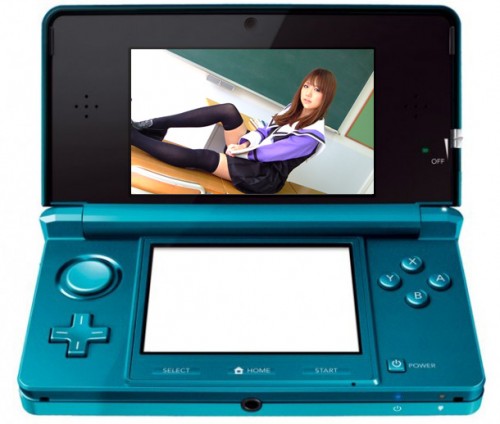
Zip fileIf the success of Julie Watai's 3D photos are any indication, this could be the start of something big.
Watai, who is a photographer herself as well as a pin-up model under the name "Ai Amano", decided to offer 3D cheesecake photos as a free download. In the first two days they were available, the images were downloaded 52,000 times!
"I'm a photographer and I've long been interested in 3D pictures," Watai tells Kotaku. "I wanted to see what it was like to use the game machine I'm most into, the 3DS, to display my photos!" Last year, Watai published a successful photobook called "Hardware Girls".
The images were created in collaboration with Japanese figure artist Kaz Asada. Apparently, standard 3D camera software makes it harder to stealthily retouch images - meaning that while this could be a possible cash-in with pay-for-pics, the lack of a Photoshop safety net could scare some idols away.
Those interested in viewing the images, download this file. On your computer, open the file and copy the folder titled "DCIM" on an SD card. Then insert that SD card into the Nintendo 3DS and launch the photo application.
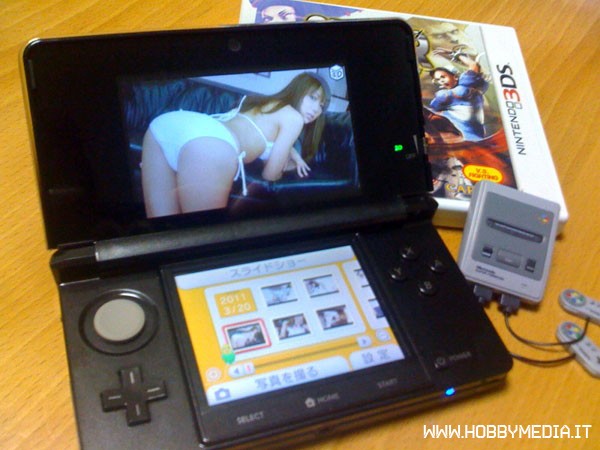
I don't know, but I want one.richisawesome said:WHY IS THAT SNES SO SMALL?
Is that... a mini Super Famicom?!FlashbladeGAF said:

Yes and it is an excellent sign of things to come.FlashbladeGAF said:you guys see these
RedNumberFive said:
I love the lighting and color correction in AR screenshots.-MB- said:
Sure, Dropbox will let you do that - and much more.boris feinbrand said:Btw can anyone of you suggest a good filehost where I can just upload the whole folder?
Alright, i've ordered one for $5, and hopefully it should be here by tomorrow! Thanks for the info!Disguises said:SD card reader is the only way at the moment. They also shouldn't be too expensive.
FlashbladeGAF said:you guys see these

FlashbladeGAF said:you guys see these
 Seriously though, the pics with the bubbles are crazy.
RedNumberFive said:Another Chihuahua being tortured by AR Cards!
RedNumberFive said:3DS Photo App is my number one played application / game!


Inside \DCIM\100NINxx, with xx being a random two-digit number that's not 03 (I use 99 for the pics I get from GAF), using for each picture the same HNI_xxxx naming convention as the pics you take (as long as they're in different folders, they can have the same name).PounchEnvy said:So where do you guys put the files on the SD card to view them on the 3DS?
Indeed. We need more professional, hi-res stuff. It looks fucking great.JustAnotherOtaku said:Yup, and eagerly awaiting more!
Izayoi said:Indeed. We need more professional, hi-res stuff. It looks fucking great.
How did you achieve this?BlueTsunami said:I don't own a 3DS but have experimented with 3D with my DSLR and usually the stuff comes out neat. If anyone wants me to shoot some high res 3D photos and convert them to mpo's I'd be willing to play with the technique again. For instance, here's that Buddha bust I posted about but downsized to around the 3DS's native resolution and converted to an .mpo file via Stereo Photo Maker (but no idea if it works on the 3DS itself)...
http://3dporch.com/tMts
Crunched said:How did you achieve this?
Nevermind, I see the Fujifilm adapter linked below the picture. That's really cool.
A friend sent me this yesterday, tried it out, was definitely cool.FlashbladeGAF said:
Hylian7 said:]I will not be surprised if 3DS porn becomes a major market. Makes me wonder if Nintendo will try to stamp that shit out at all costs or just do nothing. This will be interesting.
I guess I'm curious about how you figure out those measurements, or if there's an amount of guesswork involved? I have a 7D and would like to try creating a few 3D photos.BlueTsunami said:Actually its wrong about the Fujifilm (must see that its a DSLR and just labels it as a Fujifilm since its the only dedicated 3D camera out right now). I'm shooting with a Canon Rebel XT which is a single lens DSLR. What I'm doing to achieve this is shooting one frame to the left of the subject and shooting the other a few centimeters to the right (the magnitude of the movement depends on how big the object is and how close I am to the subject. If I'm closer, all I need is a very slight movement. Larger objects require the amount of distance between your pupils). You can't twist the camera or tilt, it needs to move as a straight line bringing the subject across the frame. I then take the two frames and throw them into Stereo Photo Maker (Link) and align the frames.
Crunched said:I guess I'm curious about you figure out those measurements, or if there's an amount of guesswork involved? I have a 7D and would like to try creating a few 3D photos.
Okay, thanks.BlueTsunami said:Unfortunately for me its just guesswork. I wish I had a lateral moving device to keep my camera on the same plane cause I tend to want to tilt my camera when doing the movement and I could keep the movement consistent. But generally I do this handheld. But definitely try it with your 7D, its quick and easy when using Stereo Photo Maker. If I owned a 3DS I would probably shoot boatloads of 3D photos with my DSLR just so I could load them on the device.
It's automatic! It looks for the lighting of the AR card itself I think.Deku said:How did you get your Mii's lighting just right on the middle picture?
It all depends on the size of the screen your typical audience will be viewing it on. Generally, for content intended for a TV, you want an interaxial distance of 1/60th the distance between the camera and its nearest visible subject. So if the closest thing is a bush 60 inches away, and you're making content for a TV, you'll want to space the cameras apart 1/60th of that distance, or 1 inch. If you're creating content for people to watch on their computer monitors, you can do 1/30th, or 2 inches. If it's for a 3DS, I'd say 1/20th or 1/10th.Crunched said:I guess I'm curious about how you figure out those measurements, or if there's an amount of guesswork involved? I have a 7D and would like to try creating a few 3D photos.
elektrixx said:
Wow, thank you!waru said:A lot of Hi Res pictures here (MPO format) : http://3dmedia.com/gallery/index.php
Thanks! That really helps. Will try it out over the weekend.cakefoo said:It all depends on the size of the screen your typical audience will be viewing it on. Generally, for content intended for a TV, you want an interaxial distance of 1/60th the distance between the camera and its nearest visible subject. So if the closest thing is a bush 60 inches away, and you're making content for a TV, you'll want to space the cameras apart 1/60th of that distance, or 1 inch. If you're creating content for people to watch on their computer monitors, you can do 1/30th, or 2 inches. If it's for a 3DS, I'd say 1/20th or 1/10th.


