• Hey Guest. Check out your NeoGAF Wrapped 2025 results here!

A Good Capture Card for Gaming

I asked this in another thread, but it was unanswered, alas. So, let me quickly lay this situation down.

I want to capture video game footage. This ranges from NES to 360, Wii, etc. I also want a capture card that can handle old VHS tapes (in which I have other video game footage). I am planning on getting a new computer/laptop (laptop preferred), but I hear that the best capture card is one that is inserted into a Desktop computer rather than a laptop.

In the past, I've gotten a Canopus DVC card that, for some reason I do not know, would cause gradual audio de-sync and eventually freeze when capturing anything older than N64 (this includes VHS recordings of them and stuff on the VC). I have also been given a Dazzle DVC 150 that can capture only in its own program and, once again, lead to audio desync (but this is mostly in VHS tapes).

So, yeah. I want to capture video game system footage and VHS tapes with good quality output. I don't need it to be in HD or whatnot; audio syncing is a big priority for me as well. And in getting a new computer/laptop, what should I get to coincide a new purchase?

Any help?
 
Yeah, well, I am not sure I'm getting a desktop PC, so if anything I'd ask if there is anything that won't need to be attached to the computer directly (in other words, I would rather have something attached such as with firewire or USB).

And I was unsure if the HD stuff captured older systems and VHSs well. They keep talking about HD and whatnot, but if the older stuff doesn't come out well, I don't really want part in that.

And price is another factor. More than 250 is pushing it for me, at the moment, especially with a computer purchase coming up, too.
 
TheUnknownForce said:
Yeah, well, I am not sure I'm getting a desktop PC, so if anything I'd ask if there is anything that won't need to be attached to the computer directly (in other words, I would rather have something attached such as with firewire or USB).

And I was unsure if the HD stuff captured older systems and VHSs well. They keep talking about HD and whatnot, but if the older stuff doesn't come out well, I don't really want part in that.

And price is another factor. More than 250 is pushing it for me, at the moment, especially with a computer purchase coming up, too.
Well if you're just capturing SD content, there's quite a few different USB dongles you could use. Some even capture straight to MPEG-4 AVC.

Check out the Hauppauge USB dongles.
 
Schrade said:
Well if you're just capturing SD content, there's quite a few different USB dongles you could use. Some even capture straight to MPEG-4 AVC.

Check out the Hauppauge USB dongles.

Yeah, the only HD thing I'd really capture is the 360, but an SD recording of that wouldn't kill anyone, right?

As for USB dongles, I want to be able to edit stuff (once again, for VHS and other such things), and if I am capturing through USB, I will need to be able to play on a monitor, or will it be lagless (probably not)?

I also don't want any hardware that REQUIRES to use their programs. That bs always pisses me off.
 
StUnNeR H2K said:
Blackmagic Intensity Pro for HD recording. It's 200$ and you will need to have a solid PC to record in HD, but if your looking for quality and solid preformance its the way to go. Here is test clip I made when I first got mine a couple months back...

http://www.youtube.com/watch?v=avFN4wWo_9Y

Well, it certainly looks awesome. Erm, I notice it allows numerous inputs, but it seems to have a lack of the yellow wire I usually see with RCA cables. Does it support that at all? Still a bit of a noob with all the powerful capture stuff.
 
TheUnknownForce said:
Well, it certainly looks awesome. Erm, I notice it allows numerous inputs, but it seems to have a lack of the yellow wire I usually see with RCA cables. Does it support that at all? Still a bit of a noob with all the powerful capture stuff.
I already mentioned that is has a Composite input. (That's the yellow cable you're talking about) The breakout cable doesn't have a yellow cable but you can hook it up to one of them (It's labeled) and then set it in the control panel so that it accepts composite.

Edit: Ahh.. just read the manual. You plug Composite RCA video into the Y Input (Green) on the breakout cable.
 
I have a Blackmagic Intensity and the official Nintendo rig to capture Nintendo DS footage. When I hook up the Nintendo unit to a 42" Philipps LCD, it properly displays both NDS screens.

I can't get the Intensity to process the output of the Nintendo unit though.

Does anybody have any experience with capturing NDS video footage this way?
 
StUnNeR H2K said:
Blackmagic Intensity Pro for HD recording. It's 200$ and you will need to have a solid PC to record in HD, but if your looking for quality and solid preformance its the way to go. Here is test clip I made when I first got mine a couple months back...

http://www.youtube.com/watch?v=avFN4wWo_9Y

Can you play online with it or is there too much lagg between the recorded material and the pictures you see on your HDTV?
 
codesurgeon said:
I have a Blackmagic Intensity and the official Nintendo rig to capture Nintendo DS footage. When I hook up the Nintendo unit to a 42" Philipps LCD, it properly displays both NDS screens.

I can't get the Intensity to process the output of the Nintendo unit though.

Does anybody have any experience with capturing NDS video footage this way?
Blackmagic Intensity only supports 480i, 720p, 1080i and 1080p. If the DS setup is outputting 480p or something different, the capture card won't do anything.
 
I had the HD PVR and one thing to consider is that the HD PVR CANNOT be used on sites like JTV/UStream if he wants to capture footage live. otherwise it's a fantastic PVR for general recording.
 
Another Intensity Pro user here. I love the card but I gotta say I hate the software. They recently updated it but now it's "suggested" that you view it on a 24" screen.. and there's no option to scale it a little smaller to fit to your screen if it's smaller (20" here.. 16x10).

Also, it's a bit of a pain in the ass to get a PS3 working with it, since you can't record via HDMI from the PS3... but it's worth it:
http://www.youtube.com/watch?v=I1s-eCBVedw (recorded this one with a different codec - that's why the text looks a tad bit off)
http://www.youtube.com/watch?v=DZBdGXWyM3w

Then there's my livestream feed which has a bunch of recordings from it... it's a great card. :)

Anyway, what resolution do DS games display at?
 
211nofp.jpg
 
I just got an hd pvr. What software do you folks use to edit your footage? Also, for those of you who do podcasts or record your voice for reviews, what mic do you use?

Edit: what bit rate do you record at with the hauppauge?
 
Revolutionary said:
Another Intensity Pro user here. I love the card but I gotta say I hate the software. They recently updated it but now it's "suggested" that you view it on a 24" screen.. and there's no option to scale it a little smaller to fit to your screen if it's smaller (20" here.. 16x10).

Also, it's a bit of a pain in the ass to get a PS3 working with it, since you can't record via HDMI from the PS3... but it's worth it:
http://www.youtube.com/watch?v=I1s-eCBVedw (recorded this one with a different codec - that's why the text looks a tad bit off)
http://www.youtube.com/watch?v=DZBdGXWyM3w

Then there's my livestream feed which has a bunch of recordings from it... it's a great card. :)

Anyway, what resolution do DS games display at?

Well, I'd guess you had to use component input and a splitter or am I wrong?
 
... on the other hand, how come the LCD TV is not choking on it?

Do you guys have a different recommendation for a capture device/card? Especially one that has proven to work with a range of non-standard resolutions?

It seems as if the Blackmagic Intensity and their USB SD capturing device both can't handle the NDS output.

By the way, the NDS screens each have a resolution of 256 by 192 pixels.

The photo below shows me goofing around with my NDS to 42" LCD setup - now, if only NDS to PC-capturing would work, too ;)

3916714990_dce47aface.jpg
 
BigBlackGamer said:
I had the HD PVR and one thing to consider is that the HD PVR CANNOT be used on sites like JTV/UStream if he wants to capture footage live. otherwise it's a fantastic PVR for general recording.
Exately, that's what i was going to say.

I have the Hauppauge 1212 HD PVR and it's awesome. The software is a little bonkers (but isn't it always?), but since the latest version you can record to MP4 (compatible with the 360), mpeg4 .TS (compatible with NOTHING, but there's a couple softwared out there for recoding) and .MSTS or something, compatible with the PS3.

The only huge drawback is that it's not compatible with the popular streaming services (Justin.TV, UStream, whatever). I'm pretty sure it could easily be made compatible, but Hauppauge would have to develop new drivers for it. That's a pipe dream and we all know it. End-user made drivers would be possible, but I don't see that happening anytime soon.

But for actual capturing, it's awesome (specially since it does all the work for you. 0% cpu usage over here), which is the nicest feature of the device, IMO.

Edit: Good thing about the Hauppauge PVR is that it has a splitter built in. You plug the component inputs in, then you plug a new set of component cables to your TV. That way, you can both record and watch at the same time, lagfree.

Only drawback is that it doesn't have an HDMI port.

Edit2: We had this discussion once...

http://www.neogaf.com/forum/showthread.php?t=361744

And that's the thread I based the purchase of my Hauppauge 1212.
 
So I'm thinking of requesting a capture card for Christmas (or using the cash toward one), but I'd like to know which card would work best with my desktop specs:

OS Name Microsoft Windows 7 Professional
Version 6.1.7600 Build 7600
System Manufacturer Gigabyte Technology Co., Ltd.
System Model EP35-DS3L
System Type x64-based PC
Processor Intel(R) Core(TM)2 Duo CPU E8400 @ 3.00GHz, 3000 Mhz, 2 Core(s), 2 Logical Processor(s)
BIOS Version/Date Award Software International, Inc. F5, 7/16/2008
SMBIOS Version 2.4
Hardware Abstraction Layer Version = "6.1.7600.16385"
Installed Physical Memory (RAM) 4.00 GB
Total Physical Memory 4.00 GB
Available Physical Memory 2.54 GB
Total Virtual Memory 8.00 GB
Available Virtual Memory 6.37 GB
Page File Space 4.00 GB

I'd mainly like to record from my 360 and PS3, which both use HDMI. My PC has a port for DVI (which I hook up to my TV via an HDMI/DVI connector) if that helps any. I'd like to record the games in high resolutions (or at least something above 480i) along with sound (multiplayer matches with voice chat, for instance).

I mainly want something that's a combination of affordability plus convenience. In other words, cheap but reliable. Can I get some current suggestions as well as the best place to shop for them?
 
For our show/video podcast SuperHyperTurbo we ended up buying the Blackmagic Intensity PCI Express card first. It seemed to be the most flexible and sophisticated option to capture all kinds of console footage up to HD resolutions within our budget.

Despite working well with 720p via component in, it doesn't handle 480p at all. That is, if you're stuck trying to grab video footage off of a Wii, you're SOL. The Hauppauge HD PVR has proven to be worth its weight in gold to us, since it alleviated the problems we had with capturing Wii and PSP material - plus it also captures 720p via component in.

Both units work on Windows and OS X. *Don't* use EyeTV to record HD footage on Apple's OS, go with HDPVRCapture instead.

As for my previous post: the only way to have the official Nintendo DS rig to spit out video is to use the Japanese-only software. The latter should come with it, but occasionally your local Big N rep might just forget to mention that it exists at all ... OMG. Now that we've secured our copy, all is well with canned moving pictures from Nintendo's latest handheld.
 
Well, Wii recording is the lowest priority, almost nonexistant. I mainly want to record online sessions or cool moments from my 360 and PS3, both which are HDMI and 720-1080p.

So if the Intensity card is much cheaper than the Hauppauge HD PVR, I'm willing to settle on that. Still want the best estimates, though.
 
the way to work around black magic intensity not capturing 480p is to plug your 480p source to an upconverting receiver of some sort... that's what i might end up doing.
 
I don't see many recommendations for capture cards that have HDMI ports. Are those much more expensive than component-based cards? I'm not against component, but wouldn't HDMI be easier plus result in better quality?

How would you hook it up anyway? Does the component cable hook up from your TV to the card?
 
Youll need an HDCP stripper for the PS3's HDMI, which are potentially illegal where you live. Alternatively, a PS3 Test unit would do, but the likelyhood of you having access to that is pretty slim. Of course, theres component, but bleh :P
 
codesurgeon said:
The Hauppauge HD PVR has proven to be worth its weight in gold to us, since it alleviated the problems we had with capturing Wii and PSP material - plus it also captures 720p via component in..

Stupid question, but I use a GameBridge because I prefer my games to display on my monitor rather than my TV (also for taking screenshots, but that's of slightly lesser importance to me). Would the Hauppage you've recommended be a good replacement for the GameBridge (which I've found to be somewhat unstable), in that respect? I know there are things that let you hook up your consoles to your monitors, but you can't record content that way (as far as I know), and I like having that option.
 
SOLDIER said:
I don't see many recommendations for capture cards that have HDMI ports. Are those much more expensive than component-based cards? I'm not against component, but wouldn't HDMI be easier plus result in better quality?

How would you hook it up anyway? Does the component cable hook up from your TV to the card?

If you're going to get a capture card to capture HD, you'll also need to consider the costs of a storage RAID set up - and a sizable one. I have somewhere around 6 TB of storage now for recording and still get into space constraints if I have a busy week lol
 
Revolutionary said:
Then there's my livestream feed which has a bunch of recordings from it... it's a great card. :)

Out of curiosity, have you managed to live stream in HD? In FMLE, I can only transcode/stream in SD with the Intensity..

I tried using a virtual webcam set to 720p on my desktop, but even with a quad core, it bogs everything down :/
 
So, I'm have no knowledge in this field whatsoever and I was wondering if I could be directed to links of everything I would need to record things first and foremost from my TV (HD would be nice) but then also my 360?

I have a Samsung LCD TV, with my 360 and PS3 running though HDMI, though I can run them through Component just as easily (obviously) and my computer is a mere 20cm~ away from my TV.

What card would I need? Any extra cables? Is there a tutorial somewhere to set it all up?

Thanks for any help.
 
Sfida said:
Stupid question, but I use a GameBridge because I prefer my games to display on my monitor rather than my TV (also for taking screenshots, but that's of slightly lesser importance to me). Would the Hauppage you've recommended be a good replacement for the GameBridge (which I've found to be somewhat unstable), in that respect? I know there are things that let you hook up your consoles to your monitors, but you can't record content that way (as far as I know), and I like having that option.
The HD PVR has a 2ish second delay on PC monitor. That and not being able to stream online is what sucks about it. Otherwise its good at capturing videos.
 
WJD said:
So, I'm have no knowledge in this field whatsoever and I was wondering if I could be directed to links of everything I would need to record things first and foremost from my TV (HD would be nice) but then also my 360?

I have a Samsung LCD TV, with my 360 and PS3 running though HDMI, though I can run them through Component just as easily (obviously) and my computer is a mere 20cm~ away from my TV.

What card would I need? Any extra cables? Is there a tutorial somewhere to set it all up?

Thanks for any help.

If you want to record from the 360 with HDMI, you'll need a splitter - something like this and a capture card like this. Set up like that, you can just hit record and then play on the TV. With a wireless keyboard/mouse you can do it all from the couch.

The PS3 has HDCP over HDMI, even for games (which makes NO FREAKING SENSE, SONY!) so unless you have a dev kit you'll be forced to either go with component or get an HDCP stripper.

In either case, if you're capturing HD video you'll want to have a storage dump for video - preferably a RAID of good size. A pair of 500-750 GB HDD would be a decent start, as HD video chews up space quickly....very quickly.
 
Chrange said:
If you want to record from the 360 with HDMI, you'll need a splitter - something like this and a capture card like this. Set up like that, you can just hit record and then play on the TV. With a wireless keyboard/mouse you can do it all from the couch.

The PS3 has HDCP over HDMI, even for games (which makes NO FREAKING SENSE, SONY!) so unless you have a dev kit you'll be forced to either go with component or get an HDCP stripper.

In either case, if you're capturing HD video you'll want to have a storage dump for video - preferably a RAID of good size. A pair of 500-750 GB HDD would be a decent start, as HD video chews up space quickly....very quickly.

Thanks man, would you say HD is completely advised if it chews up space so much? It's not essential for me - I just thought it would be nice :lol
 
Chrange said:
If you want to record from the 360 with HDMI, you'll need a splitter - something like this and a capture card like this. Set up like that, you can just hit record and then play on the TV. With a wireless keyboard/mouse you can do it all from the couch.

The PS3 has HDCP over HDMI, even for games (which makes NO FREAKING SENSE, SONY!) so unless you have a dev kit you'll be forced to either go with component or get an HDCP stripper.

In either case, if you're capturing HD video you'll want to have a storage dump for video - preferably a RAID of good size. A pair of 500-750 GB HDD would be a decent start, as HD video chews up space quickly....very quickly.
The Intensity Pro has an HDMI out signal as well, so that box is useless. As long as you have an appropriate length HDMI cable, you can just feed it in from the system, then use the HDMI out port on the card to hook it up to a TV and play that way. It costs 10$, but its well worth it to be capturing in lossless HD.

If you do get the Intensity Pro, I'd recommend capturing to a lossless codec by the name of AMV. Its comparable to Huffy, but is actually compatible with the Intensity Pro. When I used Huffy, it would de-sync the audio due to compatibility issues.

Anyone considering a PS3 test should also realize that its connected to a different online network, much like partner net on 360's. So you won't be able to play online with your friends who are using retail PS3's.
 
Chrange said:
I wouldn't record in SD after doing HD for a while. I guess it depends on what you want to use it for though.

Mainly for recording TV shows and Sports on TV. Then the odd session on GTA or Halo or something.

That HD card is quite expensive, too.
 
Corran Horn said:
The HD PVR has a 2ish second delay on PC monitor. That and not being able to stream online is what sucks about it. Otherwise its good at capturing videos.

Is there anything that doesn't have a delay, or is that something one would just have to live with?
 
WJD said:
So, I'm have no knowledge in this field whatsoever and I was wondering if I could be directed to links of everything I would need to record things first and foremost from my TV (HD would be nice) but then also my 360?

I have a Samsung LCD TV, with my 360 and PS3 running though HDMI, though I can run them through Component just as easily (obviously) and my computer is a mere 20cm~ away from my TV.

What card would I need? Any extra cables? Is there a tutorial somewhere to set it all up?

Thanks for any help.

Here's some semi-half assed tutorial I wrote about the Intensity Pro and a PS3...should get you started.

http://www.psu.com/forums/showthread.php?p=4203768
 
Sfida said:
Is there anything that doesn't have a delay, or is that something one would just have to live with?
Intensity Pro I believe would be your best bet for HD. I dont have it so not 100% sure on that. Otherwise there is SD options out there.
 
Corran Horn said:
Intensity Pro I believe would be your best bet for HD. I dont have it so not 100% sure on that. Otherwise there is SD options out there.

What's recommended for SD? I'm not sure I've a powerful enough computer for the HD options.
 
I probably responded in one of the threads Schrade linked, but if you want something cheap, I use an Easycap.

Pros:
  • It's only about $10-$15
  • It's a USB dongle (no opening your case)
  • Very little input lag: Games can be played live through the device without the need for a splitter cable.
  • If set up properly, you can get a remarkably clean picture out of the device.

Cons:
  • Can be tricky to set up
  • Multiple hardware manufacturers produce under the "Easycap" brand name, so results may vary (I'm not sure). My Easycap identifies itself as a "Syntek STK1160" when I plug it in.
  • It only captures in Standard-Def (either through RCA or S-Video)
  • Though it records sound to videos just fine, hearing live sound from the device requires a software work-around.
  • It apparently has problems with Vista (specifically 64bit Vista) but there's a work around, from what I've heard (I don't use Vista).

I say "results may vary" because I got ShockingAlberto to buy an Easycap a few months back and apparently his has more input lag than mine does.

If you need examples as to what kind of quality you can get out of an Easycap with proper setup:

yoshivomit.jpg

TV2009112109180900.jpg

getsweaty.jpg

crystalclear.png


Videos I've recorded with it:

Christmas NiGHTS (Through RCA): Part 1, Part 2
Donkey Kong Jungle Beat Gamecube (Through S-Video): Watermelon Kingdom
Bayonetta Demo (Through S-Video): Part 1, Part 2
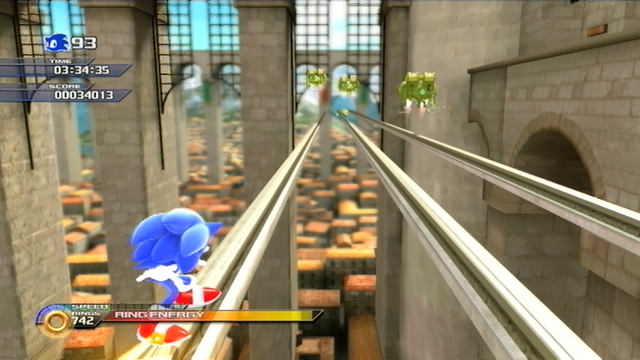
Sonic Unleashed (Through S-Video): Rooftop Run
 
drizzle said:
Exately, that's what i was going to say.

I have the Hauppauge 1212 HD PVR and it's awesome. The software is a little bonkers (but isn't it always?), but since the latest version you can record to MP4 (compatible with the 360), mpeg4 .TS (compatible with NOTHING, but there's a couple softwared out there for recoding) and .MSTS or something, compatible with the PS3.

The only huge drawback is that it's not compatible with the popular streaming services (Justin.TV, UStream, whatever). I'm pretty sure it could easily be made compatible, but Hauppauge would have to develop new drivers for it. That's a pipe dream and we all know it. End-user made drivers would be possible, but I don't see that happening anytime soon.

But for actual capturing, it's awesome (specially since it does all the work for you. 0% cpu usage over here), which is the nicest feature of the device, IMO.

Edit: Good thing about the Hauppauge PVR is that it has a splitter built in. You plug the component inputs in, then you plug a new set of component cables to your TV. That way, you can both record and watch at the same time, lagfree.

Only drawback is that it doesn't have an HDMI port.

Edit2: We had this discussion once...

http://www.neogaf.com/forum/showthread.php?t=361744

And that's the thread I based the purchase of my Hauppauge 1212.

This.

Quality of it can be seen on my YT (http://www.youtube.com/user/kadeybaybe) which downgrades the original source making it look worse than it really should be. Oh, and play them in HD for the best quality.
 
Kadey said:
This.

Quality of it can be seen on my YT (http://www.youtube.com/user/kadeybaybe) which downgrades the original source making it look worse than it really should be. Oh, and play them in HD for the best quality.

I thought h.264 doesn't lend itself to easy video editing (unless things have changed recently?). I heard some complaints about reencoding h.264 to other formats in Vegas as well as Adobe Premiere so...take that as you will (still think it's a great product)
 
rykomatsu said:
I thought h.264 doesn't lend itself to easy video editing (unless things have changed recently?). I heard some complaints about reencoding h.264 to other formats in Vegas as well as Adobe Premiere so...take that as you will (still think it's a great product)
Yeah H.264 streams are very annoying to edit because it's a format like MPEG1/2 that will have many intermediate frames between keyframes. For those who don't know about video compression, a keyframe is basically a full image, like a JPEG, and then the frames afterwards are derived from that frame, as in "this group of block moved left, this one changed color, you name it". It's not a problem when you just want to play back a video, but when you want to edit and go to a certain frame, like you do all the time with editing software, the codec will first have to rewing to the most recent keyframe, then recreate each and every frame until the one requested. Needless to say it's not instant at all.
For confortable editing each and every frame has to be a keyframe, so that it can be loaded by just seeking to the right point in the file instantly. The intensity pro's MJPEG codec does this, and of course uncompressed videos are by definition 100% keyframes based.
If you are serious about doing videos that are more than just removing the beginning and ending until it's showing what you want, but are actually edited properly, you'll have to convert to TS files from the 1212 to a keyframes based format. On MACs the apple intermediate codec gets the job done very well.
 
Top Bottom