
The more you use it the better you will get. You can tweak the speed if you find yourself thinking too long.teiresias said:Installed Swype today, this is the most amazing thing ever - wow. I do find I have to think a bit more actively, since I'm used to touch typing, swiping around the keyboard causes me to actually think about where a letter is on the keyboard - something I don't even think about when typing. That's muscle memory for you.
This really is a great thing though, I'll definitely be buying it when it gets out of beta. Just wish there was a voice-to-text button or gesture or something.

-
Hey Guest. Check out your NeoGAF Wrapped 2025 results here!
You are using an out of date browser. It may not display this or other websites correctly.
You should upgrade or use an alternative browser.
You should upgrade or use an alternative browser.
Android Software Thread - Tasty Desserts, Tastier Apps
- Thread starter ThatObviousUser
- Start date
- Status
- Not open for further replies.
jonnybryce
Member
I installed swype and whenever I make lines through the keyboard to write word, a blue box around the whole keyboard appears and blinks, and then nothing happens. Wtf.
VanMardigan
has calmed down a bit.
That happened to me too. Remove and reinstall it. Make sure it registers properly after installation because if it doesn't you'll get the same error again.jonnybryce said:I installed swype and whenever I make lines through the keyboard to write word, a blue box around the whole keyboard appears and blinks, and then nothing happens. Wtf.

TheMissingLink
Member
Took about a month (steep, STEEP learning curve) but I couldn't imagine myself using a touchscreen keyboard that isn't Swype 

Chairman85
Member
Swype from the period to the space. Then begin your next sentence.JoeFu said:Swype is pretty awesome just takes some time to get used to. Swyping this message right now and it's a lot easier than pecking at the screen. Is there a way to get a period by double tapping space like the stock keyboard?
sableholic
Member
Giving it a shot as well. So far pretty impressed. Going to take a little getting used to though. I'm sure you can get really fast with this though.
how do you mean? To exit the keyboard you can push the back buttonandycapps said:Trying out swype as well right now. I like it but it'll definitely take some getting used to. After doing a couple sentences I'm already getting a lot better at it.
Maybe a dumb question but how do I quickly get out of the keyboard and back where I can enter this?
gcubed said:how do you mean? To exit the keyboard you can push the back button
Oh ok, i didn't know if there was a button dedicated to it like on the normal keyboard on my EVO.
Wasn't sure what you were asking, no problem. If you type a long post it does get annoying trying to get back to post or see something elseandycapps said:Oh ok, i didn't know if there was a button dedicated to it like on the normal keyboard on my EVO.
Is there a quick way to check your Bluetooth connected device status? I can see the bluetooth indicator in the status bar at the top, obviously, but it only shows me that bluetooth is on and maybe that something is connected (two carrots to either side of the bluetooth symbol). I'd like to have a way to verify the device name quickly rather than digging down into the bluetooth settings. Is there a built-in Android way to do it, or can any recommend a widget that has the same functionality?
When I booted up my Evo for the first time and signed into the Facebook app it automatically populated my contacts with the information and picture from my FB friends. The problem is, all my friends have changed their profile pictures since then and I'd like my phone contacts pictures to stay in sync with their FB counterparts. I can't for the life of me figure out either how to trigger a re-sync or schedule the application to sync once a day for example. Anyone know?
Also, I'm not using Sense UI if that matters.
Also, I'm not using Sense UI if that matters.
HamPster PamPster
Member
Is there an app to turn one of the three home screens into a "to do list" / text file?
Currently I have a notepad app where I keep my to do list of stuff but I'd like to just swipe over a screen and get it that way. I think I remember reading about someone doing that awhile back in one of these android threads
I have a G1 if that matters
Currently I have a notepad app where I keep my to do list of stuff but I'd like to just swipe over a screen and get it that way. I think I remember reading about someone doing that awhile back in one of these android threads
I have a G1 if that matters
Epix said:When I booted up my Evo for the first time and signed into the Facebook app it automatically populated my contacts with the information and picture from my FB friends. The problem is, all my friends have changed their profile pictures since then and I'd like my phone contacts pictures to stay in sync with their FB counterparts. I can't for the life of me figure out either how to trigger a re-sync or schedule the application to sync once a day for example. Anyone know?
Also, I'm not using Sense UI if that matters.
Go into the Menu->Setting->Accounts & Sync and see what accounts you have there. On my EVO there are two facebook apps, one is just Facebook, the other is Facebook for HTC Sense, and on the Accounts page I choose either of them as a syncable account. You may have the HTC Sense one as the account and since you're not using Sense UI it's disabled and not syncing (similar to how you can't use Sense UI widgets in other launchers). You should be able to add an account with regular Facebook - if regular Facebook isn't there you may need to grab the regular Facebook for Android app from the Market in order to have it show up.
This is just a theory. I could be completely off base and you just don't have sync set properly.

Fatalah
Member
What bothers me about Swype is that warning that says the program will most likely collect password, credit cards, and other personal information.
Kind of scary. Especially with all the recent leaks in sensitive information...
I've had this issue since day 1. Incredible owner here. Three fellow Incredible owning friends have the same issue -- and from what I can tell from researching online, it's just the way it is.
Kind of scary. Especially with all the recent leaks in sensitive information...
Epix said:I can't for the life of me figure out either how to trigger a re-sync or schedule the application to sync once a day for example. Anyone know?
I've had this issue since day 1. Incredible owner here. Three fellow Incredible owning friends have the same issue -- and from what I can tell from researching online, it's just the way it is.
GoldenEye 007
Member
That is a standard Android OS warning for all keyboards installed aftermarket.Fatalah said:What bothers me about Swype is that warning that says the program will most likely collect password, credit cards, and other personal information.
Kind of scary. Especially with all the recent leaks in sensitive information...
I've had this issue since day 1. Incredible owner here. Three fellow Incredible owning friends have the same issue -- and from what I can tell from researching online, it's just the way it is.


I don't know of a widget, but install quick settings. It lets you get to certain settings menus faster like wifi and bluetooth. I highly recommend it.teiresias said:Is there a quick way to check your Bluetooth connected device status? I can see the bluetooth indicator in the status bar at the top, obviously, but it only shows me that bluetooth is on and maybe that something is connected (two carrots to either side of the bluetooth symbol). I'd like to have a way to verify the device name quickly rather than digging down into the bluetooth settings. Is there a built-in Android way to do it, or can any recommend a widget that has the same functionality?
you have to download it from swype's website.gimmmick said:Ok... I can't find swype on the market place...
Anyone got a qr code or is there a code term I need to type on the marketplace?

gimmmick
Member
Zozz said:you have to download it from swype's website.
Yeah I reread the article lol
installing it right now on my nexus.
jonnybryce
Member
I like Swype but I'm not sold yet. It's very cool for big words, I showed it to my friend last night and wrote perception or celebration in what felt like one second...but for other shorter popular words I don't feel like I'm saving any time. I prefer typing and I'm fast at it but I'll keep Swype for when I'm running around one handed or don't feel like sliding out the keyboard.
Thanks.
VanMardigan said:That happened to me too. Remove and reinstall it. Make sure it registers properly after installation because if it doesn't you'll get the same error again.
Thanks.
gcubed said:can someone tell me what the version of swype is that is in the open beta? I just updated it yesterday, not sure if its exactly the same version
I just downloaded the update last week and according to my phone, it's version 7625.
teiresias said:Is there a quick way to check your Bluetooth connected device status? I can see the bluetooth indicator in the status bar at the top, obviously, but it only shows me that bluetooth is on and maybe that something is connected (two carrots to either side of the bluetooth symbol). I'd like to have a way to verify the device name quickly rather than digging down into the bluetooth settings. Is there a built-in Android way to do it, or can any recommend a widget that has the same functionality?
Quick Settings. It gives you access to brightness, wifi, bluetooth, etc. Install it and set it to your notification bar. It is so handy I can't believe they don't have it stock when you buy the phone.
nocode said:Quick Settings. It gives you access to brightness, wifi, bluetooth, etc. Install it and set it to your notification bar. It is so handy I can't believe they don't have it stock when you buy the phone.
Yeah, combining this with Setting Profiles Lite and I'm a happy man. I have 3 profiles setup with that; one for home, out, and one for work. But yeah, that quick settings app is great for when I want to change something up temporarily.
VanMardigan
has calmed down a bit.
You know, for all the whining I did about typing on my nexus phone vs. iphone, I feel like I must now double back and praise the heck out of swype.
Not only is it fast and mostly frustration free, it is also FUN! Now when is the last time anyone said that about typing on a phone?
Not only is it fast and mostly frustration free, it is also FUN! Now when is the last time anyone said that about typing on a phone?
True, and that's one thing that is making me rethink going back to stock. I'm getting more and more used to typing with it, but voice to text is a pretty big thing for me and I'm very fast with the stock keyboard anyway.. I can always leave this on there and use it when it's convenient.
VanMardigan
has calmed down a bit.
I figure once its out of beta, that tutorial button will be the voice button. I do miss voice input.kaching said:I'm surprised by this point that swype doesn't have a voice-to-text button built into its keyboard.
VanMardigan said:I figure once its out of beta, that tutorial button will be the voice button. I do miss voice input.
That button isn't just for tutorials. If you place the cursor on a word and hit the button, it highlights it and gives you a list of alternate words that fit the swype pattern. It would be a good place for a long-press option of voice-to-text, though.
I figure it's something they'll add sooner or later, just surprised it isn't there already.
The other thing I wonder about, from a developer's perspective, is whether swype is as configurable as the stock keyboard. i.e., devs can configure the stock keyboard for different tasks - numbers only for numeric fields, they can choose to omit the voice-to-text button if they want, etc. Will Swype give developers that can kind of access?
The other thing I wonder about, from a developer's perspective, is whether swype is as configurable as the stock keyboard. i.e., devs can configure the stock keyboard for different tasks - numbers only for numeric fields, they can choose to omit the voice-to-text button if they want, etc. Will Swype give developers that can kind of access?
For all of you wanting high res and regularly updated contact photos, I give you SyncMyPix: http://www.androlib.com/android.application.com-nloko-android-syncmypix-qxEz.aspx
Nice, thanks. I like that my Droid automatically updates everyone's FB profile pics, but the super-pixelated images that come up on my caller ID are pretty annoying.pxleyes said:For all of you wanting high res and regularly updated contact photos, I give you SyncMyPix: http://www.androlib.com/android.application.com-nloko-android-syncmypix-qxEz.aspx
ChackanKun
Member
Any opinions on the Samsung Galaxy Spica I5700? I've read really good reviews but would like to see a user review. Looks like a good phone to enter the Android world

turnbuckle
Member
I keep getting a parsing error when trying to install Swype 
---
Now it decided to install correctly after the 4th attempt
---
Now it decided to install correctly after the 4th attempt
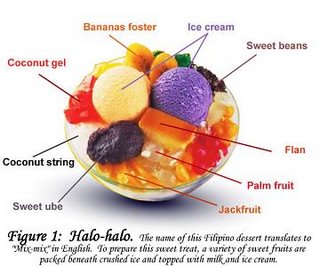
ZZMitch said:Gaf, what do you think they will call the next software update after gingerbread?
I have been thinking about it... hot chocolate maybe? Hazelnut? I dunno :lol

Halvah, the greatest dessert known to man.
When I go to Accounts and Sync I see only "Facebook for HTC" and it's set to not sync. If I tap "Add Account" it takes me to a screen where I see both "Facebook" and "Facebook for HTC." When I tap on "Facebook" nothing happens. The button registers the click but it doesn't go anywhere. Just to test it, if I click "Facebook for HTC" it takes me to a screen to enter my FB name/password. So it seems it's not letting me add the "Facebook" account to my "Accounts and Sync" listing. Weird.teiresias said:Go into the Menu->Setting->Accounts & Sync and see what accounts you have there. On my EVO there are two facebook apps, one is just Facebook, the other is Facebook for HTC Sense, and on the Accounts page I choose either of them as a syncable account. You may have the HTC Sense one as the account and since you're not using Sense UI it's disabled and not syncing (similar to how you can't use Sense UI widgets in other launchers). You should be able to add an account with regular Facebook - if regular Facebook isn't there you may need to grab the regular Facebook for Android app from the Market in order to have it show up.
This is just a theory. I could be completely off base and you just don't have sync set properly.
Jamesfrom818
Banned
ZZMitch said:Gaf, what do you think they will call the next software update after gingerbread?
I have been thinking about it... hot chocolate maybe? Hazelnut? I dunno :lol
Epix said:When I go to Accounts and Sync I see only "Facebook for HTC" and it's set to not sync. If I tap "Add Account" it takes me to a screen where I see both "Facebook" and "Facebook for HTC." When I tap on "Facebook" nothing happens. The button registers the click but it doesn't go anywhere. Just to test it, if I click "Facebook for HTC" it takes me to a screen to enter my FB name/password. So it seems it's not letting me add the "Facebook" account to my "Accounts and Sync" listing. Weird.
Friend Stream is a part of Facebook for HTC, IIRC. So that would be why.
Jamesfrom818
Banned
Does Fancy Widget move around on anyone else? Sometimes, I unlock my phone and its on a different screen.
pxleyes said:For all of you wanting high res and regularly updated contact photos, I give you SyncMyPix: http://www.androlib.com/android.application.com-nloko-android-syncmypix-qxEz.aspx
Well, I installed this and it downloaded all the pictures, but it doesn't display them. My caller ID pics are still all small and pixelated.
Epix said:Is it possible to use Swype in landscape with two hands (two thumbs working on the same word). I haven't found a setting for this and the Swype site is being hit hard right now.
I can't promise it works in every instance of text entry, but yes, the Swype keyboard has a landscape configuration.
NaughtyPrawn
Member
How do you guys swype. Holding the phone in one hand and swyping with your index finger of the other? Or mainly in one hand with your thumb?
ZZMitch said:Gaf, what do you think they will call the next software update after gingerbread?
I have been thinking about it... hot chocolate maybe? Hazelnut? I dunno :lol
I think the logical next major release choice is very obvious!


(Special Google edition It's It with real sugar instead of HFCS)
Priz said:I think the logical next major release choice is very obvious!
(Special Google edition It's It with real sugar instead of HFCS)
What's that? Never seen anything like that.
- Status
- Not open for further replies.