• Hey Guest. Check out your NeoGAF Wrapped 2025 results here!

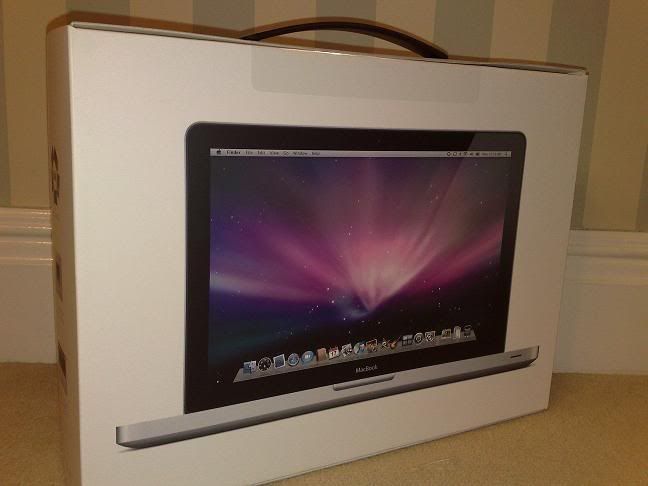
Getting the new Macbook tomrrow, any recomendations

Status
Not open for further replies.
Liu Kang Baking A Pie said:
No, it's not. I've tried these new ones, and it's the same shit where you're moving the hinge up and down trying to find that one perfect viewing angle, but it doesn't exist. You can see in your shots that the colors and brightness fades going up.

i tried to show it in my pics, but it didnt show. the point i was trying to make was that i DID have a perfect viewing angle. the brightness fades because the light is on the bottom. IRL though its nowhere near as prevalent. its really not as bad as you make it out to be...dont sit 5 inches from the screen and make it parallel with your head.
 
Had a play with the new macs today.

The screen on the mb isn't bad. The mbp isn't massively better - slightly better vertical viewing angles but still fairly narrow. I liked the new touchpad a lot, much smoother than the old one and the clicking is still nice and positive. GPU is tempting but not critical for me - realistically i wouldn't game seriously on it, although recent comments from Nvidia suggest the pro can run them in SLI which might get interesting for snow leopard.

Both very nice machines. Down to screen size vs weight for me. Big difference in usable real estate but half a kilo heavier. Price isn't a major factor, but psychologically the top mb is 'almost' ÂŁ1000, whereas the mbp is almost ÂŁ1500. Although I'll pick it up at the airport so I'll save a couple of hundred pounds.
 
Liu Kang Baking A Pie said:
What shortcuts are missing in OSX? I feel like there are too many. I can press just about any combination on the keyboard and shit will start flying around.

I guess I'm talking more along the lines of not having to rely on the mouse so much. Let's say I needed to ping a server. I'd have a command prompt up pinging in 2 seconds on XP. Reboot the computer shortcut? On XP, you can hit alt to bring up the drop down menu in applications. How can I do this in OS X? Etc, etc.

Also, my number one pet peeve is Finder. I work with long filenames. I have to drag the finder window all the way across just to see entire file names. That's fine, but why won't finder keep my settings? Is there a way to do this??
 
suffah said:
I guess I'm talking more along the lines of not having to rely on the mouse so much. Let's say I needed to ping a server. I'd have a command prompt up pinging in 2 seconds on XP. Reboot the computer shortcut? On XP, you can hit alt to bring up the drop down menu in applications. How can I do this in OS X? Etc, etc.

Also, my number one pet peeve is Finder. I work with long filenames. I have to drag the finder window all the way across just to see entire file names. That's fine, but why won't finder keep my settings? Is there a way to do this??

eh? my windows keep the size that i last closed it on.
 
Can anyone recommend a good messenger-style bag for Macbooks? I've been looking at some Targus models, but I read a review that the 13" bag is a little tight and the corners of the laptop might get scratched by the zipper (not sure if it's possible for them to get scratched now that they're aluminum though). I like the 15" Targus bags, but I'm worried the 13" laptops may slide around too much while inside.
 
suffah said:
I guess I'm talking more along the lines of not having to rely on the mouse so much. Let's say I needed to ping a server. I'd have a command prompt up pinging in 2 seconds on XP. Reboot the computer shortcut? On XP, you can hit alt to bring up the drop down menu in applications. How can I do this in OS X? Etc, etc.

Also, my number one pet peeve is Finder. I work with long filenames. I have to drag the finder window all the way across just to see entire file names. That's fine, but why won't finder keep my settings? Is there a way to do this??
first thing to do is enable full keyboard access on all controls

Picture+2.png


1. cmd+space. type in terminal. enter.
2. ctrl+eject. hit space. OR ctrl+cmd+eject. (will quit all apps and restart)

for finder, just click on the finder icon on the dock and set the dimensions you want and then close it. this only applies to the dock/desktop finder though.

you'll have to individually set the size again if you open a finder window from a harddrive or folder on your desktop, etc.
 
RooSwitch allows you to use different profiles for any app (iTunes, iPhoto, Safari, Photoshop etc.) and switch between them; so you can have you and your SO's photos on different iPhoto instances on the same mac without switching user accounts; ditto with iTunes and any other individual app setups. Works like a charm.

coconutBattery is a cracking little battery life / health monitoring app.

iStat Pro is a great system monitor widget.
 
What I miss from Windows is hitting the Alt key to underline letters in dialog boxes that can be used to trigger them via the keyboard. SOME Mac OS dialog box buttons do have shortcuts that are displayed by holding down Command, but they're few and far between.

It irritates the shit out of me that I have to mouse to the top just to tell Firefox to save or not save a password when I log into a site.
 
Soybean said:
What I miss from Windows is hitting the Alt key to underline letters in dialog boxes that can be used to trigger them via the keyboard. SOME Mac OS dialog box buttons do have shortcuts that are displayed by holding down Command, but they're few and far between.

It irritates the shit out of me that I have to mouse to the top just to tell Firefox to save or not save a password when I log into a site.
that's a firefox problem sadly.

i wish they would use the os x keychain instead of their own password database.
 
Thanks for the keyboard shortcut help guys.

My problem with Finder is not that it won't remember the size. It doesn't remember the size of individual columns. I use column view and I hate having to drag out each individual column every damn time, it's ridiculous.

EDIT: Holy crap, thanks Giga. That "Full Keyboard Access: All Controls" is what I've wanted since day 1!!!!! I can't believe that's not on by default. Wow.
 
suffah said:
I guess I'm talking more along the lines of not having to rely on the mouse so much. Let's say I needed to ping a server. I'd have a command prompt up pinging in 2 seconds on XP. Reboot the computer shortcut? On XP, you can hit alt to bring up the drop down menu in applications. How can I do this in OS X? Etc, etc.

Install Quicksilver. Problem solved. It is the do-everything tool for keyboard lovers. I couldn't live without it on my Mac. It takes a long time to get used to it though.

Valkyr Junkie said:
Can anyone recommend a good messenger-style bag for Macbooks? I've been looking at some Targus models, but I read a review that the 13" bag is a little tight and the corners of the laptop might get scratched by the zipper (not sure if it's possible for them to get scratched now that they're aluminum though). I like the 15" Targus bags, but I'm worried the 13" laptops may slide around too much while inside.

I have a 15" Timbuk2 bag that I used to use for my 15" PowerBook. I have a 13" (from the upgrade back in Feb) MacBook now and it fits in the 15" bag fine. It's padded pretty heavily so I don't really worry about it sliding around. The MacBook is asleep when it's in there and it has a sudden motion sensor so I think it's fine.
 
Yea, I've been using Quicksilver and I don't think I could use OS X without it.

But it hasn't fixed everything.
 
its funny that you guys are complaining about lack of shortcuts. ive never used so many shortcuts on my pc as i have with my macbook pro. its great! especially with the trackpad stuff like scrolling. but i always use keyboard shortcuts.
 
Copied from other thread..

God, I'm so torn between the Macbook and Pro. I'd basically decided on the Macbook because I wanted something a bit more portable, lighter, and with a smaller footprint. Thats until I saw them both in person yesterday. The difference in screen quality is MASSIVE. The macbook looks fine by itself, but side by side with the Macbook Pro, there's just no comparison. The Macbook pro screen is more saturated, has darker blacks, brighter, and much superior viewing angles. The Macbook looks washed out in comparison. I'm gonna be doing alot of design work, and now I keep going back and forth between the two. I wish the screen quality wasnt so significant. How much could it have fucking cost them to use the same quality screen? Theres enough that differentiates the 2 models as it is. $1299 isn't exactly cheap for a notebook.

Anyone have thoughts/impressions/suggestions? For those of you that got the macbook, are you satisfied with the screen and is it workable for graphic design purposes, photo-editing, etc?
 
I have the older macbook, and find it ok for day to day personal photo editing. But nowhere near as good as the 24" imac I used to have (fair enough as apparantly they were using excellent s-ips screens)

I do have an external monitor which I use to get me both better colour accuracy etc and more real estate, but unfortunately I don't use it often enough due to the sheer convenience of having a laptop ready to use.

So I'm leaning towards the MBP because I know I'll use it on its own more than connected up to a monitor, therefore I should get the best screen I can.

its not unportable, its no more or less portable than any other 15" laptop out there. Its just that the MB is a tad more portable as its smaller and lighter. but not massively - only about an inch narrower I think? 1lb lighter though
 
Slurpy said:
Anyone have thoughts/impressions/suggestions? For those of you that got the macbook, are you satisfied with the screen and is it workable for graphic design purposes, photo-editing, etc?
Sure, if you hate yourself.

I saw the new MB and MBP again today and I really can't believe the enormous difference in quality between them. Having the LED backlight and glossy screen on both models really highlights it way more than it used to. When neither had LED and the MBP had a matte screen, the MBP didn't look that much brighter and better than the glossy MB, even though the viewing angle was still retardedly bad on the MB.
 
Slurpy said:
Copied from other thread..

God, I'm so torn between the Macbook and Pro. I'd basically decided on the Macbook because I wanted something a bit more portable, lighter, and with a smaller footprint. Thats until I saw them both in person yesterday. The difference in screen quality is MASSIVE. The macbook looks fine by itself, but side by side with the Macbook Pro, there's just no comparison. The Macbook pro screen is more saturated, has darker blacks, brighter, and much superior viewing angles. The Macbook looks washed out in comparison. I'm gonna be doing alot of design work, and now I keep going back and forth between the two. I wish the screen quality wasnt so significant. How much could it have fucking cost them to use the same quality screen? Theres enough that differentiates the 2 models as it is. $1299 isn't exactly cheap for a notebook.

Anyone have thoughts/impressions/suggestions? For those of you that got the macbook, are you satisfied with the screen and is it workable for graphic design purposes, photo-editing, etc?

Get the MBP because you sound like you'd have serious remorse with the MB.
 
buying a Mac is a mess, i have never had such a dilemma in a computer....and specially due to a screen, AND the fact that Apple updates their computers so fast it's useless buying the current one!

btw, how good is the MB 2.4Ghz in running HD video? my current Centrino Duo 1.8Ghz Vaio get's a bit choppy when playing 720p video, it works fine for the most part, but every minute or 2 the frame rate drops like my PC is coughing like an old man! and on my Sony HD cam which record in full 1080p, the video is unplayable, i only get the first frame, then the entire video pauses and i can only hear the sound.

Does the MB or MBP do a better job at HD? cuz recently I've been downloading a lot of 720p HD movies.
 
marwan said:
buying a Mac is a mess, i have never had such a dilemma in a computer....and specially due to a screen, AND the fact that Apple updates their computers so fast it's useless buying the current one!

btw, how good is the MB 2.4Ghz in running HD video? my current Centrino Duo 1.8Ghz Vaio get's a bit choppy when playing 720p video, it works fine for the most part, but every minute or 2 the frame rate drops like my PC is coughing like an old man! and on my Sony HD cam which record in full 1080p, the video is unplayable, i only get the first frame, then the entire video pauses and i can only hear the sound.

Does the MB or MBP do a better job at HD? cuz recently I've been downloading a lot of 720p HD movies.

Sounds like there's something wrong with your laptop, because even it should be able to handle 720p no sweat. Even netbooks with Intel Atom processors can handle 720p with no dropped frames. That being said, a 2.4Ghz MB won't even break a sweat handling HD video. I've streamed 1080p MP4's from my server across wireless and it's smooth as butter, with a core to spare.
 
marwan said:
buying a Mac is a mess, i have never had such a dilemma in a computer....and specially due to a screen, AND the fact that Apple updates their computers so fast it's useless buying the current one!

btw, how good is the MB 2.4Ghz in running HD video? my current Centrino Duo 1.8Ghz Vaio get's a bit choppy when playing 720p video, it works fine for the most part, but every minute or 2 the frame rate drops like my PC is coughing like an old man! and on my Sony HD cam which record in full 1080p, the video is unplayable, i only get the first frame, then the entire video pauses and i can only hear the sound.

Does the MB or MBP do a better job at HD? cuz recently I've been downloading a lot of 720p HD movies.

Hm...give CoreAVC a shot.
 
marwan said:
buying a Mac is a mess, i have never had such a dilemma in a computer....and specially due to a screen, AND the fact that Apple updates their computers so fast it's useless buying the current one!

btw, how good is the MB 2.4Ghz in running HD video? my current Centrino Duo 1.8Ghz Vaio get's a bit choppy when playing 720p video, it works fine for the most part, but every minute or 2 the frame rate drops like my PC is coughing like an old man! and on my Sony HD cam which record in full 1080p, the video is unplayable, i only get the first frame, then the entire video pauses and i can only hear the sound.

Does the MB or MBP do a better job at HD? cuz recently I've been downloading a lot of 720p HD movies.

Err, the new macbook should handle 1080P without breaking a sweat. Benchmarks even show only 20-30% cpu usage.
 
Valkyr Junkie said:
Sounds like there's something wrong with your laptop, because even it should be able to handle 720p no sweat. Even netbooks with Intel Atom processors can handle 720p with no dropped frames. That being said, a 2.4Ghz MB won't even break a sweat handling HD video. I've streamed 1080p MP4's from my server across wireless and it's smooth as butter, with a core to spare.


Depends ENTIRELY on what you encoded it with, how the frames are laid out, and which software is playing it back. I've used carbon coder (professional transcoder software) to build out 50 versions of Mp4 and can get different performances for each. Hell it could be something as simple is having audio encoded in a way that its being decoded by the CPU on the host.
 
Yeah...uh...buy the old non-ugly PRO design.

macbook-pro.jpg


Oh, and you MUST get a larger hard drive. Ram you can always upgrade but HDD upgrades/transfers are such a pain in the ass.
 
Slurpy said:
Copied from other thread..

God, I'm so torn between the Macbook and Pro. I'd basically decided on the Macbook because I wanted something a bit more portable, lighter, and with a smaller footprint. Thats until I saw them both in person yesterday. The difference in screen quality is MASSIVE. The macbook looks fine by itself, but side by side with the Macbook Pro, there's just no comparison. The Macbook pro screen is more saturated, has darker blacks, brighter, and much superior viewing angles. The Macbook looks washed out in comparison. I'm gonna be doing alot of design work, and now I keep going back and forth between the two. I wish the screen quality wasnt so significant. How much could it have fucking cost them to use the same quality screen? Theres enough that differentiates the 2 models as it is. $1299 isn't exactly cheap for a notebook.

Anyone have thoughts/impressions/suggestions? For those of you that got the macbook, are you satisfied with the screen and is it workable for graphic design purposes, photo-editing, etc?

the MB screen is great imo. i have no problems whatsoever using it daily. at home, at school, wherever. ive done some photoshopping on it, and no problems. u should probably go for the MBP though, because it does sound like you will regret a MB, which is a shame because it really is good.

and whats so bad about buying the HDD separately? especially if its a new computer, you can just switch HDD right away for a fraction of the price without having to transfer data, AND you'll have an extra HDD.
 
marwan said:
buying a Mac is a mess, i have never had such a dilemma in a computer....and specially due to a screen, AND the fact that Apple updates their computers so fast it's useless buying the current one!

btw, how good is the MB 2.4Ghz in running HD video? my current Centrino Duo 1.8Ghz Vaio get's a bit choppy when playing 720p video, it works fine for the most part, but every minute or 2 the frame rate drops like my PC is coughing like an old man! and on my Sony HD cam which record in full 1080p, the video is unplayable, i only get the first frame, then the entire video pauses and i can only hear the sound.

Does the MB or MBP do a better job at HD? cuz recently I've been downloading a lot of 720p HD movies.


its only a mess because apple fans fret and worry so much about stuff. I bet there is already a thread on a mac forum somewhere with people signing up to wait for the next refresh.

Of course people will be disappointed when they are always waiting for the next big thing.

the current macbook and MBP are both fine laptops. The difference in screens is like complaining that you bought a 1 series BMW and expected it to be fitted out as well as a 5-series. Both are a premium brand, just one is lower tier.

macbook still shits on most standard laptop screens, and its only 'poor' relatively speaking, and compared to the MBP.

Dilute Liu Kang's comments about 1000x to get a reasonable response - he does like his hyperbole.

Its the same consumer dilemma that many people have. Shall I have the slightly cheaper one that isn't quite as good, or the more expensive one that has nicer things in it? You know, objectively that the cheaper one will be fine. But the consumer/tech whore inside you wants the better one.

only you can decide which wins. Last time round, my objective side won. I bought a macbook air, then exchanged it for a macbook. Enjoyed it a lot. This time round my techwhore side wants a MBP. I know I don't *need* it. But I *want* it.
 
wouldn't bother with changing the HDD personally. my old macbook has a 120GB drive and thats getting a bit full with a large parallels partition, but these days they have 250GB as standard, or even 320GB. Thats plenty.
 
mrklaw said:
The difference in screens is like complaining that you bought a 1 series BMW and expected it to be fitted out as well as a 5-series. Both are a premium brand, just one is lower tier.

Terrible analogy. He only buys M series bimmers :lol :lol
 
Valkyr Junkie said:
Sounds like there's something wrong with your laptop, because even it should be able to handle 720p no sweat. Even netbooks with Intel Atom processors can handle 720p with no dropped frames. That being said, a 2.4Ghz MB won't even break a sweat handling HD video. I've streamed 1080p MP4's from my server across wireless and it's smooth as butter, with a core to spare.

Well I'm using VLC to play my 720p which run fine for the most part, but my HD cam 1080p AVCHD videos are unplayble.

Also on iTunes, I downloaded a couple of 720p movies and they stutter way more than VLC....I take it iTunes is a shitty HD player? Because VLC does a billion times better job in 720p atleast.
 
Sorry Lui Kang, despite it's flaws, i walked into a computer store and they had the 2.4Ghz/250GB HDD/2GB RAM in stock, and the only one left. Yes the screen wasn't anything to screen over and i did notice some of the buttons on the keyboard crooked, despite all of that i bought it.

why? well, i wanted to own a Mac the price and size were just right, so i didn't care about it's flaws as much cuz it ran so much faster than my current Vaio, iTunes started up in 2 seconds, compared to almost 8-10 seconds on my 1.8Ghz Vaio.

anyways, here it is

24102008373.jpg


the Pro was an option, but i couldn't stomach the size, even my wife preferred the MB for it's nimbleness and weight as a travel lappy.

again, thanks for everyone help and recommendations, I'll get crackin and download the software you guys recommended:)
 
marwan said:
Sorry Lui Kang, despite it's flaws, i walked into a computer store and they had the 2.4Ghz/250GB HDD/2GB RAM in stock, and the only one left. Yes the screen wasn't anything to screen over and i did notice some of the buttons on the keyboard crooked, despite all of that i bought it.

why? well, i wanted to own a Mac the price and size were just right, so i didn't care about it's flaws as much cuz it ran so much faster than my current Vaio, iTunes started up in 2 seconds, compared to almost 8-10 seconds on my 1.8Ghz Vaio.

anyways, here it is

http://img.photobucket.com/albums/v339/mplayer74/24102008372.jpg[IMG]

the Pro was an option, but i couldn't stomach the size, even my wife preferred the MB for it's nimbleness and weight as a travel lappy.

again, thanks for everyone help and recommendations, I'll get crackin and in the software you guys recommended:)[/QUOTE]
Bought the same exact one, for the same exact reason. The price difference between the 2.4 MacBook and Pro isn't so great, but the size of the Pro just didn't fit my thought of a portable, go-anywhere laptop. Sure, the MacBook has compromises but the size (and weight) was just too comfortable to pass up. Saving money over the Pro was nice, I guess, but more so was the smallness of the MacBook.

I will say to those on the fence between the two, though, you need to see them in person. To get a sense of which one will be best for you, you have to play with them. I don't think it'll be price determining which one you get, so much as what you want out of it. Both are nice; very nice. The unibody gives it a high torsional rigidity that is, hopefully, a great boon for laptop durability. Dell and other PC makers need to copy it; would make for some nice Windows laptops. Especially netbooks.

 
sorry guys, a very noob question since im new to OS X, i figured a lot of other shit out, but how iget application in full screen allowing it to cover the dock without having to hide the dock? cuz evertime i maximize the browser screen i still get the dock at the bottom, i prefer to have the web browser to take up the entire bottom of the screen.

thanks!

edit: how come Vuse on mac suck so much compared to the PC version? i liked the previews and thumbnails on the PC version, on the Mac Vuze(Azureus) it's just a plain torrent downloader.
 
marwan said:
sorry guys, a very noob question since im new to OS X, i figured a lot of other shit out, but how iget application in full screen allowing it to cover the dock without having to hide the dock? cuz evertime i maximize the browser screen i still get the dock at the bottom, i prefer to have the web browser to take up the entire bottom of the screen.
You can't. Live with the dock just like you'd live with the Windows taskbar, or hide the dock just like you'd hide the Windows taskbar.
 
Burger said:
You would be much better reading threads such as:


http://www.neogaf.com/forum/showthread.php?t=230677


It always is great to have more RAM, if you can afford it, do it. Cheaper to buy some from a place like newegg and do it yourself though.


Use Adium for messenging.

Perian (adds all the codecs you need into Quicktime) and VLC for video, Flip4Mac for WMV.

i tried flip4flip but it seems like it's not free:

http://www.flip4mac.com/wmv.htm

can you please find me the direct link for the WMV?

thanks!
 
fedex surprised me and delivered today..

2.4ghz 4gb ram mbp

balls to the wall awesome

I'm already using the multitouch stuff without thinking
 
So, although the screen is a masisve dissapointment, I think I've pretty much decided to go with the MB, instead of the MBP. The 2 major reasons are:

1. I prefer the smaller size/weight/footprint
2. Large cost difference between the two ($1299 vs $1999)

Also, I have no real need for an express-card slot, or firewire.

I figure that I'll be doing most of the serious work that requires a better screen at hope, and with that price difference I can get a nice 24' monitor or so, with money to spare.

Question- any decent display port monitors out there? And are there straight minidisplayport to displayport cables, or will some be coming out soon? Id very much rather NOT use a bulky adapter if possible.
 
Slurpy said:
So, although the screen is a masisve dissapointment, I think I've pretty much decided to go with the MB, instead of the MBP. The 2 major reasons are:

1. I prefer the smaller size/weight/footprint
2. Large cost difference between the two ($1299 vs $1999)

Also, I have no real need for an express-card slot, or firewire.

I figure that I'll be doing most of the serious work that requires a better screen at hope, and with that price difference I can get a nice 24' monitor or so, with money to spare.

Question- any decent display port monitors out there? And are there straight minidisplayport to displayport cables, or will some be coming out soon? Id very much rather NOT use a bulky adapter if possible.

you know, when i got my MB, i thought the DisplayPort to DVI cables comes with it, apparently it doesn't.

i wonder if Apple makes DisplayPort to HDMI cable....it would be cool to try it out on my 52" 1080p Bravia.
 
a little off topic, but Apple related. I need to copy my entire iPod Touch music collection to the PC or MacBook, i remember there was a software on the PC called iPod Agent that allowed u to copy from iPods....is that still the best software? how about on Mac? is there something similar or better? and most importantly does it copy the Album covers as well?

im giving my iPod Touch to my friend, and i need to copy my collection on my PC, since im not home and don't have access to my entire collection at the moment.

also using the same iTunes account, would be able to re-download all the application on the my new 2nd gen iPod Touch?

thanks,
 
pj325is said:
fedex surprised me and delivered today..

2.4ghz 4gb ram mbp

balls to the wall awesome

I'm already using the multitouch stuff without thinking

see, i told u it would! just like mine, enjoy.

and its about time marwan, i knew youd come to your senses and get over the screen =) its an awesome laptop, have fun with it. no idea about the music and app stuff with ur ipod though.

slurpy, why do you say bulky adapters? if you got a dvi monitor, you would then just need a miniDP to dvi wire, which wouldnt be any bulkier than a normal mini to mini other than one side having a dvi. at least thats the impression i got. or am i wrong and do you have to connect a dvi-dvi cable INTO apples adapter? that would just be lame.
 
Ashhong said:
see, i told u it would! just like mine, enjoy.

and its about time marwan, i knew youd come to your senses and get over the screen =) its an awesome laptop, have fun with it. no idea about the music and app stuff with ur ipod though.

slurpy, why do you say bulky adapters? if you got a dvi monitor, you would then just need a miniDP to dvi wire, which wouldnt be any bulkier than a normal mini to mini other than one side having a dvi. at least thats the impression i got. or am i wrong and do you have to connect a dvi-dvi cable INTO apples adapter? that would just be lame.

Uh, you still need the miniDP-DVI adapter, then a DVI to DVI cable, which is clunkier than it should be. Id rather get a monitor with DP and use a miniDP-DP cable- if one exists, which it should if miniDP is actually a standard.
 
marwan said:
a little off topic, but Apple related. I need to copy my entire iPod Touch music collection to the PC or MacBook, i remember there was a software on the PC called iPod Agent that allowed u to copy from iPods....is that still the best software? how about on Mac? is there something similar or better? and most importantly does it copy the Album covers as well?

im giving my iPod Touch to my friend, and i need to copy my collection on my PC, since im not home and don't have access to my entire collection at the moment.

also using the same iTunes account, would be able to re-download all the application on the my new 2nd gen iPod Touch?

thanks,

Get Senuti. I don't know if it does album art, as the two times I've used it i didn't have art for the albums on the two iPod I pulled the music from.
 
Slurpy said:
Uh, you still need the miniDP-DVI adapter, then a DVI to DVI cable, which is clunkier than it should be. Id rather get a monitor with DP and use a miniDP-DP cable- if one exists, which it should if miniDP is actually a standard.

omg thats ridiculous. i figured apple was selling a wire that went from miniDP-DVI, not just a stupid adapter. extra lame.

wats the best program for mounting and burning images on a virtual drive like alochol 120% in windows?
 
Status
Not open for further replies.
Top Bottom