• Hey Guest. Check out your NeoGAF Wrapped 2025 results here!

Mass Effect: Andromeda PC Performance Thread

1440p GSync
GTX 1080
16GB DDR4
I5 6600k @ 4.5ghz

55-60fps at ultra settings in the first world after the first fight. GSync helps a lot but I think it will get better with new drivers, my GPU is constantly at 100% usage. From other ports it seems the 1080ti is capable of doing 90fps @1440p. 30fps difference, for real ? Good god...

I'm also finding keyboard and mouse to be a little akward, I may switch to controller.

Your GPU should be at 99% or so, that's a good thing. And yeah I recorded two separate sessions, with the second being exclusively on the planet, and fraps recorded an average of 93fps with the 1080Ti. I do have a 6 core, so that's probably helping a bit.
 
With a i7-6500u with integrated graphics... the game loads like molasses. About 20 minutes to get past the Bioware Logo. Then 20 minutes to load into the Character Creator then after making the character and starting the game it chugs along at a sub 20 fps. Surprising the initial loading takes the longest. This is with everything at the lowest settings and Video output forced to 720p.

Hmm, That is not what i wanted to hear!! Thanks for the impressions and especially for the settings i was looking for.
 
Another 2 hard locks in 10 minutes of playing; so at this point I'm spending more time getting in and out of the game. Anyone else?
 
I have a 4670k and a 780. My 2013 build that I'm yet to move on from because I barely play games anymore.

Can I get 60fps at 1080p on medium?
 
New AMD drivers claim 12% increase in performance. Gave it a brief try with my 290, couldn't get 60fps but I'll keep trying.

Changing the settings is really fiddly, the little buttons are super hard to click properly.
 
I have a 4670k and a 780. My 2013 build that I'm yet to move on from because I barely play games anymore.

Can I get 60fps at 1080p on medium?

I found a chart on the russian nVidia website.
BTAMHN3.png

The settings are set on "High" but no indication of the resolution (probably 1080).

A mix of high and medium settings will surely be fine with a 780.
EDIT: oh well it's also in English http://www.geforce.com/hardware/10series/mass-effect-andromeda
 
I'm running 7700K@4.9 and 1070@2Ghz and I was getting 35-60 FPS with .7 scaling from 4K with high/ultra mix.

Gotta do some testing to see what settings have the biggest impact, but I hate it when games have these "you must restart to change" graphics settings, it's such a pain to benchmark. Are there any tips on which ones have a large impact, outside the most obvious of course?


How is the HDR?

Looked pretty gorgeous on my 55" KS9000. Nice bright highlights, and after going into the settings menu and back to the game the screen does give this pretty blinding flash when it rerenders the game.

The game looks beautiful, but I do see how the character animation and shading could use some more work and isn't quite up to par compared to the rest of the visuals, which look by far better than any other open world game I've played.
 
PS4 gamepad not supported on this?

Anyways I was at 61%, create my chars and change the language cause it defaulted to french, now it's continuing the download but the status is saying repairing and won't let me play even though it is past the 42% and indicating that's it is playable.
Guess I'm going to let everything fully download and come back at it tonight.
 
Anybody else have an unusual blur bug effect on specific objects? Like the shroud?
 
I have a scaling problem running in 1440p. It scales into a small window with black borders. Not sure why it's only happening with this resolution (the one I want lol)

1080p and 2160p run fine.
 
Looked pretty gorgeous on my 55" KS9000. Nice bright highlights, and after going into the settings menu and back to the game the screen does give this pretty blinding flash when it rerenders the game.

The game looks beautiful, but I do see how the character animation and shading could use some more work and isn't quite up to par compared to the rest of the visuals, which look by far better than any other open world game I've played.
Thanks a lot, friend!
 
Crashed 3 times on the cutscene after the team gets out of the first planet. Cool. Always at different parts of the scene, but never got to gameplay after that.
 
i5 4590
GTX 980 @ 1500 Mhz (latest drivers)
16 GB RAM @ 1600 Mhz
1080p 60Hz
WIN 8.1 Pro (64 Bit)

Everything set to medium except for textures, texture filtering, shader, and mesh which are set to high. Internal resolution set to 900p with VSync and triple buffering turned on, using TAA (and 32 bit framebuffer if that even matters?).

Seems like it can't hold a locked 60, every time I pan the camera it dips anywhere from 5 to 10 frames and then goes back to 60 when i stop. Any time a new chunk of the map loads it dips around the same amount for a few seconds. Inside areas seem to be the worst, with the frame rate dipping down to 35 in the opening part on the ship. Tried out the multiplayer and it seemed to crash every time I hosted a game. Also felt really bad, tons of latency and rubber banding.

Sidenote: Anyone know of a way to turn off that awful motion blur?
 
So on a 980Ti + 5820k @1440p it seems to run fairly well. On Habitat 7 it ran very well but curiosusly on the ship/Nexus it doesn't feel as smooth but overall it seems fine. In combat etc it ran well.

Some of the animations made me laugh and I like what BioWare might be doing with some themes.
 
PS4 gamepad not supported on this?

Anyways I was at 61%, create my chars and change the language cause it defaulted to french, now it's continuing the download but the status is saying repairing and won't let me play even though it is past the 42% and indicating that's it is playable.
Guess I'm going to let everything fully download and come back at it tonight.

Ye I did the same thing yesterday. Had to let the download finish and couldn't test anymore yesterday.
Will have to see if everything worked out later after work.
 
I searched the thread and just found somebody else asking.

Anybody with an AMD RX480 8gb that can post impressions on how the game runs? I am still torn between getting an 1080 now or waiting to get an 1080ti, but my computer has an RX480 and was wondering if it ran the game well.
Yep

1080p Res
4690k @ 4.2ghz
16GB DDR3 @2400
RX480 not overclocked
Lastest AMD drivers

Between 40-60fps on Ultra, disabled film grain, chromatic and vsync (because it tanks ur frames for some reason).

Game runs well at least on my rig, wait foe the 1080ti. If you want solid 60fps then drop down everything to high and you sit in the 70+ range.
 
I'm seeing a lot of people here running an i7 and a GTX 1080 and getting 80+ FPS @ 1440p. For some reason I only get 60 FPS with some minor drops to 55 FPS.
I don't know what I'm doing wrong, just selected Ultra on everything (the Ultra quality preset leave some things at high), deactivated Film Grain, increased a bit the FOV and left the rendering preset at off (no downsampling).
My specs are: i7 7700K @ 5Ghz, MSI Gaming X GTX 1080 and 16 GB DDR4 and the game is installed on a Crucial MX300.
 
Could anyone with an older rig (like mine, i5 2500k + GTX 760) share the settings they are using to achieve at least 30 fps @ 1080p?
 
This is an example of a game that is going from 40-60fps but it's not a huge issue. I wish Dishonored 2 would do the same thing then I might be able to play it. Still a little disappointed as I get way better performance in Battlefield 1 and that seems to look better at the same time. Doesn't control very fluidly either, reminded quite a bit of DA:I in a few different ways.

I supposed I'm getting into impressions territory here.
 
I have a 4670k and a 780. My 2013 build that I'm yet to move on from because I barely play games anymore.

Can I get 60fps at 1080p on medium?

I'm on a sort of similar setup, 3770K at 4GHz, 980 with mild OC and I'm getting 60fps in a mixture of High(most) / Med(couple) / Ultra(one), you should be good to go on 1080p/60fps on medium my friend :)

I have to say too, if you are by chance playing on a 4K TV, it's stunning, absolutely breathtaking in HDR (HDR10 is supported with options too, I didn't even know PCs did that....lol).
 
Frostbite 3 on my hardware makes absolutely no sense.

In both Battlefield 1 and now Andromeda I get this obscure bug where very specific shaders will have an obviously broken low quality smudge/blur effect in motion. As if the shader is failing to update and synchronise accordingly.

In Battlefield 1 it impacts reflections. And in Andromeda it's on the shroud, as evident in the opening sequences before handing on Habitat 7.

Here's an example of the issue in both.

gifroo3e.gif

masseffectandromedatr25bu8.jpg


The real kicker? TAA. In Battlefield 1 the only way to solve this issue to enable TAA. In the above example it fixes all incidents of this weird shader blur and locks reflections to their actual intended look. Andromeda is the opposite. The issue only occurs on the shroud when TAA is enabled. Turn off TAA and everything is gravy.

What the fuck.
 
A question for u guys with gtx 1080s. What is the average frame rate on a gtx 1080 in 4k and all graphic options on high and medium? Is it possible to get 50 or 60 fps lock in ps pro settings (1800p/ a mix of medium and high settings). i want to know whether I should buy the pc or ps4 version....
 
Yep

1080p Res
4690k @ 4.2ghz
16GB DDR3 @2400
RX480 not overclocked
Lastest AMD drivers

Between 40-60fps on Ultra, disabled film grain, chromatic and vsync (because it tanks ur frames for some reason).

Game runs well at least on my rig, wait foe the 1080ti. If you want solid 60fps then drop down everything to high and you sit in the 70+ range.

how much fps do you get after landing on the first planet? my fps tanked to 25 on ultra with a 390
 
A question for u guys with gtx 1080s. What is the average frame rate on a gtx 1080 in 4k and all graphic options on high and medium? i want to know whether I schould buy the pc or ps4 version.
???
If you have GTX 1080 there is no even a question which version will perform better.
 
???
If you have GTX 1080 there is no even a question which version will perform better.

The problem is that many of my friends have ps4s so i cannot play multiplayer with them. To compensate for this I want to ensure that you can get 50 or 60 fps in console settings :) in other words, a day and night difference compared to console.
 
The problem is that many of my friends have ps4s so i cannot play multiplayer with them. To compensate for this I want to ensure that you can get 50 or 60 fps in console settings :) in other words, a day and night difference compared to console.

Medium-High with 4k with 80% resolution scaling should be locked 60fps at least in MP, dunno about SP.
 
Games that make me restart in order to change some settings are annoying. Also I'm playing on 1080P with no dynamic scaling but the thing is full of jaggies everywhere. The TAA is just not doing its job here, tons of flickering.


And fuckin hell the menu is a PAIN to navigate with the mouse, first of all it's block sized buttons are not optimal for mouse and secondly if I go to options menu then instead of having all the buttons laid out then and there they are in a list that requires scrolling, that is not good at all...this is such a basic thing man !
 
AMD FX 8350
16GB RAM
GTX 970


I have various dips here and there and I don't know, but the performance isn't that great, at least for me
 
On my 6700K/780Ti I turned everything down to medium except keeping lighting, shader, texture quality at high and texture filtering at ultra and I'm still getting around 45 FPS...Same as I was when everything was at high and stuff like vegetation and post processing were dialed up to max.

Something is wrong as they shouldn't run similar.
 
On my 6700K/780Ti I turned everything down to medium except keeping lighting, texture quality at high and texture filtering at ultra and I'm still getting 40 something FPS...Same as I was when everything was at high and stuff like vegetation and post processing were dialed up to max.
Something is wrong as they shouldn't run similar.
Do you have vsync on?
disabled...vsync (because it tanks ur frames for some reason).
 
Really wanna get this on PC but concerned that my 980ti won't manage my 1440p ultrawide display at ultra. Also have the deluxe version for cheap on PS4. But I want a new game for my PC. Hm...
 
Wait a minute, something isn't right here. Am I missing something? Calmine has a 1070 and is getting more fps than you are with a 1080 at the same resolution?

This is scaring me because I have pretty much the same setup as you sept I have a 6600k.

EDIT: Have you checked the resolution scale?

Like I said I haven't got exact frame rates and I couldn't confirm what I was getting in cutscenes, but in game was very smooth with some minor drops.

I'll do some proper testing and post my results later.
 
So I'm getting pretty much locked 60fps on my rig.

980 Ti
3570k
16gb RAM
SSD
1440p Monitor

Resolution scale is 1.0 and everything is pretty much ultra, with Shadows on medium.

But it still looks like there are some serious a frame pacing issues. To go with the animation issues, and everything else.

Still very much undecided on the purchase as someone who's put over 600 hours into the series...
 
I find most "from consoles" games to be better with controller now. Getting to the point where you may as well bin kb&m.

The issues with the UI definitely make this feel like a gamepad first game... but not enough to overcome the fact that third perosn shooting wiht a gamepad is shit vs mouse and keyboard.

I might give the Steam Controller a go though.
 
Really wanna get this on PC but concerned that my 980ti won't manage my 1440p ultrawide display at ultra. Also have the deluxe version for cheap on PS4. But I want a new game for my PC. Hm...

It may not do full ultra at 1140 ultra wide, but your PS4 isn't going anywhere near ultra or 1440p Or 60 FPS.

Take HBAO down a notch and possibly lighting, and you'll still be way better off than on a Ps4.
 
Frostbite 3 on my hardware makes absolutely no sense.

In both Battlefield 1 and now Andromeda I get this obscure bug where very specific shaders will have an obviously broken low quality smudge/blur effect in motion. As if the shader is failing to update and synchronise accordingly.

In Battlefield 1 it impacts reflections. And in Andromeda it's on the shroud, as evident in the opening sequences before handing on Habitat 7.

Here's an example of the issue in both.

gifroo3e.gif

masseffectandromedatr25bu8.jpg


The real kicker? TAA. In Battlefield 1 the only way to solve this issue to enable TAA. In the above example it fixes all incidents of this weird shader blur and locks reflections to their actual intended look. Andromeda is the opposite. The issue only occurs on the shroud when TAA is enabled. Turn off TAA and everything is gravy.

What the fuck.

Seeing the same on my setup. Was wondering why it looked like shit during that cutscene. Will try turning off taa, hopefully they patch it.
 
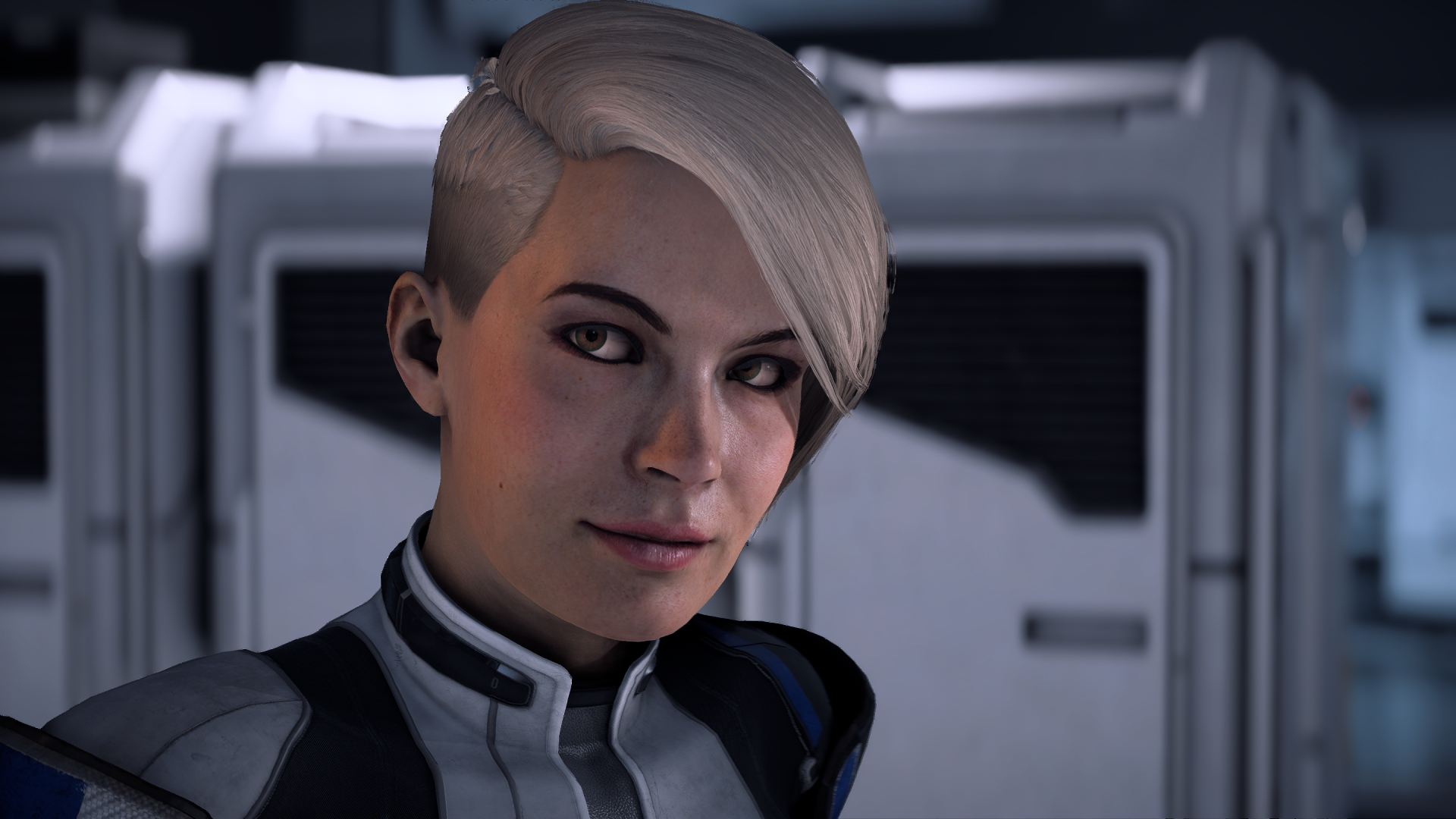
Yeah thought so too but also thought some others looked pretty good in that intro area. Is it possible Ultra PC settings make eyes look slightly better? Because I was really put off by them in console footage earlier like the GB stream, but when playing I wasn't distracted by them as much as I expected. Or maybe I'm just crazy...or maybe once the game opens up they start looking worse than the intro? Some others I thought looked good.
33309069722_b5ed418140_o.png

Hair is definitely still not good.
Interesting, eyes do look a lot better here, I wonder if PC Ultra is forcing a more advanced SSAO than what's there on consoles and this shows up as a better eye shadowing hiding the glaring white sclera somewhat.

Anybody understand what all these problems during cutscenes are? Game looks and runs fine outside of cutscenes, but in cutscenes, there's weird blurring happening on the edges of characters, and in the background when there should just be DOF blur, it's all pixelated.

4b1i6kM.gif
Could you make sure that you're not forcing anything in the driver? Like AA or AF.

Why is HBAO full so demanding? Is it like VXAO?
No, VXAO is world space voxel based shadowing, HBAO is screen space post processing. It is expensive because they are running it on a full frame resolution in "Full" mode. I'll never understand why are they so intent on using the old HBAO in FB3 when there are several much more advanced alternatives which perform a lot better.

Anyone know what the hell framebuffer format is/does?
HDR related probably.

In theory fp16 would be faster, the nvidia pascal series is more designed for fp32 though. Might give a boost in certain scenarios, i would have to test. I dont have a polaris amd to test gcn though.
FP16 for the frame buffer will be faster on any h/w as it effectively halves the memory bandwidth required for frame buffer writes and access. You're confusing frame buffer output format with shader processing precision. Polaris is unlikely to be any faster with FP16 processing either unless shaders are register space limited in FP32.

Oh god, please don't tell me they got that awful sharpening from BF1. Is that gonna be in every Frostbite game now?
I've read somewhere in GDC docs that this is an essential part of their TAA implementation as without the sharpening it's just too blurry. So yeah it is most likely the same as in BF1 and will be in all FB3 games unless they'll change it in some future engine revision.

Frostbite 3 on my hardware makes absolutely no sense.

In both Battlefield 1 and now Andromeda I get this obscure bug where very specific shaders will have an obviously broken low quality smudge/blur effect in motion. As if the shader is failing to update and synchronise accordingly.

In Battlefield 1 it impacts reflections. And in Andromeda it's on the shroud, as evident in the opening sequences before handing on Habitat 7.

Here's an example of the issue in both.

gifroo3e.gif

masseffectandromedatr25bu8.jpg


The real kicker? TAA. In Battlefield 1 the only way to solve this issue to enable TAA. In the above example it fixes all incidents of this weird shader blur and locks reflections to their actual intended look. Andromeda is the opposite. The issue only occurs on the shroud when TAA is enabled. Turn off TAA and everything is gravy.

What the fuck.

SSRs and some other effects in FB3 are running at half framerate and/or several frames behind from general rendering. This means that they are using temporal approximation for such effects in between frames which can result in such blurs and smudges.

(I really wish that SSR would just die at this point. The most intrusive, immersion breaking and shit looking effect of the last several years IMO. Hopefully we'll switch to something more advanced soon.)
 
Anybody understand what all these problems during cutscenes are? Game looks and runs fine outside of cutscenes, but in cutscenes, there's weird blurring happening on the edges of characters, and in the background when there should just be DOF blur, it's all pixelated.

4b1i6kM.gif
Yep I noticed this as well, made the entire opening look like shit.

It's due to the DoF but I assume it's a bug since it shouldn't be that bad in quality, let alone be that bad at ultra.
 
Top Bottom