
Try using an actual screenshot rather than a pr one. Preferably from the two on two fight. It looks fucking horrendous.
Provided with two.

Try using an actual screenshot rather than a pr one. Preferably from the two on two fight. It looks fucking horrendous.
I don't know why people keep saying this. Motion blur is almost never strong enough to really reduce clarity past the point where it makes gameplay harder and it simulates what your eyes actually do. 60fps with motion blur looks insanely smooth and is the closest to portraying what the human eye would actually see.
It does NOT look good in Unreal Engine, however.
....of Crysis?Provided with two.
Agreed. I've been impressed with MT Framework's blur since Lost Planet. DMC4 was great, and RE5 looked good, too.
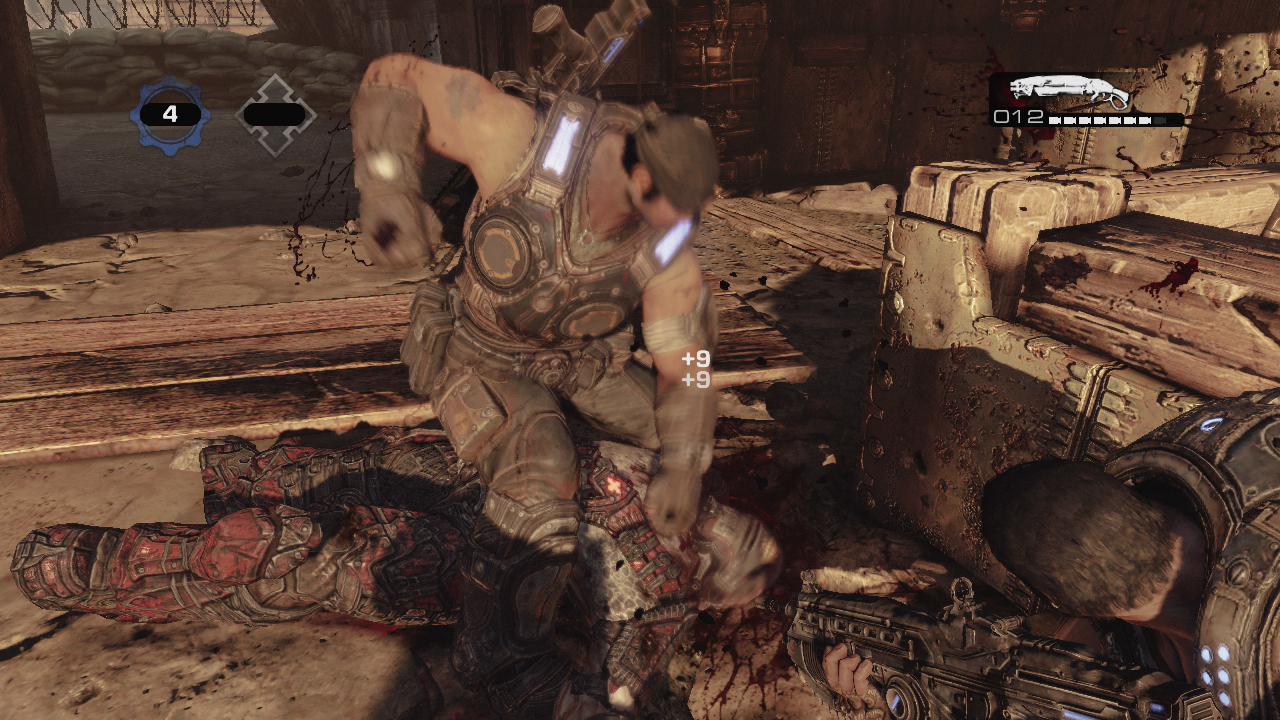
I can't remember much about any UE3 games, but Gears 3 presumably had motion blur and I don't remember disliking it (the blur).
I've heard developers say something similar, that at 60fps and above motion blur isn't really necessary since the human eye should create the blur naturally. Of course this doesn't mean a game can't have motion blur at higher frame rates, but I can see how some think it's unnecessary at 60fps or above. Really it's all a matter of preference IMO since some people like it and some don't.
Uhh, the motion blur looks exactly like that.Try using an actual screenshot rather than a pr one. Preferably from the two on two fight. It looks fucking horrendous.
It's the best example of motion blur in MT Framework.When Resident Evil is being discussed specifically?
Yeah, it's a massive improvement over every other UE3 title I've played. However, it still doesn't look as clean as some of the best implementations.The motion blur in Gears 3 is beautiful.
....of Crysis?
When Resident Evil is being discussed specifically?
That's just silly.Ruins everything.
Not at all. Quality motion blur (especially object based) is actually quite demanding and adds to the load. It definitely isn't used to mask a low framerate, though it does help smooth out 30 fps quite a bit.I always thought MB on consoles was used to mask frame drops or something? with the aesthetics angle being secondary amirite?
I don't know why people keep saying this. Motion blur is almost never strong enough to really reduce clarity past the point where it makes gameplay harder and it simulates what your eyes actually do. 60fps with motion blur looks insanely smooth and is the closest to portraying what the human eye would actually see.
You don't need to simulate what your eyes are doing. There's no "pre-made" motion blur in nature. Why would I suddendly need a new coating of blur when watching a screen? My eyes are ALREADY blurring together the TV's frames. 60fps with and without motion blur is extremely close and equally smooth for 99,9% of all existing humans. SF4 and Battlefield3 would probably look a tiny bit better without the motion blur imo as this would remove that extra motion blur over the one your eye is naturally causing. You can prefer having motion blur "on" but it makes the whole thing more "film like" instead of more "real life".
Also, it's totally understandable to prefer motion blur anyways because that's the mold since 50 years +. People simply are used to the softeness created by motion blur and when they see it again, they feel right at home. That's why you have people that prefer a GT5 replay that is 30fps + motion blur instead of a GT4 replay that is pure 60fps.
Wave your hand in front of your face rapidly and you'll notice that there is a natural blur present with fast motion. This is why object motion blur is so good (when used properly).
Wave your hand in front of your face rapidly and you'll notice that there is a natural blur present with fast motion. This is why object motion blur is so good (when used properly).
Motion blur makes me sick. I have to have an option to turn it off. If there isn't an option, the game is utterly unplayable for me.
Exactly my point for not ever needing motion blur at 60fps. 60fps is smooth enough for my eye to naturally blur the frames. I don't need an extra coating of blur that would just be... unnatural. At 30fps we clearly have a debate. I would probably prefer motion blur. But I would simply prefer the dev to aim for 60fps instead. At 24fps like movies, the blur is absolutely needed in order for the movie to be at least watchable.
Exactly my point for not ever needing motion blur at 60fps. 60fps is smooth enough for my eye to naturally blur the frames. I don't need an extra coating of blur that would just be... unnatural. At 30fps we clearly have a debate. I would probably prefer motion blur. But I would simply prefer the dev to aim for 60fps instead. At 24fps like movies, the blur is absolutely needed in order for the movie to be at least watchable.
Motion blur can be ok but I don't really like depth of field.
No, your eyes do not naturally blur the frames. Your eye blurs the movement of your hand because it actually moves from point A to point B. Visual frames do not move...they simply appear and disappear. Therefore, there is no movement to blur. Motion blur simply restores this lost movement.
No, your eyes do not naturally blur the frames. Your eye blurs the movement of your hand because it actually moves from point A to point B. Visual frames do not move...they simply appear and disappear. Therefore, there is no movement to blur. Motion blur simply restores this lost movement.
I agree, MT framework has some of the best motion blur I have seen. I think that was first title with per object mb this gen.Uhh, the motion blur looks exactly like that.
It's one of the best examples of motion blur out there. I can't even begin to imagine why you seem to think otherwise. I've played it on both PC and 360 and the effect is phenomenal. Adds a lot to the visuals.
It's the best example of motion blur in MT Framework.
That being said, it's still very good in the other games. Only DMC4 lacks motion blur due to its 60 fps target (the cutscenes make use of it, however).
Yeah, it's a massive improvement over every other UE3 title I've played. However, it still doesn't look as clean as some of the best implementations.

No, motion blur happens due to a lack of focus. This doesn't work with a 2D screen.So what's the difference between something moving from point A to point B on a screen?
Assuming the frame rate is high enough, your eyes can still create a natural blur for moving objects.

I'm in the hate it camp. I turn it off in every game I can. My eyes blur naturally with movement, I don't need blur on blur.
So what's the difference between something moving from point A to point B on a screen?
Assuming the frame rate is high enough, your eyes can still create a natural blur for moving objects.
Actually, the human perceives changes in lighting. The retina also retain that light for a certain time, it changes gradually. It's mostly similar to ghosting in slow LCD screens. So yes there's blur "in your eyes" when you look at a TV screen. This also explain why you will be able to spot 1 black frame in a 1000fps movie of white frames. It's not exactly the same as the motion blur in games but anyways I think this effect is actually benefital in low FPS (30 or less). At 60fps, I don't feel the need for it unless you want the added "softeness" for artistic reasons, something a previous poster mentionned and that I can agree with. Anyhow, I would prefer movies and games to be 60fps without motion blur (generally speaking).
What your describing only applies to displays that use sample and hold. My plasma has perfect motion resolution.Actually, the human perceives changes in lighting. The retina also retain that light for a certain time, it changes gradually. It's mostly similar to ghosting in slow LCD screens. So yes there's blur "in your eyes" when you look at a TV screen. This also explain why you will be able to spot 1 black frame in a 1000fps movie of white frames. It's not exactly the same as the motion blur in games but anyways I think this effect is actually benefital in low FPS (30 or less). At 60fps, I don't feel the need for it unless you want the added "softeness" for artistic reasons, something a previous poster mentionned and that I can agree with. Anyhow, I would prefer movies and games to be 60fps without motion blur (generally speaking).

Looks great when implemented well.
Great object-based blur examples: Crysis, Uncharted 2.
Great camera-based blur examples: Gears of War series, Kingdoms of Amalur.
Just off the top of my head.
No, motion blur happens due to a lack of focus. This doesn't work with a 2D screen.
I like it in Uncharted 2, I didn't like it in Just Cause 2 on 360 gave me a headache so I picked up Just Cause2 on PS3 that didn't have that problem.
When an object goes from point A to point B in the physical world, it actually travels from point A to point B...it occupies the points in between for a short period of time which creates motion blur.
When an object goes from point A to point B on a screen in the span of a frame, it never occupies the points in between. The object is at point A one frame, and point B the next. There is no movement in between to create any blur. Motion blur simply re-introduces this missing motion information.

Gears of War (1, 2, and 3) has OMB as well. Has one of the most subtle implementations I've ever seen too. Looks snazzy too.Looks great when implemented well.
Great object-based blur examples: Dead Rising, Crysis, Uncharted 2.
Great camera-based blur examples: Gears of War series, Kingdoms of Amalur.
Just off the top of my head.
Bloom: are you a fan?Motion blur: are you a fan?
No.
Depth of field: are you a fan?
No.
Lens flares: are you a fan?
No.

Just Cause 2 didn't have motion blur on the ps3? I thought both versions were the same, no?