

-
Hey Guest. Check out your NeoGAF Wrapped 2025 results here!
You are using an out of date browser. It may not display this or other websites correctly.
You should upgrade or use an alternative browser.
You should upgrade or use an alternative browser.
Official PS3 Custom Theme Thread
- Thread starter Marty Chinn
- Start date
Marty Chinn
Member
Dot50Cal said:Two more for OP if you want to update for consistency:
Thanks! Got them added.
we can't really do that until we try it out, you know. Providing a link to it would be a great start.m0dus said:SO tempting, as I love Kojima art.
peeps gotta say what they think of the GAF theme.
gbovo said:we can't really do that until we try it out, you know. Providing a link to it would be a great start.
You think you were meant to use it youself? HAHA! m0dus laughs at you from his lofty tower.
Since m0dus went awol and I don't want to murder his bandwidth I guess Ill host it on my site:
OP, put this baby on top :lol :
NeoGaf
http://dot50cal.the-horror.com/gaf/themes/neogaf.p3t

With Alt Wallpaper (link)

OP, put this baby on top :lol :
NeoGaf
http://dot50cal.the-horror.com/gaf/themes/neogaf.p3t
With Alt Wallpaper (link)
Marty Chinn
Member
Dot50Cal said:Since m0dus went awol and I don't want to murder his bandwidth I guess Ill host it on my site:
OP:
NeoGaf
http://dot50cal.the-horror.com/gaf/themes/neogaf.p3t
With Alt Wallpaper (link)
Now up on the OP.


Azzurri said:I like the Apple theme.
Also I tried DL them through PS3, but no go. So only through a USB drive?
Strange, it should work.
So i downloaded m0dus' awesome theme to my thumbdrive and tried to install it from there, but my PS3 says theres no themes on the thumbdrive. Also have the OP up in the Ps3 browser and cannot download it, when i click the link it just opens the code in a new window.
captive said:So i downloaded m0dus' awesome theme to my thumbdrive and tried to install it from there, but my PS3 says theres no themes on the thumbdrive. Also have the OP up in the Ps3 browser and cannot download it, when i click the link it just opens the code in a new window.
Did you place the file in the correct folder?

Folder names have to be in CAPS iirc.

Insane Metal
Member
Wow m0dus, very well done! Congrats!
Thanks I did not fully read the OP, my mistake.Killthee said:Did you place the file in the correct folder?
Folder names have to be in CAPS iirc.
awesome theme m0dus.

LiquidMetal14
hide your water-based mammals
Hell yea! Now using the awesome Neogaf theme, Modus is pimp.


m0dus said:hmm.
The NeoGAF theme is DONE.
I think they should now give you GAF.
After that, you should be given the intarweb.
Good job.

~Devil Trigger~
In favor of setting Muslim women on fire
http://www.sendspace.com/file/10qtgf
http://www.sendspace.com/file/osu7at
http://www.sendspace.com/file/okcnc4
http://www.sendspace.com/file/0py1gs
http://www.sendspace.com/file/0uvivt
http://www.sendspace.com/file/3xx50b
http://www.sendspace.com/file/b2hl6e
http://www.sendspace.com/file/kavmdc
http://www.filecrunch.com/file/~nq4n0v
http://www.filecrunch.com/file/~jab4wf
http://www.filecrunch.com/file/~li7vyn
http://www.filecrunch.com/file/~wlrn9r
http://www.filecrunch.com/file/~ytoebz
http://www.filecrunch.com/file/~uduw7j
http://www.filecrunch.com/file/~1j14ek
For people having trouble Dling themes directly onto their PS3s.
http://www.sendspace.com/file/osu7at
http://www.sendspace.com/file/okcnc4
http://www.sendspace.com/file/0py1gs
http://www.sendspace.com/file/0uvivt
http://www.sendspace.com/file/3xx50b
http://www.sendspace.com/file/b2hl6e
http://www.sendspace.com/file/kavmdc
http://www.filecrunch.com/file/~nq4n0v
http://www.filecrunch.com/file/~jab4wf
http://www.filecrunch.com/file/~li7vyn
http://www.filecrunch.com/file/~wlrn9r
http://www.filecrunch.com/file/~ytoebz
http://www.filecrunch.com/file/~uduw7j
http://www.filecrunch.com/file/~1j14ek
For people having trouble Dling themes directly onto their PS3s.
Iron_Scimitar
Banned
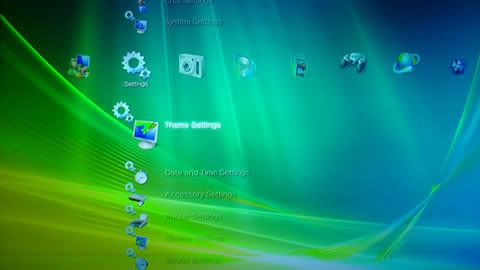
The Vista theme is fuckin awesome!
yes it is, I'm using that with a blue background, it looks hot.Iron_Scimitar said:The Vista theme is fuckin awesome!
Hey guys this is my very first theme for ps3. So please dont be to harsh with me  Unfortunatly i wast able to make a screenshot. If someone please make one and upload it, i would be very great full.
http://www.speedyshare.com/219587800.html
Edit: I guess there is a bug because it doesnt show my own folder icons and file cons for foto and video, but it does show my own icons for music even if the code is 100% the same and al pix are in the right place.
Unfortunatly i wast able to make a screenshot. If someone please make one and upload it, i would be very great full.http://www.speedyshare.com/219587800.html
Edit: I guess there is a bug because it doesnt show my own folder icons and file cons for foto and video, but it does show my own icons for music even if the code is 100% the same and al pix are in the right place.
polyh3dron
Banned
NeoGAF theme needs more Orange Scary Cat Head icons
Obaid said:Hey guys this is my very first theme for ps3. So please dont be to harsh with me
http://www.speedyshare.com/219587800.html
Edit: I guess there is a bug because it doesnt show my own folder icons and file cons for foto and video, but it does show my own icons for music even if the code is 100% the same and al pix are in the right place.
What's in your theme?
polyh3dron
Banned
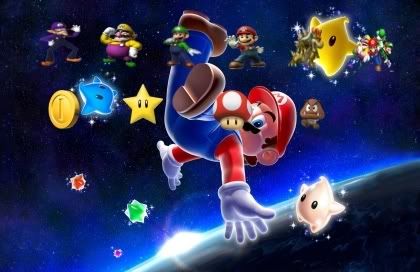
Tr4nce said:And why the hell would I want a Mario Galaxy theme???
Because it's an awesome game, you can't do themes on your Wii and this is the only way you'll see a shot of the games' assets in 1080p.
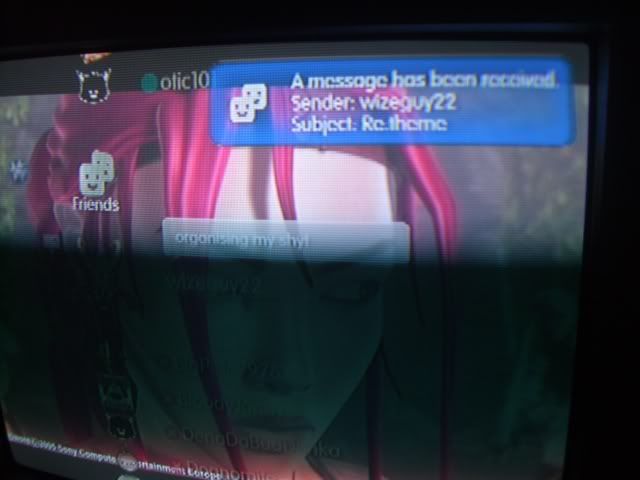
Bad_Boy said:I guess it is possible to change the notifications box (it's blue instead of grey)...
[/IMG]http://i20.photobucket.com/albums/b232/heyitsgonzo2/CIMG0866.jpg[/IMG]
Not my picture. Someone needs to figure out how to make it more appealing or transparent.
It doesn't really matter, from what I've seen, it defaults to the original grey one when you exit the XMB.
methane47 said:
This one is awesome, can someone repost it somewhere?, sendspace is at full capacity, can't download it.
Thanks,
GodfatherX
Member
the mac apple download doesnt have the original background, any body have it?
Killthee said:It doesn't really matter, from what I've seen, it defaults to the original grey one when you exit the XMB.
I love how it looks blue. I hate how it turns back grey once you're in a game.
Tieno said:I'm using your Neogaf theme m0dus and it looks great, too bad my TV cuts off a little bit of the upper left corner (NeoGAF text) and the lower right corner (m0dus logo).
Mine does the same also. What resolution should it be changed to to make it fit properly? (I have my ps3 displaying 1080i.).
Why not just compile the theme with both wallpapers?Dot50Cal said:Since m0dus went awol and I don't want to murder his bandwidth I guess Ill host it on my site:
OP, put this baby on top :lol :
NeoGaf
http://dot50cal.the-horror.com/gaf/themes/neogaf.p3t
With Alt Wallpaper (link)

http://i18.tinypic.com/6sg9o3t.jpgSpeevy said:Here are two resolutions of my theme's wallpaper. I can't seem to make it into a JPG without screwing up the colors.
bishoptl said:Dumb question - how do I download these from the PS3 browser? I click on a link and another window opens up on my TV filled with gibberish.
Some of them will do that.
Click the Sendspace link on the previous page
http://www.sendspace.com/file/10qtgf
http://www.sendspace.com/file/osu7at
http://www.sendspace.com/file/okcnc4
Basically, posting the file on a file-hosting service will do the trick.
Don't know why.

xs.to should work. It'll even give you the forum code for a thumbnail with a link to the original.Speevy said:Thank you.
Do you know of a host that will let me upload the image in the resolution I intended? (1920x1080)
It cut the image down.