• Hey Guest. Check out your NeoGAF Wrapped 2025 results here!

Playstation Portal Unboxing

So if the controller gets a drift problem you pretty much need to throw the thing away... oof

images

It uses the sticks of the Sense controller rather than the DualSense, so we don't know how those deal with drift relative to the DualSense

Also we don't know if they may have integrated the deadzone controls that the Edge has, which would help mitigate those issues. We'll learn a lot more once reviews drop
 
Does the gamer's Ps5 have to be nearby (wi-fi range)? Or can a gamer play this on a bus knowing it's linked to his PS5 at home?
 
So what's the benefit of this over other devices that you can use to stream PS5 to?
there is a new chip for connectivity that is supposed to be magic with no latency and screen artificating from wifi with this. They are saying it's Remote Play dialed up to 11.
 
Does the gamer's Ps5 have to be nearby (wi-fi range)? Or can a gamer play this on a bus knowing it's linked to his PS5 at home?
You can use a hotspot, but I don't think it would be ideal on a bus as it's always moving so unlikely to have a stable connection, guess it depends on your route/connection strength.
 
Any reviews yet? My wallet is ready but I already use the backbone device. If Portal is more responsive and performative then I am all in.

Preparing to be underwhelmed...

You won't be underwhelmed (unless its LCD screen is complete shit).

I mean, you already have a good experience I presume with both your network and PS streaming to your phone using the backbone.

Let me put it this way :
I have a Samsung Galaxy tab s9+ and the experience while using a Dualsense is almost 1:1 and I shit you not, I played Ghost of Tsushima, Returnal, Demon's souls and Wanted:dead the other day and...I couldn't friggin believe it, it's a far, far, far cry from the PS remote.play of yore, both from a connection/image quality standpoint and input lag.

Just for shits and giggles, I also connected my tab to my 4K.Tv via USB C to HDMI cable and while the image quality OBVIOUSLY took a dive (it's a 1080 stream blown up on a 4K TV after all), the input lag was still sublime.

Now, the Tab S9 is a wi-fi 6 device, don't know if that's the differentiating factor or, if Sony did something on their part (or both) but, again, the streaming experience is only second to Nvidia' GeForce now...

Now, I didn't spend all that money on a good tablet just for Streaming obviously but If I wanted something to remote play exclusively on, the Portal would actually be a good deal taking into account its big screen and native PS5 controls.

Everything else will be depended on your home network's quality obviously but I hope that it will support wi-fi 6 since it does seem to make a difference.

cheers
 
Last edited:
Didn't realize it was gonna look that huge. Steam Deck at similar size is pretty comfy though so this should be similar or even better since it has the dualsense grip.
 
Last edited:
Genuinely can't believe this is releasing in 2023 without bluetooth audio support. I'm lost for words.

Bluetooth audio for gaming is absolute laggy dog shit and no one should hope for a device to support that. That's why Sony's developed the PS Link solution which is a low latency protocol.

Also, since I see some general questions being asked here I'll just link to my unofficial FAQ thread which should help address a few of those questions

 
Looking forward to this getting hacked to play Steam games via PC.
 
Of course catlady likes this post 😉

Anyway, in case you were legitimately wondering :

- DS controls on Android are completely borked , you have google to thank for that, it's literally unplayable since square is X, O is triangle, Touchpad doesn't work, pressing on the bumpers also activates the camera/right stick for some reason and so on so forth.
Also : good luck even trying it on cheaper devices that have both the wi-fi and BT chip on the same SOC.

- You have to sync the DS each and every time you want to play and then re-sync it to your PS5 which can be done only with the original, PS5 provided USB cable, it's a friggin' ball-ache.

- in the case that you have a premium, 800-900-1000+ Eurodollar Android device that doesn't have the controls all fucked up (Samsung s23, Pixel etc) haptics don't work.
when I say "premium" devices I mean "commercially successful" ones - you can have the latest 1000 Eurodollar OnePlus for example and the button configuration will still be all.kinds.of fucked up/unplayable.

- You can use the Dualshock 4 and Xbox controllers but you can't play PS5 games due to the touchpad not getting recognized.

- Charging your phone 2-3 times a day is fun - not.

- On apple devices Remote play works well (even the haptics) but Apple devices are not cheap.

- Portable PCs/handhelds cost more than the portal, don't have haptics and nice, "proper" analogues and triggers.

- Razer kishi- like phone holders/joypad combo devices feel like shit (mushy buttons, small analogue sticks), cost 100 Eurodollars...100 Eurodollars for 3.pieces of plastic out together.

With 200 Eurodollars that the portal costs you can have the best of both worlds - proper streaming AND proper, PS5-like controls , plus, you can have the usual GAF green zealots getting triggered so that's always a plus 😁

PS : This, with a good connection is gonna surprise many users , Remote play nowadays is light years ahead of what it used to be a couple of years ago - tried it on a 1000 Eurodollar wi-fi compatible device and God damn, the input lag is almost 1:1 compared to native play, I was actually surprised, the 1080p/60fps streaming is also ahead of whatever the fook MS is streaming at.
Let.me.put it this way : if I could take my Sammy tab s9+ back I would and I'd take the PS portal instead (for 200 buckaroos), it's that motherfucking good/smooth.
The macroblocking - using my home network - while there, is minimal and almost non-visible even on a 12.4.inch screen and it's gonna look even better on the portal's smaller, 8-inch one.

The only downside is it's form factor which doesn't make it very portable, then again, there are already carrying cases on Amazon for 20 bucks so that should take care.of that.


Yes I was legitimately curious but I'm not going to read a book to find out. Others already pointed out some good selling points. 😉
 
Unboxing videos are the adult entertainment equivalent of this to children:

a2V5LXBsYXkuZ2lm.gif
Unboxing videos are actually the adult entertainment equivalent of unboxing videos for kids.

There was a time (as a retailer worker) i couldnt escape shit like hatchimals or ryan's world products
 
Just by enabling a browser you could get it to do gamepass as well lol that would be cool but Sony won't like it so chances are slim.

They're selling it at a profit, so I don't think they'll care whether people are playing PlayStation games or GamePass games. If anything they should open it up as much as makes sense. Not sure there is really an audience for that.
 
This product still baffles me, it's literally Sony's Wii-U but with no interesting gimmick to justify its existence. Much less the ridiculous $200 price tag. Sony would have done better to release a new handheld and push remote play. Instead they just let the Vita die with no support and spit this out instead.
 
I'm starting to (maybe) like this device.
If only it had back buttons like the Edge.
I think that would only work if it had something similar to removable joycons, add them with another set. Otherwise, the button placement might annoy those who don't want them. In this case the handles seem to small to place them optimally as is it seems you cover the entire handle with your hand when you grip it. Putting them on the screen portion seems like they would be out of reach. However, I could be totally wrong here... just what it seems like.
 
Last edited:
If anything else it's probably going to be the best feeling handheld to play with a Dualsense built right in.

I'm really interested in it for gaming on the bed, but my home wifi is not too great. Probably will pass for now unless my situation changes.
 
I think that would only work if it had something similar to removable joycons, add them with another set. Otherwise, the button placement might annoy those who don't want them. In this case the handles seem to small to place them optimally as is it seems you cover the entire handle with your hand when you grip it. Putting them on the screen portion seems like they would be out of reach. However, I could be totally wrong here... just what it seems like.
Yeah actually looked pictures of the Portal's back side and there's no optimal place for back buttons.

Maybe having them being removable around here would suffice:

WhTTfMk.jpg
 
Bluetooth audio for gaming is absolute laggy dog shit and no one should hope for a device to support that. That's why Sony's developed the PS Link solution which is a low latency protocol.

Also, since I see some general questions being asked here I'll just link to my unofficial FAQ thread which should help address a few of those questions


Why not just post what you have to say here instead of linking to that trash-hole?
 
Why not just post what you have to say here instead of linking to that trash-hole?

Make use of that resource or don't, it doesn't matter to me. I'm not going to copy/paste an entire thread just to re-post it here for some insecure folks.
 
So if the controller gets a drift problem you pretty much need to throw the thing away... oof

images

One of the numerous advantages Steam Deck has over this is you can fix drifting on Steam Deck by using deadzone calibration with Steam Input, so yes if this PS Portal starts drifting then good luck.

6eqeZM8.jpg


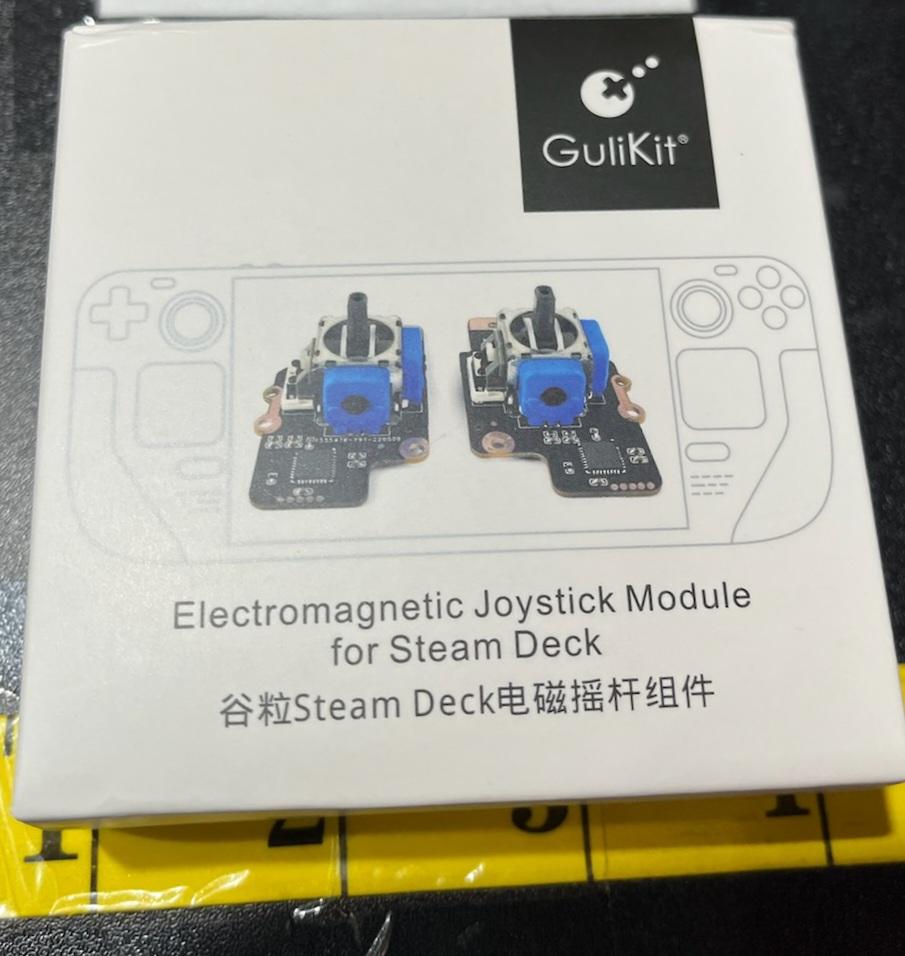
Or alternatively replace with a gulikit hall effect analog for Steam Deck

FVOaWujXwAIilId.jpg
 
One of the numerous advantages Steam Deck has over this is you can fix drifting on Steam Deck by using deadzone calibration with Steam Input, so yes if this PS Portal starts drifting then good luck.

6eqeZM8.jpg


Or alternatively replace with a gulikit hall effect analog for Steam Deck

FVOaWujXwAIilId.jpg

Deadzone controls exist for the DualSense Edge, so we have to wait and see if Sony added that to the Portal as well. No doubt we'll learn whether it's there or not once the reviews drop in the coming days.
 
I still genuinely can't believe how bad this looks.

It reminds me of those ridiculous renders of concept Xbox handhelds you'd see online etc.

Sony are out of their minds putting this out there.

Comfort —> Looks + Cramps

This device has got me interested in returning to portable cause past devices including the Switch give me hand cramps.
 
One of the numerous advantages Steam Deck has over this is you can fix drifting on Steam Deck by using deadzone calibration with Steam Input, so yes if this PS Portal starts drifting then good luck.

6eqeZM8.jpg


Or alternatively replace with a gulikit hall effect analog for Steam Deck

FVOaWujXwAIilId.jpg
While it probably won't have a calibration screen at launch, we don't actually know if that is the case for sure. What we do know though is that it's Android so adding stick calibration should not be difficult (although, surprised they haven't added it to the PS5 yet so maybe it is)
 
This product still baffles me, it's literally Sony's Wii-U but with no interesting gimmick to justify its existence. Much less the ridiculous $200 price tag. Sony would have done better to release a new handheld and push remote play. Instead they just let the Vita die with no support and spit this out instead.
Sure, if you completely ignore everything that makes this device compelling for those who want one.
 
Comfort —> Looks + Cramps

This device has got me interested in returning to portable cause past devices including the Switch give me hand cramps.
Slap a £15 Neogrip on the Switch and you have looks and comfort. There's nothing you can add to this to fix the uggo.
 
Slap a £15 Neogrip on the Switch and you have looks and comfort. There's nothing you can add to this to fix the uggo.
I wouldn't call it ugly (except for the rear - yeah that looks nasty), but it's definitely minimal effort. Still, I'm finding the idea of having one quite compelling for some reason. I'm going to wait for a few reviews first though.
 
So, I saw that you can use it through wifi, let's say at work and all you have to do is having the PS5 on and I'll be able to play at work (both devices on wifi) without having the PS5 with me, Yay or Nay?
Where's work? is it on the same Wifi network as the PS5?
 
Waiting for this thing to be hacked to be of any interest. Hopefully it can run some emulators.
 
Last edited:
Since I use my Steam Deck to stream PS5 games when I feel the need to do so I'm waiting for a significant price drop and the modding scene to jailbreak that thing. If it will be possible to put a CFW and / or emulators on that thing it will become more interesting than just a PS5 streaming device.
 
Since I use my Steam Deck to stream PS5 games when I feel the need to do so I'm waiting for a significant price drop and the modding scene to jailbreak that thing. If it will be possible to put a CFW and / or emulators on that thing it will become more interesting than just a PS5 streaming device.
with pratically zero computational power ?
 
Am I understanding this product correctly when I say it's similar to the Wii-U tablet controller?
Your TV can be showing something else but you can be playing a game on the controllers screen? (But it's over WiFi so you're playing your PS collection anywhere where there's a good enough WiFi connection?)
 
with pratically zero computational power ?
That thing has got to have a CPU/APU & RAM. I have no details about it, but maybe it's more powerful than we think.
I mean it doesn't cost much processing power to emulate a Gameboy / GBC / GBA / NES / SNES / PS1 ...
 
Am I understanding this product correctly when I say it's similar to the Wii-U tablet controller?
Your TV can be showing something else but you can be playing a game on the controllers screen? (But it's over WiFi so you're playing your PS collection anywhere where there's a good enough WiFi connection?)
First No. (PSPortal will show the same as the tv output)
Second Yes
 
Last edited:
Top Bottom