• Hey Guest. Check out your NeoGAF Wrapped 2025 results here!

PS4 Pro- Visual Randomly Blacks Out, Comes Back

Velius

Banned
Title says it all. Here's my gear:

Television: Samsung 55" LED Class, Q6F Series 2160p Smart 4K UHD TV with HDR

Audio: Sony STR-DN1050 receiver.

I discovered that the receiver will not allow HDR to pass through HDMI so I connected the PS4 directly into the TV, and use an Optical Cable to hook it up to the receiver for sound.

So I'm assuming that the issue is some sort of handshaking problem between the television and the console itself.

I imagine that if I'm having this problem, certainly some other people are as well. I apologize if this is a well known and covered issue; I am very new to the 4k deal.

But anyway, just to clarify, at seemingly random times the screen will go black for a few seconds. One time it happened twice within three minutes, other times it took so long I thought I had inadvertently solved the issue by changing the resolution.

But the issue does persist. Any advice would be greatly appreciated. Thanks guys
 
This is a known problem with Samsung TVs.

A lot of the time buying a high quality shorter HDMI cable will solve it
 
Have the same, hmmm bug, with my 55 inch MU7000 (MU8000 in the US). As far as I know, you can't do anything with it. It's just Samsung not giving a damn. I've read some people tried to exchange their OneConnect boxes, but it only helped for a short time. Probably a software issue of some sort.
 
Yes, it happens to me too. I have 7.1 surround sound with that and the consoles going through the reciever. Not sure the reciever off-hand.

It only started happening when I upgraded to a 4K/HDR TV (Samsung), so I figured it has something to do with HDR. It only happens with my PS4 Pro - not my Switch or launch Xbox One (not a 1X).
 
Well, on X1X there are some known split-second white flicker issues. Definitely not buying Samsung for next-gen consoles. Hope LGs OLEDs will be practically free of image retention and burn ins till 2020.
 
Get an HDMI Premium Certified cable.

Some cables can't maintain proper bandwidth
 
Last edited:
So, the one bundled with PS4 Pro is shit quality?
It's not it works fine with most TV's it's usually better to use a shorter cable though as it alleviates these problems with specific TV's.

The replacement must be a high speed one though
 
Well, on X1X there are some known split-second white flicker issues. Definitely not buying Samsung for next-gen consoles. Hope LGs OLEDs will be practically free of image retention and burn ins till 2020.


Is that even a thing nowadays? (Burn in) thought tech is so advanced we're way past..some sort of refresh happens behind the scenes so it prevents this issue?
 
Have you tried disabling hdcp in settings and see if works longer? Obviously focusing on just games here not blu rays
 
Last edited:
It's not it works fine with most TV's it's usually better to use a shorter cable though as it alleviates these problems with specific TV's.

The replacement must be a high speed one though

Yeah, my issue is probably the length of the hdmi cord. I am running the cord through the walls of my media room from the closet to the back of the television. I have to use an extra long cord.

The issue itself probably happens once every 4 hours or so of gameplay. Some days it doesnt happen at all. But when it goes, everything goes black from anywhere between 2 and maybe 10 seconds. Super annoying when playing online or a game which can't be paused.
 
This is a known problem with Samsung TVs.

A lot of the time buying a high quality shorter HDMI cable will solve it
Mine only doesn't really display the PS4 Pro's video when I am watching Netflix first and have to go into the TV input then switch back to HDMI when first powering back on. Other than that it works great.

OP check the HDMI cable and see what video setting you have under you Ps4 Pro. RGB or the other one?
 
Yeah, my issue is probably the length of the hdmi cord. I am running the cord through the walls of my media room from the closet to the back of the television. I have to use an extra long cord.

The issue itself probably happens once every 4 hours or so of gameplay. Some days it doesnt happen at all. But when it goes, everything goes black from anywhere between 2 and maybe 10 seconds. Super annoying when playing online or a game which can't be paused.
Try going into safe mode and change hdcp to 1.4

If that doesn't sort it changing the ps4 output to 4k yuv420 should help as it requires less bandwidth
 
You could set up another receiver that supports hdr or maybe even an hdmi switch.

I have a ks9000 and an onkyo receiver and the handshake issues dissappeared (I used to have a Sony receiver and had handshake issues all the time).
 
Sounds like an HDMI issue.
I used to have similar problems with my base PS4 (and before with my PS3) until I turned off RC pass-through. It seemed to mess with something (on my TV at least).
 
It used to happen on my LG TV. I'd have to unplug and replug the hdmi to fix it. But then I found a permanent fix by going into my TV's settings and enabling HDR on the HDMI port the PS4 Pro is plugged into. Not only did I start getting HDR in games but I also never got that problem since. I didn't know you had to manually set the HDMI ports to HDR if you wanted to get HDR. If your TV has HDR, make sure the port the PS4 is on is HDR enabled in the TV's settings, it might fix it for you like it did for me and you'll get HDR in games too which is nice.

I think my fix is related to the one Akuza89 Akuza89 posted above me. Basically the PS4 is trying to send an HDR signal to your TV but if the HDMI port hasn't been HDR enabled in the settings, it has trouble interpreting the signal sometimes which cause the black screens.
 
Last edited:
It's cheap HDMI cables 100%. Many people have this on many devices, I did too.
 
Mine does the same, and I'm on an Oled. It mostly happens when I start the PS4. I'll try the yuv thing see if it solves it.

It's cheap HDMI cables 100%. Many people have this on many devices, I did too.

I'm using the one that came with my Pro. Maybe Sony should've given us a better one?
 
Last edited:
Mine does the same, and I'm on an Oled. It mostly happens when I start the PS4. I'll try the yuv thing see if it solves it.


I'm using the one that came with my Pro. Maybe Sony should've given us a better one?

Do you have anything in between? Try another port or another cable. I bought several 4k branded cables and most cannot handle her plus 4k 60hz.
 
Title says it all. Here's my gear:

Television: Samsung 55" LED Class, Q6F Series 2160p Smart 4K UHD TV with HDR

Audio: Sony STR-DN1050 receiver.

I discovered that the receiver will not allow HDR to pass through HDMI so I connected the PS4 directly into the TV, and use an Optical Cable to hook it up to the receiver for sound.

So I'm assuming that the issue is some sort of handshaking problem between the television and the console itself.

I imagine that if I'm having this problem, certainly some other people are as well. I apologize if this is a well known and covered issue; I am very new to the 4k deal.

But anyway, just to clarify, at seemingly random times the screen will go black for a few seconds. One time it happened twice within three minutes, other times it took so long I thought I had inadvertently solved the issue by changing the resolution.

But the issue does persist. Any advice would be greatly appreciated. Thanks guys
Not just Samsung TVs. Ever since the latest update I've had this a issue on my Sony TV. X900e
 
As some people already mentioned it clearly is a problem with the bandwidth of your HDMI cable.
Most cheap cables have issues as soon as you use UHD@60Hz@HDR.
Some even have problems with UHD@60Hz without HDR.
If you switch your PS4 Pro Output to 1080p (for testing purposes only) everything should work fine. If not your Cable might be broken. You could also try to use YUV420 instead of RGB.

Even if you are using a standard cable that came with a console or stuff like that do not expect them to work.
The HDMI cable that comes with the PRO is trash. Just take a look how thin it is.

Some things I would recommend:
- 10$/meter are totally ok for an HDMI cable.
- Make sure it is HDMI Premium Certified
- Make sure 18Gbit/s is printed on the cable.
- Stay away from cheap cables if you want to use UHD@60@HDR (This does not mean that cheap cables can not work)
- For UHD@60FPS@HDR I would recommend 2m lengh max (even with more expensive cables).
- If you want to buy cheap cables (Amazon Basics and stuff like that) buy 10 or 20 cables at once. Then test all cables and keep the cable that works. Send the others back. Its lottery most of the time with cheap cables.

A german YouTube channel made a video about this problem:


They tested amazon Basic HDMI cables. But all cables they ordered from amazon had issues with UHD@60Hz@HDR.
Their advices are pretty similar to mine.


In some rare cases some HDMI ports can have problems with HDMI cables. But I do not think that his is your problem here.
 
Last edited:
As some people already mentioned it clearly is a problem with the bandwidth of your HDMI cable.
Most cheap cables have issues as soon as you use UHD@60Hz@HDR.
Some even have problems with UHD@60Hz without HDR.
If you switch your PS4 Pro Output to 1080p (for testing purposes only) everything should work fine. If not your Cable might be broken. You could also try to use YUV420 instead of RGB.

Even if you are using a standard cable that came with a console or stuff like that do not expect them to work.
The HDMI cable that comes with the PRO is trash. Just take a look how thin it is.

Some things I would recommend:
- 10$/meter are totally ok for an HDMI cable.
- Make sure it is HDMI Premium Certified
- Make sure 18Gbit/s is printed on the cable.
- Stay away from cheap cables if you want to use UHD@60@HDR (This does not mean that cheap cables can not work)
- For UHD@60FPS@HDR I would recommend 2m lengh max (even with more expensive cables).
- If you want to buy cheap cables (Amazon Basics and stuff like that) buy 10 or 20 cables at once. Then test all cables and keep the cable that works. Send the others back. Its lottery most of the time with cheap cables.

A german YouTube channel made a video about this problem:


They tested amazon Basic HDMI cables. But all cables they ordered from amazon had issues with UHD@60Hz@HDR.
Their advices are pretty similar to mine.


In some rare cases some HDMI ports can have problems with HDMI cables. But I do not think that his is your problem here.

mine happens on the cable that came with the pro.... and its mostly when coming out of sleep mode.......ive hot swapped cables while doing it and it still has no picture on my sony 4k tv....so i doubt its a cable problem and its a software issue.
 
What is all this nonsense about "cheaper cables blah blah blah"? These cables either carry the signal, or they don't. PERIOD. That's all there is to it. Buying one that's $69.99 won't give you any better of a result than buying one that's $9.99.
 
What is all this nonsense about "cheaper cables blah blah blah"? These cables either carry the signal, or they don't. PERIOD. That's all there is to it. Buying one that's $69.99 won't give you any better of a result than buying one that's $9.99.
In all fairness, while that used to be true, it's not really true anymore from what I understand. High speed cables are needed for today's standards like 4K and HDR and such.

I don't know why anyone would dump $60 into one, and cables are still cheap, but it's not like the old days where any HDMI cable will always do what you need it to.
 
Last edited:
In all fairness, while that used to be true, it's not really true anymore from what I understand. High speed cables are needed for today's standards like 4K and HDR and such.

I don't know why anyone would dump $60 into one, and cables are still cheap, but it's not like the old days where any HDMI cable will always do what you need it to.
After some research to back up my original statement, turns out I was right.

There's 4 types of HDMI Cables in existence.

  • High-speed with Ethernet
  • High-speed without Ethernet
  • Standard-speed with Ethernet
  • Standard-speed without Ethernet

Standard speed for 1080p, high speed for resolutions up to 4K. Ethernet is a non issue right now.

The "version" of HDMI cables you hear about are all done on the hardware side. For instance, let's say your gaming machine supports the features of HDMI 2.0a or 2.0b, which support 4K/60FPS. A $10 High Speed HDMI cable from Walmart will do the same as a $99 Monster HIGH Speed QUADRUPLE AWRSOME EDITION cable.

HDMI cables either carry the signal or they don't, period. 4K (or "high speed" HDMI cables) are the norm now and very cheap. The "Premium Certified HDMI" cables are the same (and slightly more expensive) they're just idiot proof if you don't want to read the box to differentiate between standard speed (1080p) or high speed (4k).

Either the signal transmits, or it doesn't. Paying more for an HDMI cable with a fancier brand name won't net you any benefits.
 
Last edited:
Golgo is dead wrong, head to the avsforums and you will find more info
Low quality cables don't have the bandwidth needed, the price is not important. Monoprice has good ones for under $10.
 
Golgo is dead wrong, head to the avsforums and you will find more info
Low quality cables don't have the bandwidth needed, the price is not important. Monoprice has good ones for under $10.
I'm not wrong. I specifically said "You need a high speed cable for 4K". Yes, there are differences in bandwidth between standard and high speed cables. But it ends there, period.

Everything else is done on the hardware side.

I remember the same hype when HDMI cables first came out and everyone on the AVS forums was swearing by $100 monster cables. Lol. Don't fall for the hype.


Enjoy your $100 cables! ;)

Sources: https://www.google.com/amp/s/www.ho...d-new-hdmi-cables-and-gear-for-my-new-tv/amp/

"That's great, except there's no such thing as an HDMI 2.0 cable. HDMI cables are not, and have never been, released using a numeric designation. The HDMI standard itself has different versions, and the hardware you connect the cables to—the TV, AV receivers, Blu-ray players, and so on—has numbered versions, but the cables are not."

https://www.google.com/amp/s/www.cnet.com/google-amp/news/4k-hdmi-cables-are-nonsense/


"
The good thing is, if it works, it works. For example, if you're sending a 4K HDR signal from your 4K Blu-ray player to your 4K HDR TV, and the TV shows a 4K HDR signal, you're set. It's not possible to get a better image using a different HDMI cable. That's not how the technology works. "


https://www.google.com/amp/s/www.fo...r-tv-how-to-choose-the-right-hdmi-cables/amp/


"Any cable certified as High Speed will likely perform to the 2.0 a and b standards. In other words, all High-Speed cables should perform more-or-less the same no matter which version of the certification standards was in place when a cable was certified."
 
Last edited:
It's not the cable. If he's using the cable that came with the PS4 Pro, that cable is perfectly suited for 4K60 HDR. It works fine for me but as I said in my previous response I needed to manually enable the HDMI port to accept HDR in the TV settings. That fixed the problem for me and it hasn't happened even once since then, and now I have HDR in games as well. I used to think HDR was enabled by default but it's not and an HDR logo pops up on my TV now whenever HDR content is shown.
 
It's not the cable. If he's using the cable that came with the PS4 Pro, that cable is perfectly suited for 4K60 HDR. It works fine for me but as I said in my previous response I needed to manually enable the HDMI port to accept HDR in the TV settings. That fixed the problem for me and it hasn't happened even once since then, and now I have HDR in games as well. I used to think HDR was enabled by default but it's not and an HDR logo pops up on my TV now whenever HDR content is shown.
That's not my issue though. That port was enabled from the 1st day, in fact I enabled all 3. I still have that issue every now and then.
 
Just happened to me this morning! Had the pro since release, never happened. I was browsing my trophy list and i got blinks 3 times. I got an LG so no ots not Samsung only. I assume it could be the lates update?

And no its not the hdmi cable...i had the monster cables since day one, this never happened before.
 
mine happens on the cable that came with the pro.... and its mostly when coming out of sleep mode.......ive hot swapped cables while doing it and it still has no picture on my sony 4k tv....so i doubt its a cable problem and its a software issue.

In your case it really sounds more like bug somewhere else.


What is all this nonsense about "cheaper cables blah blah blah"? These cables either carry the signal, or they don't. PERIOD. That's all there is to it. Buying one that's $69.99 won't give you any better of a result than buying one that's $9.99.

On the one hand you are right.
On the other hand you are not right. Yes, in terms of picture quality there is
absolutely no difference between a 2$ cable, ab 30$ cable and a 900$ cable.
Of course there are only 1 and 0 because HDMI is digital.

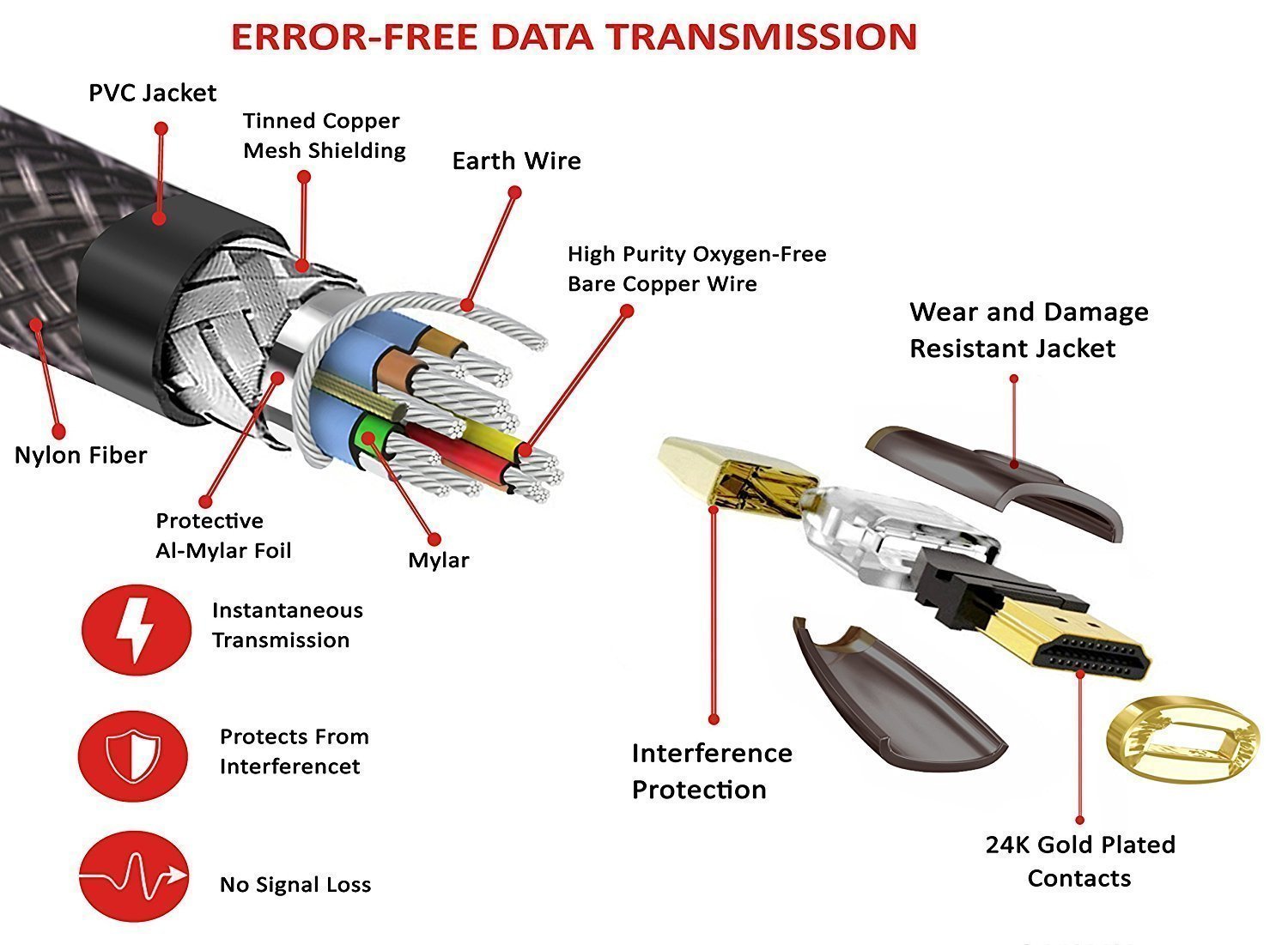
But it is important to know that HDMI cables, unlike Toslink or VGA, have massive problems with interferences that come from other electrical devices, WLAN and all that stuff. In order to prevent these manufacturers protect their cable against these types of interferences. One basic rule here is: The longer your cable is, the higher the risk is that you run in problems with your HDMI cable due to interferences . Especially if you are using content that requires the maximum of 18Gb/s. This is the point where you will see massive differences between cheap HDMI cables and more expensive HDMI cables for like 30$ (I think we all can agree that these 1000$ cables are useless).

Sure, you can be lucky and get a good, cheap HDMI cable. Especially if they are under 2 meters length. But as soon as you go up higher in length the failure rate will increase with these cheap HDMI cables (if you are using the max speed). This is where the difference between cheaper and more expensive HDMI cables kicks in. More expensive cables simply have a better protection against interferences. Some of them are even active (usually cables who cost more than 100$). Active cables are mainly used for really high distances like 30m or 50m. Normal HDMI cables would not handle these lengths.

tl;dr
- More expensive HDMI cables have a better protection against interferences. This is why it is possible to have a higher length while maintaining the full speed.
- Cheaper cables usually have no problems with lengths below 1,5m/2m. But even there it all depends on the shielding of the cable.
- If you need a longer cable (>3m.) better invest a few bucks more in order to avoid HDMI cable lottery. As I said in my other other post 10$ per meter for a good HDMI cable are not wasted.
- Do not get confused if you read something like "it does not matter if you use a cheap or a 1000$ cable". These type of comments are usually made because someone said he will get better picture quality from a more expensive cable. Which is not true and voodoo.
 
Last edited:
I'm not wrong. I specifically said "You need a high speed cable for 4K". Yes, there are differences in bandwidth between standard and high speed cables. But it ends there, period.

Again, I'm not talking about published specs or price. There are low quality cables and when use the max bandwidth (4k HDR10 60Hz) the lack of quality shows itself by having interment sync issues, which is the screen going momentarily black. I had the same issue and when I brought it up in the AVSforum thread for my TV it was obvious to everyone it was my cables (consoles to receiver or receiver to TV or both). I had some generic cables from Amazon that said they were 4k and had good reviews, but one by one I replaced them and low and behold all my black screen issues went away. While it is possible the TV or PS4 are having issues, most of the time it is mass produced made in China cable. It is easy to swap and check, a good Monprice replacement can be $5, they even sell them on Amazon now.
 
I had the problem after buying an receiver (Onkyo) and hooking up my PS4 via this receiver. Since you connect directly with the TV it might be different. However, I solved the issue by buying higher quality HDMI cables because electrical circuits causes some minor issues in my apartment (my speaker's sound will crack occasionally for a second, usually when the compressor of my refrigerator starts, for instance). So I guessed the shielding of my cheap-ass HDMI cables might be insufficient. And I tell you, I bought slightly more expensiver ones and I never had this issue again. It also happened with the video signal from my PC, so I could rule out the PS4 being the problem.

This is what sold me on these cables:
71%2BmGLQdOFL._SL1500_.jpg

I could be pure marketing and nothing than different from normal, 2 bucks cables, but as I said, it worked.
 
Last edited:
I've tried a lot of so-called solutions to this problem, none have worked. I have a Samsung MU6300 and no matter what, every time I turn on the TV and PS4 I will get exactly one temporary black screen somewhere between 1 and 10 minutes after power on. EVERY TIME. It only happens once, then I can play all day long without it doing it again......until I power off and power on again. Not sure what's up with that or why it does it, but I've learned to just deal with it since it only does it once.

For the record, I have tried various different HDMI cables......makes no difference to the issue.
 
Last edited:
I've tried a lot of so-called solutions to this problem, none have worked. I have a Samsung MU6300 and no matter what, every time I turn on the TV and PS4 I will get exactly one temporary black screen somewhere between 1 and 10 minutes after power on. EVERY TIME. It only happens once, then I can play all day long without it doing it again......until I power off and power on again. Not sure what's up with that or why it does it, but I've learned to just deal with it since it only does it once.

For the record, I have tried various different HDMI cables......makes no difference to the issue.

I'm not sure that that is, but the issue I'm talking about is the screen randomly going black while you are playing. If turning off HDR or going to 1080P solves it, then it is bandwidth related.
 
Samsung TV owner too. (MU9800)
I get that a few seconds to a minute after starting a HDR Game. Once it blacked out and comes back shortly after its done and wont return until i start another game.
 
Last edited:
I've tried a lot of so-called solutions to this problem, none have worked. I have a Samsung MU6300 and no matter what, every time I turn on the TV and PS4 I will get exactly one temporary black screen somewhere between 1 and 10 minutes after power on. EVERY TIME. It only happens once, then I can play all day long without it doing it again......until I power off and power on again. Not sure what's up with that or why it does it, but I've learned to just deal with it since it only does it once.

For the record, I have tried various different HDMI cables......makes no difference to the issue.

Have the exact same problem (also Samsung), but only when my Pro is connected through the PSVR. If straight to the tv it doesn't happen.
 
The Samsung OneConnect boxes can go a bit warm and black out or crash when using the full HDMI 2.0a bandwidth and chip frequency. Taking the cover off might be worth a shot if all else fails. It worked for my TV with the SEK-3500 box. If that works, replacing the thermal paste on the CPU should be the next step.
 
Top Bottom