
• Hey Guest. Check out your NeoGAF Wrapped 2025 results here!

Q4 2017: Monitors are a solved problem (Computex announcements)

I'm done with 27" Monitors. I'm really irked by the fact that not one company can give us a 16:9 4K monitor that's at least 34 or 35 inches.

Are those 2-3 inches really that meaningful?

 
I don't like curved or ultra-wide, I already have to mess around with display settings, I don't want to have to mod a game to fix the resolution or wait on a patch to fix ultra-wide cutscenes, pov, etc. Would rather have a 35 inch 4k display with HDR, preferably OLED.
 
But a good arm mount. That's what I use. Worth ever penny and gets rid of those GAMERRR stands that comes with most high end monitors.
Yeah, I'd probably also get a separate mount.

Are those 2-3 inches really that meaningful?
THe difference between 27" and at least 35" is already 8" ;)

Personally, I'd want 37-40 for 4k, since that still allows working viably without scaling.

But really, it's too large for monitor use outside of gaming. That's why I find the ultra-wide 3440x1440 34-35" form factor fantastic for my purposes.
 
Yeah, I'd probably also get a separate mount.

THe difference between 27" and at least 35" is already 8" ;)

Personally, I'd want 37-40 for 4k, since that still allows working viably without scaling.

But really, it's too large for monitor use outside of gaming. That's why I find the ultra-wide 3440x1440 34-35" form factor fantastic for my purposes.
What makes it too large? Your specific desk?

I feel like 40" is fantastic if you have a fairly deep desk. The perfect size for 4K without scaling.
 
What makes it too large? Your specific desk?

I feel like 40" is fantastic if you have a fairly deep desk. The perfect size for 4K without scaling.
Moving the monitor back just makes the effective PPI higher, which means that you need to use scaling again, which then in turn means that you get less effective working real estate and more issues with many older productivity applications.

Or maybe my eyesight is just too bad to use 4k in a monitor without scaling and without looking around an unhealthy amount.

For a consumption use case your point makes sense, but I want to use a single display for both consumption and production.
 
So I'm feeling that there's no hope for the Acer X34P since they've gone dark on that model and have the X35 and Z35P.
 
Tempting, but how well do ultrawide monitors play with consoles? (PS4 specifically)

I don't think I could stretch to two high-end monitors, and I'm already planning to upgrade when next gen arrives.

Black bars don't bother me, if that's an option. Assuming that would still leave a top quality 1080p screen in the middle.
 
THe difference between 27" and at least 35" is already 8" ;)

Personally, I'd want 37-40 for 4k, since that still allows working viably without scaling.

But really, it's too large for monitor use outside of gaming. That's why I find the ultra-wide 3440x1440 34-35" form factor fantastic for my purposes.

I meant between 32" and 34-35, there's plenty of those.
Personally I plan on going ultrawide as well but this this is probably going to be outside of my price range.
 
Im still waiting, because its

- still the awful MLG eat-sports gamer god design
- curved
- not 16:9
 
Tempting, but how well do ultrawide monitors play with consoles? (PS4 specifically)

I don't think I could stretch to two high-end monitors, and I'm already planning to upgrade when next gen arrives.

Black bars don't bother me, if that's an option. Assuming that would still leave a top quality 1080p screen in the middle.
It would probably end up with pillarboxing (black bars).

It would leave a top quality 2560x1440 screen in the middle in this case though.

If I were to use it for a console (I don't plan to) the question would be whether it can take a 4k signal and downscale it to fit it in the center 2560x1440 part of the screen. I guess reviews will tell.

I meant between 32" and 34-35, there's plenty of those.
But the only announced G-sync HDR 4k screens are 27". That's what I was comparing to.
 
But the only announced G-sync HDR 4k screens are 27". That's what I was comparing to.

Asus had PA32UQ at CES, it's obviously aimed at professionals not gamers but it's there.
EDIT: Oh right G-sync, nvm then.
 
By calling them both "curved monitors" you imply that, since they tried to make CRT monitors less convex, it is stupid to make flat screens concave - when the two are complete opposites.
The issues with 2D distortions they have are absolutely the same, nothing stupid about it.

Which could also be interpreted as: the closer you sit, the greater the need for a curved display is.
Not really. At some point a flat screen can cover all your FOV and then there's no need for any curvature. Curved display helps only by increasing the perceived FOV which can only happen when you actually able to see it's sides.
 
Tempting, but how well do ultrawide monitors play with consoles? (PS4 specifically)

I don't think I could stretch to two high-end monitors, and I'm already planning to upgrade when next gen arrives.

Black bars don't bother me, if that's an option. Assuming that would still leave a top quality 1080p screen in the middle.

Don't have a PS4, but I run my Switch through a 2560x1080 monitor just fine. Just leaves black bars off to the sides.
 
has any pricing been announced or even rumored yet?
No but expect them to be ~$2000.

Is G-Sync better than HDMI 2.1?
I think you meant to ask "Is G-Sync VRR implementation better than HDMI 2.1's?" This is unknown since there is no HDMI 2.1 devices with or without VRR implementation. Technically, G-Sync should be able to work over HDMI 2.1 as well btw so they are not mutually exclusive.
 
Obviously can't be 100% certain based on a video, but that looks like it's probably a VA panel from the angled shots.

Most likely.

If you look at the TFT Info they have for panels (click the 32-49 on the right) you'll see one entry for a 35" 3440x1440p 200Hz panel and it lists AMVA. Listed for Q3 17 so that would light up with the Q4 estimated release for this monitor.
 
if the input lag is high then problems still persist. If blur is still a problem and doesn't have lightboost then problems still persist. Everything else seems to be in order, but I don't know if I would want a curved screen.

This mirrors how I feel. Games just keep coming out that don't support 21:9. Plus the prices on these and the 4k144hz ones are such a downer.

Meanwhile, disregarding prices:

The Dell OLED monitor gained a low persistence blur feature but got its refresh rate cut in half to 60hz.
The Sony A1E tv is beautiful in person, but it doesn't do 4k120, its BFI mode maxes at 60hz, the input lag is dreadful, and it doesn't come in 32"-40".
The LG C7 is supposed to be just as good with way better lag but it doesn't do 4k120, has no BFI/PWM/ULMB, and doesn't come in 32"-40".

Things just keep getting more annoying honestly. The TV and monitor sides of the table are so close now, and yet so far.
 
To summarize:
  • 3440x1440 @ 35" (ideal PPI for real estate / usability for legacy applications)
  • 200 Hz G-sync (holy crap)
  • 512 zone backlight (that's some of the highest I've ever seen, and we still don't even have a single released monitor with zoned backlight)
  • HDR with 1000 nits max brightness and DCI-P3 color gamut (together with the zoned backlight: actual HDR!)

It's basically exactly what I want. If there's no big snafu in the implementation I'm all the way there.

My biggest question is this, if I'm someone that games and watches a stream on a 2nd monitor, are ultrawides ever as convenient as two dedicated displays? I guess my fear is trying to play a game in windowed mode on one side of a monitor and manipulating another window for youtube/browsing on the same monitor on the opposite side. Just seems a bit awkward to maneuver all that on one screen, even though it's large.
 
if the input lag is high then problems still persist.
I'm not worried about that, it isn't an issue on any G-sync screen and I doubt NV want to give up that reputation.
If blur is still a problem and doesn't have lightboost then problems still persist.
Transition speeds from 0 to some low light levels are really the only thing that could make this less than perfect that I am concerned about. Some recent high-refresh VAs were quite bad at this.
 
I'm not worried about that, it isn't an issue on any G-sync screen and I doubt NV want to give up that reputation.
Transition speeds from 0 to some low light levels are really the only thing that could make this less than perfect that I am concerned about. Some recent high-refresh VAs were quite bad at this.
All VA panels are bad at this, and it's nothing new.
They have general problems with red, and with all transitions near black being as much as 10x slower than other transitions.
RTC Overshoot tends to be a problem with VA panels too.
Hopefully these new 200Hz panels will at least be better than the previous "200Hz" VA panels.

IPS has much more uniform response times across all transitions, but has traditionally been much slower overall.
However the high refresh AHVA (IPS-like) panels from AUO bring the response time down to about 5ms on average which is very good.
5ms response times indicate that they should be capable of 200Hz operation too.

This mirrors how I feel. Games just keep coming out that don't support 21:9. Plus the prices on these and the 4k144hz ones are such a downer.
While it's true that there are still many new releases that lack native ultrawide support, a significant number of those games can either support it via config file changes or modding.
It's a little frustrating when you're hex-editing the executable to literally only change all instances of "1.78" to "2.39" and it works perfectly, when it should have been trivial for the developer to support that. But at least it does work.

And if you're comparing to other high refresh rate VRR monitors, the worst-case scenario with a 3440x1440 ultrawide is that you have a pillarboxed image which is identical to a 27/28" 2560x1440 monitor.
With today's ultrawides the only downside is that you're limited to 100Hz, which is less than the 144/165Hz that you get with the 2560x1440 native displays - but that's not going to be an issue for these new 200Hz screens.

My biggest question is this, if I'm someone that games and watches a stream on a 2nd monitor, are ultrawides ever as convenient as two dedicated displays? I guess my fear is trying to play a game in windowed mode on one side of a monitor and manipulating another window for youtube/browsing on the same monitor on the opposite side. Just seems a bit awkward to maneuver all that on one screen, even though it's large.

You can still keep using your second display if you have an ultrawide.
I imagine that you would probably want most games to fill the screen rather than playing in a 16:9 window with a video on the side anyway.

That said, tools like DisplayFusion - which is usually cheap in Steam sales - can be very useful.
I've got keyboard shortcuts set up to position windows so that I have a 3-way split (1024 / 1392 / 1024) or a split with a video playing at 1080p on one side and an application on the other. (1920 / 1520)
 
I'm pretty sure this is VA and '200Hz' is basically there for the strobing mode. Anything above 100-120Hz isn't usable for gaming from past VA monitors we've seen. I'm personally fine with that. The Swedish video I linked earlier, the guy clearly says it's VA, it's very easy to tell IPS from VA in person.

Samsung seemingly has figured out how to drive their VA panels at higher refresh rates with decent enough overdrive that doesn't produce as obvious artifacts like we see on AUO panels, they had other fw issues with earlier CFG70s though . I'm still waiting to see what CH70 really is. Samsung has been doing fine work work with their VA panels in their TVs and now with their new monitors. CFG70 isn't perfect, it has some issues but it's damn beautiful display most of the time.
 
Apparently the Acer version of the monitor was being shown behind closed doors.


A few pictures and some details in this article.


As a G-Sync HDR display it needs Nvidia's new, updated electronic inside the monitor itself. And that new G-Sync HDR module has to do a lot more work now too.

"There's a pile of HDR10 processing that has to happen in the G-Sync electronics," said Sharma. "We have to control the backlights. There's 384 zones on the 4K, it's 512 zones here... It's updated so we can drive 4K at 144Hz, we can drive WQHD at 200Hz, so that's all been updated. It's a considerable amount of change in the new electronics."
Found that bit interesting...
 
My biggest question is this, if I'm someone that games and watches a stream on a 2nd monitor, are ultrawides ever as convenient as two dedicated displays? I guess my fear is trying to play a game in windowed mode on one side of a monitor and manipulating another window for youtube/browsing on the same monitor on the opposite side. Just seems a bit awkward to maneuver all that on one screen, even though it's large.

For your use case, I'd say two displays is still the way to go. As much as I like ultrawides for working on the desktop, I don't find them adding much to gaming.
 
i would like a monitor that has/is:

  • 1440p
  • g-sync
  • IPS
  • 144hz
  • 27-inch
  • USB-C
  • sane design
  • passable speakers

i think the asus PG279Q is about as close as i can get, even though it was announced a year and a half ago, so i think i'm just going to bite the bullet on it soon. USB-C is more of a nice-to-have than essential because i have an LG ultrafine that i use with my macs.

i can't see HDR being a thing that isn't a pain in the ass on PCs for years.
 
To summarize:
  • 3440x1440 @ 35" (ideal PPI for real estate / usability for legacy applications)
  • 200 Hz G-sync (holy crap)
  • 512 zone backlight (that's some of the highest I've ever seen, and we still don't even have a single released monitor with zoned backlight)
  • HDR with 1000 nits max brightness and DCI-P3 color gamut (together with the zoned backlight: actual HDR!)

It's basically exactly what I want. If there's no big snafu in the implementation I'm all the way there.

I'm dissapointed that ULMB isn't on the list of ideal features ;)
 
i would like a monitor that has/is:

  • 1440p
  • g-sync
  • IPS
  • 144hz
  • 27-inch
  • USB-C
  • sane design
  • passable speakers

i think the asus PG279Q is about as close as i can get, even though it was announced a year and a half ago, so i think i'm just going to bite the bullet on it soon. USB-C is more of a nice-to-have than essential because i have an LG ultrafine that i use with my macs.

i can't see HDR being a thing that isn't a pain in the ass on PCs for years.

You can get USB-C to Displayport adapters, I use a Club3D one with my Dell ultrawide and MBP 2016 at work.

Built-in speakers are always just as shitty as the shittiest, cheapest speakers so I don't see any point in them. You can always fit a pair of small speakers under the display if you are short on space.
 
Still waiting for the ones from CES... They have final pricing or release dates yet? They're being shown alongside these at Computex, no? The Predator X27 and ROG Swift PG27UQ?
 
Sorry but 3440x1440 is way too low of a resolution for a monitor of this price in 2017. Fun fact: by pixel count 3440x1440 is closer to 1080p than it is to 4k. 5120x2160 is the minimal resolution I'd go for. Ideally I want a 7680x3200 monitor between the size of 38" to 43" ish where I could perfectly scale everything by 200%.
 
You can get USB-C to Displayport adapters, I use a Club3D one with my Dell ultrawide and MBP 2016 at work.

Built-in speakers are always just as shitty as the shittiest, cheapest speakers so I don't see any point in them. You can always fit a pair of small speakers under the display if you are short on space.

yeah so the only reason i want USB-C is to have no-fuss display output and charging from a single cable like i have with my mac setup, so adapters wouldn't really help with that.

i know monitor speakers suck, but i use headphones when i want proper sound, so i just want something passable for youtube videos etc without having to add any more clutter to the desk.

i think the PG279Q is what i need really, it just feels more expensive than it should be given the age and specs. but there's not really much competition so i guess the price is what it is.
 
Sorry but 3440x1440 is way too low of a resolution for a monitor of this price in 2017. Fun fact: by pixel count 3440x1440 is closer to 1080p than it is to 4k. 5120x2160 is the minimal resolution I'd go for. Ideally I want a 7680x3200 monitor between the size of 38" to 43" ish where I could perfectly scale everything by 200%.

I'm glad that you like 4K+ resolutions. For someone like me who is into gaming, I think 4K gaming is mostly overrated right now and overall too demanding for most PCs out there. I prefer higher frame rates over higher resolutions. Most video cards have trouble maintaining 4K/60fps, let alone any frames above 60fps. You'd have to go for 1080 or 1080 Ti minimum, and even then it's not always a guarantee depending on the game and settings used to run that game. 3440x1440 is also a different aspect ratio from the 16:9 3840x2160 UHD that most games use for 4K resolution. Ultrawide offers a different alternative experience from the 16:9 monitors.

The other problem I have with these gaming 4K monitors coming from Asus and Acer is the screen size. I believe 27" is too small a size to truly appreciate 4K. I feel like it would shine much better at 30"+, ideally the closer to 40" the better. These Ultrawide monitors are coming in at 35", which is a damn good sweet spot for screen size, pixel density, and image quality while providing higher framerates than what you would get rendering games at 4K UHD.

If someone is more of a professional video editor and content creator, I definitely see the benefits of getting a 4K monitor. But speaking purely from a gaming standpoint, 1440p is the sweet spot for image quality and performance.
 
I'm glad that you like 4K+ resolutions. For someone like me who is into gaming, I think 4K gaming is mostly overrated right now and overall too demanding for most PCs out there. I prefer higher frame rates over higher resolutions. Most video cards have trouble maintaining 4K/60fps, let alone any frames above 60fps. You'd have to go for 1080 or 1080 Ti minimum, and even then it's not always a guarantee depending on the game and settings used to run that game. 3440x1440 is also a different aspect ratio from the 16:9 3840x2160 UHD that most games use for 4K resolution. Ultrawide offers a different alternative experience from the 16:9 monitors.

The other problem I have with these gaming 4K monitors coming from Asus and Acer is the screen size. I believe 27" is too small a size to truly appreciate 4K. I feel like it would shine much better at 30"+, ideally the closer to 40" the better. These Ultrawide monitors are coming in at 35", which is a damn good sweet spot for screen size, pixel density, and image quality while providing higher framerates than what you would get rendering games at 4K UHD.

If someone is more of a professional video editor and content creator, I definitely see the benefits of getting a 4K monitor. But speaking purely from a gaming standpoint, 1440p is the sweet spot for image quality and performance.

I was mostly talking about gaming too. I'm sick and tired of using something like DSR to run games at much higher resolutions than my monitor. With my current setup I can run probably 95% of the games I own at 7680x3200 with zero problems.

And in terms of IQ 1440p is just awful, period. I only consider 4k to be acceptable, for games that have a excellently implemented TAA solution. For games that don't, 4k is absolutely not enough to achieve good IQ. I've been playing Cities Skylines' new expansion and that game is a jaggie mess even at 8k.
 
I prefer running productivity apps in native resolution, and for that 3440x1440 is pretty close to the maximum I can comfortably use.

Also, if you can run 95% of your games at 7680x3200, then you either only own very old games or only own low-fidelity indie games. Especially since we are talking about a 30-200 Hz display in this thread, so I'd very much at least want to run things at > 60 FPS on it.

i can't see HDR being a thing that isn't a pain in the ass on PCs for years.
I don't see how it can be a pain in the ass, frankly. When it works it works, and when it doesn't it does not, but you still most likely get better contrast than any other monitor due to the FALD backlight.

I'm dissapointed that ULMB isn't on the list of ideal features ;)
I'd rather have G-sync.

Honestly, I'm not as big on motion clarity in a monitor as many others are.

A framerate higher than 60 and HDR are useless.
What? No.
 
I prefer running productivity apps in native resolution, and for that 3440x1440 is pretty close to the maximum I can comfortably use.
Also, if you can run 95% of your games at 7680x3200, then you either only own very old games or only own low-fidelity indie games. Especially since we are talking about a 30-200 Hz display in this thread, so I'd very much at least want to run things at > 60 FPS on it.
elelunicy doesn't care about framerate, only aliasing - which they mostly equate with resolution.
Even 5K with anything other than TAA also produces "awful IQ" according to them.

I'd rather have G-sync.
Honestly, I'm not as big on motion clarity in a monitor as many others are.
I think that motion clarity is fairly important, but I don't think I'm willing to sacrifice variable refresh rates for it now.
It's mostly an option that I would use for emulation or very old games these days.

The current implementation of ULMB starting at 85Hz makes it a non-starter for me.
ULMB does not allow for dropped frames at all - just like VR - only you don't have reprojection to fall back on.
60Hz is a difficult enough target for that in current non-VR games.

Though NVIDIA are working on combining ULMB with G-Sync, I'm not convinced that it's going to work very well.
Right now their demos have shown it double-strobing below half the maximum refresh rate to minimize flicker - which that will do.
The problem with double-strobing is that it results in double-images for anything moving across the screen, which I consider to be worse than the motion blur that results from not using ULMB at all.
You really need to single-strobe the image for good motion clarity and smoothness - but people don't like ≤60Hz strobing.

With HDTVs the solution is to combine strobing with motion interpolation so that you are still technically single-strobing even if you are displaying a 60 FPS source at 120Hz, but obviously that is completely unsuitable for gaming.
I guess the solution is probably reprojection, but there's a reason they only use it with VR headsets right now. The artifacts are far more obvious on a monitor.
 
Don't forget that 4K monitors started at $5,000 and the current 8k monitor is $5,000


$3,300 ish for a high end professional monitor isn't actually all that bad when viewed in context.

That's somewhat true but I still don't understand why I can have a 65" OLED TV for less than this 32" OLED monitor. PC monitor pricing is a mysterious thing.
 
I don't see how it can be a pain in the ass, frankly. When it works it works, and when it doesn't it does not, but you still most likely get better contrast than any other monitor due to the FALD backlight.

i mean, it's a pain in the ass on TVs already, with competing standards and firmware updates and varying levels of app support and still not a ton of content. PC games have literally zero support and zero user base right now, so i think our HDR dream is years away.

if contrast was the main thing i cared about i'd rather just have a practical OLED monitor. i'm not sure they won't come along before HDR PC gaming is remotely mainstream.
 
These are now on my radar

I RDC into work and need dual screen, can you trick ultra wide into thinking it's 2 screens?

Or do you even need too?
 
That's somewhat true but I still don't understand why I can have a 65" OLED TV for less than this 32" OLED monitor. PC monitor pricing is a mysterious thing.

I'm guessing it's because the market for these PC monitors is relativly small, so they need to have much higher margins on every sold device.
 
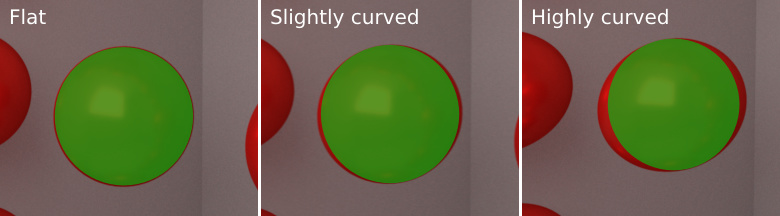
Do you have any sources demonstrating how curved is better? I can perhaps understand the argument for 21:9 displays due to it allowing you to keep more of the screen in your view, but as far as distortion is concerned I've seen very few articles on the subject.

Here is one post from a few years back:

The flawed math behind curved monitors
distortion.jpg
Problem with computer graphics is that most games use perspective projection which stretches the image at sides.
In theory to get perfect image we would need to know monitor shape, location and viewer head location to be able to fully correct the image. (By either using different projection or post process which does the correction.)

The monitor id, location and shape calibration could be done with photogrammetry. (id, and location would be helpful in multimonitor environment.)

Nvidia had simple correction in one of their demos for multi monitor setup.
http://www.ubergizmo.com/2016/05/nvidia-simultaneous-multi-projection/

UE4 has now Panini projection as alternative which does slightly different projection from the classic.
https://docs.unrealengine.com/latest/INT/Engine/Rendering/PostProcessEffects/PaniniProjection/
 
Am I totally alone in still wanting a 24" monitor? I mean, to properly play with something like 30" Id need a bigger desk or be much too close to the monitor.
 
Are those 2-3 inches really that meaningful?

It's already been discussed. But I that comment was aimed at 4K with all the extras.
-------------


But yeah. 40" sounds like that would be the perfect 16:9 size. On top of gaming I could probably do all my work I need to do on one screen and enjoy watching movies in my office while sitting on my little couch... I can dream.
 
Top Bottom