
BacklashWave534
Member
Would love to get one, but I'm still worried about burn-in.
I've ben using an LG 48" OLED as a monitor for 5 years. No burn-in whatsoever. You won't regret it once you make the move.

Would love to get one, but I'm still worried about burn-in.

I've ben using an LG 48" OLED as a monitor for 5 years. No burn-in whatsoever. You won't regret it once you make the move.

What do you do on your computer? I also have 48" oled but I am not sure if its too big for programming.I've ben using an LG 48" OLED as a monitor for 5 years. No burn-in whatsoever. You won't regret it once you make the move.
I have a Mac Mini hooked up to it for (IT Security) work and a gaming PC which is what i use it mostly for. It's alot easier than having a dual monitor setup.What do you do on your computer? I also have 48" oled but I am not sure if its too big for programming.


I don't know about that. I play a lot of old systems with 30fps.I've ben using an LG 48" OLED as a monitor for 5 years. No burn-in whatsoever. You won't regret it once you make the move.

I've never heard this OLED is bad for 30 fps games outside of this forum. 30 fps will be just as shitty on any display tech.I don't know about that. I play a lot of old systems with 30fps.

It's not, 30 fps motion on CRTs looks better than any sample and hold tech of modern displays.I've never heard this OLED is bad for 30 fps games outside of this forum. 30 fps will be just as shitty on any display tech.

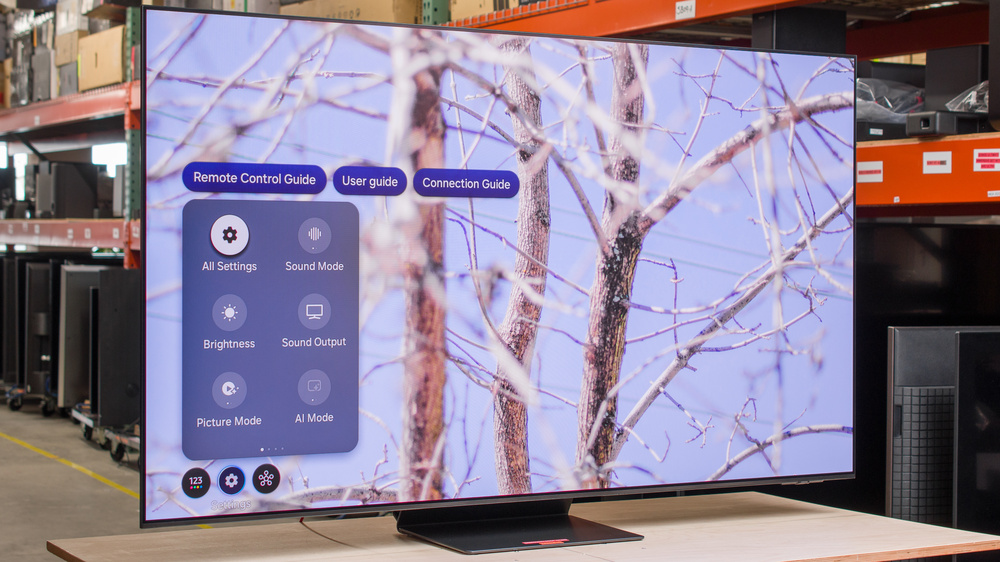
 www.rtings.com

I've never heard this OLED is bad for 30 fps games outside of this forum. 30 fps will be just as shitty on any display tech.

I don't know about that. I play a lot of old systems with 30fps.
Hey guys. Need an honest opinion as I've been out of the loop the last few years. My LG OLED is 8 years old and full of nasty burn-in. I'm thinking about replacing it in the coming weeks for a new 77+ inch TV but I'm not sure what I should buy. Should I go for the 2025 LG's (which one?) or something else? I've also been offered a few Samsung TV's: QN95D, S90D, S95D. Are those any good? I have no idea what to do. I just want a TV that makes me smile ear to ear but preferably won't suffer from burn-in. I've heard that newer OLEDs are much better in that regard but is it true?


I let it deliver, so any damage during transportation is insured.For those of you with huge TVs (65", 77", 85", etc…) did you have the TV delivered to your home or did you go to the store and bring it home yourself?


This, and also, oleds still need some form of babyssitting bullshit in order to not burn in, although it's not as egregious as it was once.Do you vary your content enough and are you in a dark(ish) room? If so then OLED might be the better choice.
But if you love light cannons and high color volume, (high-end) QLEDs are the way.
Once you try true black you never go back they say!I bought an LG OLED CX fall of 2020 and I have clusters of dead pixels along the bottom and sides. Always had pixel refresher in auto and pixel shift set to on. Research says some panels were made with a bad seal allowing air to get into the organic screen causing decay.
I think I'm going to replace it with a Samsung Neo QLED, or possibly go with an LG OLED again. But I'm hesitant.
Samsung TVs have Game Motion Plus that make 30 fps stutter more tolerable.1. Is the LG G4 worth it over the C4?
2. What's the current best non-OLED for gaming? One of the new Sony Bravia mini-leds?
1. Is the LG G4 worth it over the C4?
2. What's the current best non-OLED for gaming? One of the new Sony Bravia mini-leds?


Thanks, your response lines up with what I've seen in my research today. Seems like the 65" (largest size that comes with stand and best bang for buck price) LG G4 is the TV to get. I think I've finally been convinced to go OLED for my next TV.1. Yes, G4 is worth it. G4 is probably the second best OLED (or TV in general) from 2024 after Sony A95L. C4 is good too, just doesn't get as bright as G4, and C4's brightness is limited further in LG's game mode.
2. Bravia 7 and 9 are good mini-led options, and it seems like Hisense U8 is good too although I've never seen that one in person. Sony TVs have fewer gaming features vs other brands: no 144hz (120hz only), no 1440p support, only two HDMI 2.1 ports, slightly higher input lag (around one-half frame). They do everything else very well and have great picture quality.


 ...I know where I wil be getting a G5 cheap next yr for my pc set up!
55 G4, it's flawless. First tv I don't thinker with settings and just enjoy it.Those of you with C4 or C5's, does your tv have a green tint when viewed off angle?
And those of you with modern LG C or G tvs, does the screen have a diagonal dithering effect you notice?

 www.rtings.com
I just wish the G series came with a stand. I never wall mount my stuff.LG G5 is out and reviewed, finally OLED is ready for primetime, day and night viewings, SDR and HDR viewings.
Almost doubled the brightness and color volume of G4.
LG G4 vs G5 OLED: Which TV Is Better?
The LG G5 OLED is better than the LG G4 OLED due to three key differences. The G5 is brighter overall, so it's better suited for bright rooms and delivers a more impactful HDR experience. The G5 also displays brighter and more vibrant colors, giving it punchier colors overall. Finally, the G5...

Pretty sure G series comes with a stand as of the G4.I just wish the G series came with a stand. I never wall mount my stuff.
Looks like in the US no stand is includedPretty sure G series comes with a stand as of the G4.

LG OLED has great motion smoothing if you play in Standard Mode. I haven't tried it on retro consoles but for many 30fps titles it works well, for some games not so good:I don't know about that. I play a lot of old systems with 30fps.


I'm a big OLED stan, got three at home (65,55,42), but seriously, you're exaggerating.- Bloodborne (PS4) looks and plays like 60fps without any noticeable input lag nor ghosting.
Just know and accept that with OLED, it's not a matter of If, but When, you will get burn-in.
Every single OLED screen (except for Switch) Ive had has experience some level of burn-in. Though my latest model was only a LG C9 so hopefully they have been improved since then...
Almost 9 thousand hrs on this C2 which has been used constantly for pc and ps5 and my screen still looks great .Just know and accept that with OLED, it's not a matter of If, but When, you will get burn-in.

Any issues with viewing angles or input lag on the Bravia 9?I know oled works best with higher frame rates but most movies are 28fps. Do they not have stutter problems?
Was planning on a nice oled for my bedroom which would primarily be used for shows/ movies but was curious.
Bravia 9 in my living room. Went with that because the room gets ton of light.
No, it's a pretty big room too with a big couch so the angles are tested but the picture is fantastic and there really isn't any lag that I can tellAny issues with viewing angles or input lag on the Bravia 9?
I guess you mean that movies are 24 FPS. Personally, I cannot watch movies with 0 motion smoothing. They are almost nasuea inducing with the choppiness. At 2/10 motion interpolation, they look great to me. YMMV. Top-level TVs should have perfect judder reduction, so judder itself is not an issue.I know oled works best with higher frame rates but most movies are 28fps. Do they not have stutter problems?
Was planning on a nice oled for my bedroom which would primarily be used for shows/ movies but was curious.
Bravia 9 in my living room. Went with that because the room gets ton of light.

LG OLED has great motion smoothing if you play in Standard Mode. I haven't tried it on retro consoles but for many 30fps titles it works well, for some games not so good:
- Bloodborne (PS4) looks and plays like 60fps without any noticeable input lag nor ghosting.
 and yes that's the amount of additional lag an LG TV has with motion smoothing/game mode off. and is also why you can never listen to subjective statements like this if you want actual info about a product.
The only actually useful gaming application of motion interpolation I found was Civ 6 (PS4 version). On Samsung, with VRR output, you cannot do motion interpolation so it would not work on new consoles anyway.80~90ms of latency = without any noticeable input lag...
that is an insane statement
you are essentially doubling the input lag of Bloodborne if you play like this.
 www.rtings.com

