• Hey Guest. Check out your NeoGAF Wrapped 2025 results here!

To OLED, or not to OLED

What type of TV is your main TV?

  • OLED

    Votes: 578 71.7%
  • LCD

    Votes: 138 17.1%
  • Something else

    Votes: 55 6.8%
  • I don't own a TV, just a computer monitor

    Votes: 35 4.3%

  • Total voters
    806
80~90ms of latency = without any noticeable input lag...

that is an insane statement 🤣 and yes that's the amount of additional lag an LG TV has with motion smoothing/game mode off. and is also why you can never listen to subjective statements like this if you want actual info about a product.

you are essentially doubling the input lag of Bloodborne if you play like this.
Still, I found that it's much easier to do counters on enemies/bosses with motion smoothing on.

edit. The Ubisoft indie game Grow Up (sequel to Grow Home. Both lacks 60fps on PS4/5) also works great with LG C1's motion smoothing. The game is unplayable for me in 30fps and has horrible inputlag because of the game engine. Adding motion smoothing doesn't give me more input lag but makes the game more playable.

On topic I was a bit shocked about how bad 30fps looks on OLED.
I saved my old 32" LED TV but in the end I think motion smooting and sharpening on the OLED works well for many slower console games. I tried the demo of Folklore on PS3 where it made it look like a remaster
 
Last edited:
OLED monitor owners, what are your experiences with VRR flickering? I have an Alienware AW2725DF, aside from a couple other minor issues it's been great - except VRR is unusable due to the flickering brightness levels. I've seen some comparisons where other monitors using the same Samsung QD-OLED panel aren't affected as badly, so I figure it's something that could be improved via firmware - except Dell hasn't done so. Running at lower refresh rates or setting fps caps to avoid huge frame time swings hasn't helped one bit.

My understanding is that OLED TVs have techniques for mitigating flickering, but doesn't seem as common in monitors.

Fortunately, I've found that I can leave G-sync off without noticing any judder - I think 360 Hz is fast enough that VRR stops mattering as much. So it ended up not being a dealbreaker at all. But I'm still curious about others' experiences.
 
Today when reading reviews and doing research I realized that ALL of my non-handheld screens are matte and I prefer it and hadn't even planned it that way lol. So I guess going forward I'll want any monitors and TVs to have matte coating. The S95F is definitely looking attractive to me now.
edit: Hmm, it seems like the perfect TV doesn't exist... there's always some tradeoff...
 
Last edited:
Pretty sure EDF6 gave my C1 image retention. It's not as bad as what Rocket League did to my E7, but I don't think I'll spend money on an OLED TV again.
 
LG OLED 65C1 & 55CX. Nothing else comes close to OLED displays.

Also have an old Panasonic GT42 plasma which were the precursor to OLEDs for amazing image quality.
 
What would you get if you didn't get an OLED?

The long wait for Micro LED begins, I guess. I didn't even notice this until I played Fantasy Life with it's lighter tones, but it is visible on Blue/Green whereas Red was the issue on my E7 and I saw it all the time. It also helps that it's the health bar/cooldown indicator from EDF and not the score bug and speedometer from Rocket League.

Extended warranty?

Nah. It was only $1000 when I bought it. I contacted LG who weren't much help as they just had me run the pixel refresher 5 times in a row which didn't really help. It's not super noticeable so I'm in no rush to replace it.
 
Last edited:
I have been OLED since 2018 and will always stand by this tech. TV lasted a good 6-7 years before I upgraded to the G4, and holy hell that TV is amazing. Even monitor is on this now. Awesome tech.
 
OLED is nice, true. But it's not the perfection that everybody likes to pretend it to be.

Crushed blacks is a common occurence and I find that shit distracting.
 
OLED is nice, true. But it's not the perfection that everybody likes to pretend it to be.

Crushed blacks is a common occurence and I find that shit distracting.

Crushed blacks are just a problem of individual model calibration being off. In general, both WOLED and QD-OLED are now capable of showing accurate shadow detail down to the lowest steps above black. Those lowest steps are supposed to be really dark though so in order to properly see them you need to use the screen in a dark room. That's how it should be, if you want to lift them above reference level you can always do that by tweaking some settings.
 
Last edited:
If you can choose, oled. But like 4k , i find these things overrated.
What actually is MUCH better, are matt tv displays. Thats some next level stuff there.
 
OLED is nice, true. But it's not the perfection that everybody likes to pretend it to be.

Crushed blacks is a common occurence and I find that shit distracting.
My F32U2 QD-OLED has incredible shadows details, better than all of my previous LCD monitors. This is especially noticeable in HDR content. There are games where I had to use a flashlight (for example in Dead Space Remake), but now I can see shadow details even without it, and the blacks are still perfect.
OLED monitor owners, what are your experiences with VRR flickering? I have an Alienware AW2725DF, aside from a couple other minor issues it's been great - except VRR is unusable due to the flickering brightness levels. I've seen some comparisons where other monitors using the same Samsung QD-OLED panel aren't affected as badly, so I figure it's something that could be improved via firmware - except Dell hasn't done so. Running at lower refresh rates or setting fps caps to avoid huge frame time swings hasn't helped one bit.
On my OLED monitor, VRR flicker is almost undetectable and I played dark games like Alan Wake 2, Dead Space Remake, etc. I can't see it even at lower framerates. The only things that trigger VRR flicker are loading screens and using DLSS FG at a low base framerate (30 fps).
was a bit shocked about how bad 30fps looks on OOLED.
Games at 30 fps looked comparable on my previous LCD monitor, which already had a fast pixel response time. However, on my old Bravia LCD TV with a VA panel, 30fps games look better thanks to the much higher motion blur, which makes the inherent judder of 30fps less noticeable.
 
OLED is nice, true. But it's not the perfection that everybody likes to pretend it to be.

Crushed blacks is a common occurence and I find that shit distracting.
For real though. I hate that everybody is acting like Oled is some crazy alien tech when it's not (I have a LG oled btw) and I was actually pretty disappointed when I got mine. It's great, undeniably, but it's flawed and too many people are putting those flaws under the rug.
 
How low does input lag need to be on a TV for gaming at 4K to feel natural? Is 18ms going to feel horrible compared to 10ms? For all types of games - driving, FPS, JRPGs, etc...
 
Last edited:
I went through 2 interesting monitors in the past month:

An AOC 1440p mini-LED:

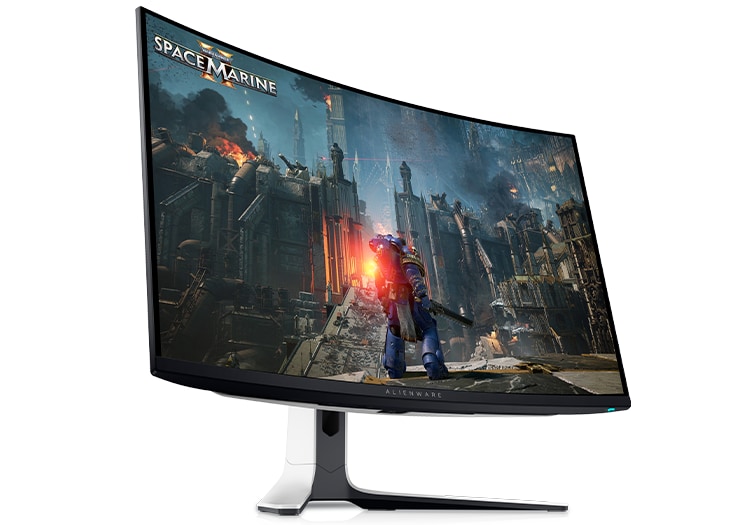
And a Dell 4K QD-OLED:

Not that impressed with either honestly. Sent the AOC right back due to trash viewing angles, I know it's a VA panel, but my current VA monitor has basically no viewing angle issues, same with my 60" VA Sony TV. The colors were great, monitor was bright as hell (think it gets to around 1300nits), but overall I was not happy with it.

As for the very expensive (to me) Dell OLED, it just wasn't worth it. I watched a couple movies in Dolby Vision on it and tried a couple games like C2077 and Ori. Looks great but to me darker details were harder to make out and I don't like that. I'm sure with some more calibrating I could fix it but I just didn't think it was worth the price ( I wanted it for the built in sound bar, for my specific purpose I was using it for). The sound was awful if you were further than 2 ft, pretty much as expected. Video quality was excellent and it looked amazing but just compared to what I'm currently using, it wasn't this massive significant upgrade, and I'm only rocking a 400nits VA panel.

I'm back on the hunt I guess. Dell has another OLED monitor coming out this summer and I might check it out. 4K OLED is unnecessary, well, 4K is. So I'm going to check out a 1440p OLED next.
 
How low does input lag need to be on a TV for gaming at 4K to feel natural? Is 18ms going to feel horrible compared to 10ms? For all types of games - driving, FPS, JRPGs, etc...
Anything below 20 ms is a placebo (at least on gamepad). 30 ms is OK. You may start to feel a little lag at 40ms, but it's still tolerable. For many years TV reviewers recommended TVs for consoles with at least 40ms.
 
Sony A95K question...


Let's say I am using YouTube/SmartTube, but then I switch to a HDMI input for my consoles, for example. But then I want to go back to YouTube. What I do now is I press the home button on the remote and then navigate to YouTube app again and open it.

But can't I just quickly switch back to it instead?
 
I'm planning to upgrade my monitor and there's no way I'll ever buy an LCD again.

gOLoPF2.jpeg


I also never want a matte screen again. I was shocked how much worse the picture (colours, blacks, contrast) looked on my 2022 nano-ips matte monitor (gigabyte M27QP) compared to my old 2006 ips glossy monitor (nec 20 WGX2 Pro)

RTIGNS shows how matte screen destroy constrast and desaturate colors and this is exactly what I noticed when I started using my current matte screen monitor.


[h3][/h3]


Last edited:
So my wife insisted on giving me a Christmas gift and given that she doesn't understand enough the stuff I'm into she asked for a "suggestion".

I'm going for a 32 inch OLED screen by ASUS (pg32ucdm). I'm currently running a dual set up consisting of an IPS high refresh monitor and a really old 1080P monitor (17 years or so, it's amazing it doesn't even have a single dead pixel).

I know the model is last year's but the price was pretty good (about $900). Am I missing anything by not paying about 500 more for this year's?

I'm running a C4 65 inch in the living room so I'm already sold on OLED.

It will be powered by a 5070ti btw so I guess I'll be using MFG to have decent framerate at 4k.
 
Team QD-OLED, here.
It is a visual game changer and if you get a super low latency, it is even more so.
OLED is so freakin black, when I have nothing on screen, except for black wallpaper, you can barely tell it is even on.
Get a panel that fixes itself, I've read they are great for reducing the risk of burn-in, greatly, while also newer generation panels already have lower burn-in risk, inherently.

I went with the MSI.


You can find this same monitor for 699.99 if you look enough.
If you don't like ultra wide and prefer 4k, understandable. But being able to see more screen real estate at 120+fps(240 in few instances) maxes out is something I won't compromise again.
Seriously! Who builds good rigs but gimps out on the fucking display?!
Me. That's who.
No more.
I heard there is a dell monitor out there that is also good.

Just some suggestions and if you have any better ones from anyone else, here?
Go with that.
 
OLEDs are great, provided you take care of them. Burn-in is usually the major sticking point for a lot of people running it as a PC monitor, but it's much less of an issue now than it was 6-7 years ago because of how they're developed these days.

I've still got a 48" LG C1 from 2023, and have zero issues with burn-in or image retention. The only thing that bugged me was the auto-dimming, but I've disabled it now.

Just make sure to pixel refresh every now and again, keep screen move on, and manually adjust the brightness of the image in accordance with your needs using Windows HDR and it'll last you years.


That's insane. Thought bringing water and using a knife on an OLED screen to get rid of the matte finish was a good idea.
 
Last edited:
Pretty sure EDF6 gave my C1 image retention. It's not as bad as what Rocket League did to my E7, but I don't think I'll spend money on an OLED TV again.

I had issues with burn in and dead pixels. Honestly, I am fine with mid tier image quality in exchange for longevity. I have an Alienware OLED curved monitor - got massive burn in from my background (admittedly it was my fault) but it fell within the 1 year warranty and I was sent a new unit. The LG C3 I barely use has four spaced out dead pixels. The image quality on both monitors is superb, but my next television will probably won't be an OLED. You can find a mid tier large screen television for reasonable prices now. I am looking forward to Boxing Day sales when I can snag a TCL (great bang for your buck on features) 75 to 85 inch television for my basement.
 
Seems like this question is getting less relevant every day I think as panel technologies are kind of converging to a super display. LCDs are brighter but have less contrast but they're fixing that with dimming zones and eventually they have so many it's in effect the same as an OLED. OLED has great motion latency and blacks, doesn't have brightness and they just keep super charging and stacking the panels and getting them brighter so effectively it's all gonna be the same thing but as it stands right now I like OLED for smaller screens (steam deck, phone) and for my big bright living room I like 100" mini LED TV as it gets way brighter and that's what I need and there's so many dimming zones It's pretty close to the point where I don't see much blooming anymore. Also depends on the content. Watching sports? LED. Egmans Nosferatu? OLED
 
I had issues with burn in and dead pixels. Honestly, I am fine with mid tier image quality in exchange for longevity. I have an Alienware OLED curved monitor - got massive burn in from my background (admittedly it was my fault) but it fell within the 1 year warranty and I was sent a new unit. The LG C3 I barely use has four spaced out dead pixels. The image quality on both monitors is superb, but my next television will probably won't be an OLED. You can find a mid tier large screen television for reasonable prices now. I am looking forward to Boxing Day sales when I can snag a TCL (great bang for your buck on features) 75 to 85 inch television for my basement.

Going back to local dimming zones is a rough adjustment at first.
 
my 2025 hisense U7 mini OLED 65" is sick, not too expensive and the response time is great. I use it connected to my PC too for RPGs.
4k @ 165hz or 1080jp @ 288.

I had the 2024 U7 55inch and it was just as good. It's a great option for anyone who doesn't want to get the LG.
 
Team QD-OLED, here.
It is a visual game changer and if you get a super low latency, it is even more so.
OLED is so freakin black, when I have nothing on screen, except for black wallpaper, you can barely tell it is even on.
Get a panel that fixes itself, I've read they are great for reducing the risk of burn-in, greatly, while also newer generation panels already have lower burn-in risk, inherently.

I went with the MSI.


You can find this same monitor for 699.99 if you look enough.
If you don't like ultra wide and prefer 4k, understandable. But being able to see more screen real estate at 120+fps(240 in few instances) maxes out is something I won't compromise again.
Seriously! Who builds good rigs but gimps out on the fucking display?!
Me. That's who.
No more.
I heard there is a dell monitor out there that is also good.

Just some suggestions and if you have any better ones from anyone else, here?
Go with that.
Samsung S90c is the best gamer TV for the buck period. Get it from Costco and they actually upgrade the sound system for free.

QD-OLED = eye orgasms
 
Neo QLED.

It's essentially a heavily upgraded LCD, built to have better blacks and the advantages of LCD, which are better whites for watching during the day and no ghosting which is important for us gamers.
 
I have a Samsung S90C (still on older firmware as you are crazy to update any Samsung TV), but can someone explain to me why all the OLED owners have a light behind their TV/monitor? Does it do something?
 
I'm planning to upgrade my monitor and there's no way I'll ever buy an LCD again.

gOLoPF2.jpeg

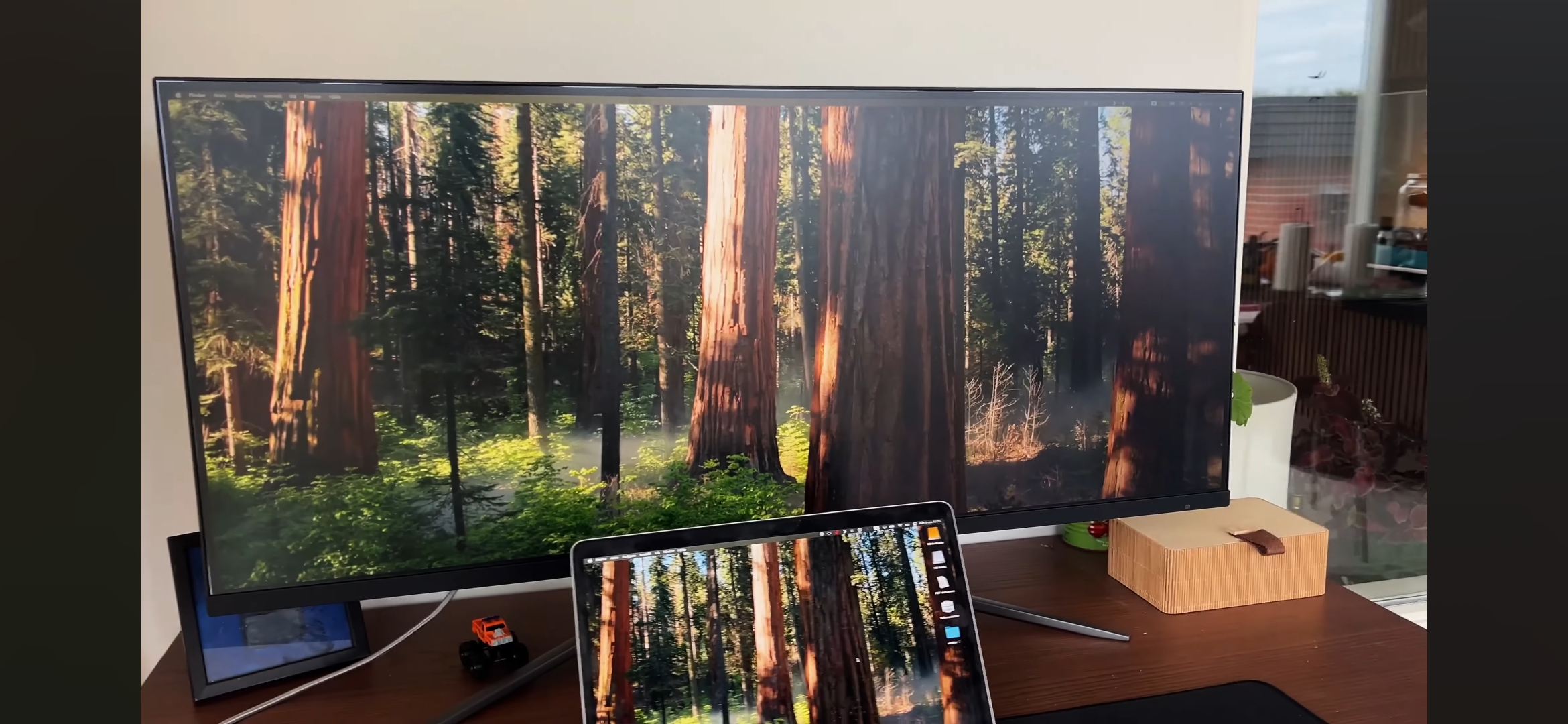
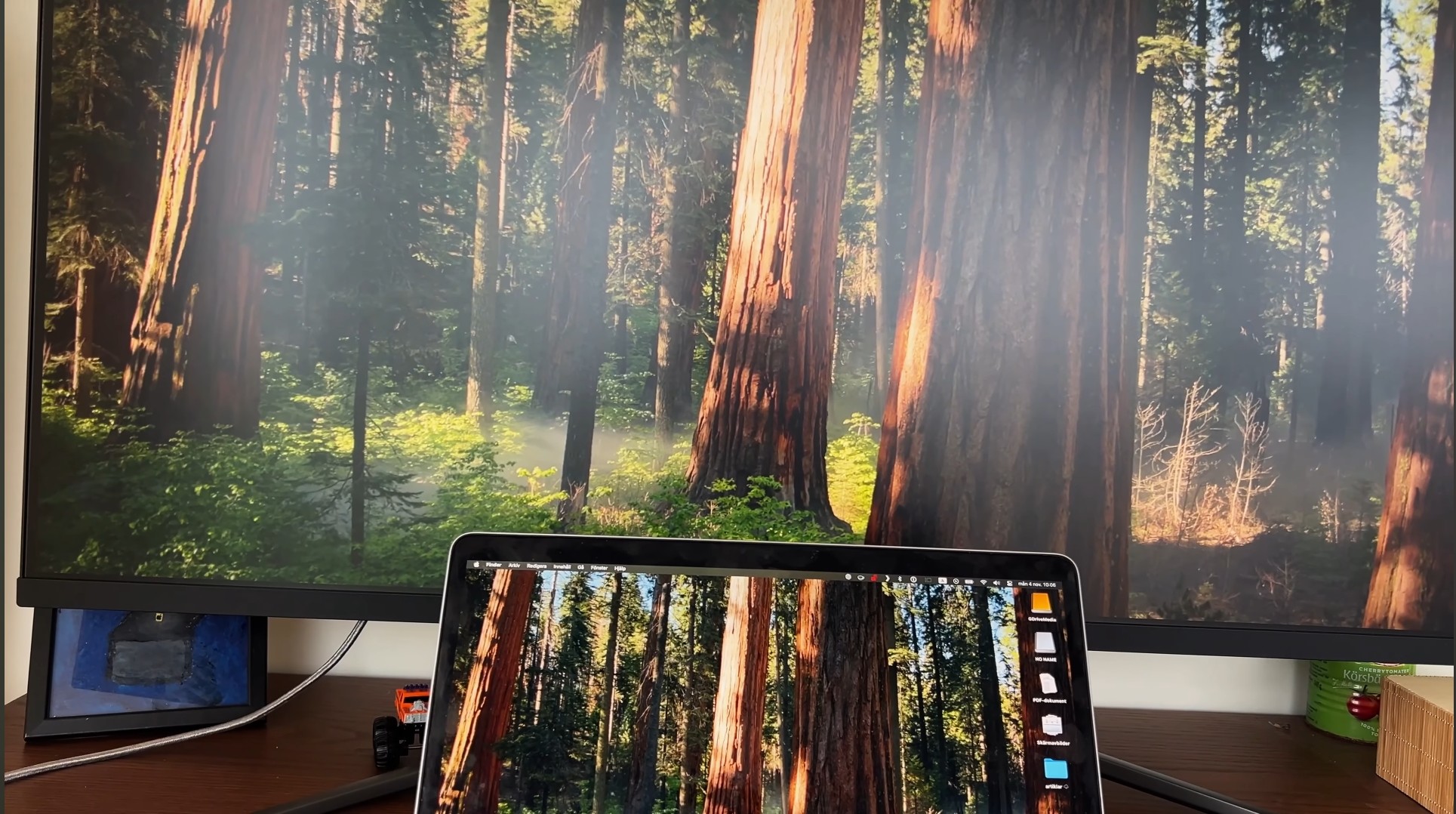
My MSI MAG401QR (IPS) can look both like left/right, depending on settings. And I'm not talking about using the presets, such as movie/gaming/whatever - nope, you have to pick user-configured mode with all other settings fine-tuned manually. Surely it doesn't come out 1:1 identical to OLED in the end, but the difference in perceived quality is negligible. One might argue that to achieve OLED-like image on IPS screen, they would need to set quite a few suboptimal parameters, potentially lowering gamma down too much... but that's not necessarily true and it largely varies between different models. In some cases, IPS is plagued by unwanted glow effects and there's nothing you can do. However, most IPS panels are perfectly capable of producing an image quality that would be deemed 'good enough' by OLED users, if they actually saw what is possible when you aren't just plugging in your IPS monitor, expecting it to be good out of the box.

With that being said, this is only true with HDR disabled. The moment you turn that thing on - the backlight starts blasting light in your face, ruining everything, bleeding into the dark areas too.
 
My MSI MAG401QR (IPS) can look both like left/right, depending on settings. And I'm not talking about using the presets, such as movie/gaming/whatever - nope, you have to pick user-configured mode with all other settings fine-tuned manually. Surely it doesn't come out 1:1 identical to OLED in the end, but the difference in perceived quality is negligible. One might argue that to achieve OLED-like image on IPS screen, they would need to set quite a few suboptimal parameters, potentially lowering gamma down too much... but that's not necessarily true and it largely varies between different models. In some cases, IPS is plagued by unwanted glow effects and there's nothing you can do. However, most IPS panels are perfectly capable of producing an image quality that would be deemed 'good enough' by OLED users, if they actually saw what is possible when you aren't just plugging in your IPS monitor, expecting it to be good out of the box.

With that being said, this is only true with HDR disabled. The moment you turn that thing on - the backlight starts blasting light in your face, ruining everything, bleeding into the dark areas too.
The washed-out picture on the left is the result of low contrast and light leaking from backlight. Even with perfect calibration edge lit IPS LCD will never display good blacks in a dark room. Place an edge-lit LCD screen next to an OLED screen (both calibrated) and the difference will always be apparent. Only mini LEDs can minimise washed out blacks. it's also possible to get perfect blacks during the day in well lit room, especially if IPS panel has glossy coating. I had a glossy IPS LCD monitor in 2007, and during the day, the blacks were similar to those of an OLED monitor.

Photos from my previous LCD monitor gigabyte M27QP 1440p -170Hz (nano-ips edge lit LCD monitor). This monitor was recommended by hardware unboxed for it's accurate colors and gamma tracking (color delta errors below 2%) and gaming performance (fast pixel response time). It however had matte coating, so ambient lighting wasnt helping like on my old glossy IPS, so I always had washed out picture even in well lit room. The gamma was tracking perfectly at 2.2; I could see almost all of the dark gradients in the RGB black test charts. Yet, as you can see in the photo below, the picture was washed out. Lowering the gamma and brightness only caused shadow details to crush, and didn't improve the blacks. Photos will always exaggerate this IPS glow (especially phono photos that always use high ISO), but even in person, the picture clearly lacked good blacks.

20250113-205159.jpg


20250107-213058.jpg


I now have qd-oled monitor and blacks always look perfect to me. There's simply no comparison.
 
Last edited:
I'm a high brightness enthusiast who moved from the QD-OLED A95K to a Mini LED display. After spending some time with the Bravia 9, I eventually returned to OLED, the LG 83G5.

The perfect contrast of OLED remains phenomenal, and its brightness is at a very acceptable level, though I always find myself wishing for a bit more. I love the punchy colors and outstanding brightness.

OLED is fantastic for gaming, with pixel perfect HDR highlights, even if fullscreen brightness still falls short compared to Mini LED.
 
Last edited:
I have now an 85 inch TCL X11K, and it's insanely good, coming from an OLED LG C1, it's rare the ocasions I miss OLED. And the size of the TV adds to the WOW factor.
 
The washed-out picture on the left is the result of low contrast and light leaking from backlight. Even with perfect calibration edge lit IPS LCD will never display good blacks in a dark room. Place an edge-lit LCD screen next to an OLED screen (both calibrated) and the difference will always be apparent. Only mini LEDs can minimise washed out blacks. it's also possible to get perfect blacks during the day in well lit room, especially if IPS panel has glossy coating. I had a glossy IPS LCD monitor in 2007, and during the day, the blacks were similar to those of an OLED monitor.

Photos from my previous LCD monitor gigabyte M27QP 1440p -170Hz (nano-ips edge lit LCD monitor). This monitor was recommended by hardware unboxed for it's accurate colors and gamma tracking (color delta errors below 2%) and gaming performance (fast pixel response time). It however had matte coating, so ambient lighting wasnt helping like on my old glossy IPS, so I always had washed out picture even in well lit room. The gamma was tracking perfectly at 2.2; I could see almost all of the dark gradients in the RGB black test charts. Yet, as you can see in the photo below, the picture was washed out. Lowering the gamma and brightness only caused shadow details to crash, and didn't improve the blacks.
Hmm, perhaps it's just the camera capturing it poorly, but your photos definitely make it look like something is wrong with that screen in terms of image quality :/

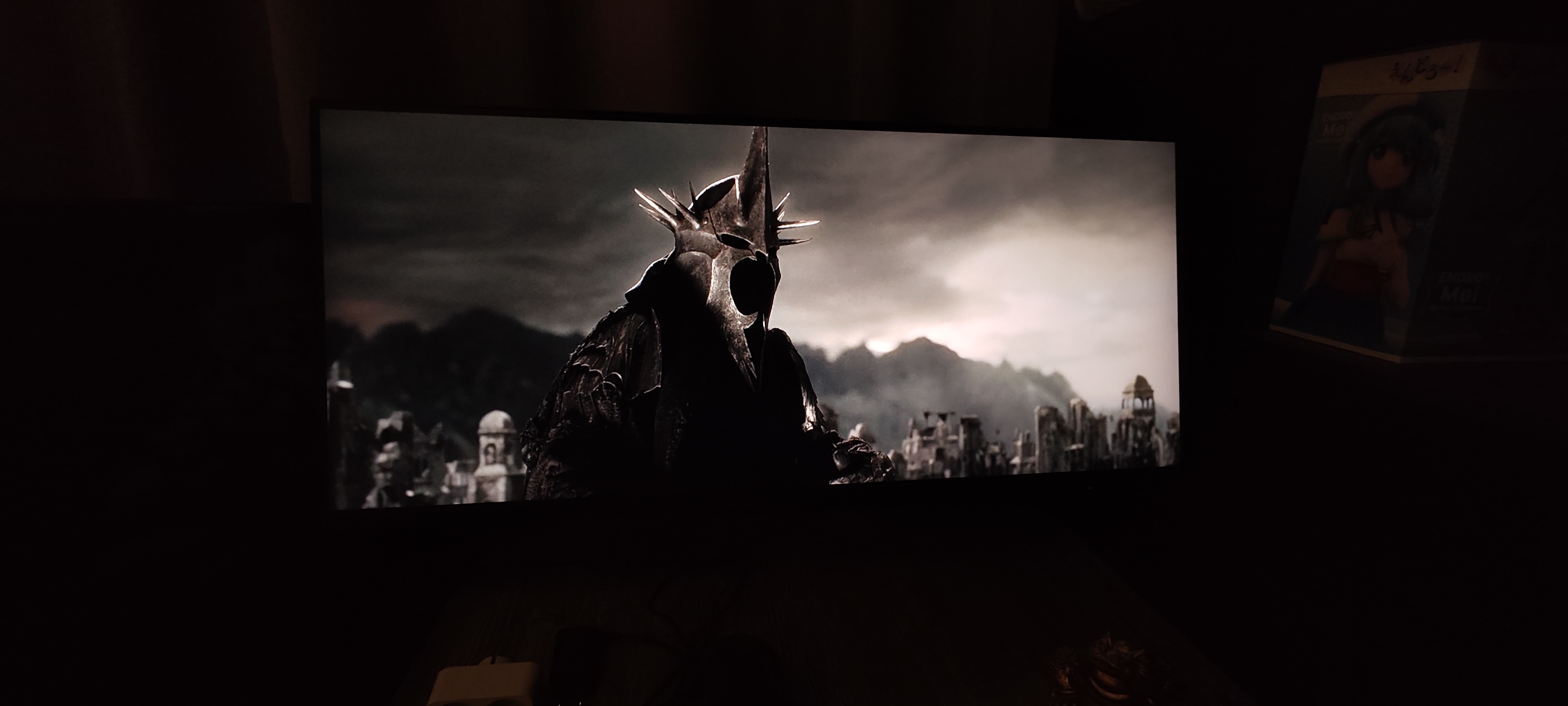
My phone camera is just as bad for this task, but nonetheless here's my attempt to capture what my eyes see in a dark room. Blacks are not crushed, even if it may appear so due to just how difficult it is to get a right exposure. I use this monitor for image editing (ultimately printing some stuff on industrial-grade plotters).
I do admit that I got very lucky with this particular monitor - no IPS glow whatsoever (at moderate brightness). How should I put it... all things considered, in such a situation OLED's cons outweigh the pros: I'd rather have a thing that will serve me for decades without any risk of burn-in.

GbuGbDII8c4LS3F9.jpg


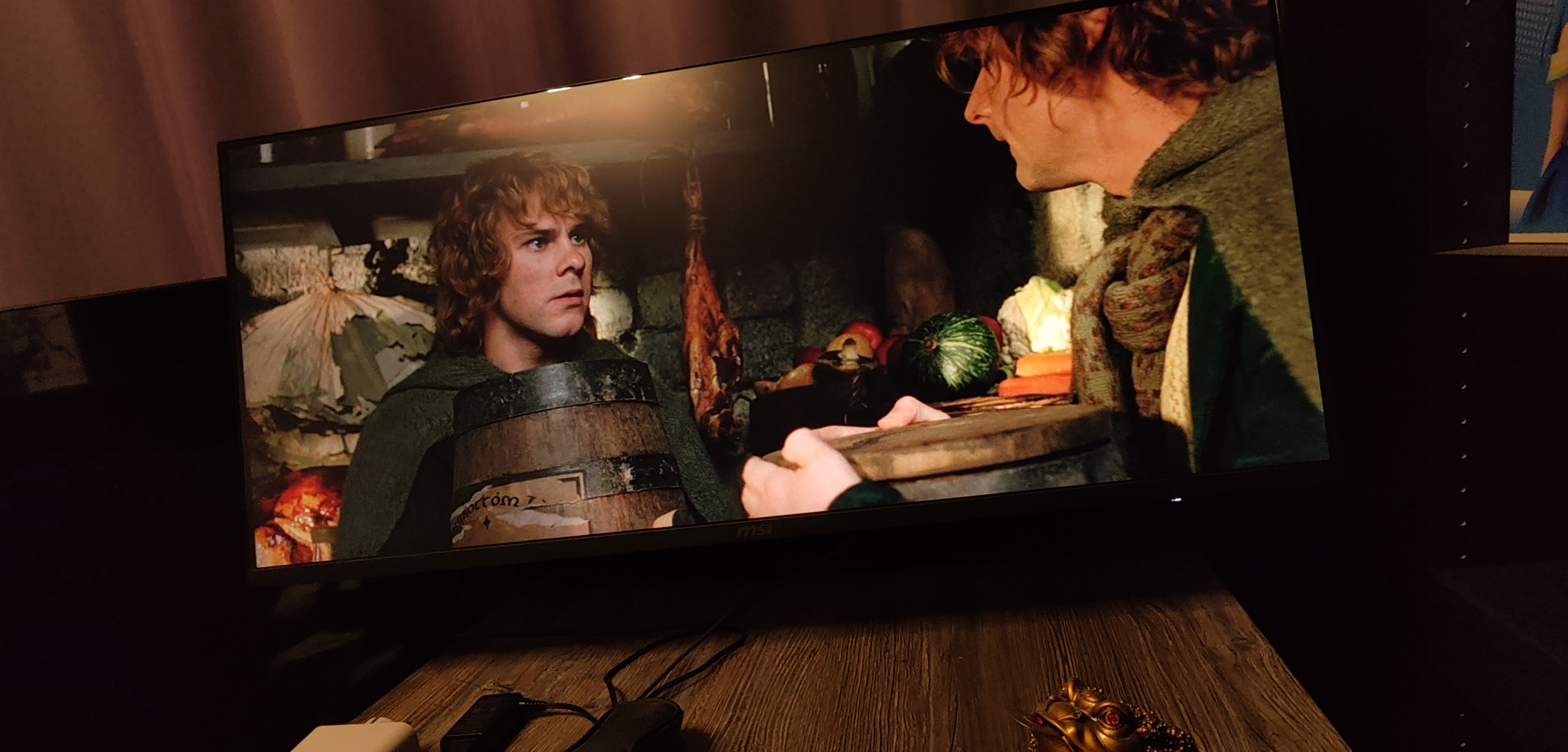
Another image (different exposure + added a weak light source, with a bit of reflection on top part of the screen):

MdQkad3RwXM78Iiy.jpg


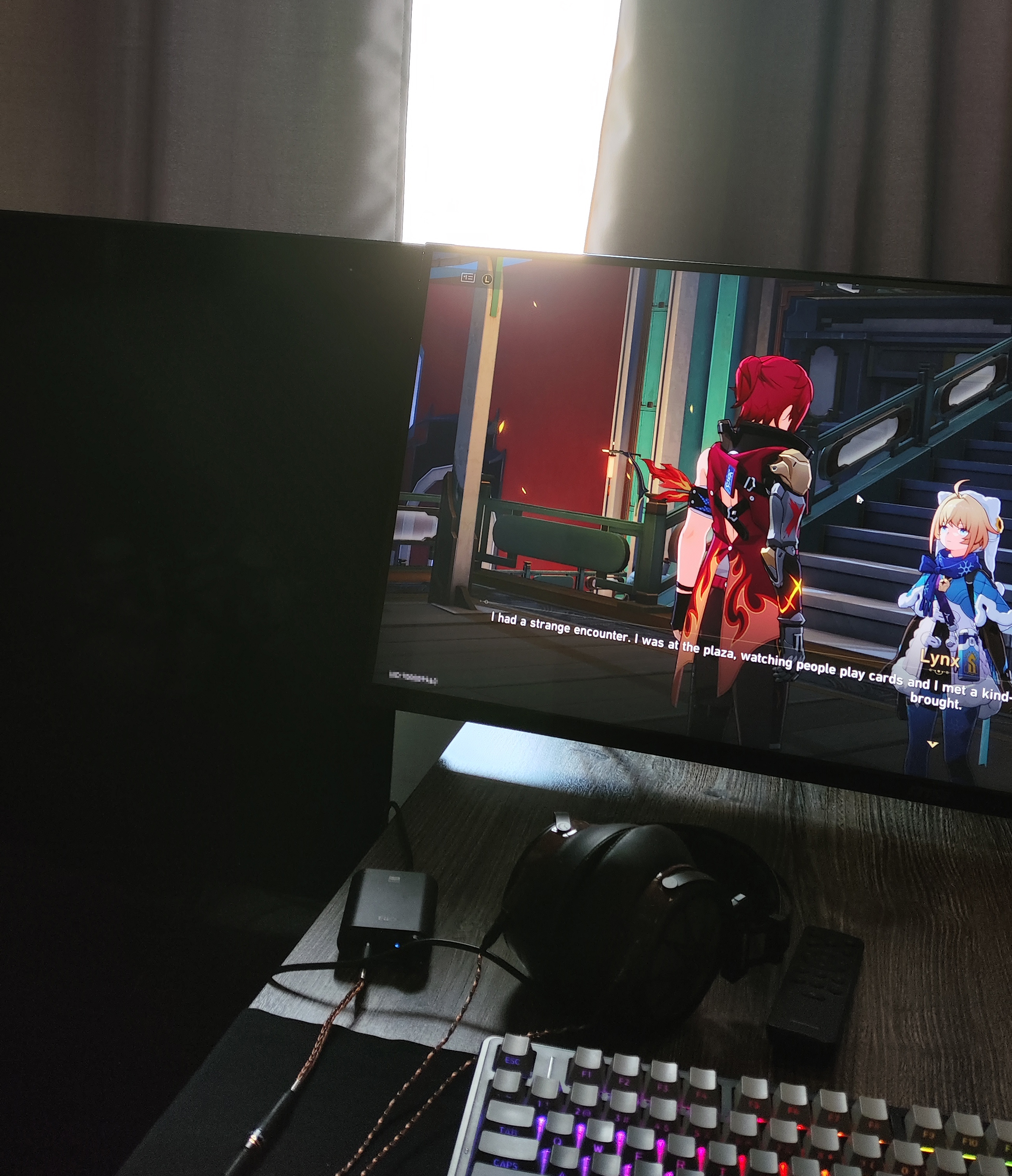
A little more. Overblown lights is just the camera's fault:

VCV4XyIh9ZSCXNbT.jpg
 
Hmm, perhaps it's just the camera capturing it poorly, but your photos definitely make it look like something is wrong with that screen in terms of image quality :/

My phone camera is just as bad for this task, but nonetheless here's my attempt to capture what my eyes see in a dark room. Blacks are not crushed, even if it may appear so due to just how difficult it is to get a right exposure. I use this monitor for image editing (ultimately printing some stuff on industrial-grade plotters).
I do admit that I got very lucky with this particular monitor - no IPS glow whatsoever (at moderate brightness). How should I put it... all things considered, in such a situation OLED's cons outweigh the pros: I'd rather have a thing that will serve me for decades without any risk of burn-in.

GbuGbDII8c4LS3F9.jpg


Another image (different exposure + added a weak light source, with a bit of reflection on top part of the screen):

MdQkad3RwXM78Iiy.jpg


A little more. Overblown lights is just the camera's fault:

VCV4XyIh9ZSCXNbT.jpg
Your LCD has no IPS glow you say

VkzzWHJKZMOsddbg.jpg


6A4B39jCtPc1UdhQ.jpg


BY4P8Uy2A4aRFYfy.jpg
 
Last edited:
I had a 65 inch LG C8 OLED but now, for various reasons, I have bought a Samsung frame 55 inch.

The Samsung is 7 years more recent and I don't know what kind of LED technology they're using but I am absolutely shocked over how much worse the picture compared to the aging OLED TV. It's borderline unacceptably bad, but I'm gonna stick with it.

The backlight bleeding, clouding or whatever it is called is absolutely horrible and the black level is a joke, for example.
 
Your LCD has no IPS glow you say
Must I really quote myself to pinpoint what exactly was I saying?

> can look both like left/right, depending on settings.
> no IPS glow whatsoever (at moderate brightness).
> this is only true with HDR disabled. The moment you turn that thing on - the backlight starts blasting light in your face, ruining everything, bleeding into the dark areas too.
> I got very lucky with this particular monitor (translating to a more digestible language: it's a 'golden sample'; I saw other folks losing their shit in reviews, whining about IPS glow on this same monitor)

I can surely make it look like the abomination you've just posted if I enable HDR and/or mess with the backlight settings. But do I have to turn it into such a thing? Not at all.
 
Must I really quote myself to pinpoint what exactly was I saying?

> can look both like left/right, depending on settings.
> no IPS glow whatsoever (at moderate brightness).
> this is only true with HDR disabled. The moment you turn that thing on - the backlight starts blasting light in your face, ruining everything, bleeding into the dark areas too.
> I got very lucky with this particular monitor (translating to a more digestible language: it's a 'golden sample'; I saw other folks losing their shit in reviews, whining about IPS glow on this same monitor)

I can surely make it look like the abomination you've just posted if I enable HDR and/or mess with the backlight settings. But do I have to turn it into such a thing? Not at all.
My screenshots show both HDR and SDR content (the photo in the forest). Both show IPS glow, although the HDR definitely increased it.

I experienced the same problem with my previous LCD TV. HDR content increased the panel brightness to its maximum, making the entire picture look foggy. The HDR on that monitor looked worse than the SDR. But having to turn HDR off is a significant compromise because, if implemented correctly, HDR can make a night and day difference. For example, Doom Eternal has low-poly models and low-resolution textures. However, with HDR enabled on my OLED monitor, the same game looks amazing and much more pleasing to look at.

Doom Eternal does not look nearly as good on an edge-lit LCD.


The edge lit LCD is essentially a display designed for SDR content, but the sad fact is that it can't even display SDR content with good results. My CRTs, plasma TVs and OLED monitor have much higher contrast and perfect blacks, making my previous LCD display look way inferior in comparison.

I don't believe in your 'golden sample' argument, because if LCD still uses an edge-lit backlight and has just 1000:1 contrast, it's impossible to eliminate backlight leaks and achieve good blacks and contrast. At best, the clouding on your panel could be more uniform.

With my previous LCD IPS monitor, I could reduce the panel glow by decreasing the brightness, as you did. However, I could still see the glow in a dark room, and the picture ended up looking too flat to my liking. With the default panel brightness settings at 50%, my monitor had around 250 nits, which was my preferred setting because bright objects and highlights caused my eyes to adapt, enabling me to perceive reasonably good blacks. The IPS glow only bothered me when there was nothing bright on the screen.
 
Last edited:
I'm getting one of the new true black glossy displays from ASUS, i wasn't keen a few years ago on OLED's due to the issues with them, but they have improved so much, i am now really impressed and will buy one soon.
 
Top Bottom