

-
Hey Guest. Check out your NeoGAF Wrapped 2025 results here!
You are using an out of date browser. It may not display this or other websites correctly.
You should upgrade or use an alternative browser.
You should upgrade or use an alternative browser.
UDK Thread: Unreal Development Kit
- Thread starter Mik2121
- Start date


That's looking good. If that's the mesh viewer than don't worry much about the lighting. Even if not, lighting is such a pain to get right that I am guessing you will get more done if you keep going to finish the building, unless someone spots something fundamental that needs adjusted before you do more modeling and texturing.

Stallion Free
Cock Encumbered
Nah, I bet once you set some proper lighting on it it's gonna look great.
Here's a pretty cool (naval) architectural demo, of a yacht with different day and night time lighting and stuff. Possibly vaguely nsfw due to people in swimwear on the boat. =P
http://www.youtube.com/watch?v=PELQUVdYYKI
Some shots from the video:


Thread where it was posted:
http://forums.epicgames.com/threads/874023-Yacht-Demo
Work in progress of a Frank Lloyd Wright architectural visualization, with real life photos in the video in places:
http://www.youtube.com/watch?v=QdF4rvw64rg
Some shots from the video:


Thread where it was posted:
http://forums.epicgames.com/threads/874053-Falling-Water-by-Frank-Lloyd-Wright
I like the "soft" look of the textures/models/lighting/scene. Note that all pictures in this post were downsampled from the video though, so they have built-in anti-aliasing of sorts.
http://www.youtube.com/watch?v=PELQUVdYYKI
Some shots from the video:
Thread where it was posted:
http://forums.epicgames.com/threads/874023-Yacht-Demo
Work in progress of a Frank Lloyd Wright architectural visualization, with real life photos in the video in places:
http://www.youtube.com/watch?v=QdF4rvw64rg
Some shots from the video:
Thread where it was posted:
http://forums.epicgames.com/threads/874053-Falling-Water-by-Frank-Lloyd-Wright
I like the "soft" look of the textures/models/lighting/scene. Note that all pictures in this post were downsampled from the video though, so they have built-in anti-aliasing of sorts.
*edit* Apparently The Ball and a couple of other games were also UDK games on Steam before Q.U.B.E. At any rate, it seems like a decent game and I just bought it after trying the demo.
Three guys, full production for 8 months, now sold on Steam:
http://udk.com/showcase-qube
That's pretty cool. Good for them.
Three guys, full production for 8 months, now sold on Steam:
http://udk.com/showcase-qube
That's pretty cool. Good for them.
Sometimes when I overlap static meshes, I get a shimmering effect where the engine seems to keep switching between which mesh is visible in the area they overlap. Is there a way to avoid this, or is this the engines way of telling me that I should not be overlapping meshes?
I think you shouldn't be overlapping, yeah. Alternatively you might be able to adjust the borders of one of them so it's inside the other as opposed to matching the border of the other, but I'd just say don't overlap.Sometimes when I overlap static meshes, I get a shimmering effect where the engine seems to keep switching between which mesh is visible in the area they overlap. Is there a way to avoid this, or should is the engines way of telling me that I should not be overlapping meshes?
I had to start over on some things but I got my folders more organised now. Also using naming conventions.

some of the faces look weird for some reason. looks really bad but I think it has to do with the lighting and how it is being rendered.
The color of this building is like pink. I may change the color later but I didn't really think about it in PS. It should be easy/fast to change.
I should be modeling much more now that I start class again tomorrow.
some of the faces look weird for some reason. looks really bad but I think it has to do with the lighting and how it is being rendered.
The color of this building is like pink. I may change the color later but I didn't really think about it in PS. It should be easy/fast to change.
I should be modeling much more now that I start class again tomorrow.

Black_Stride
do not tempt fate do not contrain Wonder Woman's thighs do not do not
I had to start over on some things but I got my folders more organised now. Also using naming conventions.
some of the faces look weird for some reason. looks really bad but I think it has to do with the lighting and how it is being rendered.
The color of this building is like pink. I may change the color later but I didn't really think about it in PS. It should be easy/fast to change.
I should be modeling much more now that I start class again tomorrow.
Its looking really good so, ive been loving following your progress.
Are you using any normal maps or is it just the textures?
I take it the your model is already triangulated?
Thanks man. I made normal maps using a plug in I have for Photoshop. I think I put them in correctly in the material also but I'm not completely sure.Its looking really good so, ive been loving following your progress.
Are you using any normal maps or is it just the textures?
I take it the your model is already triangulated?
Also not sure about your last question? aren't all 3d models by default when made in anything already made up of triangles?
not sure how to do that :\Also have you made a second set of UVs for the lightmaps?
haven't really looked either.
taking a lighting/shading algorithms course this semester so hopefully I will learn how to do this.
For the first thing, there might just be an export option that picks triangles. I can't remember if one of the UDK import options even does it for you. At any rate, quads are easier to model with but triangles are presumably needed for engines. I don't know that you actually have any problem with this, however.Thanks man. I made normal maps using a plug in I have for Photoshop. I think I put them in correctly in the material also but I'm not completely sure.
Also not sure about your last question? aren't all 3d models by default when made in anything already made up of triangles?
not sure how to do that :\
haven't really looked either.
taking a lighting/shading algorithms course this semester so hopefully I will learn how to do this.
For the second thing, I forget what I did exactly, but linking the second UV channel is pretty simple. I think it's just a menu option drop down in the static mesh properties thing. I don't know if you can duplicate one of your other textures, or just use a solid texture, or if there is something more complex involved with the lightmap, however.
Thanks man^ I have some good/bad news though (sorta, I guess?)
I'm no longer working on this project. instead I am starting an entirely new one
It is for my class. Supposed to make a fantasy environment in 3ds max. Going to probably go with some sort of town I think. I will be posting what I am working on every other day or so for motivation.
I'm not sure though. Anybody know any good sites for fantasy concept art? I think steam punk counts as fantasy.
I'm no longer working on this project. instead I am starting an entirely new one
It is for my class. Supposed to make a fantasy environment in 3ds max. Going to probably go with some sort of town I think. I will be posting what I am working on every other day or so for motivation.
I'm not sure though. Anybody know any good sites for fantasy concept art? I think steam punk counts as fantasy.
Black_Stride
do not tempt fate do not contrain Wonder Woman's thighs do not do not
Thanks man^ I have some good/bad news though (sorta, I guess?)
I'm no longer working on this project. instead I am starting an entirely new one
It is for my class. Supposed to make a fantasy environment in 3ds max. Going to probably go with some sort of town I think. I will be posting what I am working on every other day or so for motivation.
I'm not sure though. Anybody know any good sites for fantasy concept art? I think steam punk counts as fantasy.
Give me your max files!
Also this should give you some inspiration its CryEngine 2 but im sure you could get something close with UDK.


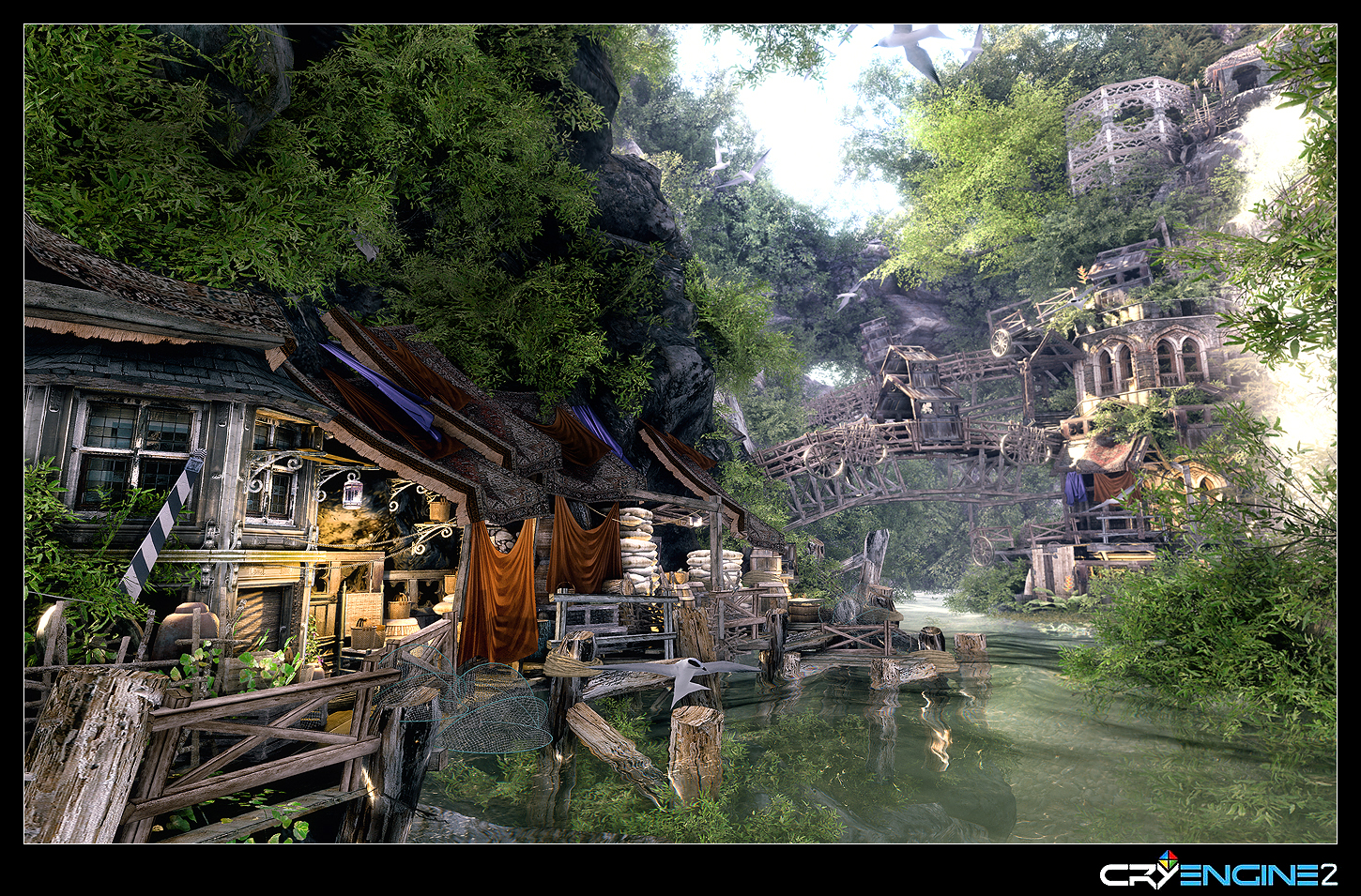
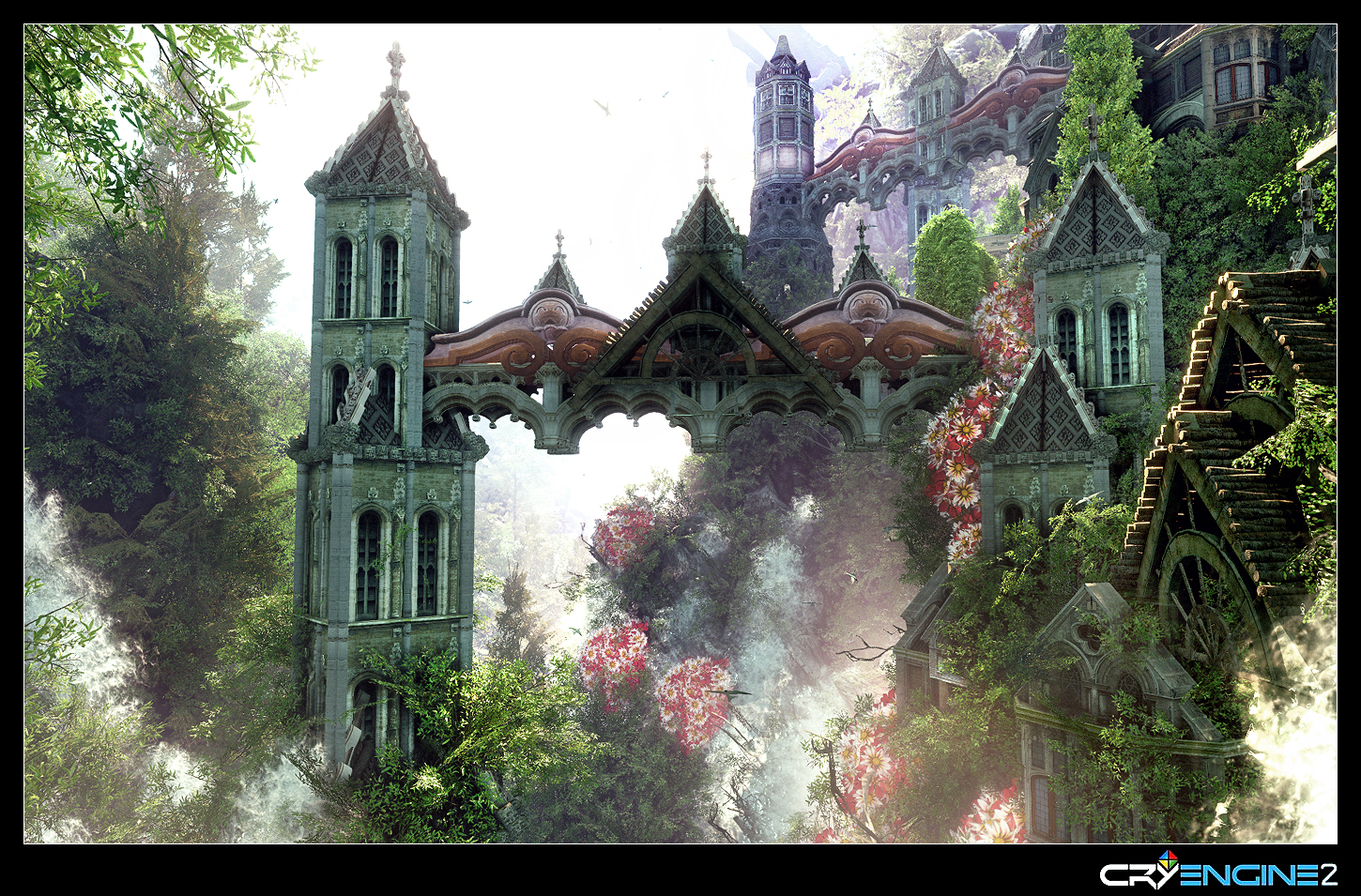


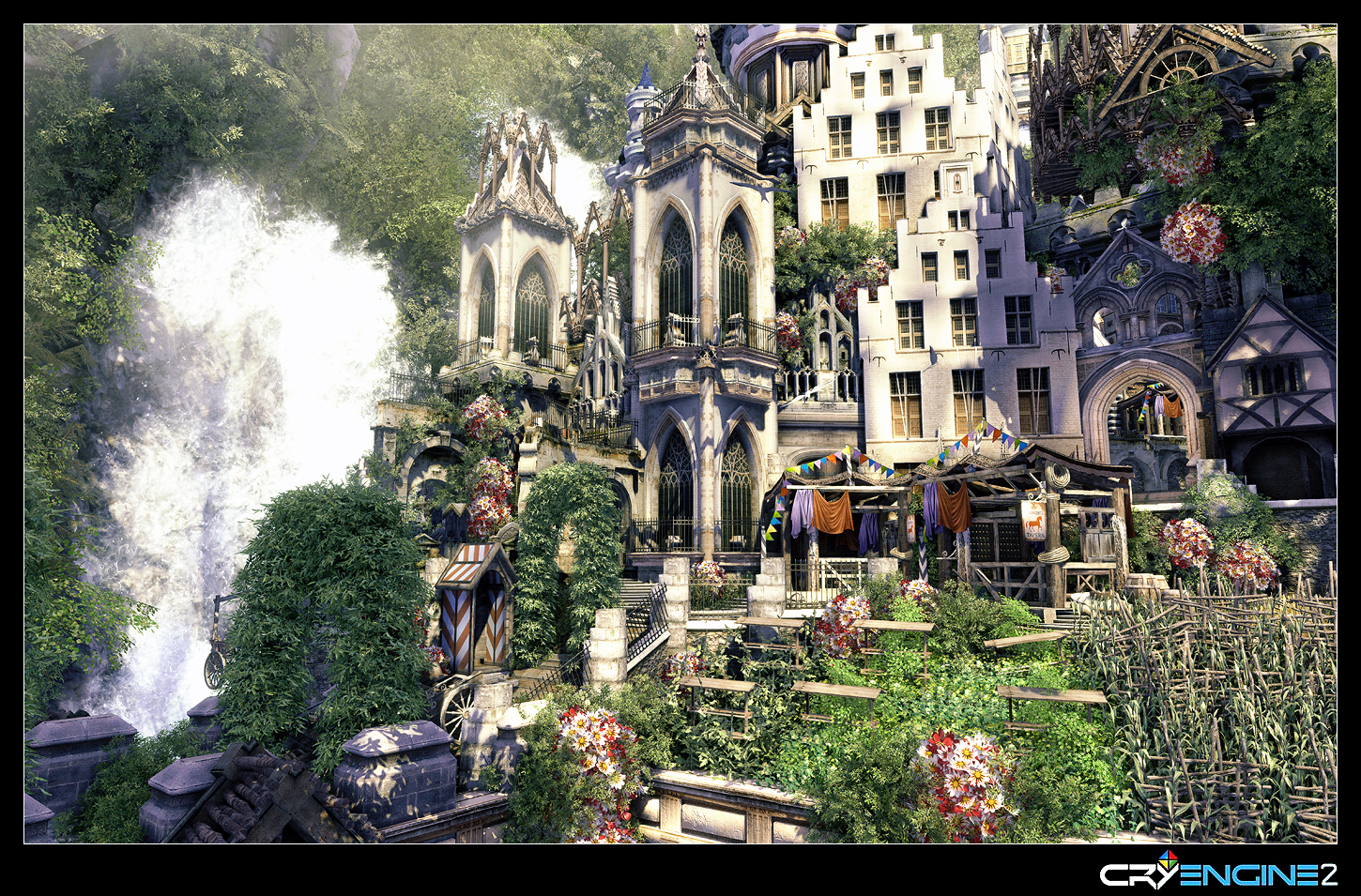
Damn those are some nice pics :O
thanks. def gonna use them for reference. wont be working in any engines for this for the most part though. Making it entirely in 3ds max. may bring everything in though to one for fun after I finish it.
also I can PM you the files for the building I was messing around with if you want.
thanks. def gonna use them for reference. wont be working in any engines for this for the most part though. Making it entirely in 3ds max. may bring everything in though to one for fun after I finish it.
also I can PM you the files for the building I was messing around with if you want.
Black_Stride
do not tempt fate do not contrain Wonder Woman's thighs do not do not
Damn those are some nice pics :O
thanks. def gonna use them for reference. wont be working in any engines for this for the most part though. Making it entirely in 3ds max. may bring everything in though to one for fun after I finish it.
also I can PM you the files for the building I was messing around with if you want.
Do it.
I should mention, im probably gonna use them for some CE3 showcasing in the coming months, so whatever credits you would like for me to include with the map/file please PM as well.
Also, is there any particular reason you are abandoning the project
Risk Breaker
Member
Well I finally got a Blender book and I'm actually learning something now
Got these two crappy renders yesterday:


I'm leaving UDK aside for some days until I can produce my own assets properly, and I'm wondering if anyone here knows about a good UDK book. This one ( http://www.amazon.co.uk/UDK-Game-Development-Thorn/dp/1435460189/ref=sr_1_1?s=books&ie=UTF8&qid=1325968412&sr=1-1#reader_1435460189 ) seems cool but perhaps a bit too basic? The other (bigger) books I've seen on amazon uk look outdated (Unreal editor instead of UDK) though, so I don't think they are too useful now.
Any recommendations, please?
Got these two crappy renders yesterday:
I'm leaving UDK aside for some days until I can produce my own assets properly, and I'm wondering if anyone here knows about a good UDK book. This one ( http://www.amazon.co.uk/UDK-Game-Development-Thorn/dp/1435460189/ref=sr_1_1?s=books&ie=UTF8&qid=1325968412&sr=1-1#reader_1435460189 ) seems cool but perhaps a bit too basic? The other (bigger) books I've seen on amazon uk look outdated (Unreal editor instead of UDK) though, so I don't think they are too useful now.
Any recommendations, please?
Sorry for not being very active these days. I just moved to Fukuoka and started my new job as a 3D environment artist!. Anyway, I saw a couple questions (._.) and Blizzard were discussing, so..
For the triangles thing, modeling with quads is usually the best way for a couple things:
1) Being able to subdivide the mesh inside other tools like Zbrush or do hard-surface modeling. If you have triangles, you can get ugly pinches here and there.
2) For models that get deformed (like characters, creatures), it's better because it gets deformed in a cleaner manner, and you should triangulate some areas that might give issues if you let the engine triangulate it automatically.
Either way, when you export the file as .obj, .fbx, .x or whatever extension you're using, and import it inside UDK, it gets triangulated.
As for the lightmaps and the second UV, I can tell you how to do it inside 3DSMax. Go to UV Unwrap and on the UV channel select the 2nd channel, then reset the UV and you will want to unwrap everything so that there's no overlapping going on at all, or else your shadows will show up messed up. Other than that, when you import the mesh into UDK it will automatically read your second UV channel and use it as the lightmap channel, so you don't need to do anything else.
Note also that 3DSMax calls the first UV channel, 1, and the second, 2. However, UDK calls the first one, 0, and the second one, 1. So if you see some option where you can select a UV channel, be aware of it.
For the triangles thing, modeling with quads is usually the best way for a couple things:
1) Being able to subdivide the mesh inside other tools like Zbrush or do hard-surface modeling. If you have triangles, you can get ugly pinches here and there.
2) For models that get deformed (like characters, creatures), it's better because it gets deformed in a cleaner manner, and you should triangulate some areas that might give issues if you let the engine triangulate it automatically.
Either way, when you export the file as .obj, .fbx, .x or whatever extension you're using, and import it inside UDK, it gets triangulated.
As for the lightmaps and the second UV, I can tell you how to do it inside 3DSMax. Go to UV Unwrap and on the UV channel select the 2nd channel, then reset the UV and you will want to unwrap everything so that there's no overlapping going on at all, or else your shadows will show up messed up. Other than that, when you import the mesh into UDK it will automatically read your second UV channel and use it as the lightmap channel, so you don't need to do anything else.
Note also that 3DSMax calls the first UV channel, 1, and the second, 2. However, UDK calls the first one, 0, and the second one, 1. So if you see some option where you can select a UV channel, be aware of it.
Black_Stride
do not tempt fate do not contrain Wonder Woman's thighs do not do not
Well I finally got a Blender book and I'm actually learning something now
Got these two crappy renders yesterday:
I'm leaving UDK aside for some days until I can produce my own assets properly, and I'm wondering if anyone here knows about a good UDK book. This one ( http://www.amazon.co.uk/UDK-Game-Development-Thorn/dp/1435460189/ref=sr_1_1?s=books&ie=UTF8&qid=1325968412&sr=1-1#reader_1435460189 ) seems cool but perhaps a bit too basic? The other (bigger) books I've seen on amazon uk look outdated (Unreal editor instead of UDK) though, so I don't think they are too useful now.
Any recommendations, please?
60% of everything i know about UDK is from these guys:Eat3D
Their DVDs are pretty effective at teaching everything from the basics up to some pretty advanced stuff.....get as many of the DVDs as you can afford and then just practice practice practice.....when everything becomes second nature you know you are ready.
You should also get the CE3 DVDs, they show you how much faster CE3 is compared to UDK.....CE3 for the win!
Advertising CryEngine 3 in the UDK thread...burn the witch! >=(60% of everything i know about UDK is from these guys:Eat3D
Their DVDs are pretty effective at teaching everything from the basics up to some pretty advanced stuff.....get as many of the DVDs as you can afford and then just practice practice practice.....when everything becomes second nature you know you are ready.
You should also get the CE3 DVDs, they show you how much faster CE3 is compared to UDK.....CE3 for the win!
(it would be nice if UDK were faster and easier to use and had Unity and CryEngine3 features...maybe I should ask for a pony and magical powers though, since I will probably get none of those things)
Black_Stride
do not tempt fate do not contrain Wonder Woman's thighs do not do not
Advertising CryEngine 3 in the UDK thread...burn the witch! >=(
(it would be nice if UDK were faster and easier to use and had Unity and CryEngine3 features...maybe I should ask for a pony and magical powers though, since I will probably get none of those things)
Hehehe, ive always been a spy for team Cry, but a lot of the UDK tutorials, tips and tricks also apply to CE2/3
Also, ponys arent that hard to get......Unreal Engine 4 no baking BELIEVE!


Black_Stride
do not tempt fate do not contrain Wonder Woman's thighs do not do not
Thought id do an image dump for (._.)'s sake.
While Castles arent really fantasy you might appreciate this scene...


Whenever i see stuff at this scale I feel like my stuff is vastly inferior, escpescially when most of these guys talk about getting everything done (modelling and all) in like 2 months....while still working full time.
It also makes me kick my ass in gear...ive set a deadline for myself....by the end of February my scene will be complete!
While Castles arent really fantasy you might appreciate this scene...
Whenever i see stuff at this scale I feel like my stuff is vastly inferior, escpescially when most of these guys talk about getting everything done (modelling and all) in like 2 months....while still working full time.
It also makes me kick my ass in gear...ive set a deadline for myself....by the end of February my scene will be complete!
Yeah, it's crazy how quickly some people can do things. Here's a UDK Minas Tirith scene I may have linked before. It's not the most perfect scene, but the guy apparently made it in 15 days:Whenever i see stuff at this scale I feel like my stuff is vastly inferior, escpescially when most of these guys talk about getting everything done (modelling and all) in like 2 months....while still working full time.
It also makes me kick my ass in gear...ive set a deadline for myself....by the end of February my scene will be complete!
http://www.youtube.com/watch?v=ykHWYiyikJM
Risk Breaker
Member
Yeah, it's crazy how quickly some people can do things. Here's a UDK Minas Tirith scene I may have linked before. It's not the most perfect scene, but the guy apparently made it in 15 days:
http://www.youtube.com/watch?v=ykHWYiyikJM
Wow, that... that looks AWESOME. I mean, not even taking into account the time it took, I love it.
I'm switching between blender (modelling characters
 ) and UDK these days and I got my gf to setup a couple of levels with the default assets (I suck so much at that) while I change the lighting, cameras and PP. I've gotten some decent bokeh dof and the typical highlights/midtones/shadows adjusting going on without much performance hit even on my shit laptop.
I disabled the heightfog and I think it looks better because I can't get it not to wash out the scene too much. It loses quite a lot of depth without it, though.
Initial fog:

No fog:

Tweaked fog:

Which one do you guys like more? And do you like the camera angle? I'm working on fixed cameras for the eventual graphic adventure project.
And (._.), keep posting, I'm also following your progress


Which one do you guys like more? And do you like the camera angle? I'm working on fixed cameras for the eventual graphic adventure project.
And (._.), keep posting, I'm also following your progress
I like the tweaked fog the best in that pic, personally.
What do you want to do with it? If you're wanting to learn say, basic 3D modeling, you could teach yourself with Blender or a student version of some professional software. Or if you want to make a simple 3D game, you could start with that. If you want to learn a bit of UnrealScript, you could learn about making custom game/pawn types. If you want to just do level layout for a deathmatch level, there's that too.So back to udk again...so far i have learned some basic udk stuff like static meshes and brushes..So what should be my next step ?
I think one key thing is deciding what you want to do, even if that's just learning various things. I wrote down a plan for making a game -- not a good game, but just a very simple game that I could complete in a week or so. I'm still on "budget" as far as I know in terms of total time spent on it, but I haven't gone back to work on it more. After the game jam I hope to revisit it.

Risk Breaker
Member
I'm finishing my first terri-character on Blender, lol. If it looks lol worthy now I really want to see how it'll look once I animate it.
Yeah that definitely looks better. It looked like it perhaps had too many windows before. I think sometimes when working on anything I feel like it needs more detail that's not really needed once you texture it and light it... Simpler is better sometimes.
Thanks
IDK. for some reason I'm being really productive and creative tonight. Realized what I had before looked terrible. Kinda like what I have now C:

Yeah that definitely looks better. It looked like it perhaps had too many windows before. I think sometimes when working on anything I feel like it needs more detail that's not really needed once you texture it and light it... Simpler is better sometimes.
I like the tweaked fog the best in that pic, personally.
Thanks
I will start today a project fairly similar to (._.)'s. Basically a building done with modular pieces. Which means, once one building gets done, I could (technically) make a bunch of similar buildings out of those parts. I will obviously bring it to UDK, which is why I'd post it here.
[Nintex];33431172 said:Thanks a bunch
I'm going to mess around with this tommorow, I'll keep you guys updated on our progress
Oops, totally forgot to give updates on this...
Anyway, there's not much to see yet because the models are not ready yet(so I only have some WIP environments to work in) but...
I've been hard at work Kismetting away. Scripting the AI is hard and UDK kept killing my robots at spawn so I decided to find some open source or template code. Luckily someone uploaded a MouseAI(a simple AI script, AI walks against walls and turns around on collision) and that is exactly what is needed for my project.
We're developing a game on the issue of smoking at school and smoking in the wrong places. So I basically took the lower floor of the building with the cafeteria and turned into some sort of PacMan zone where the smokers walk around. Hit them with the water gun(Super Soaker!) yeah.. no violence allowed
and with a little help from Kismet and the MouseAI they'll find their way towards the smoking zones that they're allowed to smoke in. Since this is what you call a 'serious game' the premise is kinda boring but still better than what the other teams came up with. One of the guys on our team has been experimenting with Flash and Scaleform. I was quite impressed by how fast and how well he got that running. Add in a few camera matinees and overall we've made progress on our various test prototypes. It's a case of waiting for the models to roll in(first the pieces of the building, the gun and after that the characters(hopefully). We'll then be able to combine the various test prototypes into a single coherent game.
Overall I'm quite surprised at how well UDK works and I can see why many studios use it. It's not as easy as say Unity 3D but with the right plan and workflow it's easy to get results. Unreal Kismet is also one of the if not the most easy yet powerful scripting tool I've ever come across in an engine such as this.
Im_So_Pringles
Member
Thought id do an image dump for (._.)'s sake.
While Castles arent really fantasy you might appreciate this scene...
Whenever i see stuff at this scale I feel like my stuff is vastly inferior, escpescially when most of these guys talk about getting everything done (modelling and all) in like 2 months....while still working full time.
It also makes me kick my ass in gear...ive set a deadline for myself....by the end of February my scene will be complete!
The scene mentioned in this post was made in CryEngine 3..............
Um... that's a WIP screen of a CryENGINE 3 scene created by Vincent Mayeur. He works at Crytek UK.
http://www.polycount.com/forum/showthread.php?t=81800
http://www.mayvin.be
http://usethesnap.blogspot.com
Is there an equivalent GAF thread for CryENGINE 3?
It looks like the most recent thread is here: http://www.neogaf.com/forum/showthread.php?t=428065&page=3
I'd prefer that MyCryEngine stuff stays in another thread to avoid confusion, but a new dedicated thread might be good instead of that old one. As for being dead, this thread used to consist of nothing but me posting videos for a while, but now it's more lively.
I'd prefer that MyCryEngine stuff stays in another thread to avoid confusion, but a new dedicated thread might be good instead of that old one. As for being dead, this thread used to consist of nothing but me posting videos for a while, but now it's more lively.
It looks like the most recent thread is here: http://www.neogaf.com/forum/showthread.php?t=428065&page=3
I'd prefer that MyCryEngine stuff stays in another thread to avoid confusion, but a new dedicated thread might be good instead of that old one. As for being dead, this thread used to consist of nothing but me posting videos for a while, but now it's more lively.
Yes, it would be nice to have a separate thread, but sadly it seems there is barely interest in cry engine 2/3 in general. So I am not sure a own thread is warrented at all, might be dead on arrival.