

-
Hey Guest. Check out your NeoGAF Wrapped 2025 results here!
You are using an out of date browser. It may not display this or other websites correctly.
You should upgrade or use an alternative browser.
You should upgrade or use an alternative browser.
Cyberpunk 2077 pc settings & performance
- Thread starter skneogaf
- Start date

DeaconOfTheDank
Member
I've played for about 8 hours straight at this point. Getting good performance at 4K + 30 fps with occasional dips in busy areas of the city.
I'm using a custom preset with everything exactly the same as the RT Ultra preset except RT has been pushed to Psycho to get a taste of that RT GI. I'm having to using DLSS Performance mode because the framerate fluctuates a bit too much without it. I've heard good things about DLSS Auto although I don't like adaptive techniques...
RTX 2080Ti (OC'd)
i5 9600K
32GB DDR4 @ 3000 MHz (dual channel)
500GB 970 Evo (M.2 NVMe SSD).
I'm using a custom preset with everything exactly the same as the RT Ultra preset except RT has been pushed to Psycho to get a taste of that RT GI. I'm having to using DLSS Performance mode because the framerate fluctuates a bit too much without it. I've heard good things about DLSS Auto although I don't like adaptive techniques...
RTX 2080Ti (OC'd)
i5 9600K
32GB DDR4 @ 3000 MHz (dual channel)
500GB 970 Evo (M.2 NVMe SSD).
Last edited:

HE1NZ
Banned
Why do you have an i5 in this setup?I've played for about 8 hours straight at this point. Getting good performance at 4K + 30 fps with occasional dips in busy areas of the city.
I'm using a custom preset with everything exactly the same as the RT Ultra preset except RT has been pushed to Psycho to get a taste of that RT GI. I'm having to using DLSS Performance mode because the framerate fluctuates a bit too much without it. I've heard good things about DLSS Auto although I don't like adaptive techniques...
My rig has a RTX 2080Ti (OC'd), i5 9600K, 32GB DDR4 @ 3000 MHz (dual channel), 500GB 970 Evo (M.2 NVMe SSD).

K.S v2.0
Banned
I appreciate this info man! I could've sat and tinkered with settings for awhile last night, but I really just wanted to enjoy the game. So I threw it on Ultra with no RTX and it was buttery smooth. Didn't run into crazy bugs either, just some civilian pop-in and out.
I7-7700K
32GB DDR4
2080
1440p
Copied your settings (along with Cascaded Shadow Resolution being low) and it's looking golden. I'm just happy to use RTX at all with 60fps because, I mean, that's the REASON I got a 2000 series card/2080, haha.
I didn't expect the game to have the BEST performance, but hoped it would. I mean, CDPR will surely make improvements, but with this being such a different game for them, and ambitious one, I figured we'd see some stuff bugs and eh performance.
If you find its a bit juddery in the daytime in crowded areas, set DLSS to Balanced instead of Quality. There isn't actually a real noticable diff between the two TBH but you can definitely notice about +10 FPS between the two.
RT in this game is not worth the hit in performance it gives you, RT reflections doesn't even shows your character on glass surfaces lol, playing this on ultra, 4k, DLSS Quality and RT off, I think the gain in image clarity is much better than RT on.
i7 8700k OC@ 5
2080 Ti OC@ 2.1
32 gb of ram @ 3600
i7 8700k OC@ 5
2080 Ti OC@ 2.1
32 gb of ram @ 3600
Last edited:

MadYarpen
Member
Can someone have a look and tell me what kind of grain it is? For example floor light reflections, or on the ceiling on the second one.
It is not film grain filter (tried turning it off), I don't think any setting does anything here - although havent tried all. In some way it seems related to reflections but even turning them off does not change anything.
I am playing on AMD so no RT for me. It is very annoying. Doesn't look good and there is some shimmering / flickering of this grain.


It is not film grain filter (tried turning it off), I don't think any setting does anything here - although havent tried all. In some way it seems related to reflections but even turning them off does not change anything.
I am playing on AMD so no RT for me. It is very annoying. Doesn't look good and there is some shimmering / flickering of this grain.
K.S v2.0
Banned
By default, turn off film grain, chromatic aberration and motion blur. These are the 3 options that cause blurring.Can someone have a look and tell me what kind of grain it is? For example floor light reflections, or on the ceiling on the second one.
It is not film grain filter (tried turning it off), I don't think any setting does anything here - although havent tried all. In some way it seems related to reflections but even turning them off does not change anything.
I am playing on AMD so no RT for me. It is very annoying. Doesn't look good and there is some shimmering / flickering of this grain.
Otherwise 'grainy' filtering is the anti-aliasting, I think its TAA... its pretty shit poor in this game. DLSS gets rid of that so thank god for that option but if you can't use DLSS.... yeah it sucks.
MadYarpen
Member
OK i'll try to mess with this. Thanks.By default, turn off film grain, chromatic aberration and motion blur. These are the 3 options that cause blurring.
Otherwise 'grainy' filtering is the anti-aliasting, I think its TAA... its pretty shit poor in this game. DLSS gets rid of that so thank god for that option but if you can't use DLSS.... yeah it sucks.
DeaconOfTheDank
Member
When I was building my PC a few years ago I figured that 6 cores would be more than enough for a purely gaming setup. I only have a single monitor so multi-tasking isn't really something I worry about. Additionally, I mainly opt for 4K resolution rather than a higher framerate so the performance bottleneck is largely placed on the GPU rather than CPU. Considering I had already spent over $3000 to buy everything, choosing an i5 over an i7 was an easy spot to save about $100.Why do you have an i5 in this setup?
That being said, a lot of games weren't really doing any CPU-intensive things at the time. If I was rebuilding now, I would definitely go for something with more cores.
Unfortunately, the motherboard I chose (Strix Z370E) has me locked into Z370-based CPUs. With a bios flash, it can use Z390-based CPUs so that's how I'm able to use the 9600K. It technically supports 9700K and 9900K, but the VRMs reportedly aren't good enough to keep temps down to safe levels. Thankfully, performance benchmarks show that the 9600K is a bit better than the 8700K.
Last edited:

indigo-cyclops
Member
Have to say after switching off RT the game runs absolutely smooth and I *personally* can't tell much of a difference.
3700X CPU
16 GB DDR4
2060 RTX
3700X CPU
16 GB DDR4
2060 RTX
Last edited:

diablos991
Can’t stump the diablos
Anybody tried adding sharpening via the Nvidia control panel? Does that make things less blurry?

beepboopbopflop
Member
Running at max with RT at ultra with DLSS at balanced.
Pretty good frames at 1440P around from 45-70 FPS
ROG Strix 2080Ti
9700K @ 5Ghz
3600Mhz 16GB Memory
Pretty good frames at 1440P around from 45-70 FPS
ROG Strix 2080Ti
9700K @ 5Ghz
3600Mhz 16GB Memory
beepboopbopflop
Member
Have to say after switching off RT the game runs absolutely smooth and I *personally* can't tell much of a difference.
3700X CPU
16 GB DDR4
2060 RTX
I might try that next,ray tracing in this really only looks good at night during rain imo, during the tutorial, I picked up a body and saw the reflection but not my own character's? It's not the greatest right now imo

GaviotaGrande
Banned
If you're watching CNN, you deserve it
Real-Life OLED Burn-In Test On 6 TVs
There are concerns about OLED long-term performance due to the possibility of burn-in. We bought 6 LG OLED C7s to play real, non-altered content. It should give you a better idea of what to expect depending on what you watch on your TV.www.rtings.com
HaVe YoU sEeN tHiS aRtIcLe?

indigo-cyclops
Member
Yea I decided the performance hit wasn't really worth it. I was having the worst time trying to drive, lol. It's cool for effect at certain times but overall I am running so much better that it was the right call to make! Maybe it will be optimized in later patches.I might try that next,ray tracing in this really only looks good at night during rain imo, during the tutorial, I picked up a body and saw the reflection but not my own character's? It's not the greatest right now imo

OsirisBlack
Banned
this game is pretty well optimized on pc and looks amazing.
Everything maxed Dlss balanced native 4K
Ryzen 9 3950x 16 core 64mb l3 cache max boost of 4.7 GHz
64GB dual channel hyperx fury DDR4 XMP at 2666 MHz
Rtx2080 ti 11 GB GDDR6
2TB M.2 PCIe SSD
Everything maxed Dlss balanced native 4K
Ryzen 9 3950x 16 core 64mb l3 cache max boost of 4.7 GHz
64GB dual channel hyperx fury DDR4 XMP at 2666 MHz
Rtx2080 ti 11 GB GDDR6
2TB M.2 PCIe SSD

tioslash
Member
Have to say after switching off RT the game runs absolutely smooth and I *personally* can't tell much of a difference.
3700X CPU
16 GB DDR4
2060 RTX
Yeah, I'm thinking of just leaving it at Ultra settings with RT off here too. I'm playing on a 2070 Super but honestly some of the rtx effects on this game are looking kind of weird to me. Reflections missing (including the player character), some weird lighting in places. Not sure if this is just me though. lol
Game seems to look pretty good at ultra and so far runs well.


notseqi
Gold Member
How much you got?Game runs great for me so far. I just have one issue. Performace gradually becomes worse when I reload checkpoints. I bet it has something to do with VRAM not being cleared properly.
edit: Nvm, saw the edit.
Last edited:
CartoonsNCereal
Banned
RT in this game is not worth the hit in performance it gives you, RT reflections doesn't even shows your character on glass surfaces lol, playing this on ultra, 4k, DLSS Quality and RT off, I think the gain in image clarity is much better than RT on.
i7 8700k OC@ 5
2080 Ti OC@ 2.1
32 gb of ram @ 3600
ehhh if you care about clarity turn dlss off lol otherwise you're defeating the point...


Decontamination Silo
Banned
Good news for my 4 threaded brethren, I found better settings.
The dynamic res is actually pretty decent. I was able to bump up to 1440p, but 75 scaling when needed. This way I'm still at a higher res indoors, and still getting good FPS outside. I also bumped the shadow cascade res down to low and couldn't tell much difference.
Getting more fluid gameplay and better IQ than flat 1080p. Give it a shot.
Recommend leaving SSR on high. The area I was in where I was testing it made a big difference. Most of my other settings are on medium. The only low is the cascade resolution.
The dynamic res is actually pretty decent. I was able to bump up to 1440p, but 75 scaling when needed. This way I'm still at a higher res indoors, and still getting good FPS outside. I also bumped the shadow cascade res down to low and couldn't tell much difference.
Getting more fluid gameplay and better IQ than flat 1080p. Give it a shot.
Recommend leaving SSR on high. The area I was in where I was testing it made a big difference. Most of my other settings are on medium. The only low is the cascade resolution.
diablos991
Can’t stump the diablos
Did we ever figure out why some people have texture settings and some people do not?
I'm using an 8gb 2070 and don't see the texture setting.
I'm using an 8gb 2070 and don't see the texture setting.


BusierDonkey
Member
I decided to hold off on this one and focus on my backlogs. By the time I grab it all the bugs should be snacked and the game should run better in general.

Arun1910
Member
Did we ever figure out why some people have texture settings and some people do not?
I'm using an 8gb 2070 and don't see the texture setting.
I think Textures is just renamed "LOD", it's the last thing under the Advanced section


Hakiroto
Member
3700X and 2080 Super here. The settings were set to RT Ultra preset by default and I'm running it at 1440p. I figured I'd take a deep breath and give it a go just like that. It sat in the low 50s most of the time (with the odd dip and odd spike in specific areas). I'm going to play around and reduce things a bit to get a solid 60 but I'm on a G-Sync monitor so it's not as bad as it could be. I'm looking forward to seeing the optimised settings from DF once they release their video.

Tickle My Tendies
Member
Ryzen 5900x
RTX 3080 FE
32 gb DDR4 3600 RAM
970 Pro SSD
Runnin everything Ultra at 1440p, DLSS Quality, game is silky smooth and is the most gorgeous game I have played on PC, easily. RTX makes a huge difference in image quality. adds so much to the presentation. Amazing.
I am really curious to see how the NG version on XsX and PS5 compares to the PC version when it eventually releases. Should be a really nice benchmark to see where both NG consoles stand compared to current PC tech.
RTX 3080 FE
32 gb DDR4 3600 RAM
970 Pro SSD
Runnin everything Ultra at 1440p, DLSS Quality, game is silky smooth and is the most gorgeous game I have played on PC, easily. RTX makes a huge difference in image quality. adds so much to the presentation. Amazing.
I am really curious to see how the NG version on XsX and PS5 compares to the PC version when it eventually releases. Should be a really nice benchmark to see where both NG consoles stand compared to current PC tech.
The gain with RT off, reading comprehension goes a long way. Of course it will look better with DLSS off, but it will aslo perform like shit, I don't get this RT police lately.ehhh if you care about clarity turn dlss off lol otherwise you're defeating the point...
Tickle My Tendies
Member
Also, I added a .12 sharpening filter in the NV CP. Was the icing on the cake.

Dusktildawn48
Member
Having a hard time maintaining either 1440/60 or 4k/60 on a 3700x and 3080. Only difference dlss makes for me is either on or off. The different dlss settings don't seem to change the fps much, if at all.
Last edited:

captainnapalm
Member
I've bumped down the resolution a notch so that I can use quality DLSS with RT - it looks quite a bit better than the other DLSS settings imo.
It seems that turning down Cascaded Shadow Resolution, Volumetric Fog Resolution , Volumetric Cloud Resolution and Max Dynamic Decals one notch each gets you a decent FPS bump at very little visual cost.
I hope there's a proper settings breakdown from Nvidia or DF or someone soon.
It seems that turning down Cascaded Shadow Resolution, Volumetric Fog Resolution , Volumetric Cloud Resolution and Max Dynamic Decals one notch each gets you a decent FPS bump at very little visual cost.
I hope there's a proper settings breakdown from Nvidia or DF or someone soon.

GetemMa
Member
RTX 3080
9900K
32 GB RAM
NVME
1440p 144hz GSYNC monitor
maxed out settings, RT on with Ultra quality, DLSS Balanced = 65-75 FPS with an occasional dip to 57 or 58 fps but very rare.
After about 6 hours of play I can say I haven't had a ton of bugs. A couple of graphical hitches and no crashes. It's a beautiful game. The level of detail is astounding and the depth of this environment is probably unmatched. So much of this city can be opened and explored.
I'm gonna install it on my old rig to see how that goes. GTX 1080, 6700K, 16 GB RAM, SATA6 SSD.
I'll update.
9900K
32 GB RAM
NVME
1440p 144hz GSYNC monitor
maxed out settings, RT on with Ultra quality, DLSS Balanced = 65-75 FPS with an occasional dip to 57 or 58 fps but very rare.
After about 6 hours of play I can say I haven't had a ton of bugs. A couple of graphical hitches and no crashes. It's a beautiful game. The level of detail is astounding and the depth of this environment is probably unmatched. So much of this city can be opened and explored.
I'm gonna install it on my old rig to see how that goes. GTX 1080, 6700K, 16 GB RAM, SATA6 SSD.
I'll update.

RavenSan
Off-Site Inflammatory Member
VERY pleasantly surprised at my performance. After seeing Digital Foundry's video I decided to settle on RT ultra preset at 30fps.
I have it on the setting before RT ultra preset and getting 50-60 fps at 1440p. Been playing for an hour so far, Corpo life.
I'm sure I'll get taxed as I get further into the game and I'll tweak as needed but right now, I'm good considering I was willing to go with a 30fps lock.
My 2070 super has some gas left I see!
2070 Super, i7 7700k, 32gb memory.
This gives me hope, I have a normal 2070, but i7-7800X, 48GB RAM

Rikkori
Member
That's classic SSR noise. Same as what happens with RT but usually they denoise that heavily so you wouldn't notice as much. This is what it looks like raw (and keep in mind whenever you hear of RT in games, it uses at most 1 SPP generally):Can someone have a look and tell me what kind of grain it is? For example floor light reflections, or on the ceiling on the second one.
It is not film grain filter (tried turning it off), I don't think any setting does anything here - although havent tried all. In some way it seems related to reflections but even turning them off does not change anything.
I am playing on AMD so no RT for me. It is very annoying. Doesn't look good and there is some shimmering / flickering of this grain.

MadYarpen
Member
But if I'm not using RT?That's classic SSR noise. Same as what happens with RT but usually they denoise that heavily so you wouldn't notice as much. This is what it looks like raw (and keep in mind whenever you hear of RT in games, it uses at most 1 SPP generally):
E: googled SSR. Dumb question above.
Now how do I get rid of this noise?
Last edited:

TyphoonStruggle
Member
There's occasionally noticeable shimmering in Balanced that's not there in Quality. I noticed it in the first minute of starting the game.If you find its a bit juddery in the daytime in crowded areas, set DLSS to Balanced instead of Quality. There isn't actually a real noticable diff between the two TBH but you can definitely notice about +10 FPS between the two.
TyphoonStruggle
Member
The RT quality, balanced, performance should all change Image Quality and frame rate.Having a hard time maintaining either 1440/60 or 4k/60 on a 3700x and 3080. Only difference dlss makes for me is either on or off. The different dlss settings don't seem to change the fps much, if at all.
Rikkori
Member
The only way to do it is to get rid of SSR, but then you will lack SSR... Which I hope is able to be disabled entirely but haven't checked lol. I just keep it on high, seems the right balance.But if I'm not using RT?
E: googled SSR. Dumb question above.
Now how do I get rid of this noise?
Last edited:


Ascend
Member
Graphically, it's a showcase for nVidia RTX. Comes with the game being sponsored. And they did the same thing with The Witcher 3 and HairWorks.Playing it on 3080 with 4k
This game is pure marketing
Some scenes looks amazing, but mostly it looks outdated as fuck. Much worse than rdr2
Fucking shoked
I was really respecting CDPR
Last edited:
GaviotaGrande
Banned
Resolution scaling mod. NICE.
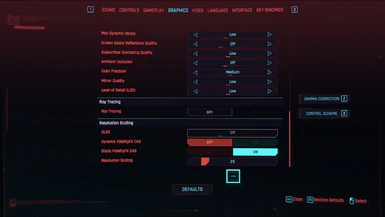
 www.nexusmods.com
Toaster Mode (DISCONTINUED)
Frames over graphics! Play like it's 1987 with ultra deluxe pixels!
www.nexusmods.com

sobaka770
Banned
Playing it on 3080 with 4k
This game is pure marketing
Some scenes looks amazing, but mostly it looks outdated as fuck. Much worse than rdr2
Fucking shoked
I was really respecting CDPR
You're joking, right? RDR is impressive as well but this game has some of the highest density of art and level geometry possible in open-world game.
Also: anyone has that bug where after you sometimes when you initiate dialogue (or leave dialogue) the game starts to lag. The FPS starts to spike down to 20-25 range every 10 seconds or so and the whole game hangs up. I encounter this issue constantly.
MadYarpen
Member
With this thing on i need to set it on to psycho to get acceptable results lolThe only way to do it is to get rid of SSR, but then you will lack SSR... Which I hope is able to be disabled entirely but haven't checked lol. I just keep it on high, seems the right balance.

Null Persp
Member
I think I found a good compromise:
low shadow mesh quality - medium
low shadow quality - medium
cascade shadows range - medium
cascade shadows res - medium
the rest all high
rtx with medium settings
dlss performance mode
this is ALL ultra with RTX PSYCHO and DLSS quality

My settings

low shadow mesh quality - medium
low shadow quality - medium
cascade shadows range - medium
cascade shadows res - medium
the rest all high
rtx with medium settings
dlss performance mode
this is ALL ultra with RTX PSYCHO and DLSS quality
My settings

GymWolf
Gold Member
What do you have against i5 cpus? (be gentle, my 8600k is already crying in a cornerWhy do you have an i5 in this setup?
 )
)boys, does it have any sense keeping the screen space reflections turned on if i try the rtx reflections? do i have to disable it or not??
fuck me tonight i'm gonna lose 2 hours to find the perfect setting before even starting the game...and then another 2 hours to decide the shlong shape...
P.s. does riva tuner work well as framelimiter with this one?
p.p.s. dlls, quality or performance (or any other setting) for the best results?
Last edited:
HE1NZ
Banned
I think Intel downgraded i5 to essentially i3 when they introduced i9. i7 is the new normal for gaming.What do you have against i5 cpus? (be gentle, my 8600k is already crying in a corner
But also, that guy has a totally ripped system, but a cheap CPU.
