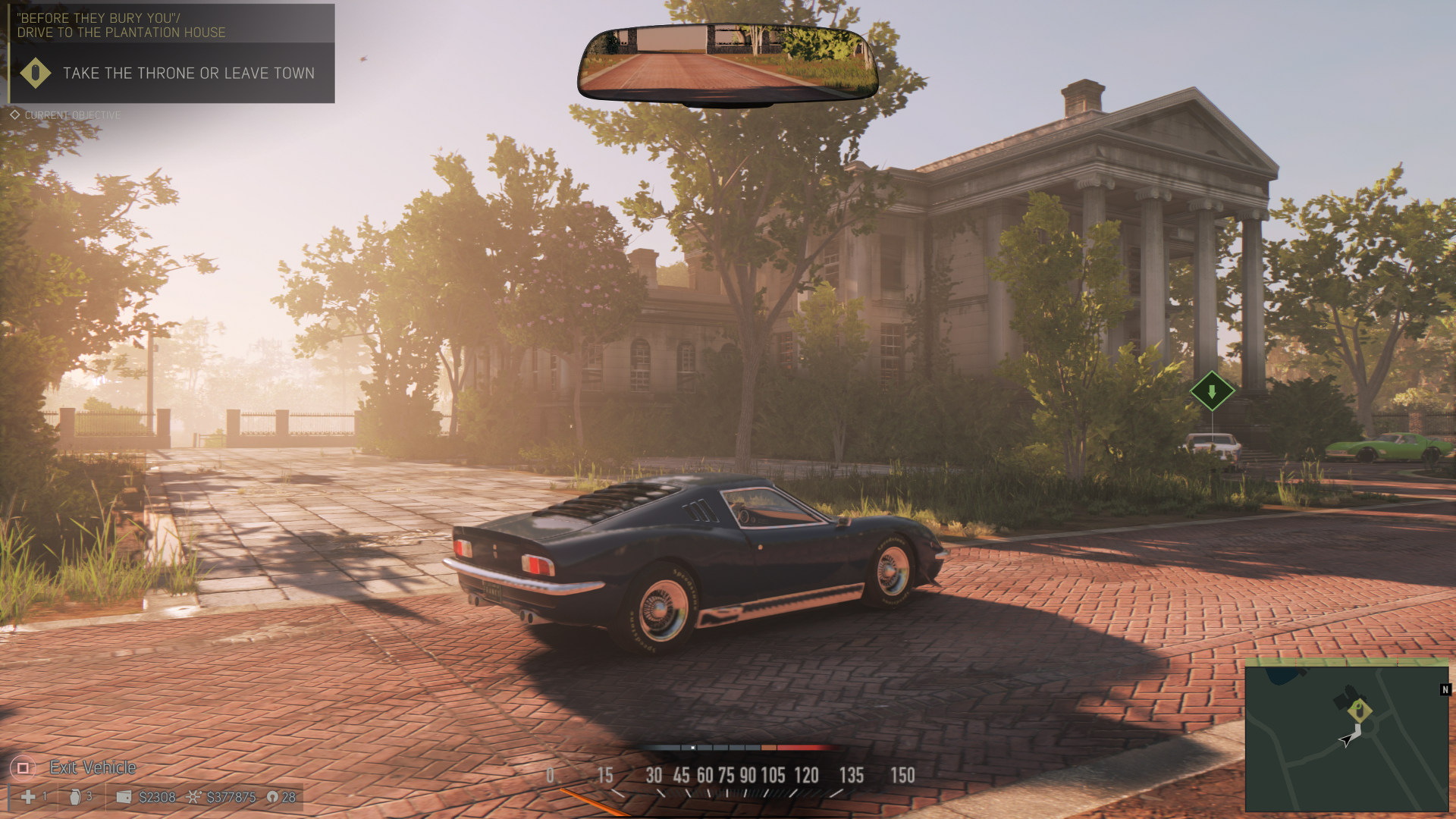
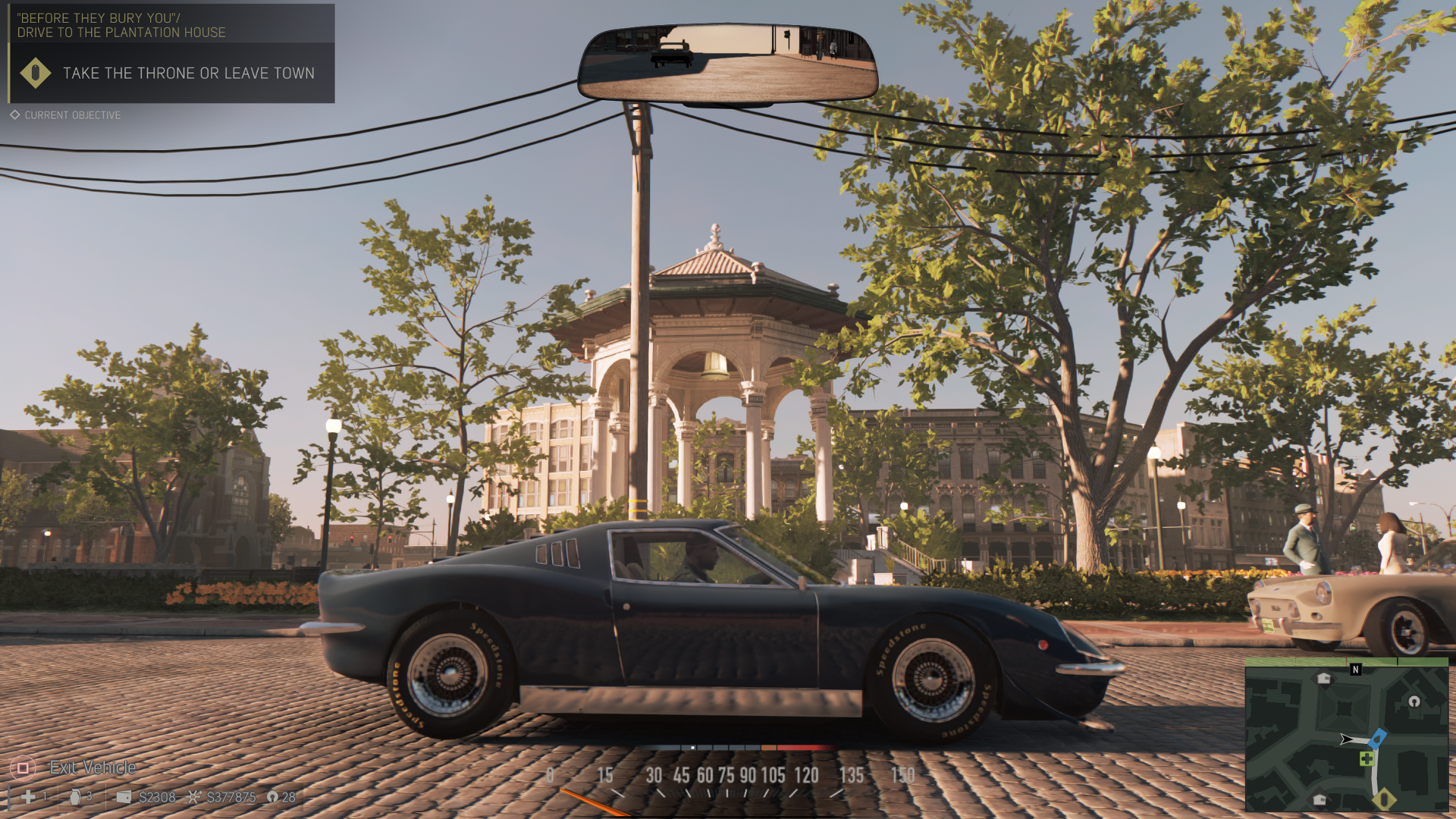
It is not checkerboarded, it's native 1440p.
No, the Pro is not struggling.
I mean why have they gone for a lower resolution than what would be rendered for checkerboard?
4147200 total pixels vs 3686400

It is not checkerboarded, it's native 1440p.
No, the Pro is not struggling.
I mean why have they gone for a lower resolution than what would be rendered for checkerboard?
4147200 total pixels vs 3686400
You are wrong about what CBR does, maybe my thread about it will help. The actual comparison is 8294400 pixels (half with a quicker process) vs. 3686400.I mean why have they gone for a lower resolution than what would be rendered for checkerboard?
4147200 total pixels vs 3686400
The actual comparison is 8294400 pixels (half with a quicker process) vs. 3686400.

That's the pixel count for native 4k rendering in a single frame, which CBR is not.
CBR renders half of that in a single frame and combines it with temporal data from a previous frame.
3686400px is 1440p
4147200px is CBR
8294400px is native 4K
This is the wrong way to look at things. Every dev differs; every game differs; the effort given to each Pro patch differs. Not all of them can be expected to utilize the hardware to the very utmost...especially multiplatform games.Hmmm it definitely seems like resolutions above 1080p take quite a bit of resources. I think regular PS4 resolution is 1080p but PS4 Pro which has 2.3x the GPU power can only do 1440p while keeping the same performance.
You misunderstand the method. CBR 2160c does not render only 4.14mp, it renders 8.29mp. What you mean to say is that only half of these pixels are rendered in the standard manner. However, the other half are not simply repeated from a previous frame (no cost), nor are they upscaled (trivial cost). They are rendered in a novel manner, incorporating both prior frame knowledge and linking to the current frame's polygonal positions, as well as confidence data to improve accuracy, and sometimes further corrections such as sawtooth artifact culling. There is a cost involved with all this. You're right the total is not as high as standard rendering of 8.29mp, but neither is it the same as standard rendering of 4.14mp. The bare statement "only 4.14mp are rendered with 4K CBR" is wrong.That's the pixel count for native 4k rendering in a single frame, which CBR is not.
CBR renders half of that in a single frame and combines it with temporal data from a previous frame.
3686400px is 1440p
4147200px is CBR
8294400px is native 4K

That's the pixel count for native 4k rendering in a single frame, which CBR is not.
CBR renders half of that in a single frame and combines it with temporal data from a previous frame.
3686400px is 1440p
4147200px is CBR
8294400px is native 4K
Why have they gone for a sub 4k cheqerboard resolution?
Is Pro already struggling?
No, it isn't. CBR renders the same number of pixels as a native buffer of the same size. The difference is that half the pixels are rendered in a different--quicker but less accurate--manner.Should've went for 1800p CBR, like WD2. Even less pixels than 1440p.
Mafia III uses TAA, which it seems can play badly with checkerboard, causing extra artifacts. That could be the reason for avoiding it.Checkerboard takes more work to implement and isn't usable in every scenario since it requires a lot of use of temporal data to utilize.
Looking at how reconstruction works in Siege..techniques like checkerboard could be around 30% faster than rendering the same numbers of pixels with a native buffer.Should've went for 1800p CBR, like WD2. Even less pixels than 1440p. Maybe there were some engine or time limitations tho.
No, it isn't. CBR renders the same number of pixels as a native buffer of the same size. The difference is that half the pixels are rendered in a different--quicker but less accurate--manner.
Looking at how reconstruction works in Siege..techniques like checkerboard are around 30% faster than rendering the same numbers of pixels with a native buffer.
I won't be wrong if I said 1800P CBR is still more expensive than 1440P.
Checkerboard takes more work to implement and isn't usable in every scenario since it requires a lot of use of temporal data to utilize.
I understand why this is, because it's effectively using a temporal technique on top of another temporal technique. But why does the TAA in Siege (which uses MSAA reconstruction with some temporal data, effectively making it similar to CBR) work so well ? Because the artifacts are barely visible in motion and reconstructed 1080P with TAA looks pretty much the same as native 1080P with TAA even during gameplay (more or less ofc). It's only when you disable TAA the difference become obvious with the typical artifacts associated with reconstruction. Although the TAA in Siege does cause a really heavy blur.Mafia III uses TAA, which it seems can play badly with checkerboard, causing extra artifacts. That could be the reason for avoiding it.
So does it look better or worse than 1440p?I know, that's what I meant. 1800p CBR is effectively less costly to render than 1440p native.
FFXV is still unfixed...Pretty sure there are others too.at this point is safe to say that fromsoftware are incompetent in terms of fixing technical issues, i dont know if im wrong but every single game that was released with framepacing is now fixed and for bloodborne there is no plan to fix it.

Game can look *very* nice on a Pro sometimes, despite looking a bit hazy.Here's a few taken from my own Pro with the latest patch. 4K down sampled to 1080p via PS4s capture feature.
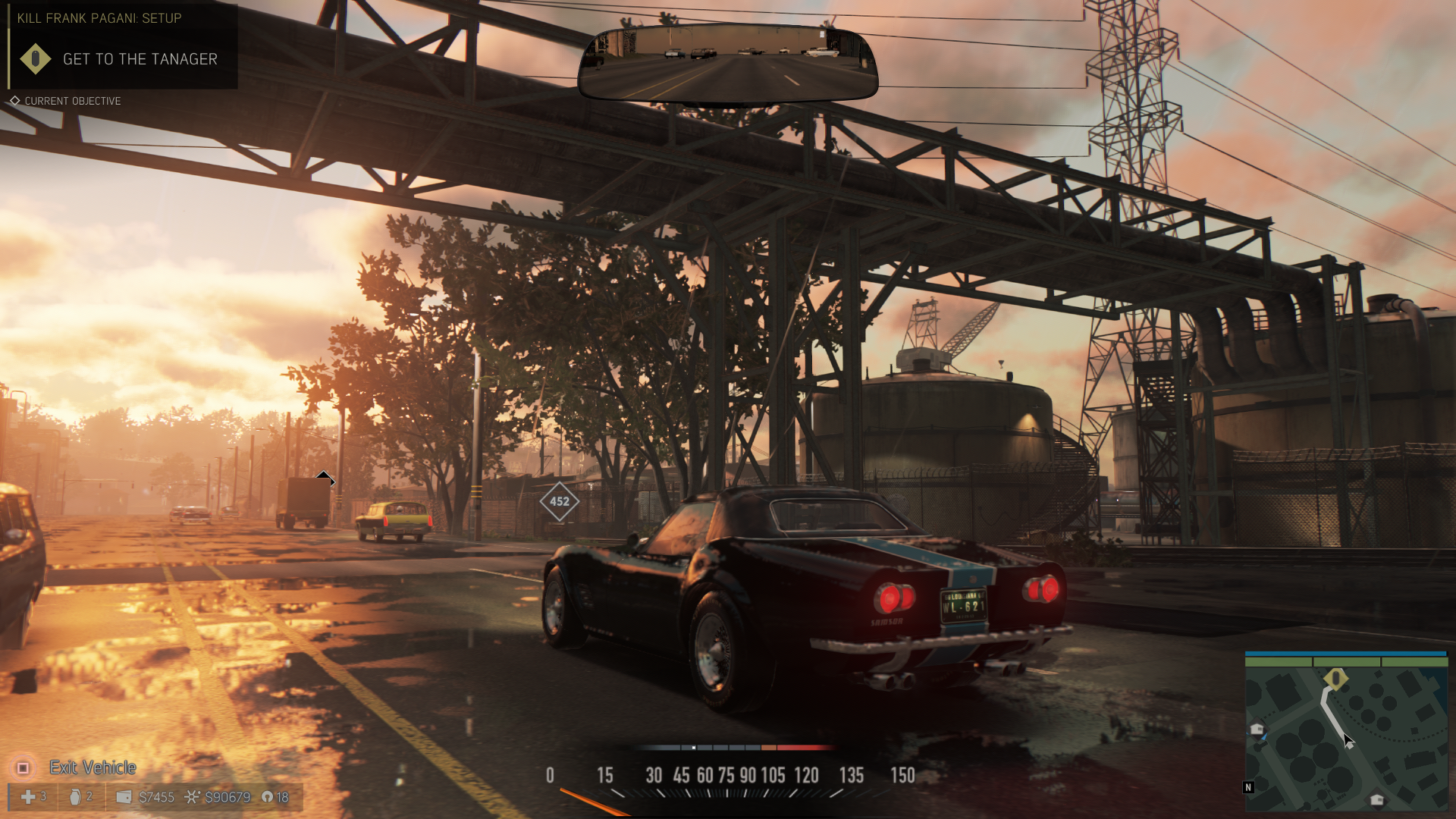
That's 4K downsampled to 1080?
That looks terrible, the aliasing on the car looks awful.
Yep, 4K down sampled to 1080p, it looks like bad banding from the rain effect, not aliasing. The game doesn't exhibit much AA.
Is that not a reflection in the bumper? I understand what you're saying but that's what it looks like to me. It could be aliasing but it just doesn't seem to be constant across the entire image.That's 4K downsampled to 1080?
That looks terrible, the aliasing on the car looks awful.
So does it look better or worse than 1440p?
It's not 4K, it's 1440P downsampling to 1080P.That's 4K downsampled to 1080?
That looks terrible, the aliasing on the car looks awful.
No, it probably isn't. As nOoblet16 says, extrapolating from the R6S implementation already gives us a render time greater than 1440p. Now, this is only a single game so can't be a perfect guide for every other title. But at the same time, CBR as implemented on Pro has further refinements not included in Ubisoft Montreal's version, which presumably increase cost (even if just a little).I know, that's what I meant. 1800p CBR is effectively less costly to render than 1440p native.
I'm sure the devil is in the details, but I simply don't have the knowledge level to answer this.I understand why this is, because it's effectively using a temporal technique on top of another temporal technique. But why does the TAA in Siege (which uses MSAA reconstruction with some temporal data, effectively making it similar to CBR) work so well ? Because the artifacts are barely visible in motion and reconstructed 1080P with TAA looks pretty much the same as native 1080P with TAA. It's only when you disable TAA do you notice the difference with the typical artifacts associated with reconstruction. Although the TAA in Siege does cause a really heavy blur.
Like the whole car looks a blurry mess :/
Is that not a reflection in the bumper? I understand what you're saying but that's what it looks like to me. It could be aliasing but it just doesn't seem to be constant across the entire image.
That's from the reflections, which are a very low resolution in Mafia III. I find the blockiness less noticeable in motion, but it's probably the most disappointing setting in the game.That looks terrible, the aliasing on the car looks awful.
That's a depth of field effect; look at the car partially shown at the left edge of the screen. So these objects aren't supposed to be in sharp focus. Notice that background objects which are further away are sharper--that'd be impossible if the softness was a product of overall resolution.Like the whole car looks a blurry mess :/
That's 4K downsampled to 1080?
That looks terrible, the aliasing on the car looks awful.
Several of the members of DF do have a very strong personal preference for performance over graphical improvements, generally greater than that felt by most players. This may lead to language that others may feel sounds like hyperbole, but it's their honest opinion and at least they flag it as such. My biggest complaint, instead, is how they keep using the term "adaptive v-sync". I think this is at best needlessly obscure, and at worst simply wrong.Only digital foundry would consider 1 less frame in a very particular situation while resolution and shadows are improved across the board as a "bittersweet" patch.
Mafia III uses TAA, which it seems can play badly with checkerboard, causing extra artifacts. That could be the reason for avoiding it.
Several of the members of DF do have a very strong personal preference for performance over graphical improvements, generally greater than that felt by most players. This may lead to language that others may feel sounds like hyperbole, but it's their honest opinion and at least they flag it as such. My biggest complaint, instead, is how they keep using the term "adaptive v-sync". I think this is at best needlessly obscure, and at worst simply wrong.
The term itself came from Nvidia, and is an instance of the GPU manufacturer jargonizing an existing technique to make it seem more proprietary than it is. What both they and Digital Foundry are actually talking about is games that never go above their framerate target (30fps or 60fps). But they can fall below their framerate target, and when they do there's screen tearing. I think it's obvious that a better term for this was already around: "framerate cap". It's transparently clear what that means even to a layman, unlike the sciencesque "adaptive v-sync".
More importantly, what does v-sync mean? Well, it means there's no screen tearing. But "adaptive v-sync" is used solely about games that do have screen tearing! By capping framerate it does remove potential tearing for games that run faster than their target. But below the target it does absolutely nothing. It's "adaptive" in the sense that it switches itself off whenever there's slowdown. By my lights, that at best deserves the name "partial v-sync", or maybe "one-way v-sync".
But really, those are still obscurantist. What does "adaptive v-sync" do? Stops framerate from going above a certain value, and nothing else.
So call it a framerate cap.
I based that statement on stuff said by KOCMOHABT and Durante in my CBR thread. Perhaps the problem is with implementations? ("naive" TAA versus TXAA versus SMAA with temporal addition, etc.)I thought games with TAA tended to do the best with checkerboard rendering. CoD IW handles it beautifully and upcoming stuff like Horizon and Days Gone have impressive checkerboard implementations and TAA as well.

Why would anyone one want standard PS4 mode on a PRO? You might as well stick with vanilla PS4 if that's what you want. So you're telling me you would rather go with lows of 27fps with tearing on base PS4, a lower resolution, worse MB, worse shadows because you have a problem with 26fp vsynced in one fight scene?No they don't? The video states the facts. The patch does drop more on occasion but overall performance is solid and the image quality improvements are welcomed. Tom was very fair in his assessment of the situation.
Ultimately, all this needless tension about framerate vs image quality would be moot if Sony would just give Pro owners the ability to force Standard mode and opt out of these Pro upgrades users didn't want any performance penalties whatsoever.
It's more the expectations of the Pro. I don't think many envisioned dropping below PS4 and actually expected no drops at 30fps considering more than twice the GPU power and overclocked CPU.
What do you believe is the consistent difference? Because ignoring what my experience might be--regardless of any single personal experience--all the discussion I've seen indicates there is no consistent difference. That is, whether RivaTuner or Nvidia's adaptive v-sync (or an in-game cap option) gives better results varies, in no predictable manner. It seems dependent on multiple variables, specific to certain games and the intricacies of their executables.I would invite you to load up a game which, using whatever settings are appropriate to your hardware, hovers around 30 fps and then use RTSS to cap the framerate to 30 and turn off v-sync altogether.
Then, disable the cap in RTSS and force adaptive v-sync (half refresh).
I believe you will find the differences illuminating.
Downsampling from 1440p and better shadows and motion blur is a bad patch now?
Oh right because that literally 1 frame that dropped.
Let's complain! And then force them to take out Downsampling like TLOU and complain again!
I'd prefer framerate improvements.
Like the whole car looks a blurry mess :/