

-
Hey Guest. Check out your NeoGAF Wrapped 2025 results here!
You are using an out of date browser. It may not display this or other websites correctly.
You should upgrade or use an alternative browser.
You should upgrade or use an alternative browser.
Dolphin 4.0 Released
- Thread starter PGamer
- Start date

Cow Mengde
Banned
Where do you guys download your ROMs?
You know those member names that are red? Click on them and ask them for ROMs.

cyberheater
PS4 PS4 PS4 PS4 PS4 PS4 PS4 PS4 PS4 PS4 PS4 PS4 PS4 PS4 PS4 PS4 PS4 Xbone PS4 PS4
<stuff he shouldn't have said.
Edit your post. No talk of piracy or get banned.
http://ge.tt/421lZJt/v/0?c
SweetFX folder
and here's my current config, Ive reduced the amount of bloom from the shots in this one, perfect balance for me.
http://ge.tt/3c1BaJt/v/0?c

Awesome, thanks duder.
You have to extract the ROM's from your butthole.
Oh shit, that did make me laugh!
Took a while to get to a near-ideal bloom settings for me. At some parts of the level it's still kind of excessive, but it's pretty nice overall.

Where do you guys download your ROMs?
I say this was a clever troll. Someone answers ... then ::banstick::
NoSkillz187
Member
I bought a usb wii sensor bar and plugged it into my PC, but my Wiimote isn't recognizing it. Don't tell me I need to plug it into my Wii?
Shin Johnpv
Member
Before reading I thought the first screen was WW HD.
There's a lot missing from that shot to confuse it with WW HD.
Shin Johnpv
Member
Dolphin has supported Wiimote+ for years now... I've been playing SS on dolphin since the day it came out on my limited edition gold wiimote that came with the collector's edition of the game
Can you explain how you got Wiimote+ to work? I can not get a wiimote with motion + built in to connect to Dolphin no matter what I try.
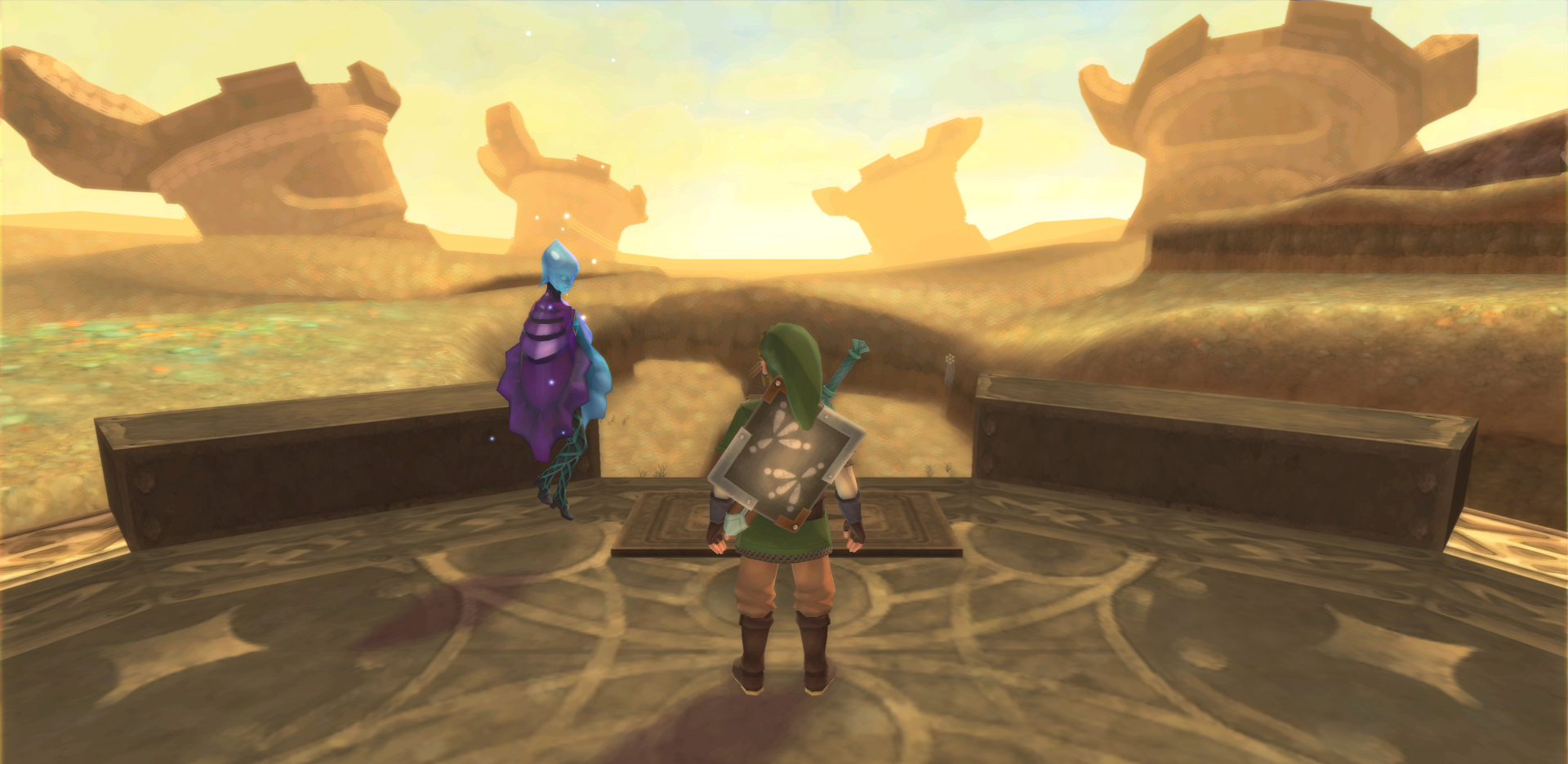
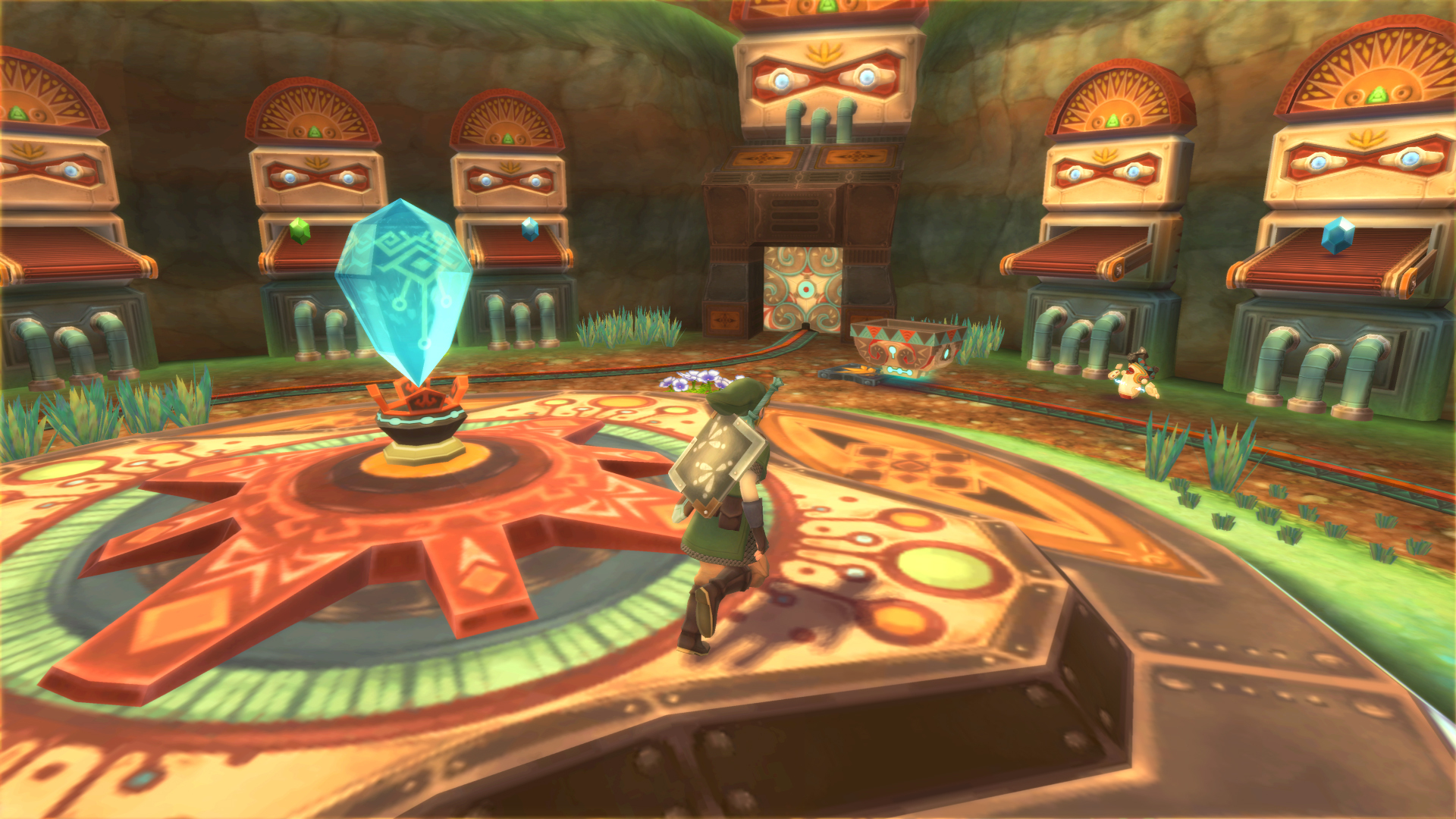
Wow. Looks so good.
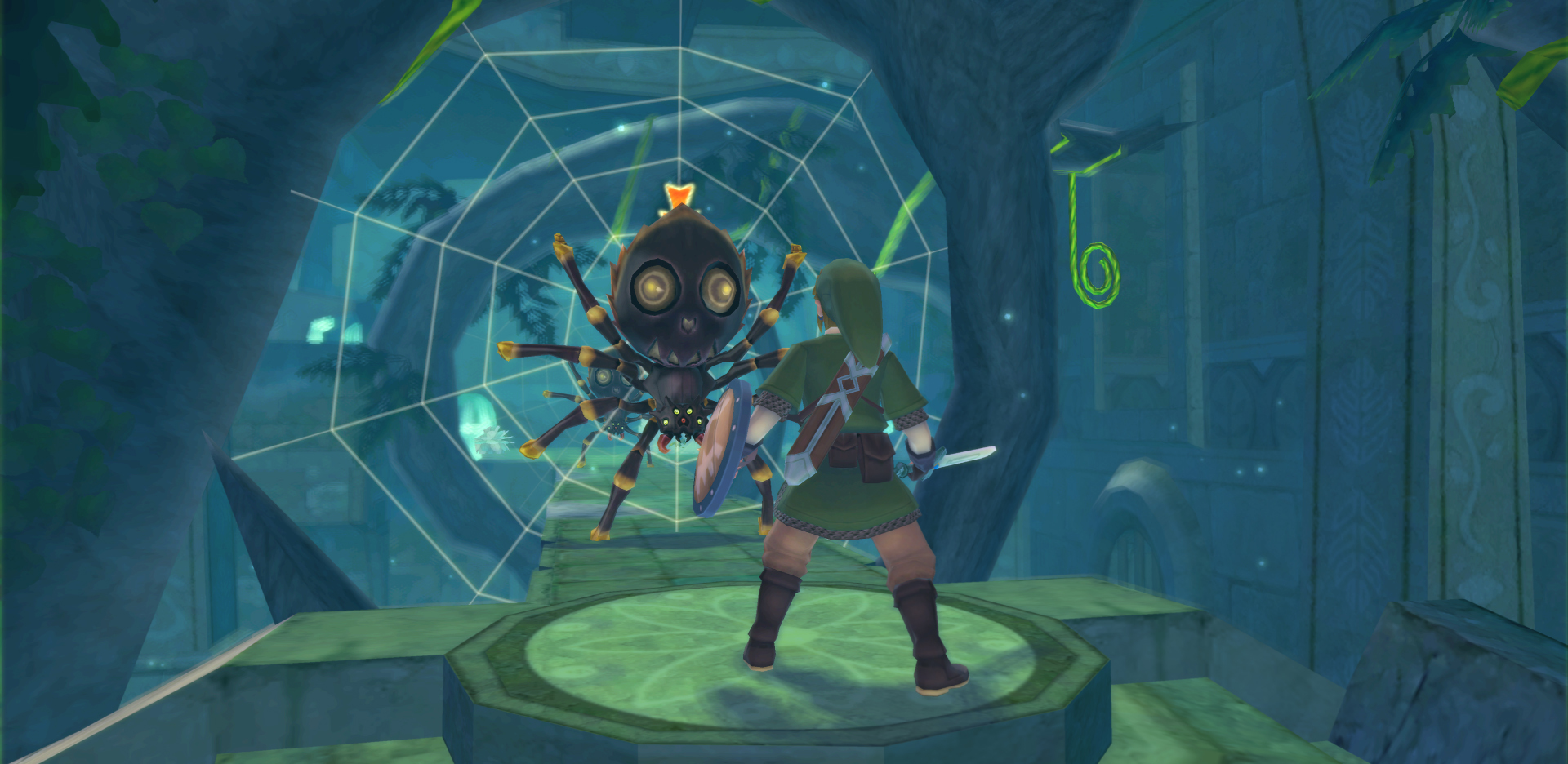
Thinking about it, Skyward Sword wasn't really a "realistic" zelda either. It's very much artistic and impressionist. Maybe because Link was an adult, it's been catorgorized like that.
I have the PC to try this but I usually suck at installing and getting these things to work...also does it support the 3 Operation Rainfall games pretty well...? I have yet to play them.
EDIT: nm,just reading through the walkthrough for this and it's way too complicated for my little head hehe...oh well have fun guys.
EDIT: nm,just reading through the walkthrough for this and it's way too complicated for my little head hehe...oh well have fun guys.

Risible
Member
I bought a usb wii sensor bar and plugged it into my PC, but my Wiimote isn't recognizing it. Don't tell me I need to plug it into my Wii?
Nope. It's just two LEDs that the Wiimote uses to calibrate its position in space. I have a battery-operated Wiimote bar that I use on my desktop and it works just fine.
ViewtifulJC
Banned
Can I just plug the sensor bar into my Wii, turn that on, and put the bar by my desktop?
Can I just plug the sensor bar into my Wii, turn that on, and put the bar by my desktop?
Yep you can.
ViewtifulJC
Banned
Great news. Now just to wait for this Bluetooth Adaptor to come in and try SS again.
I'm actually more interested in the Gecko codes than the IQ, funny enough. Instant text and shutting off most of Fi's notifications should be a godsend, as well as turning off that irritating beeping when I'm low on Health. Yes Nintendo I see I only have two hearts, thank you for the reminder.
I'm actually more interested in the Gecko codes than the IQ, funny enough. Instant text and shutting off most of Fi's notifications should be a godsend, as well as turning off that irritating beeping when I'm low on Health. Yes Nintendo I see I only have two hearts, thank you for the reminder.
NoSkillz187
Member
Nope. It's just two LEDs that the Wiimote uses to calibrate its position in space. I have a battery-operated Wiimote bar that I use on my desktop and it works just fine.
It turns out it was the crappy sensor bar I bought off ebay that didn't work. That's what I get for being cheap.
NoSkillz187
Member
Crap. New problem. I'm using my wii sensor bar plugged into the Wii and my Wiimote can see it but it's much weaker with my PC than it is if I were using my Wii to play games..Anyway to fix this or could it be my bluetooth dongle? Dammit all to hell!
I'm using this one http://www.amazon.com/gp/product/B0018O9JIG/?tag=neogaf0e-20
I'm using this one http://www.amazon.com/gp/product/B0018O9JIG/?tag=neogaf0e-20
KojiKnight
Member
Can you explain how you got Wiimote+ to work? I can not get a wiimote with motion + built in to connect to Dolphin no matter what I try.
What's their to do? Options - Wiimote settings - Real Wiimote. That's it, the emulator detects that it's a wiimote+ and you're good to go.
It may not work on cheap knock-offs, I dunno. Only ever used a genuine original so that could be a factor.
Elfforkusu
Member
PC ... built. Linux... installed. HDMI out... working. Dolphin... running.
Just got Xenoblade and Mario Galaxy running at ~99%.

e: Incidentally, it's a huge pain in the ass to get Xenoblade running at full speed without audio shenanigans. I feel like I should do a writeup.
Just got Xenoblade and Mario Galaxy running at ~99%.
e: Incidentally, it's a huge pain in the ass to get Xenoblade running at full speed without audio shenanigans. I feel like I should do a writeup.
The Dolphin team posted an anniversary video for the 10th year of Dolphin and the release of 4.0: https://dolphin-emu.org/blog/2013/09/29/ten-years-dolphin/
https://www.youtube.com/watch?v=WdhoFIRHckE
https://www.youtube.com/watch?v=WdhoFIRHckE

Skyfireblaze
Member
Say does anyone here have a mirror for the Super Mario Galaxy HD Texture Pack? The links on the Dolphin forum are dead 
Say does anyone here have a mirror for the Super Mario Galaxy HD Texture Pack? The links on the Dolphin forum are dead
This one: https://forums.dolphin-emu.org/Thread-super-mario-galaxy-1-hires-texture-pack?pid=293739#pid293739?
The Mega links work.
Nervous Sausage
Member
This may have already been posted but does anyone know what's up with the audio in Xenoblade? I swear it was fine for me in Dolphin 3.5. NVM. Just checked a few pages back and was shown to switch the audio backend to OpenAL.
Hmmm... is there a HD texture pack for Sonic Colors?
I started working on one a while back using some basic overlay textures, I never finished it though.
I haven't seen any serious retexture efforts for this game.

Great news. Now just to wait for this Bluetooth Adaptor to come in and try SS again.
I'm actually more interested in the Gecko codes than the IQ, funny enough. Instant text and shutting off most of Fi's notifications should be a godsend, as well as turning off that irritating beeping when I'm low on Health. Yes Nintendo I see I only have two hearts, thank you for the reminder.
You don't need Dolphin to do that, you can do it on the Wii with homebrew
I started working on one a while back using some basic overlay textures, I never finished it though.
I haven't seen any serious retexture efforts for this game.
I'll be seriously happy if there's at least a texture pack for the Menu and HUDs alone. That's the only thing that's sticking out real badly on the otherwise beautiful game.
Nice work on that texture pack thus far. Are you going to continue it?
I'll be seriously happy if there's at least a texture pack for the Menu and HUDs alone. That's the only thing that's sticking out real badly on the otherwise beautiful game.
Nice work on that texture pack thus far. Are you going to continue it?
Probably not, I ran into a problem where Dolphin was corrupting one of the HUD textures. This was a while back though.
I wanted to do a HD texture pack and replace the models with the Generations ones. I got as far as porting over the Generations Egg Pawns and a Metal Sonic model over Sonic. The games weight limit ended up giving me a lot of problems when I tried to port over the Generations Sonic model.
EatChildren
Currently polling second in Australia's federal election (first in the Gold Coast), this feral may one day be your Bogan King.
Wow. Looks so good.
Thinking about it, Skyward Sword wasn't really a "realistic" zelda either. It's very much artistic and impressionist. Maybe because Link was an adult, it's been catorgorized like that.
It's definitely not realistic, not in the same way that Twilight Princess and Ocarina of Time are, even they too are stylised in character designs. Skyward Sword is using a character shader that's not overly far removed from Wind Waker, gorgeous painterly filter on distant and close texture surfaces (as well as some objects), and Wind Waker-like particle effects for dust and what-not. Not to mention everything is stylised in a really cool way. Scrubs up really well in HD, and honestly, even though I still love Twilight Princess' art (and the Zelda HD Experience tech demo) I hope Nintendo pursue Wind Waker and Skyward Sword style art for Zelda Wii U, or at least try and draw from another art style. Gives the series a really fresh identity, if each game adopts a different art style, in my opinion.
What's their to do? Options - Wiimote settings - Real Wiimote. That's it, the emulator detects that it's a wiimote+ and you're good to go.
It may not work on cheap knock-offs, I dunno. Only ever used a genuine original so that could be a factor.
I've got a generic Wii Motion +.
First off, I wouldn't recommend it because it doesn't work great.
Secondly, it does have troubles detecting it. I usually have to start it, see if it notices the motion plus within 5 seconds. If not, restart.
Repeat and then eventually it'll stick. Even then, I can only play for about 10-15 minutes before it just sort of craps out.
I'd recommend getting a legit motion plus.
Skyfireblaze
Member
This one: https://forums.dolphin-emu.org/Thread-super-mario-galaxy-1-hires-texture-pack?pid=293739#pid293739?
The Mega links work.
Ooops looks like I missed these, thanks!

EDIT: They don't seem to work in either 3.5 or 4.0 :/ For 4.0 I put them in the My Documents folder and for 3.5 in the User folder and check "Load Highres Textures" but the HUD textures don't change. I also double-checked that the ID match with my game
EDIT 2: Now they do load in 4.0 but many of them look garbled/corrupted...
It's definitely not realistic, not in the same way that Twilight Princess and Ocarina of Time are, even they too are stylised in character designs. Skyward Sword is using a character shader that's not overly far removed from Wind Waker, gorgeous painterly filter on distant and close texture surfaces (as well as some objects), and Wind Waker-like particle effects for dust and what-not. Not to mention everything is stylised in a really cool way. Scrubs up really well in HD, and honestly, even though I still love Twilight Princess' art (and the Zelda HD Experience tech demo) I hope Nintendo pursue Wind Waker and Skyward Sword style art for Zelda Wii U, or at least try and draw from another art style. Gives the series a really fresh identity, if each game adopts a different art style, in my opinion.
http://abload.de/img/9s4kqp.jpg[img][/QUOTE]
The art changes are always fun. Each new reveal is like gari, it gets you ready for a new taste. I will leave the idea that such a superficial change is only a snake oil salve hang hollow, but I have to wonder... How much fun do you think that job must be? Sitting around and thinking of cool new ways to approach such a rich world. Those guys gotta be under some nuts pressure, but they must have fun.
To those that are running F-Zero well in 4.0: You mind sharing your configs? It seems to be running worse for me in 4.0.
I'm also interested in this, although it runs a little better than before, it's having way to many frame drops.
Alright so I just spent the past like, half hour tweaking DSN2K's SweetFx to get something of a compromise between Wind Waker HD and something vanilla that I like. Here's what I came out with.
Native resolution, no texture pack, no SweetFx (Vanilla gamecube + 16:9)

1080p, 4xSSAA, HD texture pack, no SweetFx

1080p, 4xSSAA, HD texture pack, with SweetFx

Native resolution, no texture pack, no SweetFx (Vanilla gamecube + 16:9)
1080p, 4xSSAA, HD texture pack, no SweetFx
1080p, 4xSSAA, HD texture pack, with SweetFx

Freshmaker
I am Korean.
You buy a retail copy.
Does Dolphin actually support running games from the CD yet?
InfiniteNine
Rolling Girl
Does Dolphin actually support running games from the CD yet?
Well it'd probably be implemented if the number of drives that could possibly read the discs weren't so low.
KojiKnight
Member
Does Dolphin actually support running games from the CD yet?
PC dvd drives can not read wii or GCN games.... but finding a cheap Wii is super easy, as is using letter bomb to hack it so you can dump the games.

ss_lemonade
Member
I always thought there were compatibility issues with wiimotes with motion plus built inDolphin has supported Wiimote+ for years now... I've been playing SS on dolphin since the day it came out on my limited edition gold wiimote that came with the collector's edition of the game
YouEnjoyMySelf
Banned
Most of these sweetfx shots being posted have insane amounts of bloom. Compare those clouds above the the non-sweetfx'd clouds. Besides that it looks great.
Magicman103
Member
What's the best way to connect gamecube controllers to a pc?
Most of these sweetfx shots being posted have insane amounts of bloom. Compare those clouds above the the non-sweetfx'd clouds. Besides that it looks great.
I think most of us showing off the recent SweetFx'd shots are aiming to get something similar to the new Wind Waker HD just out of curiosities sake. That games got the overblown bloom, so that's what we're aiming for. At least, speaking for myself, I know that was what I was trying to do when I was editing it.
Same damn shit for me on every release. I have never been able to get dolphin to run for shit no matter what settings I choose. First my specs:
Intel Core I7 2600K
8 GB RAM
Nvidia GTX 670
Windows 7
Running on a solid state drive.
Xenoblade: Audio pops. Audio stutters in battle. I have switched the audio settings around. I am running on native resolution and always have had this issue. The FPS never drops when the stuttering happens. The skipping happens with just about every game I try.
Maybe I am just not combining the right settings. Can anyone please post your settings that has worked or fixed this issue for you?
Intel Core I7 2600K
8 GB RAM
Nvidia GTX 670
Windows 7
Running on a solid state drive.
Xenoblade: Audio pops. Audio stutters in battle. I have switched the audio settings around. I am running on native resolution and always have had this issue. The FPS never drops when the stuttering happens. The skipping happens with just about every game I try.
Maybe I am just not combining the right settings. Can anyone please post your settings that has worked or fixed this issue for you?


Same damn shit for me on every release. I have never been able to get dolphin to run for shit no matter what settings I choose. First my specs:
Intel Core I7 2600K
8 GB RAM
Nvidia GTX 670
Windows 7
Running on a solid state drive.
Xenoblade: Audio pops. Audio stutters in battle. I have switched the audio settings around. I am running on native resolution and always have had this issue. The FPS never drops when the stuttering happens. The skipping happens with just about every game I try.
Maybe I am just not combining the right settings. Can anyone please post your settings that has worked or fixed this issue for you?
Have you ever right-clicked on the specific game entries and disabled the game-specific hacks? (highlighted below)

I don't understand why Paper Mario and Twilight Princess hacks are on by default. They should be unchecked.