Tainted
Member
i5 and a 970, game runs great on Ultra, 60fps with some random dips.
Only about an hour and a half in though.
Sweet ... Should be great on my i7 and 970 then


i5 and a 970, game runs great on Ultra, 60fps with some random dips.
Only about an hour and a half in though.
Can anyone get this to work with an Xbox One controller or DS4? The camera just keeps spinning for me, nothing I can do.
I had that with the DS4, so I switched to the xbone and it worked fineCan anyone get this to work with an Xbox One controller or DS4? The camera just keeps spinning for me, nothing I can do.
Can anyone get this to work with an Xbox One controller or DS4? The camera just keeps spinning for me, nothing I can do.

would should I expect with an i5-4590/16GB/R9 290 at 1080p? Aiming for 60fps.

My graphics card is a few years old at this point - what could I expect from an i7-3930k/16GB/GTX 670 at 1080p?
I was going to grab it on PS4, but after hearing about the rough performance over there I'm gonna grab it on PC instead - just want to know what I'm in for.
In-game V-Sync off.
In Nvidia Control Panel:
Power Management Mode: Prefer maximum performance
Triple Buffering: On
Vertical Sync: Adaptive
Virtual pre-rendered frames: 2
YMMV
Well, the game won't even start, lol. Stuck at the "launching Firewatch..." pop up from Steam. Anyone else run into this? Guess I won't be playing tonight after all
You should probably leave shader cache on IMO for all games. It speeds up load times and can prevent hitching.I have practically the exact same set up, running perfectly fine on Ultra. I capped frames to 45 with RTSS so I didn't have dips. 1080p too. It's not silky smooth 100% of the time but it is running just fine.
This is what I have set up, not 100% on how much this affects things but it felt smoother after doing these tweaks, worth mentioning.
You should probably leave shader cache on IMO for all games. It speeds up load times and can prevent hitching.
Works amazingly with G-Sync confirmed
I think I'll just lock it to 30fps, it never seems to go below that, so might as well eliminate the constant drops.
RTSS/MSI AfterburnerHow?
See my other posts in this thread (though bear in mind that my card is overclocked).
I reinstalled the Xbox One controller driver now it works, however I have a different issue now:
The game keeps switching back to 720p, I can select 1080p, but when I go back it is always set to 720p. Anyone else get this?
... No. Still can play good games.I have an easy rule
Unity -> No buy.
Next?
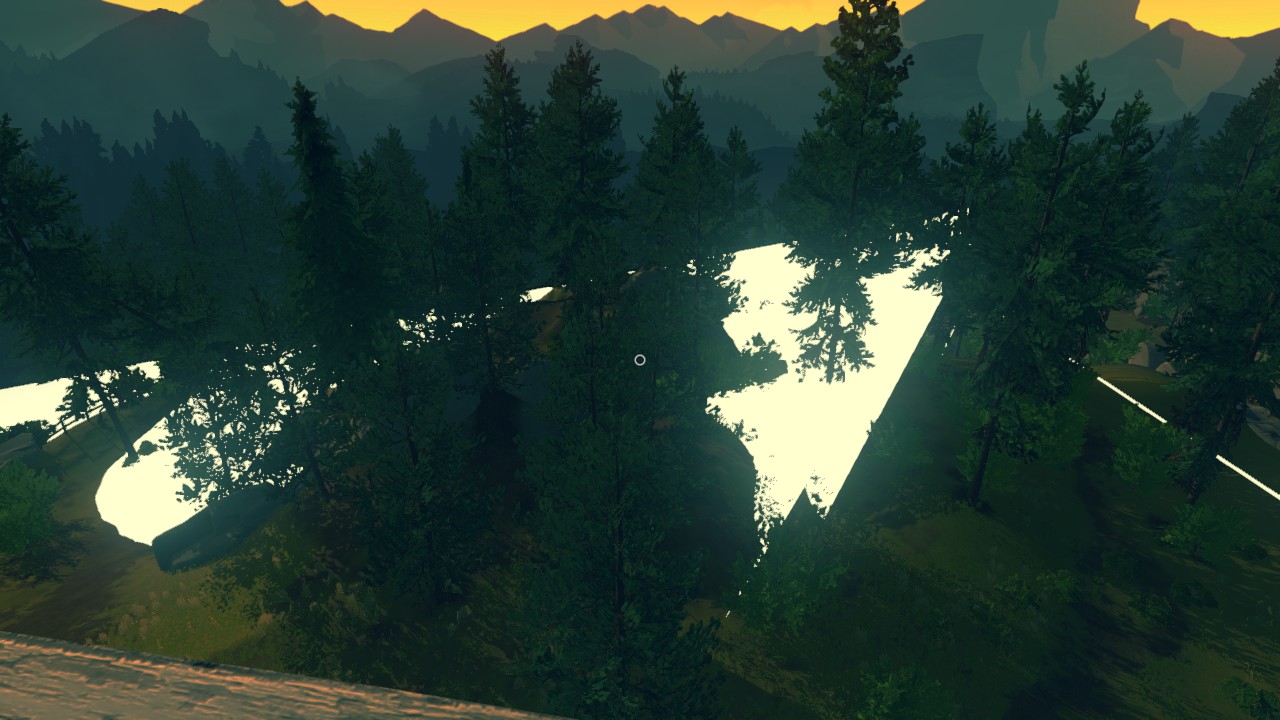
i7 2600k and a GTX 970 here, running at 1080p 60fps with all settings on high and it looks gorgeous to me. Sure, the shadows could do with some softening, but for a small game this is absolutely stunning. I love the art direction and environment design.
I also enabled FXAA through the Nvidia control panel. Helps a lot with the jaggies, and the minor blurring doesn't really affect the game given the art style.


Yeah, my experience on an i5-4690k at stock speed, 16GB RAM, and stock 980Ti has been a solid 60FPS at ultra with some odd sudden frame drops for no apparent reason.
Yeah, my experience on an i5-4690k at stock speed, 16GB RAM, and stock 980Ti has been a solid 60FPS at ultra with some odd sudden fram drops for no apparent reason.
Motion blur tanks FPS, I turned it off.