
• Hey Guest. Check out your NeoGAF Wrapped 2025 results here!

Forza Horizon 3 PC Performance Thread

Anyone else having trouble starting the game? I got it to start once but now when i try to start it I just get the Forza Horizon 3 splash screen before the game launches.
 
Tested on the office rig:

i5 4590 @ 3.5GHz
24GB of DDR 1600
GTX 960 4GB OC 1.45GHz

1080p, high preset, frame smoothing enabled, getting ~50ish fps in non-city busy areas, 55-70 in races depending on types.

I don't even dare touching the city.
 
Can you change the refresh rate to 50hz in the game?

Just wondering if that might stop the stuttering and dips in framerate.
 
Make sure your drivers are updated if you're running Nvidia. Everything before the newest release of drivers was causing the game to run like trash.
 
i5 2500k at 4.1ghz
980 at stock
Installed on Conventional Drive
8GB of DDR3.

getting between 45-60fps on the medium preset.

I might need to add another 8gb of ram to this machine, but it seems like we are CPU bottlenecked right?
 
Hmmm. Not really having many of the issues others but I have a weird issue with this.

untitledsdoa7.png

Getting pixelation on the right side of the screen only when the game is playable (not during cutscenes). I changed the resolution to 2560x1440 and it was gone. So far I've disabled SLI and ran the GPU at stock settings and no change other than the obvious decrease in fps. I booted up DOOM, Rocket League & Assetto Corsa just to see if it happened in other games that support 21:9 and it doesn't. No idea what causes this. :/
 
Hmmm. Not really having many of the issues others but I have a weird issue with this.


Getting pixelation on the right side of the screen only when the game is playable (not during cutscenes). I changed the resolution to 2560x1440 and it was gone. So far I've disabled SLI and ran the GPU at stock settings and no change other than the obvious decrease in fps. I booted up DOOM, Rocket League & Assetto Corsa just to see if it happened in other games that support 21:9 and it doesn't. No idea what causes this. :/

It's not your gpu or anything. it's the game. It's happening to everyone else who is using 21:9 in this game.
 
Any reports from 970 owners? I have a 970/3770k and 16 gig ram. Not gonna pull the trigger just yet but I'm itching to try this.

Maybe I'll just wait for the demo.
 
Hmmm. Not really having many of the issues others but I have a weird issue with this.


Getting pixelation on the right side of the screen only when the game is playable (not during cutscenes). I changed the resolution to 2560x1440 and it was gone. So far I've disabled SLI and ran the GPU at stock settings and no change other than the obvious decrease in fps. I booted up DOOM, Rocket League & Assetto Corsa just to see if it happened in other games that support 21:9 and it doesn't. No idea what causes this. :/
Enabling msaa caused that for me
 
GTX 1070
i5 6600k stock speeds
16gb ram
SSD
1080p locked at 60

Staying solid at 60, but haven't hit Surfers Paradise yet to see if I get any drops.

It's locked up once and I'm not seeing any of my notifications in game (achievements/invites).
 
Running fantastic here. Maxed out all settings (dynamic off). Locked 60fps @ 2560x1080 21:9.

6700k @ 4Ghz, 1080, 16GB, game installed on Samsung Evo SSD.
 
Welp, got rid of the stuttering on my system-- just took disabling MSAA and FXAA. FXAA has less stutter but still there. Of course this isnt an optimal solution, hopefully they can figure out why its happening.

Running at 3440x1440, Titan XP, everything else ultra

Getting pixelation on the right side of the screen only when the game is playable (not during cutscenes). I changed the resolution to 2560x1440 and it was gone. So far I've disabled SLI and ran the GPU at stock settings and no change other than the obvious decrease in fps. I booted up DOOM, Rocket League & Assetto Corsa just to see if it happened in other games that support 21:9 and it doesn't. No idea what causes this. :/

This only happens to me with dynamic quality settings on.
 
Any reports from 970 owners? I have a 970/3770k and 16 gig ram. Not gonna pull the trigger just yet but I'm itching to try this.

Maybe I'll just wait for the demo.

I'd say waiting for the demo is the way to go for anyone who hasn't bought the game yet...that's what I'm doing

if the demo runs like trash for me then I know not to worry about getting the game
 
I7-6820HK @ 2.7ghz
1070+8G
16G 2400DDR4

Framerate is all over place

1440p- 40-59 fps
1080p- 45-68 fps

I'm leaving my preset framerate at 38 fps for now. I get less artifacting, micro-stutter etc... when I set things to 1080p high settings 38fps (though ultra is playable at 32-36fps) the game runs sufficiently.

Bottom line, we're going to need some patches.
 
So, for me as an i7-4790K owner the situation is clear. I'll wait with my purchase until HT is working properly, from what I'm reading here.

Or even until Microsoft releases it on Steam. Fuck UWP.

EDIT: How is the game running with only 8 GB of RAM, by the way? I remember having hitching issues with Apex.
 
I just want to know if I can expect the game to look and perform as it does on Xbox One with my laptop (i7 6700hq 16GB 960M).
Theory says it should.
Apex is mostly smooth 60fps on high dynamic.
 
So, for me as an i7-4790K owner the situation is clear. I'll wait with my purchase until HT is working properly, from what I'm reading here.

Or even until Microsoft releases it on Steam. Fuck UWP.

EDIT: How is the game running with only 8 GB of RAM, by the way? I remember having hitching issues with Apex.

I'm having a lot of stuttering but RAM usage never went over 7295mb according to Afterburner.
 
Kept all my settings at the same level as my highest test so far on my gaming laptop, but just disabled MSAA and now getting 60fps constantly, but the jaggies and shimmering are quite noticeable. I'm wondering if it might be more effective for me to downsample from 1440p or maybe try to force 3rd party MSAA via the nVidia control panel... Which I can never remember how to do since it feels a bit arcane in the control panel-- if someone could remind me that'd be awesome!? To clarify, I remember how to downsample and unlock higher resolutions but I don't remember how to enable MSAA via control panel.

EDIT: and yes I know MSAA is usually quite demanding but I had hoped 2X in-game would still go fine with FXAA thrown on top just for extra measure... Wonder if Horizon 3's implementation is extra stressful on GPU/CPU for some reason?
 
lol needing to turn off HT. Christ.

Well I was talking more about the stutter issue. That doesn't seem to be a gpu/cpu power issue but something they did in programming since turning off the Hyperthreading fixes the issue. And again the only reason I brought it up was because I was almost sure (but I could be wrong) That they talked about using the Apex stuff in the PC development of FH3

Wait, that solves the issue with Apex? I guess I'll have to download the game again to try it. Because I tried it after months like two days ago and it still had that issue.

Fucking L-O-L if Horizon has that same issue. It's like they didn't do anything from that "beta" release beyond putting wheel support in. :/
 
21:9 user as well here and getting the pixelization bug issue on right side of screen. Next time I boot the game I will try to disable Dynamic Optimization and see if it clears the issue up as others have stated.

Otherwise, playing on Ultra and I have not seen the game dip below 60fps yet. Though I have yet to enter the city areas, still doing tutorial-ish race events.

i7-6700k
GTX 1080
16gb RAM
3440x1440
 
Medium w/ dynamic rendering

1080p

i5 2500k @ 4.0ghz
Geforce GTX 1060 6GB
8gb DDR3 1333mhz RAM
on a 250gb Kingston Hyper X SSD.

I can hold stable 30fps everywhere, 60 is definetly not stable but doesn't dip below 30.
 
Playing on the 1080 tv at the moment but I'm rock steady at 60

6800k 16gb DDR4 gtx 1080. Might check it out on the ultra wide tomorrow.

I have to say it's so great that Microsoft finally decided to embrace the PC
 
GTX 970
i7 4770k

Game defaulted to 4k resolution and 30fps for some reason. Changed that to turn Vsync off with no framerate cap.

Game runs at a pretty constant 60fps. Is that the framerate limit? I noticed it let's me select 144hz with Vsync on, but I don't really ever see it go all that far above 60fps. Maybe like 64fps on occasion.

Also, what is this framerate smoothing? Without it on, the game is really choppy, but with it on, the fame feels almost like... There's a lot of rubber-banding or something? I've never had this happen in a game before.

Updated GPU drivers and everything.

Is it worthwhile to reinstall this game on an SSD? Currently have it on an HDD.

On an unrelated note, this game feels more like a sim than the arcade racer the last game felt like. :(
 
Playing on the 1080 tv at the moment but I'm rock steady at 60

6800k 16gb DDR4 gtx 1080. Might check it out on the ultra wide tomorrow.

I have to say it's so great that Microsoft finally decided to embrace the PC

That's my system! So no stuttering then?
 
Titan X (2015)

i7 2600K @ 4.6 ghz oc

Running at all max settings at 1080p 4x MSAA gives me 50-60fps but studdering is noticeable.

No framerate drop if set to 30fps cap @ 8x MSAA max settings.
 
Am I the only one having no major issues with the game?

Running everything Ultra at 3440x1440 with 8X MSAA and FXAA. Dynamic optimization off. Fluctuates between 70-100fps. GSYNC smooths everything out.

I was having the pixelation issues on 21:9 with 2XMSAA, but upping to 8X got rid of it.

5820k at 4.4Ghz
16GB 2666Mhz DDR4
Pascal Titan X at 1950mhz core and 10,800mhz memory
 
Am I the only one having no major issues with the game?

Running everything Ultra at 3440x1440 with 8X MSAA and FXAA. Dynamic optimization off. Fluctuates between 70-100fps. GSYNC smooths everything out.

I was having the pixelation issues on 21:9 with 2XMSAA, but upping to 8X got rid of it.

What's your PC config?

oh I see. :)
 
Am I the only one having no major issues with the game?

Running everything Ultra at 3440x1440 with 8X MSAA and FXAA. Dynamic optimization off. Fluctuates between 70-100fps. GSYNC smooths everything out.

I was having the pixelation issues on 21:9 with 2XMSAA, but upping to 8X got rid of it.

5820k at 4.4Ghz
16GB 2666Mhz DDR4
Pascal Titan X at 1950mhz core and 10,800mhz memory

g sync doesn't work for me
 
Am I the only one having no major issues with the game?

Running everything Ultra at 3440x1440 with 8X MSAA and FXAA. Dynamic optimization off. Fluctuates between 70-100fps. GSYNC smooths everything out.

I was having the pixelation issues on 21:9 with 2XMSAA, but upping to 8X got rid of it.

5820k at 4.4Ghz
16GB 2666Mhz DDR4
Pascal Titan X at 1950mhz core and 10,800mhz memory
All is well on my end now since the pixelation issue was removed by going to 8X.

6700K @ 4.6GHz
32GB 3200MHz DDR
GTX 1080 in SLI @ 2100MHz
 
I7-6820HK @ 2.7ghz
1070+8G
16G 2400DDR4

Framerate is all over place

1440p- 40-59 fps
1080p- 45-68 fps

I'm leaving my preset framerate at 38 fps for now. I get less artifacting, micro-stutter etc... when I set things to 1080p high settings 38fps (though ultra is playable at 32-36fps) the game runs sufficiently.

Bottom line, we're going to need some patches.

Definitely CPU bound in your case.

g sync doesn't work for me

Did you enable gsync for desktop?
 
I am noticing that even with my overclocked 6 core Intel, I am getting 96% CPU utilization in urban environments. Something is definitely wrong.

g sync doesn't work for me

Do you have it enabled for windowed mode in the Nvidia Control panel?

All is well on my end now since the pixelation issue was removed by going to 8X.

6700K @ 4.6GHz
32GB 3200MHz DDR
GTX 1080 in SLI @ 2100MHz

Nice. Glad it worked for you.
 
Getting around 70-90 FPS (depending on the local) at 4K on Max setting with 8x MSAA. I see no change in FPS when I lower MSAA. Seems strange. I feel like this game is have some CPU issues moreso than anything.

Car models look pretty good, but not as good as what Project CARS 2 has with their ridiculous detailing on their more complete cars in the current build. But this game does allow for customization which really made my day. I was not expecting that.


29868589365_bb57bb9f3c_o.png
 
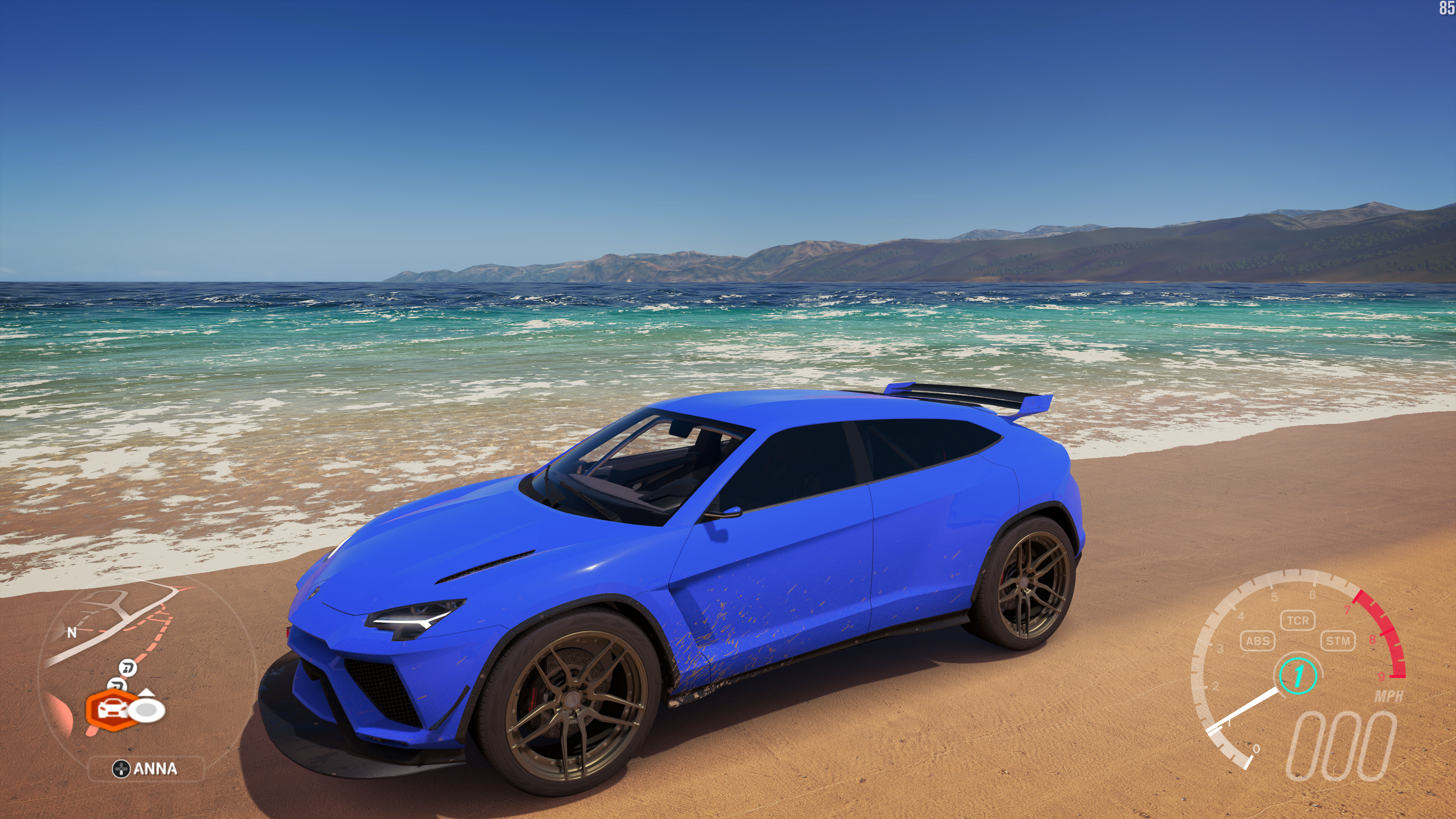
There's a horrible low res filter that blurs and kind of pixelates the image in photomode on PC. The photos I've taken on Xbone look clearer and sharper, what the fuck...I'm running it at 1440p/Ultra/8x MSAA on PC, it looks great during gameplay but photomode ruins the image quality.


The grill and the lights are where it's most noticeable....
 
I7 3770k 3.5ghz
Gtx 1070
32gb ram

Running on ultra and I capped it at 36fps so when I switch to Xbox it won't feel like crap. Getting steady 36fps, sometimes it stutters but it's not bad, frames have dropped to like 30 when driving in a new area for a second or so. Good enough for me tbh, hope everyone is enjoying it!
 
i7 4790K 4GHz
32GB RAM
980ti
Playing at 1080p

Lovely and smooth in the countryside on ultra but passing through urban areas has a clear effect on the framerate, I'm guessing I shouldn't be having problems with this setup?

Also I might as well ask here, what is the directory for Windows 10 games? I wouldn't mind deleting my save and starting over if possible...(especially after getting the apparent bug which doles out 999,999,999 credits on the first roll of the wheel)
 
There's a horrible low res filter that blurs and kind of pixelates the image in photomode on PC. The photos I've taken on Xbone look clearer and sharper, what the fuck...I'm running it at 1440p/Ultra/8x MSAA on PC, it looks great during gameplay but photomode ruins the image quality.


The grill and the lights are where it's most noticeable....

Photo mode for me looks ugly as well.
 
Should I even bother with this game? I have an i3 6100 + GTX770. Don't think my machine is powerful enough to run it!
 
Top Bottom
