• Hey Guest. Check out your NeoGAF Wrapped 2025 results here!

Warning! Official VRR unsolvable problem in oled TVs!

TonyK

Member
Just yesterday I bought and LG CX and today I discovered this! I'm devastated.

LG Display explained the issue as follows in a statement to the OLED Association:

Gamma for OLED is optimised and fixed for 120 Hz by establishing a fixed charging time for OLED sub-pixels. VRR is used when the frame rate is less than 120 Hz. When the OLED TV uses framerates less than 120 Hz, the gamma curve is inconsistent with the frame rate. For example, a 40 Hz frame rate is longer than 120 Hz frame rate. Therefore, the lower frame rates results in sub pixels that are overcharged, causing flickering of dark grey images, which is noticeable for dark images rather than bright ones, because human eyes are more sensitive to low grey colours


There are a lot of videos, webs, forum discussing this and the problem is that there are no solution, because is not a software issue that can be solved with a firmware, but a problem with the oled panels themselves. All panels.

I have friends with this same TV, a lot of people here also has one. During a year all web sites sell it as the best TV for gaming, and what now? VRR was the main HDMI 2.1 feature for me.

Thoughts?
 
Knew this was gonna be an issue when the 3080 released. There are some software fixes for it that can mitigate some issues but not a full fled fix. A new form of oled will have to be out so I'm guessing a true fix in 2022
 
My samsung Q80T is doesn't have any issues. I have also looked really hard and switched back and forth to see if it washes out the blacks and it doesn't.
 
Literally almost ordered a CX last night lol.

Is OLED just not ready for primetime still? Should I get a QLED for now and wait out OLED?
 
Last edited:
Welp, I feel a bit guilty with my W7, which isn't even HDMI 2.1

But having said that, I don't know any model I'd exchange it with (bar newer OLED of the same type) had I been given choice to do it for free. I just love the way things look on it.

Brutal. The woes of adopting new tech early.
It's quite mature at this stage.
 
Does Warzone on Series X support 120hz and VRR? Cause it's a judder show with the console set to either 60 or 120 with or without VRR. I can't tell a difference between any of the 4 combinations.
 
That is a shame.
I'm using VRR on my Xbox One X on a 1080p 144hz monitor. Jedi Fallen Order looks amazing with VRR and its 50-60 framerate.
 
Welp, I feel a bit guilty with my W7, which isn't even HDMI 2.1

But having said that, I don't know any model I'd exchange it with (bar newer OLED of the same type) had I been given choice to do it for free. I just love the way things look on it.


It's quite mature at this stage.
A year max for 2.1? VRR in OLED since when? Shit, didn't AVRs that support 2.1 JUST drop?
 
Can someone explain in dumb words what this means for me? I'm pretty technical but I don't see an issue with my C9 because it looks just fine when I use VRR
 
Can someone explain in dumb words what this means for me? I'm pretty technical but I don't see an issue with my C9 because it looks just fine when I use VRR

VRR means colour and blacks go all wrong, can flicker on some TVs as they display panels is made for 120 Hz, so switching it slow = problems in image quality.

Cant win.
 
Just yesterday I bought and LG CX and today I discovered this! I'm devastated.

LG Display explained the issue as follows in a statement to the OLED Association:


There are a lot of videos, webs, forum discussing this and the problem is that there are no solution, because is not a software issue that can be solved with a firmware, but a problem with the oled panels themselves. All panels.

I have friends with this same TV, a lot of people here also has one. During a year all web sites sell it as the best TV for gaming, and what now? VRR was the main HDMI 2.1 feature for me.

Thoughts?

I'd say that you need to take a look at if it's an issue for you.
I have been using VRR on the CX for some time and never noticed anything. I"m sure it happens but I don't know if everyone is able to perceived it without looking for it.
My friends, a couple of whom bought a Sony X900H, always come to my place when we want to try some new game.
 
Literally almost ordered a CX last night lol.

Is OLED just not ready for primetime still? Should I get a QLED for now and wait out OLED?

Google 'OLED banding' ,'OLED yellowing', 'OLED vignetting' or just 'OLED uniformity issues'. And that's not even touching on burn-in risk and ridiculous prices. I have a 65" A1E Sony OLED, and recommend against getting any OLED's until they figure out screen uniformity issues (if it's even possible with the technology). Wait a few more years, and buy a cheaper LCD/QLED for the time being.
 
Last edited:
Vincent measured it and it has, vrr spoils gamma curve quite bad.


I am a subscriber to his videos and have seen that. I went through several games switching between VRR on and off looking to see the impact and didn't notice any changes. If I had found any, I would have been asking for a refund on my tv.

There's one more test that I want to try on COD Cold War. I will report back tomorrow.


Does Warzone on Series X support 120hz and VRR? Cause it's a judder show with the console set to either 60 or 120 with or without VRR. I can't tell a difference between any of the 4 combinations.
On or off COD mw is a judder fest. Looks nasty
 
Can someone explain in dumb words what this means for me? I'm pretty technical but I don't see an issue with my C9 because it looks just fine when I use VRR

When VRR is engaged, darker colors are brighter than they should and also the brightness fluctuates with the framerate so if it's unstable you will see flickering.
 
Last edited:
I am a subscriber to his videos and have seen that. I went through several games switching between VRR on and off looking to see the impact and didn't notice any changes. If I had found any, I would have been asking for a refund on my tv.

There's one more test that I want to try on COD Cold War. I will report back tomorrow.

On or off COD mw is a judder fest. Looks nasty

Hmm, maybe for some reason Q80T doesn't have this issue.
 
Sigh, I have A LG CX 65" I like that TV, but I still don't know how it's going to work with console, cuz I still don't have one : X
 
i have a CX and it runs VRR just fine. if there is an "issue" then it's not noticeable and trust me i am VERY VERY picky when it comes to displays. the CX is by far the best tv i've ever owned. it's great playing games on it.
 
All these theories sound scary and probably real for some cases and people. Just like 40mb "limit" problem on CX, I'll enjoy my new TV with deep black and 120fps VRR 4k while others scratch their heads with technical words.
 
Last edited:
At the last minute I decided against OLED. Unfortunately I picked up an x900h which has its problems with 120hz and currently no VRR update
 
People do not seem to understand when exactly the problem occurs.
Long story short:

If you are playing with VRR enabled and your FPS are always around e.g. 100 to 120 FPS
you won't see any issue.
The issue will primarily be noticable when your FPS are fluctuating really hard.
E.g. when your FPS are dropping below 80 FPS or so.

This is because those TVs are using a gamma curve that is made for a refresh rate of 120 FPS/Hz
when VRR is enabled.

There are several "workarounds" for this issue:
- Make sure your FPS are always high enough. Use settings where the FPS won't drop below like 80 or 90 FPS.
- Do not play in a completly dark room. This way the gamma shift will be harder to see.
- Lowering the brightness by 1 - 2 steps OR using Gamma 2.4/BT.1886 ensures that the Gamma Shift won't be as visible. But keep in mind that this will cause you trouble when a game acually reaches high FPS by introducing a slight black crush. Which is why this is only recommended for games that won't be able to reach >90 FPS.

LG and all other manufacturers can fix this issue pretty easily by allowing the TV to select a different gamma curve depending on the refresh rate you are displaying. Actually, it is pretty likely, that this will be added to future TVs. But I doubt that they will add a feature like that to current TVs.

P.S.:
It is not only an OLED problem. It is just way harder to see on LCD TVs.
 
Last edited:
My samsung Q80T is doesn't have any issues. I have also looked really hard and switched back and forth to see if it washes out the blacks and it doesn't.
You don't have a OLED panel lol
Even so your gamma is fucked with VRR with that Samsung Q80T.

Literally almost ordered a CX last night lol.

Is OLED just not ready for primetime still? Should I get a QLED for now and wait out OLED?
IMO you should wait 2021 models that will mostly fix all the issues at hardware level.
 
Last edited:
Have "gaming" monitors same problems with free-sync, gsync and gamma behavior?
Seem like they do.
BUT it's much easier to avoid extreme FPS jumps in a gaming PC with a monitor than a console hooked up on a TV.
 
Last edited:
Have "gaming" monitors same problems with free-sync, gsync and gamma behavior?
They have... all of them.
But you have more control to avoid these issues.
For example if you can make your game solid in framerate you won't see the issue happening and in PC you can manage to reach that.
 
Last edited:
People do not seem to understand when exactly the problem occurs.
Long story short:

If you are playing with VRR enabled and your FPS are always around e.g. 100 to 120 FPS
you won't see any issue.
The issue will primarily be noticable when your FPS are fluctuating really hard.
E.g. when your FPS are dropping below 80 FPS or so.

This is because those TVs are using a gamma curve that is made for a refresh rate of 120 FPS/Hz
when VRR is enabled.

There are several "workarounds" for this issue:
- Make sure your FPS are always high enough. Use settings where the FPS won't drop below like 80 or 90 FPS.
- Do not play in a completly dark room. This way the gamma shift will be harder to see.
- Lowering the brightness by 1 - 2 steps OR using Gamma 2.4/BT.1886 ensures that the Gamma Shift won't be as visible. But keep in mind that this will cause you trouble when a game acually reaches high FPS by introducing a slight black crush. Which is why this is only recommended for games that won't be able to reach >90 FPS.

LG and all other manufacturers can fix this issue pretty easily by allowing the TV to select a different gamma curve depending on the refresh rate you are displaying. Actually, it is pretty likely, that this will be added to future TVs. But I doubt that they will add a feature like that to current TVs.

P.S.:
It is not only an OLED problem. It is just way harder to see on LCD TVs.

Kind of rules out playing many AAA games at native 4k resolution on any PC or console though.

Really wanna get a CX, love G-sync, but HDMI 2.1 and VRR issues are a bit scary. I guess the KS8000 lives on! :D
 
People do not seem to understand when exactly the problem occurs.
Long story short:

If you are playing with VRR enabled and your FPS are always around e.g. 100 to 120 FPS
you won't see any issue.
The issue will primarily be noticable when your FPS are fluctuating really hard.
E.g. when your FPS are dropping below 80 FPS or so.

This is because those TVs are using a gamma curve that is made for a refresh rate of 120 FPS/Hz
when VRR is enabled.

There are several "workarounds" for this issue:
- Make sure your FPS are always high enough. Use settings where the FPS won't drop below like 80 or 90 FPS.
- Do not play in a completly dark room. This way the gamma shift will be harder to see.
- Lowering the brightness by 1 - 2 steps OR using Gamma 2.4/BT.1886 ensures that the Gamma Shift won't be as visible. But keep in mind that this will cause you trouble when a game acually reaches high FPS by introducing a slight black crush. Which is why this is only recommended for games that won't be able to reach >90 FPS.

LG and all other manufacturers can fix this issue pretty easily by allowing the TV to select a different gamma curve depending on the refresh rate you are displaying. Actually, it is pretty likely, that this will be added to future TVs. But I doubt that they will add a feature like that to current TVs.

P.S.:
It is not only an OLED problem. It is just way harder to see on LCD TVs.

This is true for the gamma shift issue only. But, for me its not a big deal to be honest. I went from 120hz to 60hz and didnt notice any difference in gamma.

The biggest problem is the gamma flickering, which happens when you get a small spike in frametime (stutter), and the higher the framerate is, the worst it gets. I know this by doing a lot of tests in my system (RTX 3080 + LG C9)
 
Kind of rules out playing many AAA games at native 4k resolution on any PC or console though.

Yes, kind of true.
But even with those games you can make sure to
keep your FPS high. But if you do not want to lower texture details
etc. you can still reduce the brightness setting while making sure not to go
that high in terms of FPS. Sure it is not an ideal solution. But for console games
this might work better. I highly doubt that most games will reach
60 - 70 FPS. But then you have to change your settings everytime you do something else.
 
You don't have a OLED panel lol
Even so your gamma is fucked with VRR with that Samsung Q80T.
I know what I have. Everyone is saying that all types of panels are affected. So I replied.

Also read my post below regarding my set. Please, don't talk like you are an expert. The only thing you are an expert of is fanboyism
 
I know what I have. Everyone is saying that all types of panels are affected. So I replied.

Also read my post below regarding my set. Please, don't talk like you are an expert. The only thing you are an expert of is fanboyism
My fanboyism doesn't change the fact your TV has the gamma wrong in VRR.

Hmm, maybe for some reason HIS Q80T doesn't have this issue.
Fixed.
Imagine he having a special TV.
 
Last edited:
Hmm, maybe for some reason Q80T doesn't have this issue.

On the Samsung eu forums, there is a massive thread about a dimming bug on the Q90T. I have tried many many times to reproduce that on my set without success.

Like have sat for ages doing nothing just to see if my set had it. I don't know dude.
 
No, you don't know what you talking about. Trust me, I have looked hard and did plenty of testing on my tv. The gamma is not fucked.

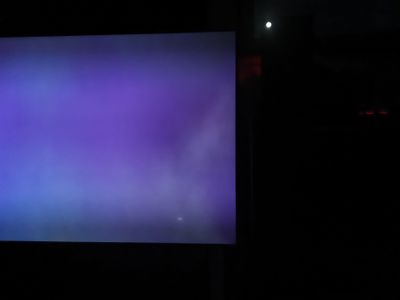
That below is suppose to be a black screen... maybe it is black for you.

medium
 
Last edited:
Top Bottom