• Hey Guest. Check out your NeoGAF Wrapped 2025 results here!

Dragon Quest Heroes PC Performance Thread

Performance in this game is the weirdest thing I've ever seen.

Maximum settings at 1080p -> 52-54 fps
Minimum settings at 1080p -> 53-55 fps

Maximum settings at 900p -> 58-60 fps
Minimum settings at 900p -> 59-60 fps

Max settings at 720p -> 60 fps
Min settings at 720p -> 60 fps


I mean, disabling shadows, AO, lighting and every possible effect only give me 1 or 2 extra frames per second. And those framerates are exactly the same looking at the floor or fighting with a lot of enemies. What is showed in screen doesn't affect the framerate.

I've enabled SLI and the performance is exactly the same. I don't think the CPU is the bottleneck (2700 HT on @ 5 ghz ) because lowering resolution affects framerate, but performance variation is not linear with resolution. Does not make any sense.

Sounds like a Koei Tecmo PC port.
 
Is there any sort of resource to learn the basics of why and how the game's engine is capped at 1080P where other games are free of such restrictions?
Yes, there is a resource - I can tell you: because they are too lazy to implement support for higher resolutions. There is no other reason.

(I had one of the games running at arbitrary resolution, I just wasn't motivated enough to finish up the UI placement)
 
Yes, there is a resource - I can tell you: because they are too lazy to implement support for higher resolutions. There is no other reason.

(I had one of the games running at arbitrary resolution, I just wasn't motivated enough to finish up the UI placement)

A shame, this game would shine @ 2 or 4k. Can't stand the aliasing while playing it and SMAA / FXAA does nothing to make it better. Oh well, back to another thing.
 
Buying K-T ports is rewarding bad Corp behavior. I have been burned couple times by them so no thanks.

Fallout 4 should not be even brought up in this conversation as far as environmental complexity goes. It's also fairly stable all things considered.
 
Haven't run into any performance issues playing this with i7 4770@3.4 ghtz and R9 270. In particular, the game hasn't crashed at all and looks on par with the PS4 version.

I did test forcing AA through the GPU control panel and that does seem to work, for the record, but in practice I'll probably play without it to keep temps down.
 
Buying K-T ports is rewarding bad Corp behavior. I have been burned couple times by them so no thanks.

Fallout 4 should not be even brought up in this conversation as far as environmental complexity goes. It's also fairly stable all things considered.

Alas I enjoyed OP Musou 3 and Samurai Musou 4-2, they ran fine for me and I enjoyed them.
As is KOEI Tecmo's latest releases hadn't reached 50,000 owners by now. They really need a wake up call.
 
Thought I would add my performance observations to this thread:

Specs: Windows 10 64bit Pro, i5-4670k, GTX 970, 8GB RAM.
Performance: Highest settings for everything 1080p solid 60fps, windows 7 compatibility is unchecked (game gave me a warning upon first boot but no problems since then.)
No problems, no crashes, no drops in performance. Overall everything is good, just wish there were more options for higher res and AA.

^ Yeah for some reason the coup de grace go down to 30fps (was the PS4 version also like this?)
 
(was the PS4 version also like this?)

Apparenty so, based on the impression the coup de grace videos from the PS4 version are giving me. If true, then it would be intended behavior.

Which doesn't bother me since those are basically mini-cinematics where the camera angle shifts and you don't control the character's movement.
 
don't keep 60 fps always, 7950 oc at 1555 mhz here, 70% gpu usage, when there are many monsters on screen, frame rate drops, but i don't know if it cpu limited, i have an i7 860 oc 3.7 ghz. :(
 
Because of a video cinematic? I don't see how the 'Musou Attacks' of DQH being 60 FPS would make it any better :V

Special attacks are cinematics too then because you can't control the character. I don't like 30 fps X-ray attacks in MKX because the same reason. It's horrible.

I regret about DQH because this and performance problems, no build-in AA, 1080p max resolution, no refreshrate options, etc.

For example, if it had a 50hz option, I could play at locked and smooth 50 fps (1080p) instead of 720p.
 
So do controllers actually work with this one? Samurai Warriors 4-II was a nightmare for me; it wouldn't detect my xbone controller's triggers and the controls just more or less stopped working if I tried to play over a Steam Link. Anyone having success with an xbone controller?

From the looks of things, the port's awful in most other areas. I really hope K-T starts giving a shit by the time Ni-oh comes out. I'd love for that to get a good PC release.
 
Special attacks are cinematics too then because you can't control the character. I don't like 30 fps X-ray attacks in MKX because the same reason. It's horrible.

I regret about DQH because this and performance problems, no build-in AA, 1080p max resolution, no refreshrate options, etc.

For example, if it had a 50hz option, I could play at locked and smooth 50 fps (1080p) instead of 720p.

You can't force to lock the game 50 fps with Rivetuner?
 
From the looks of things, the port's awful in most other areas. I really hope K-T starts giving a shit by the time Ni-oh comes out. I'd love for that to get a good PC release.

There's been enough talk about all of the technical specifics in this thread, but for me it comes down to whether the PC port is a downgrade from the PS4 version or not.

Which doesn't appear to be the case here, unlike with some of their previous ports, so I am satisfied with the results. They could have given PC owners some extra graphical options and retooled certain things to go beyond the PS4 version's performance, but nothing is getting in the way of my enjoyment of the game.
 
You can't force to lock the game 50 fps with Rivetuner?


50 fps into 60 hz is a bad idea. To achieve smooth 50 fps, you need 50 hz. Hint, look at that PS2 emulation in PS4 thread.

By the way, the game has framerate tied to movement speed. They have 3 locks instead of one (20-30-60) but the problem is the same.
 
Is there any way to pull the camera back on this, it is way too close and really ruins the enjoyment for me to have my character take up a large percentage of the screen.
 
Here's some terribleness: There isn't really a resolution cap, but instead it's actually just a set of resolutions to pick and choose from, and this really sucks for me because my monitor is only 1680x1050 and the only two resolutions I can pick are either 900p, 1080p(with VSR).

...Well, except I can't just simply choose 1080p. Why? Because the game determines your maximum resolution by your desktop resolution. Even if I choose 1080p in the config tool, the only way I can have the game output to 1080p is if I set my desktop to it.

I wish I bought the game from Steam instead of GMG so I could refund it.
 
Here's some terribleness: There isn't really a resolution cap, but instead it's actually just a set of resolutions to pick and choose from, and this really sucks for me because my monitor is only 1680x1050 and the only two resolutions I can pick are either 900p, 1080p(with VSR).

...Well, except I can't just simply choose 1080p. Why? Because the game determines your maximum resolution by your desktop resolution. Even if I choose 1080p in the config tool, the only way I can have the game output to 1080p is if I set my desktop to it.

I wish I bought the game from Steam instead of GMG so I could refund it.

Terrible indeed! I can confirm it will only start at 1080p when the desktop resolution is also 1080p. When my desktop is set to 2160p, the game simply refuses to run. So, not only does it not allow me to play at 4K, it won't start at all if my desktop is set to its native resolution of 4K.
 
Shame about resolution. Usually not that bothered with it but the aliasing is catching my eye in screens a lot. Downsampling would have made for a great experience. Not sure if they care enough to work on a patch.
 
Terrible indeed! I can confirm it will only start at 1080p when the desktop resolution is also 1080p. When my desktop is set to 2160p, the game simply refuses to run. So, not only does it not allow me to play at 4K, it won't start at all if my desktop is set to its native resolution of 4K.

I don't get why some devs doesn't even bother working on such a basic feature for PC games. That's a real shame!

Will cross it off my Steam wishlist. I may get it for PS4 later.
 
I don't get why some devs doesn't even bother working on such a basic feature for PC games. That's a real shame!

Will cross it off my Steam wishlist. I may get it for PS4 later.


I dont see whats the point to be fair. I mean, at the very least, you get the same experience as PS4. Except with less drops.
 
I dont see whats the point to be fair. I mean, at the very least, you get the same experience as PS4. Except with less drops.

Its not really convenient to change your desktop resolution every time you want to play the game. It also works as a "voting with my wallet" thing, since I don't like to support bad ports.

Not that I am that much excited to play anyway tbh, otherwise I would already have bought it. I can wait, and there are other games Im more interested right now.
 
Damn, this game needs a proper AA (or TXAA/TAA) options more than anything else. I can't look at all these jagged diagonal lines and they are EVERYWHERE! Was it really so hard to add AA options?
 
I see 0 improvement :-(


It is better, yes, but not a whole lot. AO is sucks too, even with some tweeking.


If you see zero improvement, it means the SMAA setting might have failed. I felt the same when I tried SMAA injector. Then I used Reshade and I could see the difference.
 
After taking a break to play Lightning Returns and some Guilty Gear, this thing is suddenly not launching properly. Starts up and then immediately closes. Looks like a d3d9.dll problem... whatever that's suddenly caused by.

Edit: Looks like turning off RTSS fixed it. Weird.
 
How have people managed to get Reshade working?

I've been trying with dx11 reshade(ie dxgi) and it just crashes on start up.

Edit: Renaming the dll to d3d11.dll instead of dxgi.dll seemed to do the trick. Kind of weird.
 
How have people managed to get Reshade working?

I've been trying with dx11 reshade(ie dxgi) and it just crashes on start up.

Edit: Renaming the dll to d3d11.dll instead of dxgi.dll seemed to do the trick. Kind of weird.

I'm more interested in optimization to be honest.
How come I can run Street Fighter V on medium and Overwatch on low/mid at 60fps, but DQH drops below 60fps on low?
 
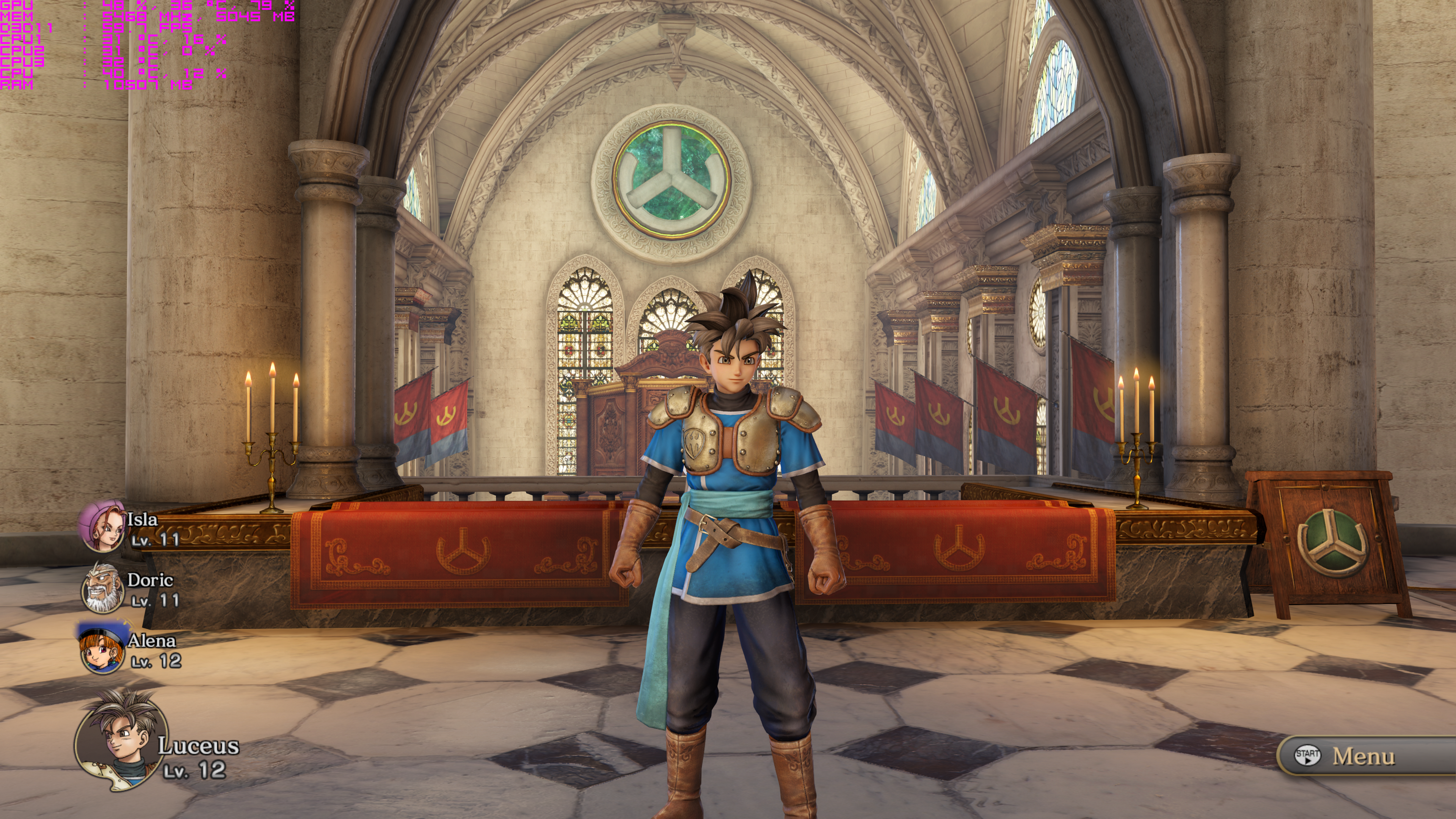
BOOM Got this game working with 4K + SMAA

32736294046_4715708013_o.png
 
Top Bottom