• Hey Guest. Check out your NeoGAF Wrapped 2025 results here!

Next Windows release "Threshold", to unify operating systems

Status
Not open for further replies.
man I really don't get Microsoft. Why is it so difficult to make the desktop like Windows 7, then just add/remove a layer from that desktop version to make it more touchscreen friendly for tablets?!

Hell I'd be happy to use Windows 7 on a tablet, if I don't want to press start with my finger, then I can just create shortcuts on my desktop like it's been done for ages.

Then just add an app store for all devices.

Here now, for a corporation as huge as Microsoft, this can't be too muck to ask for? or Impossible? I really just don't get it.

Sounds like you've never used Windows 7 on a tablet, it's painful. Very painful.
 
The codename reportedly covers updates to Windows, Windows Phone and the Xbox One operating system, bringing even more commonality to the three OSes.


So PC users won't be able to see how their memory is being used, and the OS will delete things automatically to make room?
 
Missing the working start menu part...

Personally, I think you should be able to completely disable any sort of Metro interaction at all.

The start menu works. What you want is the start menu to be shrunk to a fraction of the screen so that in the brief period of time you spend there looking for a program to run or a recent document, the stuff you're not even looking at stays visible...
 
I'd be 1110% content with W8 if you could "dock" the start menu to one side in usage when you summon it. The new start menu is a huge upgrade over the former, but it seems a lot of people can't get over the new look.
 
I'd be 1110% content with W8 if you could "dock" the start menu to one side in usage when you summon it. The new start menu is a huge upgrade over the former, but it seems a lot of people can't get over the new look.

I think this half-snap scenario is a good way of mollifying some of the valid issues that people have with the new start menu. Whether it will actually mollify the lay person's opinion is a different story all together.
 
for my home PC its fine, for my studio computers its a train wreck as we were using skydrive to sync certain profiles and everyone shared a few local account driven Windows 8 machines. Now we have only a few choices, either 1 dont upgrade, 2 upgrade and drop skydrive support (already have, moved to dropbox), or 3 link everyones domain account with the MS account and lose the local accounts, which NO ONE wants to do, and noone should have to as thats is also there person account to Live and email and several other things.

Granted, it's been a solid year since I handled internal enterprise support, so things might have changed since 8 hit the market but if you have domain accounts, why use SkyDrive? The whole point of creating a domain is to simplify account and data management, network access, and collaboration.

SkyDrive, itself, was always a consumer space product. SkyDrive Pro, despite the "Pro(fessional)" moniker, is just a new version of SharePoint Workspace. Neither version was really catered toward business use.

Obviously, the notion of network shares is primitive now, as most places have been so enamored with the cloud that network drives are starting to become an afterthought, but I can't help but wonder why your studio isn't just going with the tried and true, standard domain config.
 
Xbox One can do that, the article says they want more commonality with Xbox One.

I don't actually think they would do that, but my point is, I don't want my PC to work like a phone or an Xbox.

Here's the flaw in your thinking. Windows 8 doesn't work that way even though the Xbox does and they're based on the same kernel. There's more to software than drawing random strange parallels using false logic.
 
What are some examples of what people do with the start menu that you can't do in Windows 8.1?

On my computer it's set to boot to the desktop and the start button is configured to show the application screen organized by category. I can also search if I need something quick and right click start or use ctrl + x to open the power user menu.
 
man I really don't get Microsoft. Why is it so difficult to make the desktop like Windows 7, then just add/remove a layer from that desktop version to make it more touchscreen friendly for tablets?!
.

Microsoft has been doing this at least since XP, it never worked.
 
Microsoft has been doing this at least since XP, it never worked.

Which reminds me, this article couldn't be more relevant. It was written in 2007.
By contrast, the iPAQ/PocketPC/Windows Mobile A little too much interface stubbornly retains the Start menu, a Desktop, a Control Panel, and windows stacked in Z-order throughout the operating system. Personally, I do not feel that these patterns work nearly as well on a small screen and without mouse or keyboard as they do on a regular personal computer.
Therefore it makes sense to have a consistent visual look and language under all Microsoft products and services, not "There's Windows, then there's everything else." The solution works well on multiple platforms since you can navigate with relative ease an accuracy.
It's do something, or get left behind. Growing pains now, or stiff competition later when mobile becomes even more dominant.
 
You know, I'd really like to see some mock-ups of what people think Windows Desktop 'should' look like.

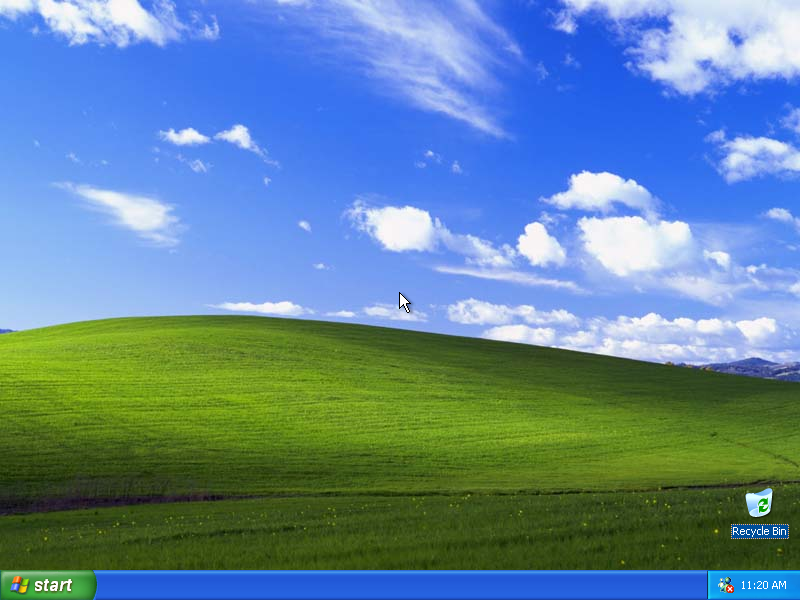
winxppro.png


but modern...
 
Microsoft has been doing this at least since XP, it never worked.

And metro is?

The start menu works. What you want is the start menu to be shrunk to a fraction of the screen so that in the brief period of time you spend there looking for a program to run or a recent document, the stuff you're not even looking at stays visible...

No, I don't want the start menu shrunk I just don't want it to be blown up to full screen. It does not work, there's absolutely no reason for the start menu to be fullscreen on a desktop or laptop pc with a bigger screen.

Besides that it's also lacking in features compared to the Windows 7 start menu. There's a lot less you can pin on the Windows 8 start screen making the extra space kinda useless.

It's just a few seconds or so generally but if the version that doesn't cover up all my applications works better than the one that doesnn't then why would I want it to go fullscreen? I've seen a few posts here that say that fullscreen shouldn't matter but you fail to give any reasons why it's better just that it's for some reason not worse. I'd say that for example having search available while still being able to see all your applications can be pretty damn useful.

There's also the fact that metro's second monitor support is broken. If I could have Metro on my second monitor I might actually like it a bit more.
 
I dont get the windows 8 hate.

Dont like metro? Dont use it, enjoy the other great features of windows 8, really, they are there.

There's also the fact that metro's second monitor support is broken. If I could have Metro on my second monitor I might actually like it a bit more.

You can
 
MS put Windows desktop on mobile devices. Now they're putting Mobile on Windows desktop devices.

Oh god i can't believe people are still complaining about this. I've been using W8 at work for over a year. 95% of the time I am in the desktop and I have not noticed anything worse than windows 7. So what if the start menu takes up the whole screen? I need to click on an icon anyways or type.

Yeah there are things that can be improved like the searching and they shouldn't default to metro apps on the PC for photos and music and the like. But aside from that if you can't figure out how to use it like you did win7 then you should probably never leave metro.
 
For those who don't see the point of the start menu - it all comes down to what you are used to do what you want to do.

For me I hate the default task bar with all the big icons and stuffs being combined, so I always disable the combining and make the task bar looks like it was in XP the first thing I do with a new PC. I then use the start menu similar to how most people I've seen use the task bar.
 
Oh god i can't believe people are still complaining about this.

That's because they don't understand what the modern UI is and how it works. 95% percent of the so called "complaints" are, in reality, "OMG THEY REMOVES TEH DESKTOPS". The remaining 5% is 75% "Start menu takes the whole screen" and 25% valid complaints.
 
In what way? .
In a way that it's fast, fluid and very usable touch interface. Something no previous Windows were. Windows 8 biggest problem as far as touch devices go was that it wasn't complete and from time to time you were still thrown into desktop. But 8.1 minimized that and I expect with next release you will be able to do everything without seeing desktop even once.

There's no way to make one interface that will work well on both mouse+KB and touch systems. Those paradigms require vastly different solutions. No matter what kind of layer you put on desktop it will always be utter crap on touch devices. And similiarly Metro doesn't work anywhere near as well on Mouse+KB as regular W7 desktop does.

Microsoft got the right idea to have two completely different interfaces running alongside eachother. It's the execution that's still not perfect, but the idea itself is sound and the only one that can truly work.
 
In a way that it's fast, fluid and very usable touch interface. Something no previous Windows were. Windows 8 biggest problem as far as touch devices go was that it wasn't complete and from time to time you were still thrown into desktop. But 8.1 minimized that and I expect with next release you will be able to do everything without seeing desktop even once.

There's no way to make one interface that will work well on both mouse+KB and touch systems. Those paradigms require vastly different solutions. No matter what kind of layer you put on desktop it will always be utter crap on touch devices. And similiarly Metro doesn't work anywhere near as well on Mouse+KB as regular W7 desktop does.

Microsoft got the right idea to have two completely different interfaces running alongside eachother. It's the execution that's still not perfect, but the idea itself is sound and the only one that can truly work.

Yeah, like I said as far as I know it's a good interface on tablets. If Microsoft truly realized that they can't make a interface work cross platform on desktop pcs and tablets they should just not have included Metro in the desktop version of Windows. Or at the very least not in the Professional version. Spyguy was just saying that Microsoft should be shipping desktop versionf of Windows without Metro. Whether their previous attempts at touch interfaces failed or not has very little to do with that.

Just like you do it normally on the main screen. Press the windows button on the second monitors taskbar.

So you can't do it by pressing the windows button on your keyboard or your main monitor then? That's still kinda useless.
 
Yeah, like I said as far as I know it's a good interface on tablets. If Microsoft truly realized that they can't make a interface work cross platform on desktop pcs and tablets they should just not have included Metro in the desktop version of Windows. s.

Why? What's so wrong about having choice to use it? At this point the only problem is lack of traditional start menu, but even this will be soon gone in next update. After this happens I don't really see what your argument could be.

Also..more and more laptops and desktops are using touchscreens. Kinect-like devices are also gaining popularity. So I don't think it would be good idea to make some sort of crippled Windows 8 version without metro.
 
Why? What's so wrong about having choice to use it? At this point the only problem is lack of traditional start menu, but even this will be soon gone in next update. After this happens I don't really see what your argument could be.

Also..more and more laptops and desktops are using touchscreens. Kinect-like devices are also gaining popularity. So I don't think it would be good idea to make some sort of crippled Windows 8 version without metro.

There's no choice, you're kinda forced to at least use the start menu part of it which is already pretty bad for desktop use. If it's completely optional sure. It's baffling that Microsoft hasn't made a professional version of Windows 8 or at least some GPO policies that disable metro. There's no use for metro in Windows 8 Professional. It's 100% made for home users and that's fine but it shouldn't be in the Pro versions of windows or at the least be removable in those versions. Windows Vista/7 pro didn't include media center either, they need to do the same thing here.
 
Status
Not open for further replies.
Top Bottom