• Hey Guest. Check out your NeoGAF Wrapped 2025 results here!

Crysis 2 - PC modding and tweaking

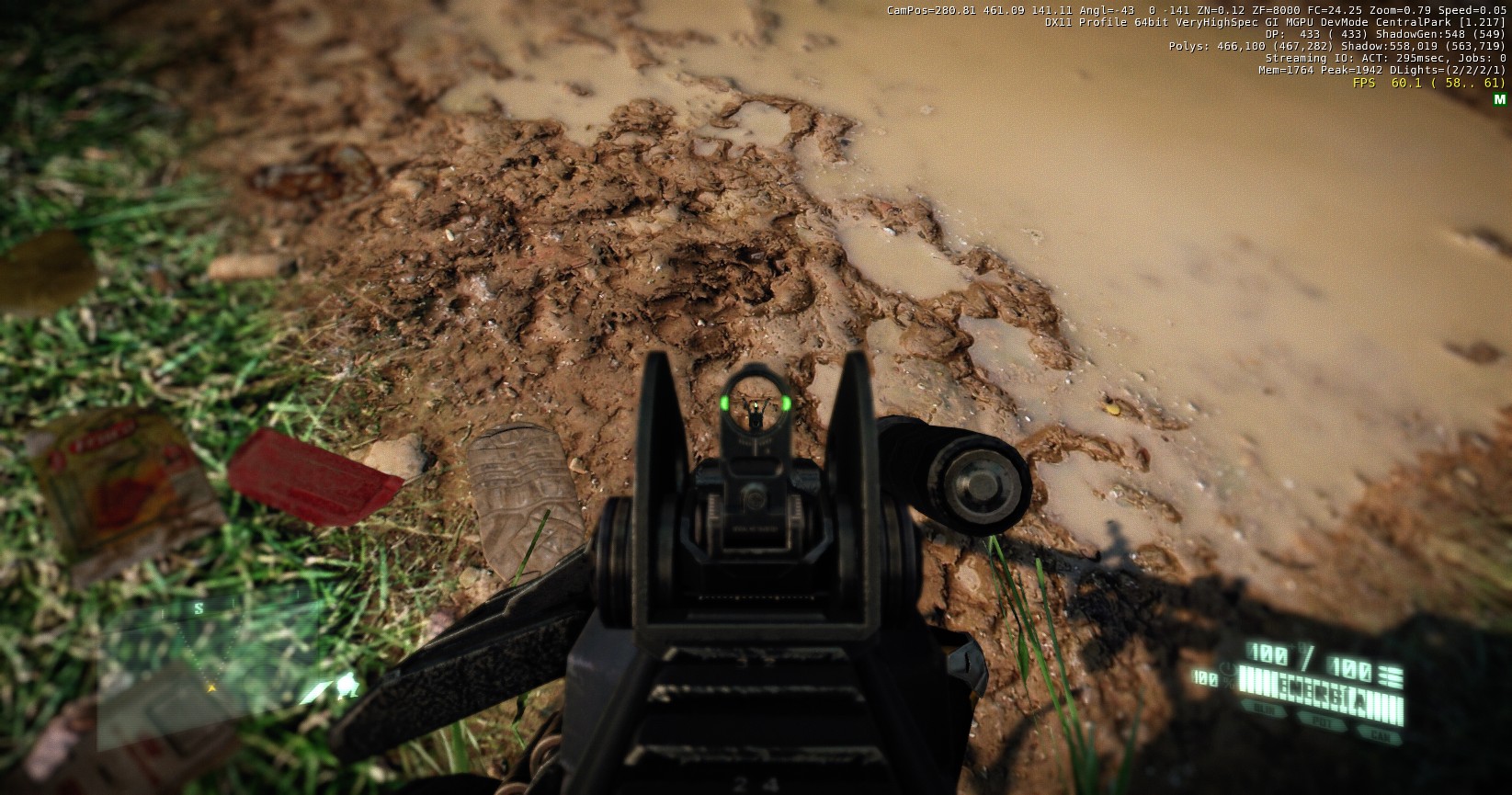
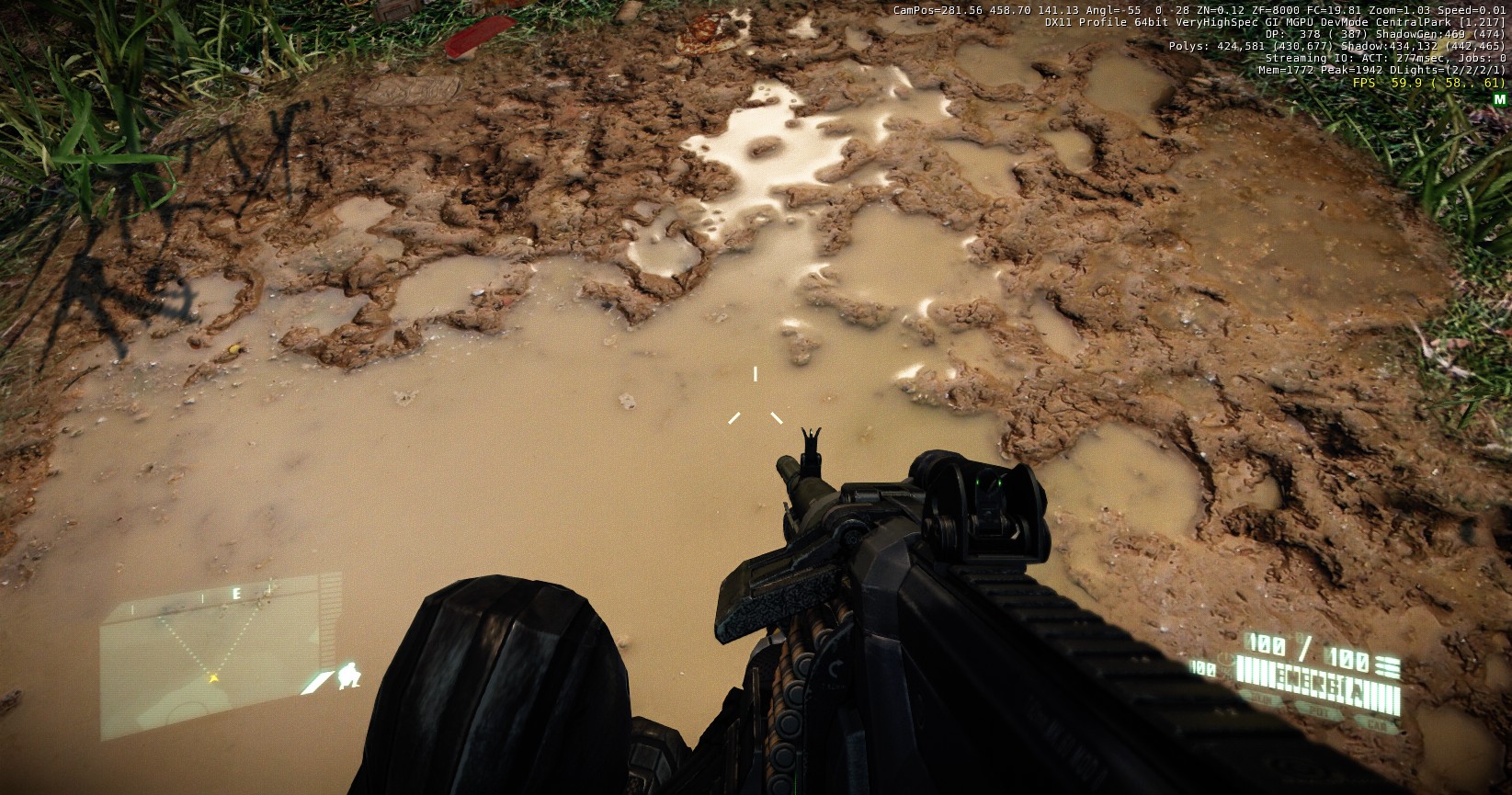
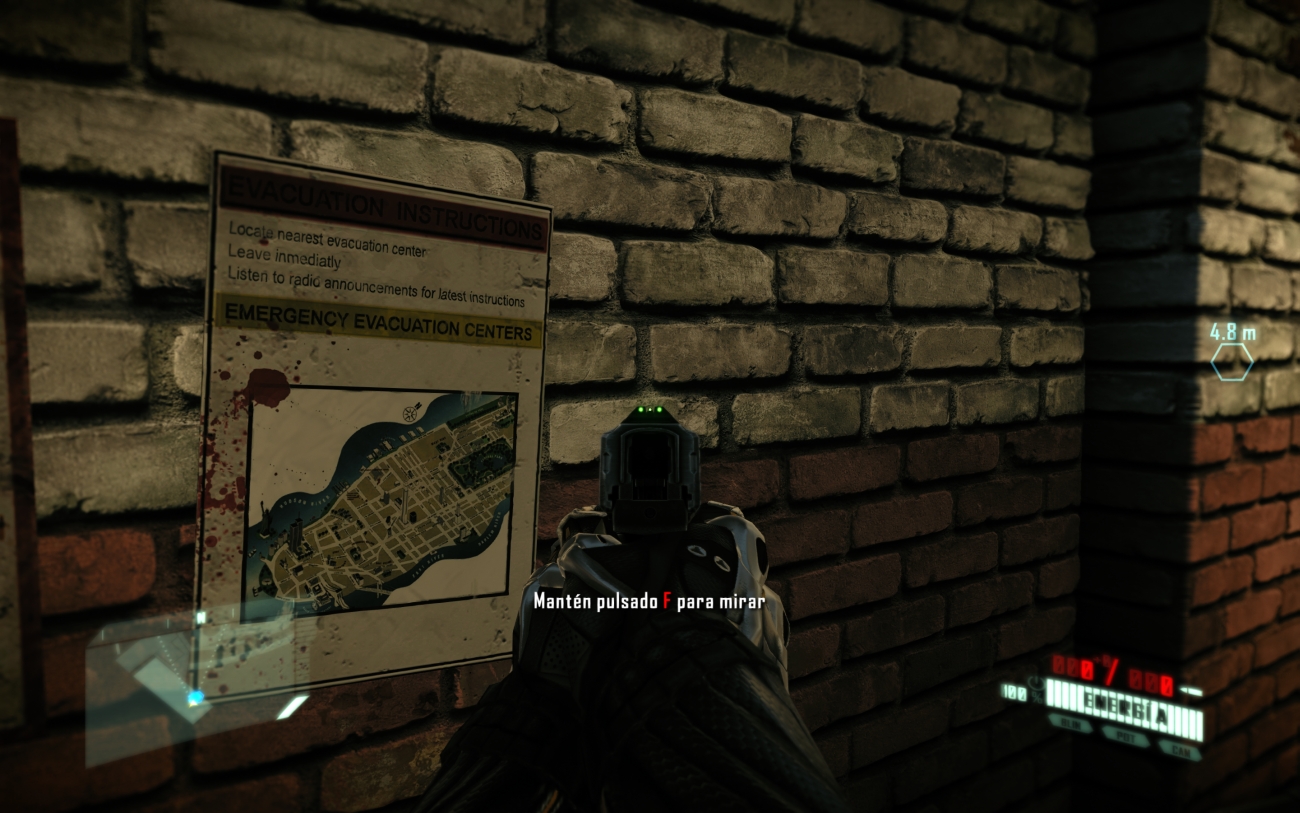
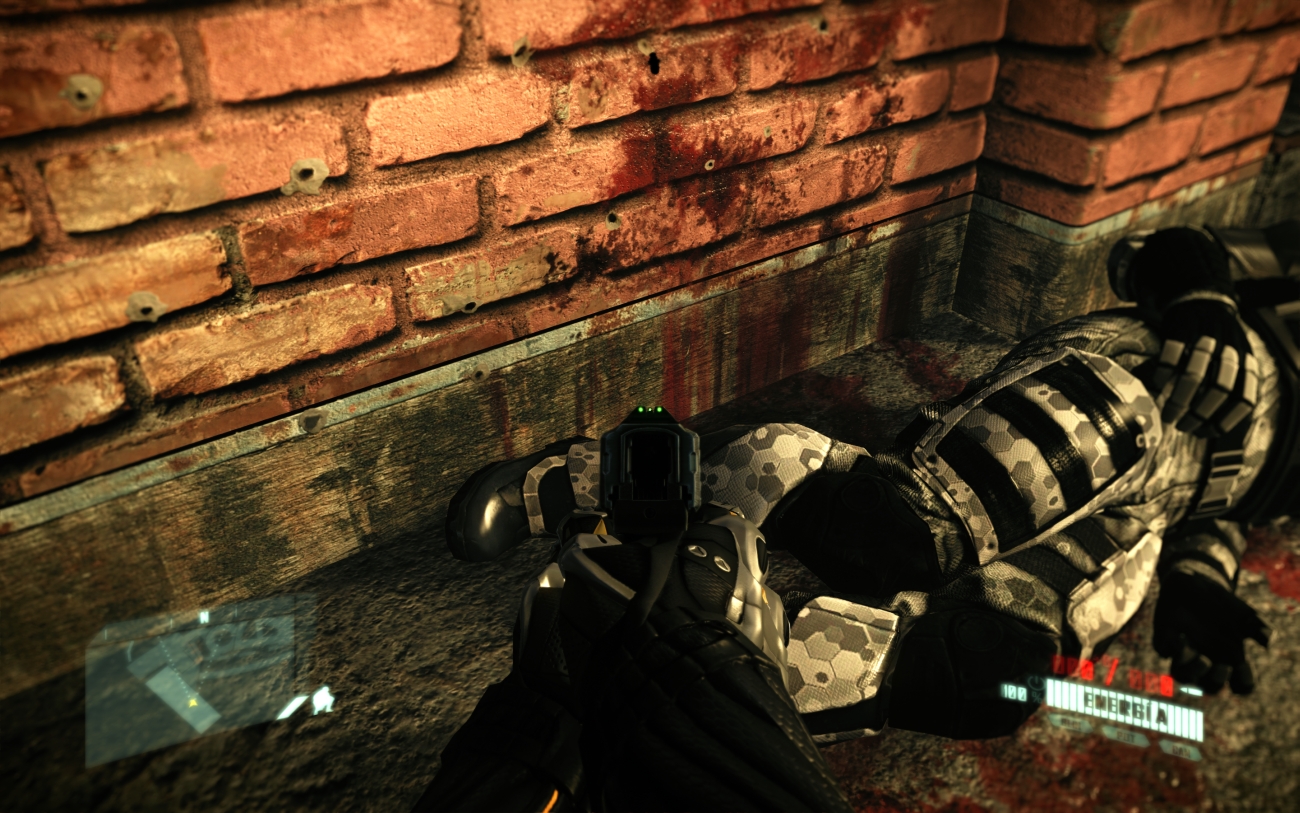
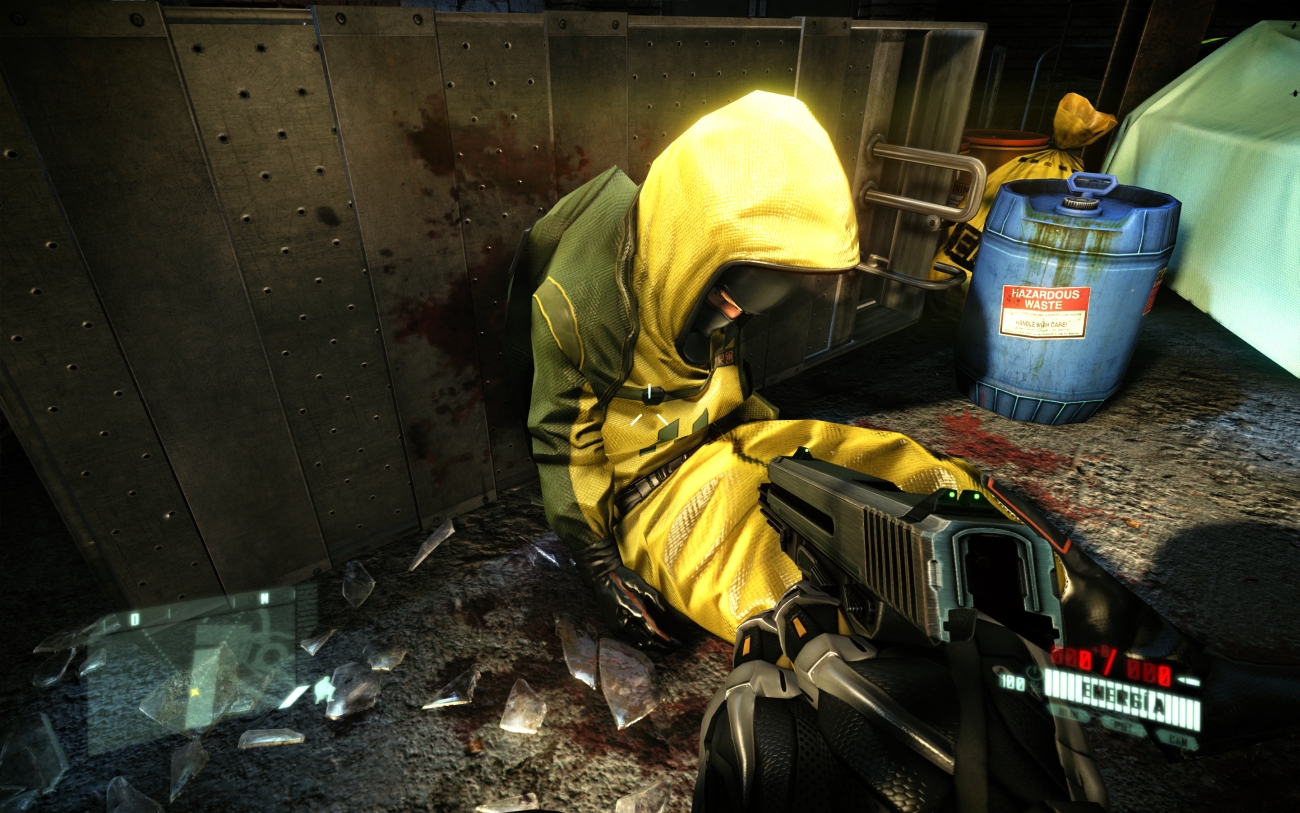
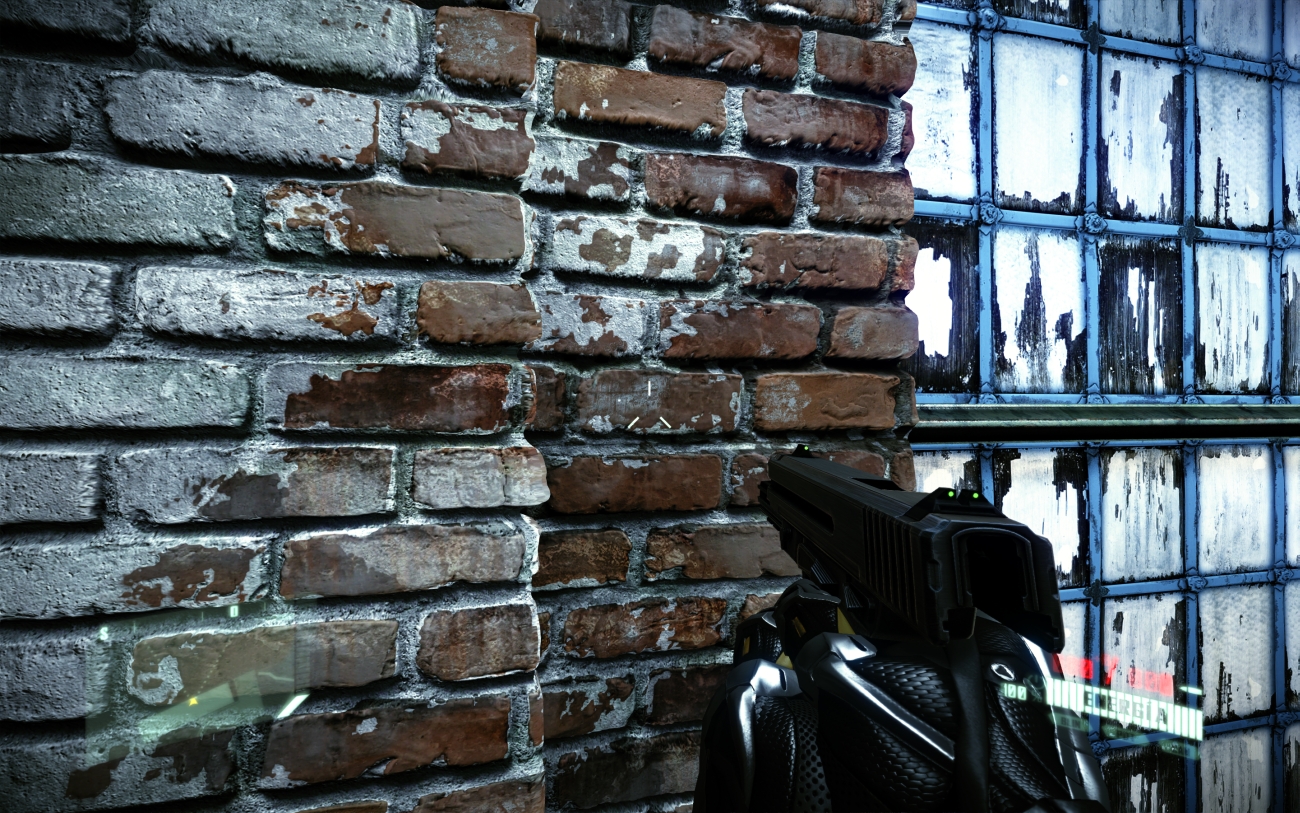
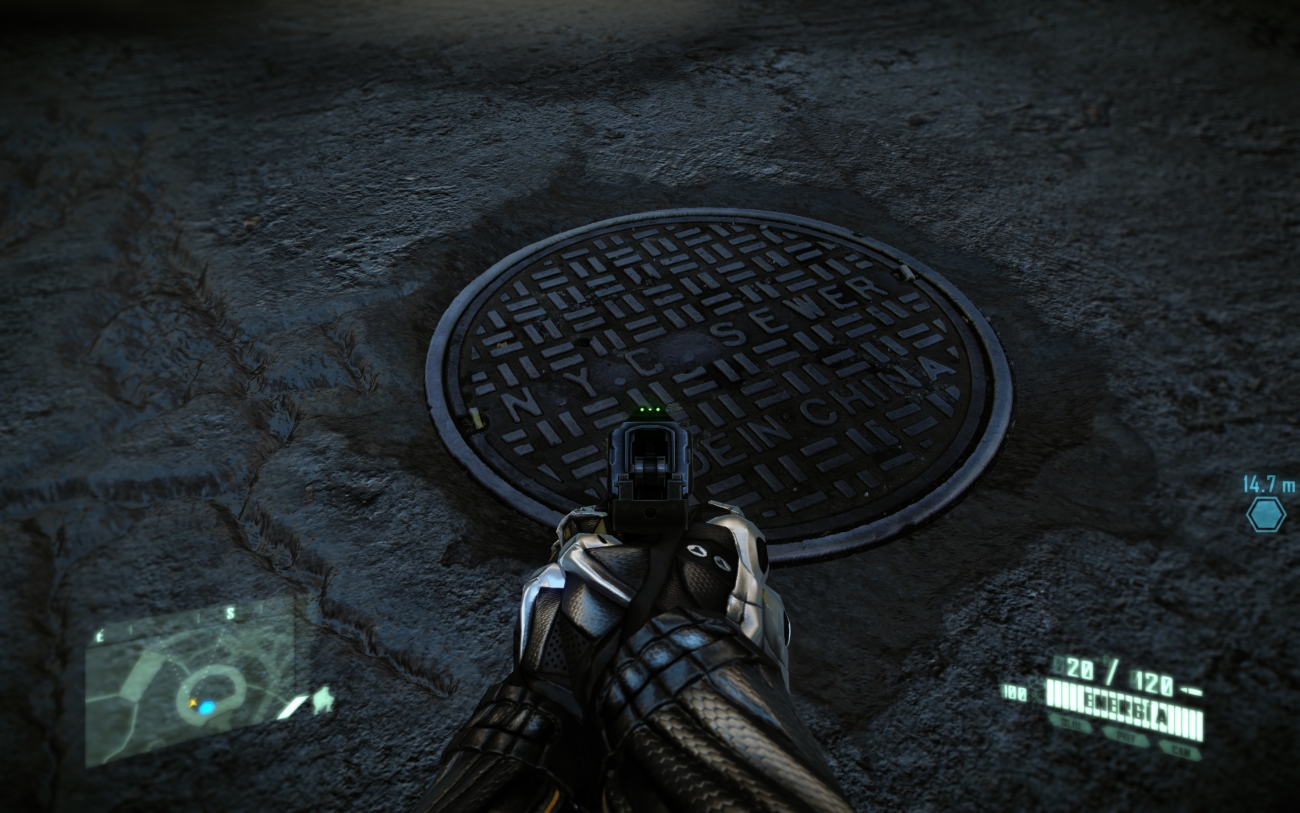
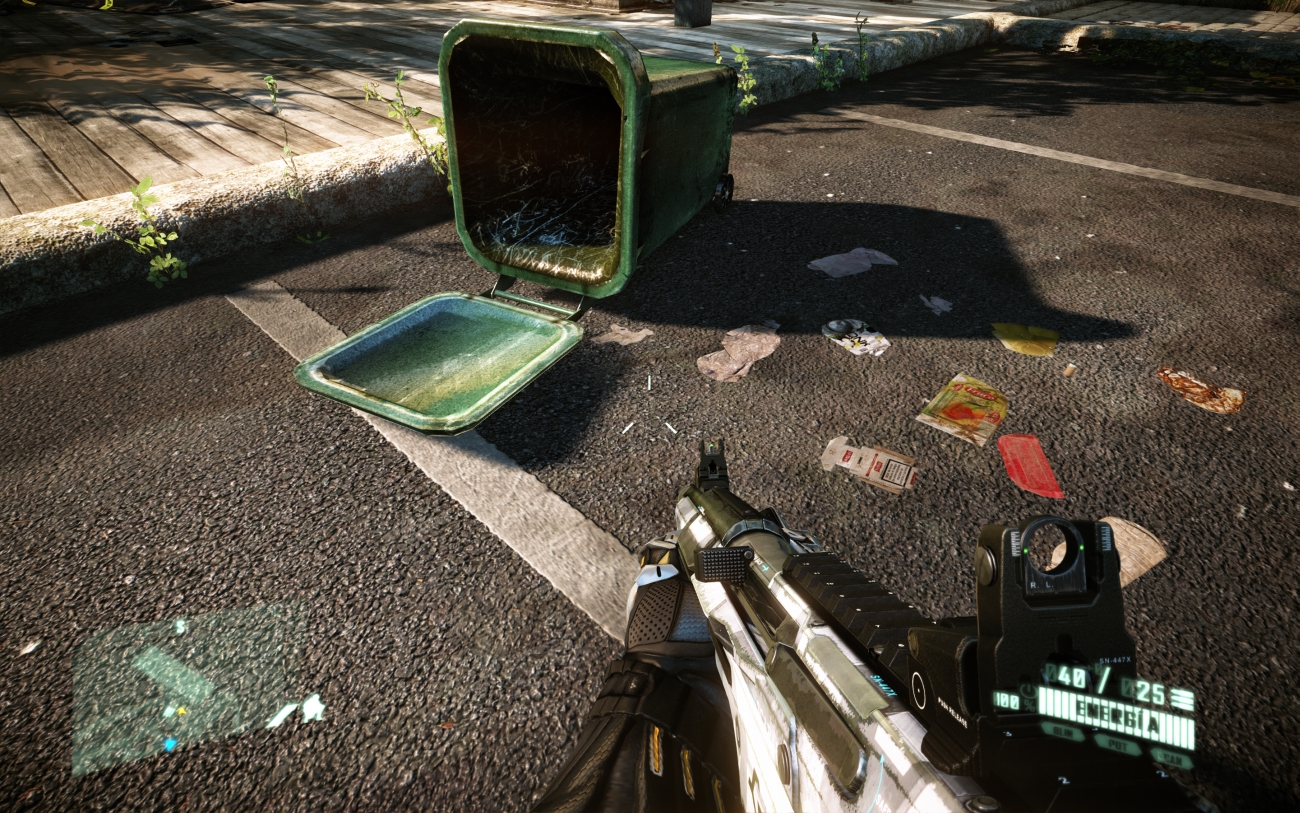
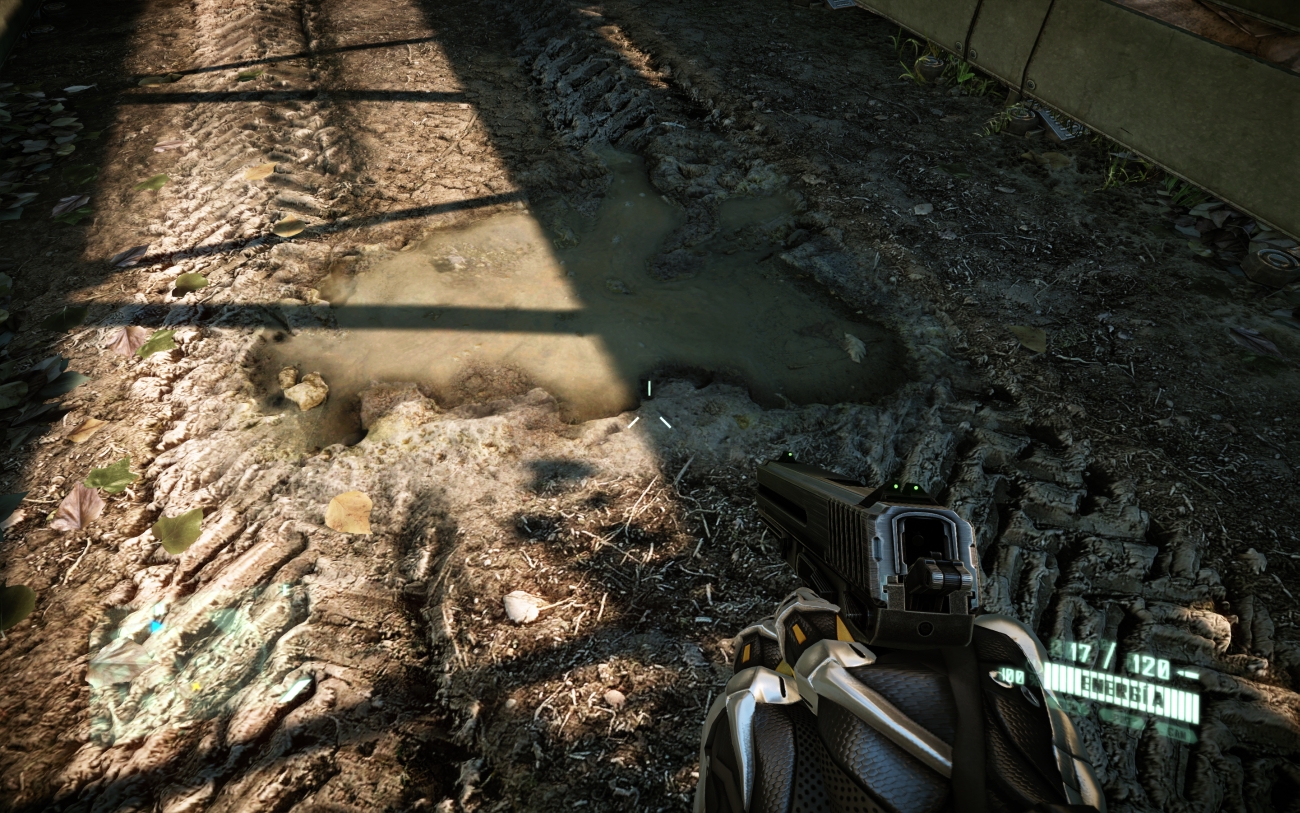
Couple of new pics from Maldo's next version of his mod:

ScreenShot0526.jpg

Fucking fucking! I feel like I should become a pig right about now to thrash about in there. It looks magnificent!

Never thought I'd ask for it but can you contribute more mud shots?

 
Do footprints actually get shown in that mud and does the water reflect correctly?

Probably a dumb question, but why don't developers just put a super high res picture of mud with water on the ground and just have players walk on that?
 
Do footprints actually get shown in that mud and does the water reflect correctly?

Probably a dumb question, but why don't developers just put a super high res picture of mud with water on the ground and just have players walk on that?

Very muddy water shouldnt reflect much.
 
I don't seem to be able to play the game in DX11 mode because I can't select my resolution. Would using the maldo mod get me around the glitch?
 
Holy crap. I really like how Maldo's mod doesn't stray far from the original vision for the game at all. It looks very close to the unmodded game, just sharper. I hate it when mods play too much with the original assets.

EDIT: Hah. Didn't realize it was actually him that posted the new screens.
 
damn that looks good.

I quite enjoyed the sp in this game but oddly never touched the MP , when 85% of my gaming is mp only...i should try it ...

Will install this mod soon as new ones out! thanks!
 
Holy crap. I really like how Maldo's mod doesn't stray far from the original vision for the game at all. It looks very close to the unmodded game, just sharper. I hate it when mods play too much with the original assets.

Yeah Maldo is a real pro. He has a great attention to detail and solid work ethic. I mean, I would not be surprised if he had already replaced 60% of all the games textures.
 
Welcome MaLDo! Your mod looks better than ever. This is the time I'm gonna download it and give it a try. It just look so much improved over the first version all those months ago. Great work, really.
 
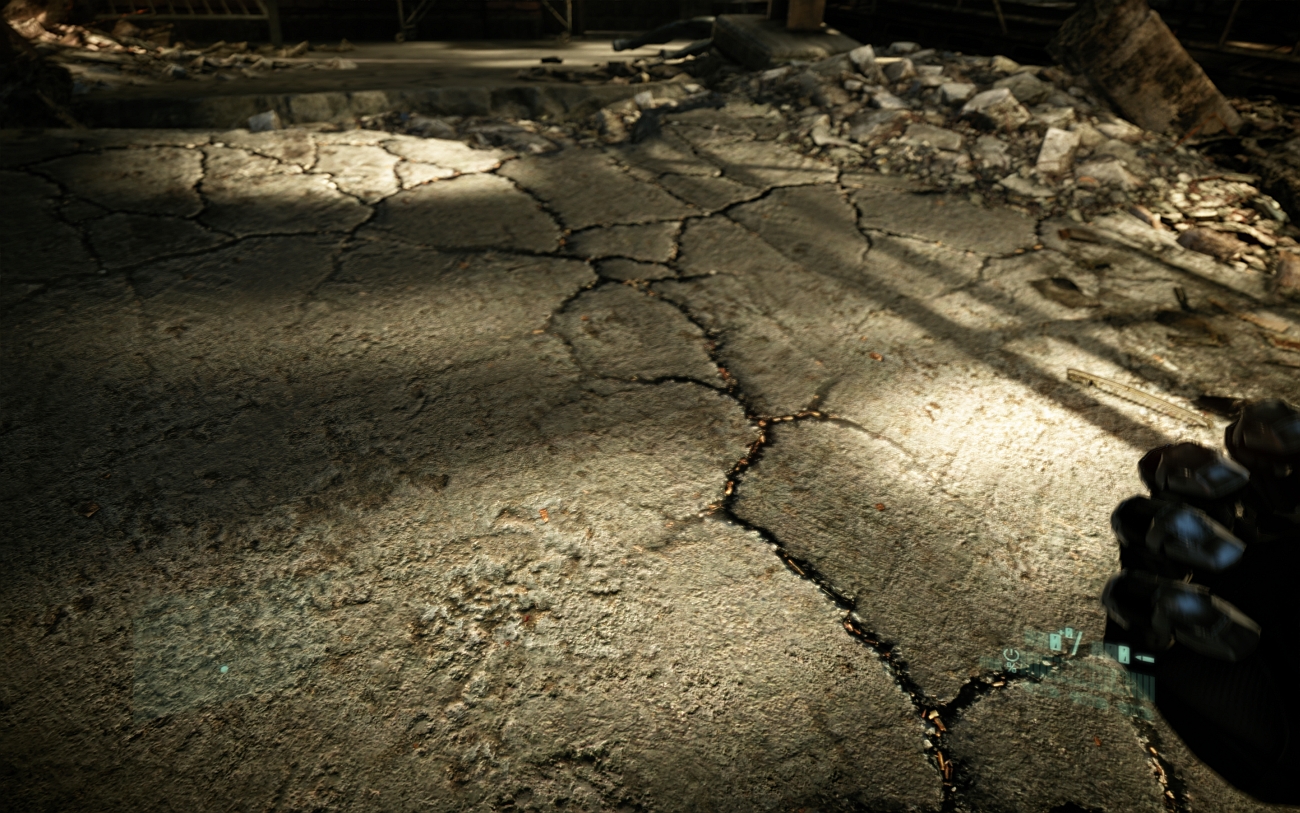
Wait, are all the cracks in the street filled with casings?

That'd be even more excessive than Warhammer is with skulls (I'm a nerd, sue me).


I don't want to play Crysis 2, but I want those hot mod graphixXx :/ Why did they have to make the game so lame?
 
Wait, are all the cracks in the street filled with casings?

That'd be even more excessive than Warhammer is with skulls (I'm a nerd, sue me).


I don't want to play Crysis 2, but I want those hot mod graphixXx :/ Why did they have to make the game so lame?

Have you played Crysis 2? It's fucking awesome.
 
Wait until the new release if you can. His stuff now's not hard to install or too big, though (800MB), if you can't.

Cool, will do.

Has anyone checked out Crysis Revival + C-mod? I'm downloading it now, I could do with some jungle action.

Edit: The more I play Crysis 2 the more I realise I miss the 'crisp' look of Crysis 1. I don't even know how to explain it, but Crysis 2 seems kind of blurry in a way...
 
Before I installed Maldo, I installed the 2 crytek patches, but got an error before installing each one of those, they seemed to work however.

Still tweaking this game, can't get it quite to the point that I'm content and actually start playing it lol.
 
Cool, will do.

Has anyone checked out Crysis Revival + C-mod? I'm downloading it now, I could do with some jungle action.

Edit: The more I play Crysis 2 the more I realise I miss the 'crisp' look of Crysis 1. I don't even know how to explain it, but Crysis 2 seems kind of blurry in a way...

r_postmsaa = 2
r_postmsaaedgefilternv = 3

Clearest you'll get it looking with in-game AA. Aside from that, all you can do is downsample, which takes a shit ton of power.
 
Just bought this game on steam sale, unsure on what settings are the best visual compromise for a 5850 and 2500k 4.3ghz at 1080p. Are there any good cfg tweaks out there or should I just wait for maldo's new release?
 
Mmmm, I was never able to get all the vanilla DX11 goodness running smoothly on my rig but that Maldo config utility has me intrigued. Not to mention that texture mod, gorgeous. May have to reinstall the game.


Edit: Couple questions: I have the game on Steam, will it automatically patch up to 1.9 (DX 11) or do I need to apply that one manually? And what kind of performance hit should I expect with that particle mod vs vanilla "Extreme" (DX11) particles?
 
Edit: Couple questions: I have the game on Steam, will it automatically patch up to 1.9 (DX 11) or do I need to apply that one manually? And what kind of performance hit should I expect with that particle mod vs vanilla "Extreme" (DX11) particles?

Dunno bout your other questions but im fairly positive the steam version is fully updated to 1.9 with the texture pack and everything
 
Dunno bout your other questions but im fairly positive the steam version is fully updated to 1.9 with the texture pack and everything

Yep, it is. Played around with the Maldo mod a bit, looks absolutely phenomenal. I'm getting a fair bit of stuttering with the Maldo texture mod when I'm moving from area to area though. Within each area the frame rate is completely fine. I have a 1 GB HD 5770 and 4 GB of DDR2 RAM. Is that just not enough for the textures in the mod or is there a particular setting in the config that I should dial back to help alleviate the stutter?

These are the settings I'm using:
fK7nu.png


Also, what objects does reduced tessellation ignore vs full tessellation?
 
Yep, it is. Played around with the Maldo mod a bit, looks absolutely phenomenal. I'm getting a fair bit of stuttering with the Maldo texture mod when I'm moving from area to area though. Within each area the frame rate is completely fine. I have a 1 GB HD 5770 and 4 GB of DDR2 RAM. Is that just not enough for the textures in the mod or is there a particular setting in the config that I should dial back to help alleviate the stutter?

These are the settings I'm using:
fK7nu.png


Also, what objects does reduced tessellation ignore vs full tessellation?

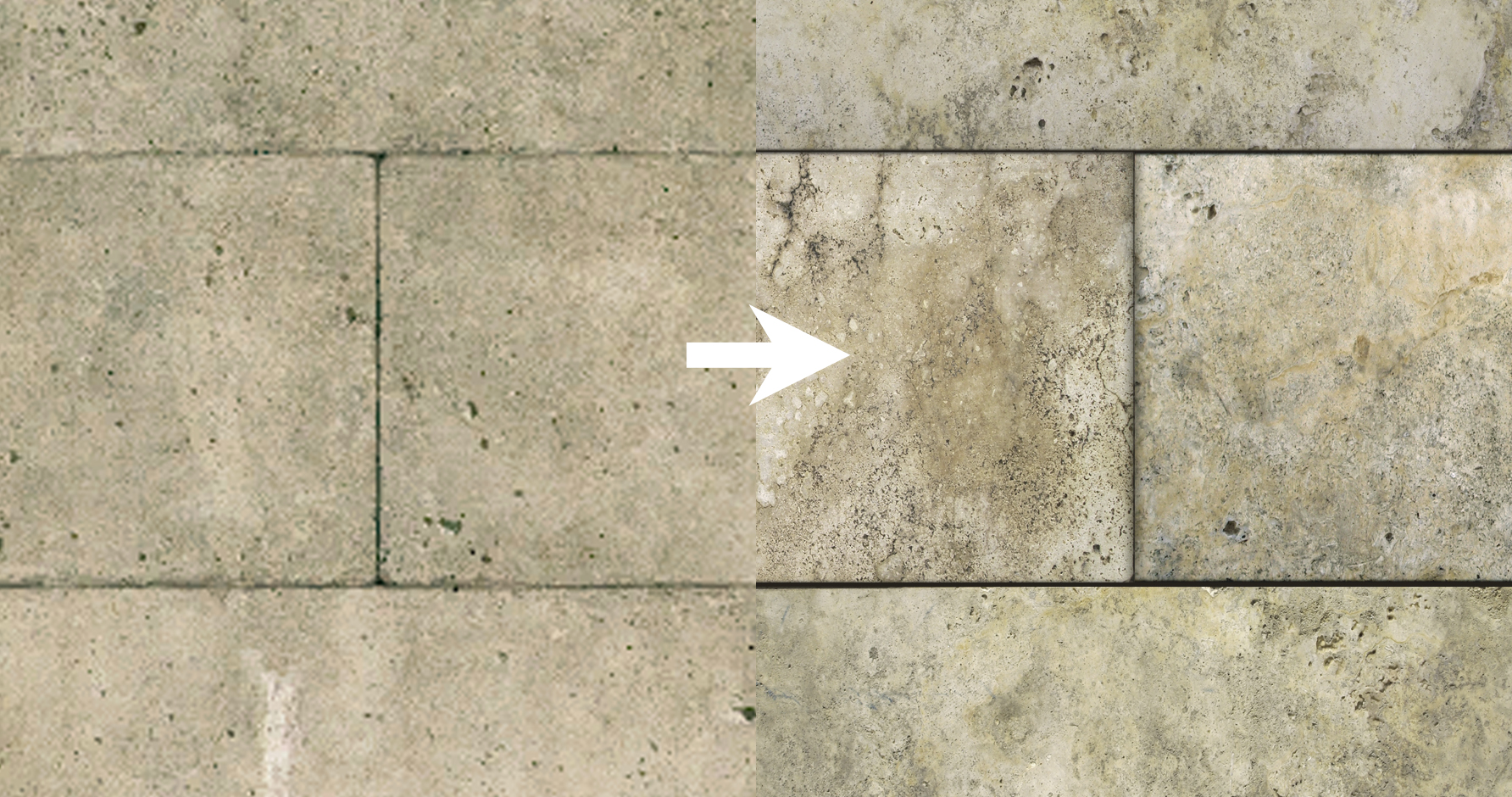
Probably the most detailed concrete walls in the history of video gaming [and others nVidia ploys to reduce preformance on ATI cards].
http://techreport.com/articles.x/21404/2
 
Probably the most detailed concrete walls in the history of video gaming [and others nVidia ploys to reduce preformance on ATI cards].
http://techreport.com/articles.x/21404/2

WTF at the concrete slabs, LOL.

Speaking of tessellation, I thought the GPU intelligently tessellated the models to reduce their "polygonal" look. But if I'm reading the article right, do the developers actually have to create the more detailed objects beforehand? Why can't the hi-poly objects be used in standard DX9/10 then?
 
WTF at the concrete slabs, LOL.

Speaking of tessellation, I thought the GPU intelligently tessellated the models to reduce their "polygonal" look. But if I'm reading the article right, do the developers actually have to create the more detailed objects beforehand? Why can't the hi-poly objects be used in standard DX9/10 then?

Tessellation is an efficient way to deal with very high poly-counts. This feature is made exclusive to DX11, just as Siri is made exclusive to iPhone 4S (and obviously future models).

If the developer chooses the "lazy" tessellation, then it's just pointless. This can be seen in the Heaven benchmark tool, as well. I'd say it's an even worse offender than Crysis 2 in this area.
 
Yep, it is. Played around with the Maldo mod a bit, looks absolutely phenomenal. I'm getting a fair bit of stuttering with the Maldo texture mod when I'm moving from area to area though. Within each area the frame rate is completely fine. I have a 1 GB HD 5770 and 4 GB of DDR2 RAM. Is that just not enough for the textures in the mod or is there a particular setting in the config that I should dial back to help alleviate the stutter?

These are the settings I'm using:
fK7nu.png


Also, what objects does reduced tessellation ignore vs full tessellation?
You have a slow graphics card, it's probably that.
 
The frame rate is completely fluid. It's stuttering when I move to a new section of the map. And I wouldn't say the 5770 is a slow card.

I get stuttering when I have too many VRAM hungry settings cranked.
 
The frame rate is completely fluid. It's stuttering when I move to a new section of the map. And I wouldn't say the 5770 is a slow card.

First, I'll say that a 5770 isn't a slow card. It's mediocre. Hell, a 4850 could run Crysis 2 at decent frame rates at 1680x1050 without DX11, of course. Believe me, I've tried (but it died soon after, lol).

Since you're saying you're getting fluid frame rates, around what does your frame rate hover?
 
I get stuttering when I have too many VRAM hungry settings cranked.

I figured that was the case here, was wondering which settings in that config were the most VRAM dependent so I could turn them down.

It's slower than a 4870 which is too slow to play Crysis 2 DX11 (if it wasn't a DX10 card that is).

First, I'll say that a 5770 isn't a slow card. It's mediocre. Hell, a 4850 could run Crysis 2 at decent frame rates at 1680x1050 without DX11, of course. Believe me, I've tried (but it died soon after, lol).

Since you're saying you're getting fluid frame rates, around what does your frame rate hover?

Er, in DX9 the 5770 absolutely destroys Crysis 2. Ran it effortlessly at 1680x1050, 40-60 FPS.

I'll turn on an FPS monitoring program and report what my frame rates are with the DX 11 settings pictured in my post above.

Edit: Lowest FPS I saw on the 3rd level was during a scripted scene where the alien ship crashes through the tunnel you're standing in. 25 FPS.

Combat FPS stayed around 30 FPS. Exploration was 40+. Stutters were at the beginning of the stage, never during combat.

Not bad for a card that was $150 when I bought it over two years ago.
 
Anyone given this thing a go?

http://cell-systems.net/cfg-maker/client-cfg-maker/create-crysis2%E2%80%9D-autoexec-cfg/

Basically makes the autoexec.cfg for you, made one with everything maxed out and brought my rig to it's knees. Currently running an AMD 1100T 3.3Ghz, Asus 990FX Sabretooth motherboard, 16Gb DDR3 1800Mhz RAM and AMD 6970 2Gb GDDR5 video card.

If someone more knowledgeable than me wants to take a crack at it to make an excellently balanced .cfg file you're more than welcome to... I'm currently running Crysis 2 with Quality Mod and a config file from the Crydev forums, managing to get about 25-30fps @ 1920 x 1080.
 
Holy crap. I really like how Maldo's mod doesn't stray far from the original vision for the game at all. It looks very close to the unmodded game, just sharper. I hate it when mods play too much with the original assets.

EDIT: Hah. Didn't realize it was actually him that posted the new screens.

Yeah, I've never downloaded an 'HD' texture pack, but his is tempting, I'll admit.

Plus all the extra config options! Looking forward to playing C2 again.
 
I figured that was the case here, was wondering which settings in that config were the most VRAM dependent so I could turn them down.


Er, in DX9 the 5770 absolutely destroys Crysis 2. Ran it effortlessly at 1680x1050, 40-60 FPS.

I'll turn on an FPS monitoring program and report what my frame rates are with the DX 11 settings pictured in my post above.

Edit: Lowest FPS I saw on the 3rd level was during a scripted scene where the alien ship crashes through the tunnel you're standing in. 25 FPS.

Combat FPS stayed around 30 FPS. Exploration was 40+. Stutters were at the beginning of the stage, never during combat.

Not bad for a card that was $150 when I bought it over two years ago.
If your problem isn't hitting a VRAM wall with the texture pack itself, maybe tesselation would be the setting to turn off. Your card while not bad, is a little on the lower end and tesselation is a setting even the higher end 5xxx series cards struggle with.
 
Top Bottom